











Business Central Customization


Scale Your Revenue by 25% with Your Current Team
- 60% Increased efficiency with precision tools.
- 60% shorter order-to-cash cycle.
- 80% more visibility into your data.

Customize Dynamics 365 Business Central with Specialized Services


See How Microsoft Dynamics Customization Transforms Your Daily Workflow
 Standard Business Central
 Customized Business Central
Manual entry leads to frequent errors.
Automation ensures 99% data accuracy.
Navigating through cluttered, unused fields.
Clean, role-specific views
Chasing managers via email for sign-offs.
Automated triggers route tasks instantly.
Constant switching between BC and Excel.
Operations handled in one unified system.
Customized Business Central
Manual entry leads to frequent errors.
Automation ensures 99% data accuracy.
Navigating through cluttered, unused fields.
Clean, role-specific views
Chasing managers via email for sign-offs.
Automated triggers route tasks instantly.
Constant switching between BC and Excel.
Operations handled in one unified system.Customize Dynamics 365 with an Official Partner


Looking for More than Business Central Customization Services?


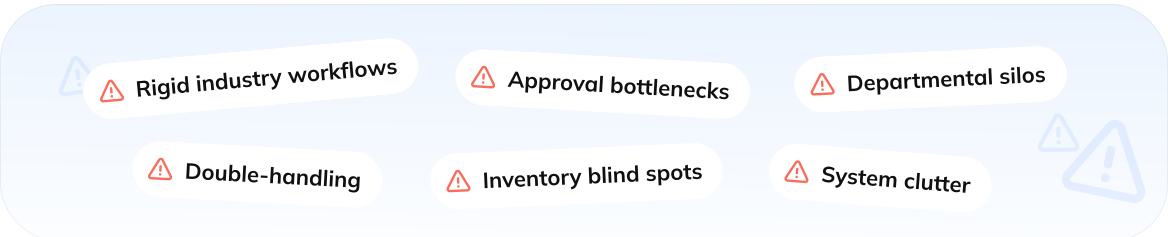
Challenges Business Central Customization Can Solve for You
Our Business Central Insights
Let's Connect!



What our clients say about us







Our clients journeys










Who we are
About usGlorium Technologies is a full-cycle app & software development company which covers specific client business needs and manage them with the help of the best possible technology solutions.
Since 2010, we have been inventing digital breakthroughs, helping startups and businesses come out on top in their markets.
Why choose us



Certifications








FAQ
What is Microsoft Dynamics 365 Business Central customization?
Business Central customization is the process of tailoring the standard Microsoft ERP to fit your specific operational needs. While the base software is powerful on its own, every company has unique flows: specific ways of pricing, shipping, reporting, etc. Through Microsoft Dynamics customization, we develop extensions that sit on top of the base application and add the exact features your team needs without changing the software.
Why should I customize Dynamics 365 instead of using standard features?
Standard features usually work for everyone, which means they don’t work perfectly for you. Customizing Dynamics 365 means you don’t have to do the manual workarounds or fill the gaps yourself. You can instead automate repetitive tasks and ensure your software supports proprietary processes rather than forcing you to change them.
Which Microsoft Dynamics 365 Business Central modules can be customized?
Almost every corner of the system is open to Microsoft Dynamics customization, including core modules such as Finance, Sales, Purchasing, Inventory, and Manufacturing. Have questions about the specific modules you want to customize? Talk to us.
What types of customization are available in Business Central?
When customizing Dynamics 365, there are three main paths: No-code configuration, low-code automation, and AL development. With the no-code option, you can hide or move fields to clean up the interface. Low-code automation allows using the Power Platform to create simple alerts or mobile apps. AL development, on the other hand, involves writing professional code for extensions, complex business logic, unique reports, or industry-specific tools.
Can I integrate Business Central with other Microsoft or third-party systems?
Of course. One of the requests we often receive with Microsoft Dynamics customization projects is connecting ERP to the rest of the tech stack. You can connect BC with other Microsoft systems (Outlook, Excel, and Power BI) and third-party systems, which are typically integrated via REST API/OData or certified ISV applications
Will Business Central customization affect future updates or upgrades?
No. Past ERP customizations made updates difficult, but with modern Business Central customization, we use an “extension” model, which means that custom code lives in a separate layer from the core Microsoft software. Once Microsoft rolls out its bi-annual update, your customizations will remain intact and continue to function without an issue.
How long does it take to customize Microsoft Dynamics 365?
The customization timeline depends on the complexity of your requirements. For example, a simple, no-code interface cleanup or a basic report may take a few days, while a deep Microsoft Dynamics customization with third-party integrations could take several weeks. We recommend starting with a discovery call or an intro call to define the scope. Sounds like something you need? Request an intro call.