Microsoft offers a powerful suite of solutions designed to help companies of all sizes thrive. However, navigating this expansive portfolio can sometimes feel overwhelming. For years, many growing businesses found their perfect operational backbone in Microsoft Dynamics NAV, a robust and flexible ERP solution that streamlined everything from finance to supply chain.
Today, you're likely hearing more about Microsoft Dynamics 365 Business Central. The chatter around BC had led to natural and crucial questions: Is this just a new name for NAV? How do you know if your business should stick with Dynamics NAV or switch to the modern Dynamics 365?
Well, that's precisely what we're here to clarify.
Think of it not as a simple choice between two separate products, but as an evolution. Dynamics 365 Business Central is the strategic, cloud-first successor built from the legacy of Dynamics NAV, and it has already surpassed (3.13%) the market share of Dynamics NAV at 2.33%. 365 BC carries forward the deep functionality trusted by Business Central users, while fundamentally changing how that power is delivered and experienced.
The key differences revolve around deployment, innovation, and connectivity. While NAV often resides on-premises, Business Central is primarily a cloud-based solution. In this article, we'll guide you through both ERP systems and break down critical comparisons. Our goal is to help you understand which solution is the best match for your business and how to get professional help from official partners like Glorium Technologies when needed.
What's the Difference Between Dynamics NAV and Microsoft Dynamics 365 Business Central?
Dynamics NAV and Dynamics 365 share a common DNA and core functionality for medium-sized businesses; however, the fundamental approach to how they deliver that functionality has transformed. Dynamics NAV is the proven, traditional ERP often deployed on local servers, while Dynamics 365 Business Central is its modern successor, built as a unified cloud-based ERP solution. Think of the upgrade as the shift from a product you own and maintain to a service you subscribe to and use—it allows a new world of agility, insight, and connectivity.
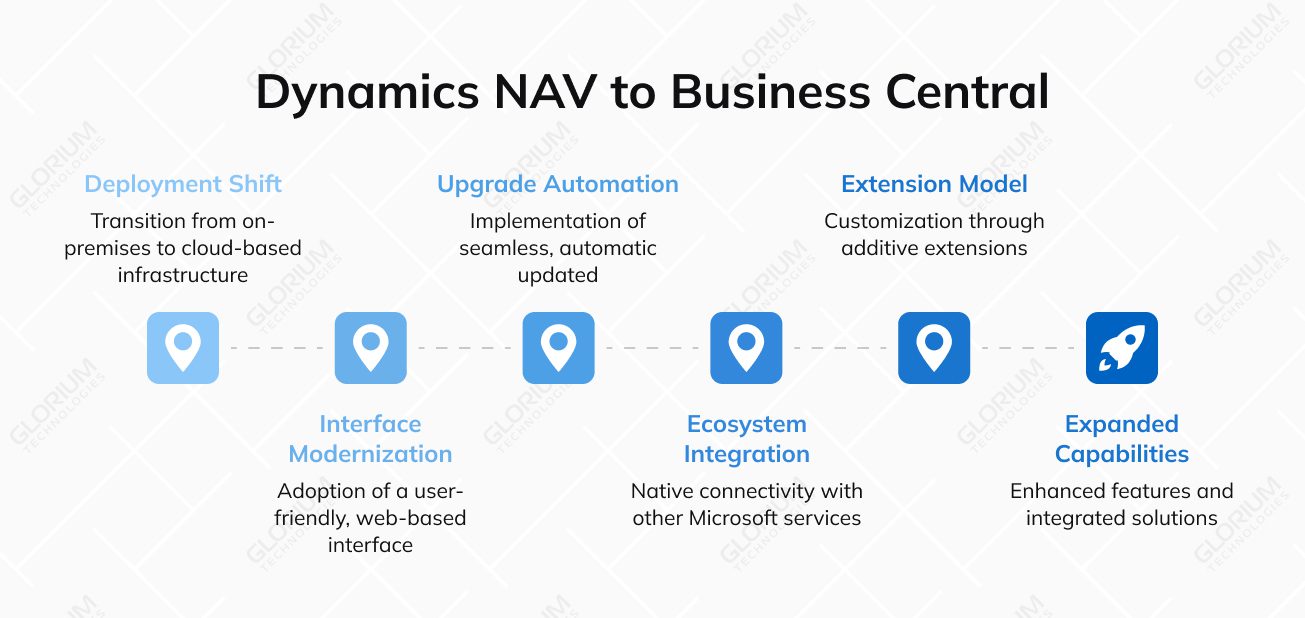
Let's break down the key differences that define this evolution.
Deployment and infrastructure
The most fundamental difference between Dynamics NAV and Dynamics 365 lies in how the software is hosted and managed.
- Dynamics NAV: Deployed on-premises, meaning you own servers and IT infrastructure. Your team (or a partner) is responsible for installation, maintenance, backups, and security. This offers a high degree of control but requires significant in-house IT resources and capital expenditure
- Dynamics 365 Business Central: Primarily offered as a SaaS solution hosted on secure Microsoft Azure datacenters. As a cloud-based ERP solution, Microsoft manages all the underlying infrastructure, updates, and security. This translates to lower upfront costs (opex model), reduced IT overhead, and guaranteed availability from anywhere. It can also be deployed on-premises, but the cloud model is its primary and most advantageous form
Modern Interface vs. Classic Client
How users interact with the system has undergone a dramatic, user-friendly transformation.
- Dynamics NAV: Has a user interface known as the "Windows Client" or "RoleTailored Client." While functional and customizable per role, it has a classic Windows application feel with menus, ribbons, and separate windows for different tasks
- Dynamics 365 Business Central: Features a modern, web-based interface accessible from any browser or through dedicated mobile apps. The design is clean, intuitive, and consistent with other Microsoft services like Office 365. It emphasizes role-centric workspaces, inline data editing, and seamless navigation, significantly reducing the learning curve for new users
Upgrades and innovations
How your system evolves and stays current is a critical operational difference.
- Dynamics NAV: Upgrades are major projects. Moving from one version to the next (e.g., NAV 2013 to NAV 2018) typically requires a complex, time-consuming, and expensive migration performed by a partner. This often leads companies to stay on older, unsupported versions to avoid disruption
- Dynamics 365 Business Central: Business Central offers automatic, twice-yearly updates rolled out by Microsoft. These updates include new features, service enhancements, and regulatory changes, applied with minimal disruption. This ensures all Business Central users are always on the latest, most secure, and innovative version without costly upgrade projects
Connected ecosystem vs. Standalone system
The ability to connect data and insights across the business landscape is a game-changer.
- Dynamics NAV: Integrates with other systems, but often through custom-built connectors or third-party tools. While powerful reporting tools exist, advanced business intelligence often requires separate solutions
- Dynamics 365 Business Central: Is natively built as part of the Dynamics 365 and Microsoft 365 suite. It connects out of the box with tools like Excel, Outlook, Teams, and Power Automate. Most powerfully, it integrates directly with Power BI, providing rich, real-time dashboards and analytics on business performance directly within the ERP interface, turning business data into actionable intelligence
Code modifications vs. Extensions
How you tailor the system to meet unique business needs has evolved for better sustainability.
- Dynamics NAV: Customization traditionally involves modifying the core C/AL code (and later AL) in the base application objects. These "code customizations" are powerful but can make future upgrades complex and costly, as they must be reconciled with Microsoft's new code
- Dynamics 365 Business Central: Uses a modern "extension" model. Customizations are built as additive packages that sit on top of the standard application without altering the core code. This "no-touch" approach means your customizations are far more likely to survive the automatic updates seamlessly, protecting your investment
Core ERP vs. Expanded capabilities
While both are comprehensive ERPs, Business Central expands on the foundation.
- Dynamics NAV: Provides robust, core ERP functionality for finance, supply chain, manufacturing, and CRM. Advanced features might require add-on solutions or significant customization
- Dynamics 365 Business Central: Includes all the core strengths of NAV and adds enhanced, natively integrated capabilities. This includes more advanced project management accounting, richer service management features, and seamless interoperability with other Dynamics 365 apps like Sales and Customer Service, allowing for a truly unified business platform
|
Feature |
Microsoft Dynamics NAV (Legacy) |
Dynamics 365 Business Central (Modern) |
|
Upgrades |
Required code merging and developer effort for every upgrade. |
Updates delivered continuously twice a year; low-to-no upgrade cost. |
|
Interface |
Desktop-based, often requiring local installation; less modern look. |
Fully browser-based, accessible on any device; intuitive Microsoft 365 look and feel. |
|
Customization |
Customizations modified core code, complicating future upgrades. |
Customizations are separate, guaranteeing seamless upgrades. |
|
Search |
Basic search functionality. |
Powerful, quick search for pages, data, and actions across the system. |
|
Pricing |
High upfront capital cost plus annual maintenance and hardware fees. |
Predictable monthly fee per user; all-inclusive with no server or SQL cost. |
|
Reporting |
Relied on internal tools (SSRS) or third-party solutions. |
Native, real-time integration with Power BI for advanced analytics and dashboards. |
|
Deployment |
Required local servers, SQL licensing, and internal IT management. |
Flexible deployment (Cloud, Hybrid, On-Premise) with immediate scalability. |
|
Support |
Extended support for the last version (NAV 2018) ends January 2028. |
Continuous support, security, and innovation as part of the subscription. |
Features that Drive Companies toward Microsoft Business Central Upgrade
For NAV users who have built their processes on a stable, on-premises foundation, the decision to switch platforms is never taken lightly. The move to Dynamics 365 Business Central, however, is driven by its strategic leap into a new way of operating. The compelling business central benefits that motivate this shift go beyond mere feature parity; they unlock new levels of agility, intelligence, and connectivity that are difficult or impossible to achieve with a legacy system.
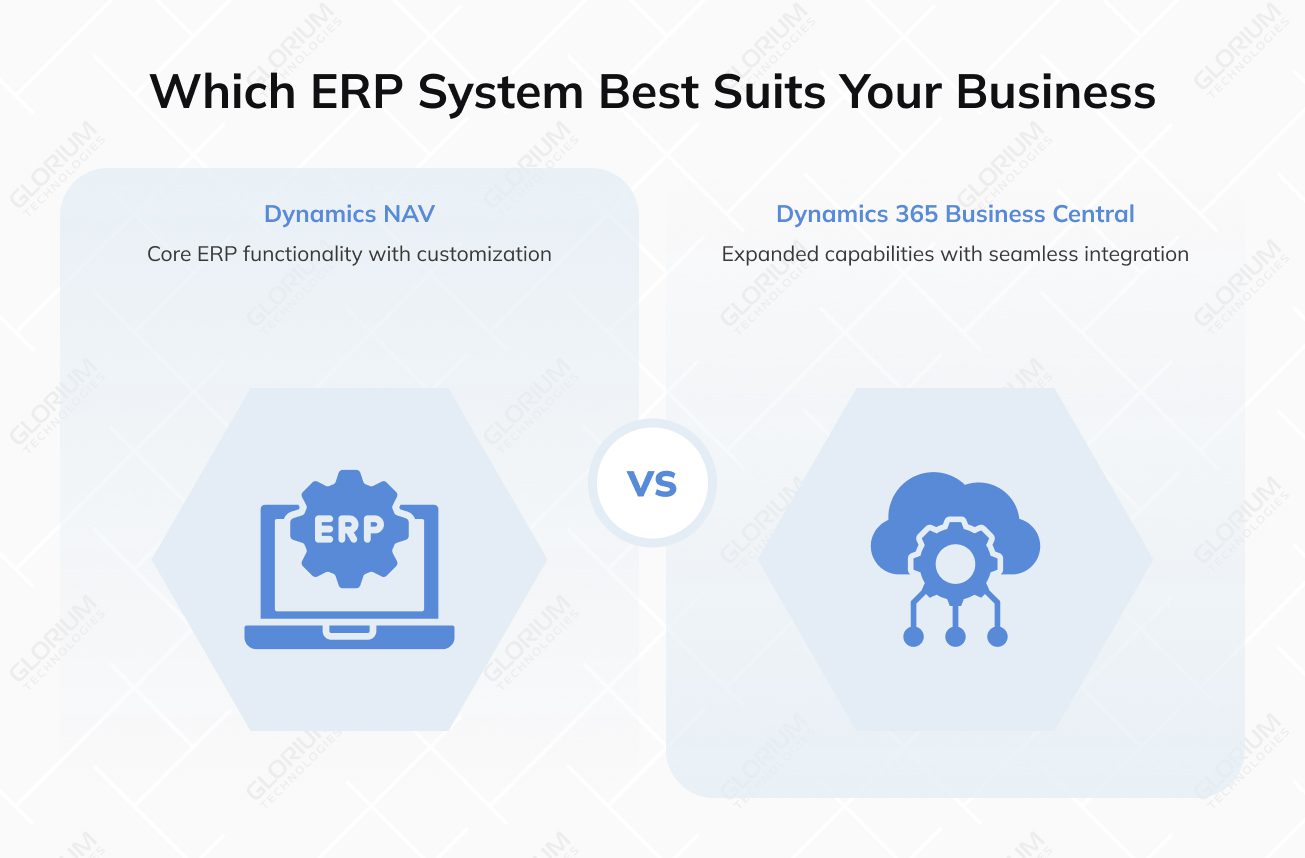
Here are the key features of Business Central that are most influential in driving companies to make the switch:
- Seamless integration within the Microsoft ecosystem: Business Central is a native citizen of the broader Microsoft products. Users can view and edit Business Central data directly within familiar tools like Outlook and Excel. Teams integration allows employees to share records, start conversations, and take action without leaving their collaboration hub, streamlining customer interactions and internal communication
- Unmatched agility with cloud capabilities: Adopting Business Central as a cloud service transforms a company's IT and operational model. With a secure web client and mobile apps, you can get accessibility from anywhere on any device. The platform also allows automatic updates and innovation with critical security updates twice a year
- Advanced, embedded business intelligence with Power BI: While NAV offered reporting, Business Central delivers true intelligence. Embedded Power BI transforms business operations from reactive to proactive. Live dashboards inside the ERP and self-service analytics allow users to explore business data, get real-time visibility into financial management KPIs, and operational health without switching applications
- Modern, intuitive user experience: The shift to a clean, web-based interface significantly impacts user adoption and productivity. Companies that switch from NAV to Dynamics 365 experience less resistance during adoption. Dynamics 365 perfectly utilizes "Tell Me" intelligent search and role-tailored workspaces to reduce clutter and improve efficiency
- Enterprise-grade data security and compliance: Data is hosted in secure, geographically redundant Azure datacenters, benefiting from the same level of enterprise-grade security, compliance certifications (like ISO, SOC, GDPR), and disaster recovery protocols used by global corporations.
- AI-powered productivity with Microsoft Copilot: Beyond insightful analytics, Business Central now embeds generative AI directly into the workflow with Microsoft Copilot. This feature transforms how users interact with the system. Copilot in Business Central acts as an intelligent assistant that accelerates core tasks—from marketing content creation to financial reconciliation—directly within the context of the user's work.
Companies that make the switch aren't doing it for new features; they're switching to a new model. They gain a cloud-based, always-modern platform that connects their people, data, and processes.
How to Know if You Need to Make the Switch from Dynamics NAV to Dynamics 365
Deciding to move from your trusted Dynamics NAV system is a significant choice. If you’re wondering whether it’s time, here are the key signs that indicate a switch to its modern cloud-based successor, Dynamics 365 Business Central, is not just beneficial, but necessary.
You likely need to make the move if you recognize several of these points:
- High and rising costs: Your IT budget is consumed by maintenance costs, server cloud hosting, and expensive, disruptive major upgrades
- Limited accessibility: Your team cannot work efficiently from multiple devices or remote locations, hindering modern business processes
- Data silos and manual work: You use many spreadsheets and separate apps because your system doesn’t integrate seamlessly, creating inefficiency and risk of data loss
- Outdated security and insights: You worry about data security on a legacy platform and lack real-time business performance dashboards for quick decisions
- Growth feels constrained: Scaling your business, adding users, or opening new locations feels technically difficult and costly on your current system
- Missed modern advantages: You’re unable to leverage AI, automated workflows, or the latest cloud capabilities that drive efficiency and cost savings
Move to Microsoft Dynamics 365 Business Central with Glorium Technologies
If you've already made the decision to switch from Dynamics NAV to Dynamics 365, you've already taken the first strategic step forward. The second and equally vital step is choosing the right partner to guide your journey. A smooth, successful migration process requires more than just technical skill—it demands deep experience, proven methodology, and a partner invested in your long-term success.
This is where Glorium Technologies makes a significant difference.
As an official Microsoft Dynamics 365 Partner with over 14 years of experience, we understand that moving from an on-premise system to a cloud-based platform involves more than just data transfer. This upgrade is an opportunity to rethink and streamline operations, empower your end users, and build a scalable foundation for the future.
Ready to make the switch? Let's connect. You can always reach out to us or request an intro call with our team of experts.
FAQ
Is Dynamics 365 Business Central just a rebranded, cloud-hosted version of Microsoft Navision?
No, it is the optimized version and strategic successor. The two systems share functionalities, but Business Central is fundamentally rebuilt as a true cloud-native SaaS solution.
We rely heavily on customizations in our NAV system. Will they be lost in the migration?
Not necessarily, but they will need to be reviewed and modernized. Much of the custom development done in NAV via C/AL code modifications must be recreated in Business Central using the modern AL extension model.
How does the subscription-based pricing of Business Central compare to the perpetual license cost of NAV in the long run?
Business Central shifts the cost model from a large upfront investment (license + servers) plus annual maintenance fees to a predictable monthly subscription per user. For many mid-sized businesses, this is more cost-effective as it eliminates hidden costs.
Is our data secure in the cloud with Business Central compared to our own servers?
In most cases, it is significantly more secure. Business Central on Microsoft Azure benefits from enterprise-grade data encryption (at rest and in transit), threat detection, and a global team of security experts that few businesses can afford on-premises.
Can Business Central handle our advanced warehouse management and supply chain needs?
Yes. Business Central contains all the advanced functionality of NAV and has continued to expand it, including enhanced warehouse management modules. For businesses with highly complex needs, it also integrates natively with Dynamics AX's enterprise-scale successor, Dynamics 365 Supply Chain Management, providing a clear growth path without losing your investment.
About Anna Voznaya