











Business Central for Manufacturing


Dynamics 365 Business Central for Every Manufacturing Vertical


See How Dynamics 365 Business Central Works for Manufacturers


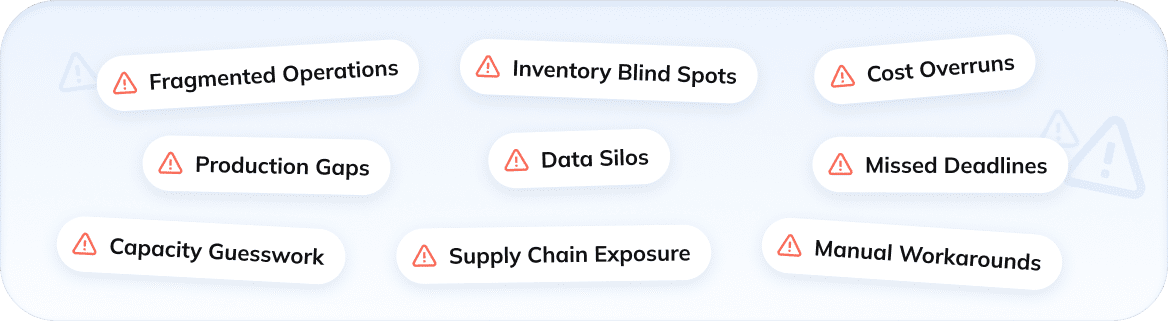
Challenges Manufacturers Know Too Well
Business Central Manufacturing Capabilities for Complex Operations
Bills of Materials (BOM)
Routing & Work Centers
 Planning
Production Orders
Planning
Production Orders
 Assembly
Process Manufacturing
Assembly
Process Manufacturing
Bills of Materials (BOM)
Capture every component, quantity, and routing requirement in structured production specs built to support even the most complex manufacturing runs.
- Version management
- Component substitutions
- Multi-level BOMs
- Phantom BOMs

Routing & Work Centers
Assign operations to specific machines or labor groups, set run times, and build production sequences that match your real manufacturing flow.
- Shop floor visibility
- Finite capacity scheduling
- Operation time tracking
- Routing operations
Planning
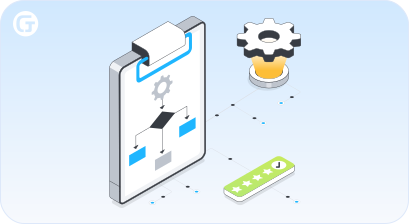
React to demand shifts without manual recalculation. You can handle replenishment suggestions, order timing, and supply balancing in one place.
- Planning worksheet
- Lead time optimization
- Demand management
- MPS & MRP

Production Orders
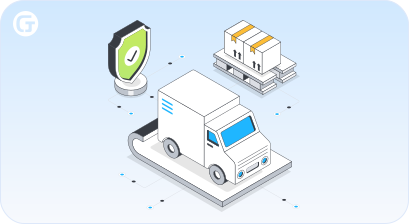
From initial release to final posting, manage materials, labor, and costs across every active manufacturing run without switching between systems.
- Production order routing
- Order status monitoring
- WIP & cost control
- Production order types
Assembly
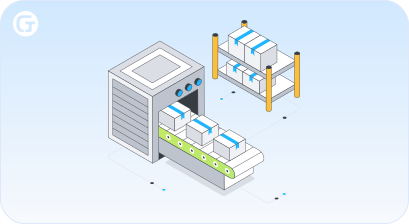
Whether building to stock or fulfilling custom orders, every component and resource gets tracked, consumed, and posted in one seamless flow.
- Inventory availability
- Custom configurations
- Component substitutions
- ATO & ATS

Process Manufacturing
Support recipe-driven manufacturing with built-in batch tracking, yield management, and co-product handling across regulated industries.
- Recipe management
- Lot tracking & traceability
- Batch production & scaling
- Quality testing & approval
Business Central – the Manufacturing ERP for Your SME
 Before Business Central
 After Business CentralDisconnected production systemsOne unified platformManual production schedulingAutomated planning engineSpreadsheet-heavy opsReal-time stock visibilitySiloed purchasing and productionIntegrated supply chainReactive capacity managementProactive resource planningSlow month-end financial closingFaster period-end reporting
Our Business Central Services Built Around Your Needs


Our Business Central Insights




What our clients say about us







Success Stories














Who we are
About usGlorium Technologies is a full-cycle app & software development company which covers specific client business needs and manage them with the help of the best possible technology solutions.
Since 2010, we have been inventing digital breakthroughs, helping startups and businesses come out on top in their markets.

Why choose us





Certifications




Let's Connect!



FAQ
How does Business Central integrate with other Microsoft tools to support financial management and production scheduling?
When your business runs on Microsoft Dynamics 365, keeping finance and production in sync stops being a manual effort. Business Central integrates seamlessly with tools like Excel, Teams, and Power BI, giving you real-time visibility into costs, schedules, and performance without jumping between platforms. All these components, from purchasing to production to accounting, feed into one connected system, so your financial management always reflects what’s actually happening on the floor.
How does Business Central help manufacturers manage the full production process from raw materials to finished product?
Whether you produce items in batches or against a specific customer order, Business Central helps you manage every stage of the manufacturing process without losing track of costs or timelines. You can create production orders, define the components needed, set lead times, and monitor output from start to finish. The Business Central manufacturing module’s tracking capacity covers everything from sourcing raw materials to posting the finished product. You can keep your production process visible and under control as your business grows.
How does Business Central handle material consumption and work centers across multiple manufacturing operations?
Every manufacturing operation involves moving parts, literally. Business Central lets you assign physical or logical resources to specific tasks, track material consumption through a consumption journal, and record labor and machine time via a capacity journal. Manufacturing transactions automatically update inventory and cost records in real time, so you always know your stock levels, quantities needed, and material usage across every active order. This kind of real-time tracking matters most when you’re managing several production orders at once.
What advantages does cloud integration bring to manufacturers running Business Central across multiple locations or product lines?
For growing manufacturers operating across sites or expanding their product line, cloud integration removes the friction of disconnected systems. With an enterprise resource planning system in the cloud, like Microsoft Dynamics 365 Business Central, your teams access the same data — inventory management, sales forecasts, production plans, costing, and purchasing — regardless of location. You can apply consistent planning parameters, maintain safety stock levels and version control, manage reorder points, and reduce costs tied to on-premise infrastructure. Even as the global economy shifts, your operations stay connected and responsive to changing demands.
Can manufacturers use Business Central to track progress on the shop floor and report progress against active production orders?
Yes, this is specifically where Business Central earns its place as a practical manufacturing ERP for small and medium manufacturers. You can track progress at the operation level, report progress directly from the shop floor, and use automated MRP to keep material requirements planning aligned with actual output. Production order management gives you full visibility into all the components required, resource utilization, and costing methods, including average costing and job costing. Hence, small and medium businesses can streamline operations and enhance efficiency without the overhead built for large enterprises. For make-to-order environments, especially, knowing your capacity planning and supply chain status in real time is what keeps you ahead.