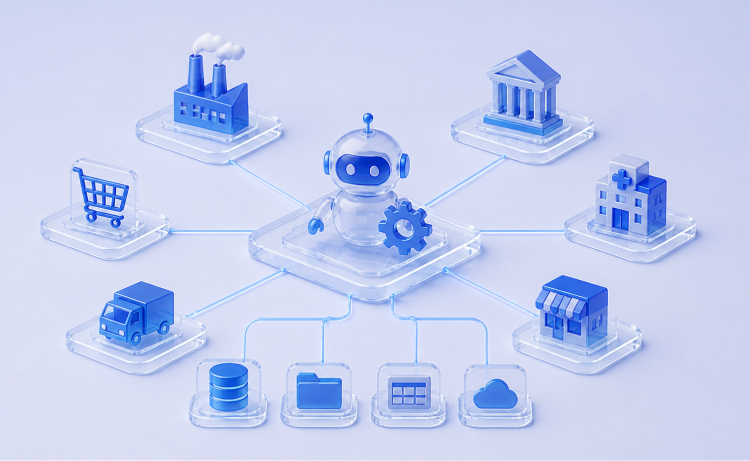
Most companies aren't starting from zero anymore. You've probably already got an ERP, a CRM, maybe a dedicated system for inventory or claims. And yet someone on your team still spends hours a week moving data between them by hand, because those systems were never built to talk to each other.
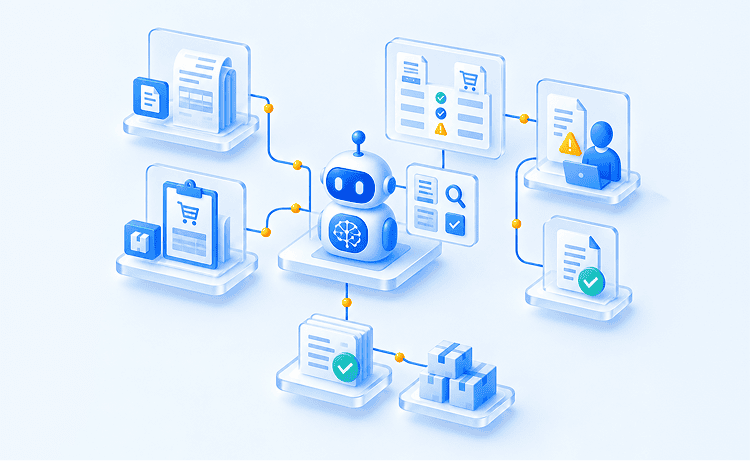
Those systems work fine on their own. The problem is what happens between them — someone has to manually carry information from one to the next, and that's exactly where robotic process automation steps in. Robotic process automation (RPA) software robots sit on top of your existing systems and legacy systems alike, following the same steps a person would take to move data, process an invoice, or update a record, without needing anyone to rebuild the underlying infrastructure.
The catch is that RPA works best when it's aimed at the right gap, not every gap. The use cases ahead show where RPA has actually delivered results across different industries, so you can pinpoint which of your own disconnected processes are worth automating first.
RPA Use Cases by Industry: Where Intelligent Automation Delivers Results
Every industry has its own version of the same problem: business processes that depend on moving information between multiple systems. What differs is where that friction shows up. Finance and accounting is where it shows up most; it's the single largest application of robotic process automation (RPA) today, accounting for 22.8% of the market by application in 2025, much of it spent on manual data entry between systems that don't natively connect, like invoice processing, reconciliation, and reporting.
That pattern repeats industry by industry, just with different systems and different stakes. A hospital's version is patient data trapped between intake, billing, and insurance claims processing. A manufacturer's version is a purchase order that has to travel from a corporate ERP system to a supplier's system and back. The sections below break down exactly how RPA use cases play out across the industries where intelligent automation has moved past the pilot stage, with real, attributed results.
Banking & Finance
Banking runs on repetitive tasks with almost no room for error and increasing regulatory compliance pressure — which makes it one of the strongest fits for RPA implementation of any industry. Software robots handle the volume of financial data, structured data, and manual data entry that used to consume entire back-office teams, freeing human workers for the judgment calls that actually need them.
|
Use Case |
When It's Needed |
How RPA Handles It |
Key Benefit |
|
Loan processing |
When loan volume outpaces the team's ability to manually verify applicant data, credit checks, and documentation across multiple systems without slowing down approval times |
RPA bots pull applicant data from enterprise systems, cross-check it against credit bureaus and internal risk models, and populate the loan file automatically, flagging exceptions for human review instead of routing every file through a person first |
Faster approval cycles, fewer processing errors, and better customer satisfaction during a process applicants already find stressful |
|
Invoice automation |
When accounts payable teams are manually keying in invoice data from vendors using different formats, templates, and delivery methods |
Combined with optical character recognition and document processing, RPA extracts line-item data from incoming invoices, matches it against purchase orders, and routes it for approval, removing the manual data entry step entirely |
Lower cost savings on processing per invoice, fewer late-payment penalties, and reduced human error in matching |
|
Fraud detection |
When transaction volume is too high for manual review to catch suspicious patterns in real time |
RPA bots continuously monitor transactions against rule-based tasks and known fraud indicators, escalating anomalies instantly instead of relying on periodic manual audits |
Faster fraud response, reduced financial losses, and stronger regulatory compliance posture |
|
Compliance reporting |
When regulatory reporting requires pulling and reconciling data from several disconnected systems on a recurring schedule |
RPA solutions automate the extraction, formatting, and submission of compliance data, maintaining an audit trail without a compliance officer manually compiling it each cycle |
Reduced regulatory risk, consistent reporting accuracy, and hours of administrative tasks returned to the compliance team |
Loan processing is where this plays out most visibly under real pressure. When the Swiss government launched an emergency loan program for small and medium-sized businesses during the COVID-19 crisis, UBS faced a volume of applications its usual manual process could never keep up with. The bank's Operations team built an automation solution that let it process thousands of applications from that program, work that would have created an unmanageable backlog otherwise. As UBS Head of Group Operations Chris Gelvin explained, this was part of a broader shift already underway at the bank, where more than 1,000 bots handle repetitive, back-office tasks like moving data between systems, freeing staff to spend more time on client-facing work instead.
Healthcare
Healthcare automation has to clear a higher bar than most industries, since patient data management touches both operational efficiency and patient safety at the same time. RPA tools here are less about replacing clinical judgment and more about removing the administrative tasks that stand between a patient and the care they came in for.
|
Use Case |
When It's Needed |
How RPA Handles It |
Key Benefit |
|
Patient registration |
When front-desk staff are manually re-entering the same patient information across intake forms, insurance systems, and electronic health records |
RPA bots capture patient data once and automatically populate it across every connected system, cutting down on duplicate entry and transcription mistakes |
Shorter wait times, fewer registration errors, and a smoother onboarding process for patients |
|
Claims processing |
When claims require verifying eligibility, coding accuracy, and payer rules before submission, a workflow prone to delays when done manually |
RPA automates claims processing by cross-referencing patient records, policy details, and billing codes, submitting clean claims and flagging exceptions instead of holding up the entire batch |
Faster reimbursement, fewer denied claims, and less time spent on rework |
|
Medical records management |
When patient records live across multiple systems that don't sync automatically, creating gaps every time a patient moves between departments or providers |
RPA bots reconcile and update records across systems as new data comes in, keeping structured data current without a staff member cross-checking every chart |
More accurate records, reduced human error in patient history, and better continuity of care |
|
Appointment scheduling |
When scheduling has to account for provider availability, patient preferences, and insurance requirements simultaneously, a task that's tedious to manage by phone or manually |
RPA bots handle scheduling, rescheduling, and reminder workflows automatically, syncing with provider calendars in real time |
Fewer no-shows, less time spent on the phone, and higher patient satisfaction with the scheduling experience |
Claims processing is where this shows up most clearly. Max Healthcare, one of the largest hospital networks in North India, was processing enormous volumes of patient transaction data every day, with claims settlement for government health schemes proving especially difficult to keep on top of manually. "Every patient may have hundreds of interactions or episodes within a day," said Yogesh Sareen, Max Healthcare's CFO. "So, reconciling all the data is really a tough task. With RPA we've been able to do things which would not have been humanly possible to do." After implementing the automation, the hospital network cut claims turnaround time by 50% and reduced the time spent processing health scheme data by up to 75%.
Retail & eCommerce
Retail and eCommerce operate at a volume and speed where manual tasks simply can't keep pace, especially once a business is running across multiple sales channels and systems at once. RPA gives these businesses a way to scale operations without scaling headcount at the same rate, which directly supports business growth.
|
Use Case |
When It's Needed |
How RPA Handles It |
Key Benefit |
|
Order processing |
When order volume spans multiple platforms (website, marketplace, in-store) that all need to feed into the same fulfillment and accounting systems |
RPA bots capture order data the moment it's placed and push it automatically into inventory, shipping, and billing systems, removing manual re-entry between platforms |
Faster order fulfillment, fewer processing errors, and consistent customer data across channels |
|
Inventory updates |
When stock levels change constantly across warehouses and sales channels, making manual tracking unreliable |
RPA continuously syncs inventory counts across systems in real time as sales, returns, and restocks happen |
Fewer oversells and stockouts, more accurate demand planning, and less manual reconciliation |
|
Customer support |
When support teams are flooded with routine, repetitive questions (order status, return policy, account issues) that don't require a live agent |
RPA bots paired with natural language processing handle routine inquiries automatically and escalate more complex tasks to a human agent |
Faster response times, higher customer satisfaction, and support staff freed up for higher-value interactions |
|
Returns management |
When processing a return requires checking eligibility, updating inventory, and issuing a refund across separate systems |
RPA automates the return workflow end to end — verifying the return against policy, updating stock, and triggering the refund — without manual handoffs between departments |
Faster refunds, more consistent policy enforcement, and reduced administrative load on customer service teams |
Returns management is where this shows up clearly. Kao, a global manufacturer of hair care and cosmetics brands with roughly 1,420 billion yen in annual sales, was managing its return-order process manually, a workflow that required multiple employees, several IT systems, and repeated manual data entry into SAP for every return. Kao deployed a bot that extracts return details like sales order number, customer number, and product codes directly from incoming emails, then automatically processes the return, inbound delivery, and goods receipt in SAP before notifying the customer service team. The result: returns are now processed 24/7 without interruption, inventory data stays accurate and transparent, and products eligible for resale reach the marketplace faster.
Manufacturing
Manufacturing has embraced RPA as part of a broader digital transformation, mainly because so much of the industry's routine tasks — procurement, scheduling, reporting — sit at the intersection of legacy systems and modern enterprise systems that were never designed to work together.
|
Use Case |
When It's Needed |
How RPA Handles It |
Key Benefit |
|
Procurement automation |
When purchasing raw materials or parts requires manually generating purchase orders based on reorder thresholds across multiple suppliers |
RPA bots monitor inventory levels and automatically trigger purchase orders once thresholds are hit, syncing with supplier and ERP systems |
Fewer stockouts on the production line, faster procurement cycles, and reduced manual oversight |
|
Quality reporting |
When quality data has to be pulled from shop-floor systems and compiled into reports for compliance or internal review |
RPA automates data extraction from production systems and compiles it into standardized reports, removing the manual compilation step |
More consistent reporting, faster identification of quality issues, and stronger regulatory compliance |
|
Supply chain workflows |
When coordinating supply chain management across suppliers, warehouses, and logistics providers involves constant manual status checks and updates |
RPA bots track shipments, update statuses across systems, and flag delays automatically as part of a broader automation strategy for the supply chain |
Better visibility across the supply chain, fewer delays going unnoticed, and less manual coordination between teams |
|
Production scheduling |
When scheduling has to adjust in real time to material availability, machine capacity, and order priority |
RPA automates schedule adjustments based on live data from production and inventory systems, rather than requiring a planner to manually recalculate |
Better use of production capacity, fewer scheduling conflicts, and faster response to changing demand |
Quality reporting is where this has been studied most rigorously. Mercedes-Benz AG needed to keep its technical registration documentation compliant with country-specific certification rules, like China's Compulsory Certification requirements, a process that depended on manual coordination between quality management, engineering, and suppliers, and was vulnerable to the kind of oversight that leads to defects, recalls, or regulatory restrictions. Researchers at the Karlsruhe Institute of Technology studied Mercedes-Benz's deployment of RPA against this exact process and found that automation made the workflow faster and more accurate, freed up the equivalent of 5.075 full-time employees, and improved product quality outcomes.
Human Resources
HR functions are full of routine processes that follow the same steps every time, which makes them a natural early win for any automation strategy. Automating them frees HR teams to focus on people instead of paperwork, which shows up directly in employee productivity and retention.
|
Use Case |
When It's Needed |
How RPA Handles It |
Key Benefit |
|
Employee onboarding |
When onboarding requires setting up accounts, collecting documents, and provisioning access across multiple systems for every new hire |
RPA bots automate the onboarding process end to end — creating accounts, distributing forms, and notifying relevant teams — instead of HR manually triggering each step |
Faster time to productivity for new hires, fewer onboarding errors, and a more consistent onboarding experience |
|
Payroll processing |
When payroll involves pulling hours, deductions, and benefits data from multiple systems before every pay cycle |
RPA automates payroll processing by consolidating data from time-tracking, benefits, and HR systems, then running calculations without manual data entry |
Fewer payroll errors, faster processing time, and reduced compliance risk around pay accuracy |
|
Leave management |
When tracking time-off requests, balances, and approvals manually creates delays and inconsistent record-keeping |
RPA bots track leave balances, route approval requests, and update records automatically as requests are submitted and approved |
Faster approvals, more accurate leave balances, and less administrative back-and-forth |
|
HR document automation |
When generating and filing HR documents (offer letters, policy acknowledgments, compliance forms) manually is repetitive and error-prone |
RPA tools generate, populate, and file standard HR documents automatically based on employee data already in the system |
Fewer document errors, faster turnaround, and better recordkeeping for audits |
Employee onboarding and offboarding are where payroll inaccuracies most often start, and automating those handoffs addresses the root cause rather than just cleaning up errors after the fact. A mixed-methods study out of Jadavpur University examined this directly, comparing payroll error rates before and after RPA implementation and combining that data with interviews of HR and payroll staff. The research found a significant reduction in payroll inaccuracies following RPA adoption, driven by more consistent data entry and fewer manual handoffs during document verification and system updates, along with more timely salary disbursements and steadier regulatory compliance. The same automation also freed HR staff from the routine parts of onboarding, giving them more room for higher-value work.
Insurance
Insurance is one of the industries where RPA excels most clearly, since so much of the work — claims processing, underwriting, compliance checks — depends on structured data moving accurately between systems, with regulatory compliance requirements layered on top.
|
Use Case |
When It's Needed |
How RPA Handles It |
Key Benefit |
|
Claims processing |
When claims require validating policy details, coverage limits, and documentation before payout, a process that's slow and error-prone when done manually |
RPA bots cross-reference claims data against policy records and flag exceptions, processing straightforward claims without human intervention |
Faster claims resolution, higher customer satisfaction, and reduced processing costs |
|
Policy administration |
When issuing, renewing, or updating policies means manually updating records across multiple systems |
RPA automates policy updates and renewals by syncing data across systems the moment a change is triggered |
Fewer administrative errors, faster policy turnaround, and reduced manual workload |
|
Customer onboarding |
When onboarding a new policyholder involves collecting information, verifying it, and setting up accounts across several systems |
RPA bots automate the onboarding process by validating submitted information and populating it across connected systems automatically |
Faster onboarding, fewer data entry errors, and a smoother first experience for new customers |
|
Compliance checks |
When policies and claims need to be checked against changing regulatory requirements on an ongoing basis |
RPA continuously runs compliance checks against current regulations, flagging discrepancies before they become violations |
Reduced regulatory risk, consistent compliance across the policy portfolio, and less manual audit work |
Claims processing is where the academic record backs this up most directly. Blue Cross Blue Shield of North Carolina (BCBSNC) built its own automation tool, called the Claim Automation Engine, before commercial RPA platforms even existed, aiming to reduce the manual work behind claims handling. According to a peer-reviewed teaching case published in the Journal of Information Technology Teaching Cases, the program processed a substantial share of the company's incoming claims and delivered a triple-digit return on investment. The case also documents a less-discussed part of automation projects: BCBSNC's managers had to work through real organizational friction afterward, including how to redeploy staff whose roles changed once the routine parts of their jobs were automated.
Is RPA Right for Your Process? A Business Process Automation Checklist
RPA can eliminate tedious tasks and free up real business efficiency, but it only works when it's pointed at the right process. At Glorium Technologies, this is one of the first questions we help companies answer before any automation project starts. Based on what we consistently see across implementations, here's a quick checklist to check if RPA is the right fit for your process.
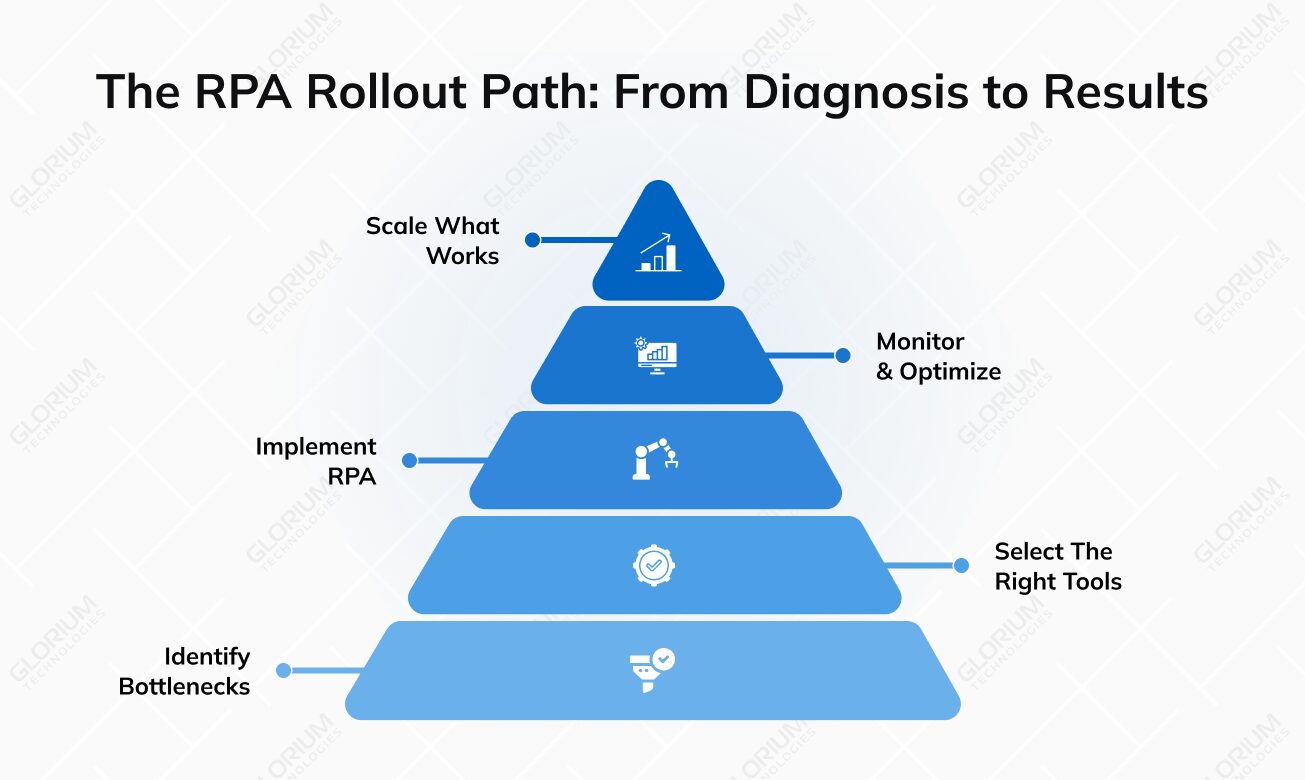
Go through each item below and count how many apply to your process. Score guidance is at the end.
- High volume: The task runs often enough, daily or many times a day, that time saved actually adds up
- Example: reconciling 200 vendor invoices a week, not signing off on 3 annual contracts
- Rule-based: The steps follow clear if/then logic, with no case-by-case judgment calls required
- Example: "if invoice total matches PO total, approve" rather than "use discretion on discounts for long-term clients"
- Repetitive: The same actions happen the same way, every time, with little variation
- Example: copying a new order's details into three separate systems every time an order comes in
- Structured data: Inputs follow a predictable format: form fields, spreadsheets, databases, or consistently formatted documents
- Example: claims submitted through a standard web form, not scanned handwritten notes
- Stable process: The steps and systems involved haven't changed much in the past year
- Example: a payroll workflow that's run the same way since the current HR system was installed
- Cross-system: The task moves data between two or more systems that don't natively connect
- Example: pulling a customer's order status from the ERP and updating it manually in the CRM
- Digital inputs: The work happens on a computer, not on paper or in person
- Example: processing e-invoices received by email, not sorting paper mail
- Low exception rate: Most cases follow the standard path, with only a few one-off situations
- Example: 90% of expense reports match policy limits with no manual review needed
- Costly errors: Mistakes carry a real cost: compliance risk, rework, missed payments, or unhappy customers
- Example: a missed regulatory filing deadline that triggers a fine
- Well documented: Every step, decision point, and exception can be clearly mapped out
- Example: a written SOP that lists each step of the onboarding process, including what to do when a document is missing
- Clear ownership: Someone will be accountable for monitoring the bot and handling exceptions after launch
- Example: a named process owner on the ops team, not "whoever notices something's wrong"
|
Matches |
What It Means |
|
8–11 |
Strong candidate; likely a quick win worth prioritizing. |
|
4–7 |
Possible fit; worth a closer look; the process may need cleanup or standardization first. |
|
0–3 |
Not a good fit right now; a different kind of automation or a process redesign is probably a better starting point. |
Start Where It Counts: Automate Repetitive Tasks First
RPA works the same way in principle across every industry covered above, but the details rarely translate cleanly from one sector to the next. A claims workflow in insurance doesn't map onto a production schedule in manufacturing, and a compliance check in banking looks nothing like a return policy in retail. That gap is exactly why the right implementation partner matters as much as the technology itself.
Glorium Technologies has spent years building automation for companies in healthcare, manufacturing, automotive, financial services and fintech, and retail, which means the questions specific to your industry aren't new to us. Whatever's still unclear after reading this, from which process to automate first to how RPA fits alongside the systems you already run, a team that's solved it before can get you to a working answer far faster than starting from scratch.
If you're ready to take that next step, set up a free intro call with Glorium Technologies.
FAQ
What challenges should businesses expect with RPA?
The most common mistake is automating complex business processes that are too inconsistent for software bots to handle reliably, which leads to constant breakage and rework. Spotting real automation opportunities versus tasks that just feel like time consuming tasks takes experience most teams don't have in-house. Glorium Technologies runs that assessment upfront, mapping the process before any workflow automation gets built, so businesses don't spend budget automating the wrong thing.
How is RPA different from AI?
RPA technology follows fixed rules and repeats the same steps every time, while AI, including machine learning, is built to handle ambiguity and learn from data. Agentic AI takes this further, letting agentic automation independently plan and carry out multi-step work rather than follow a script. Glorium Technologies builds intelligent RPA solutions that combine both, so clients aren't stuck choosing between rigid automation and something that can actually adapt.
Can small businesses benefit from RPA?
Yes; a modern automation platform and accessible software tools mean small teams no longer need a dedicated IT department or an enterprise automation budget to get started. The right approach is starting small and treating the rollout as continuous improvement rather than a single project. Glorium Technologies also works with smaller teams to identify one high-value process worth automating first, then helps them expand from there.
How do you identify the right RPA use cases?
Look for data processing work that involves moving information between disconnected systems, especially anything reducing data extraction from documents that previously required manual entry. The goal is to optimize processes based on real cost, not just visible frustration, since not every complex process is worth automating first. Glorium Technologies uses its own discovery process to apply current automation technologies against the processes that will actually move the needle for a given business.
About Anna Voznaya