ERP vs. Accounting Software: Which One Does Your Business Need?
ERP
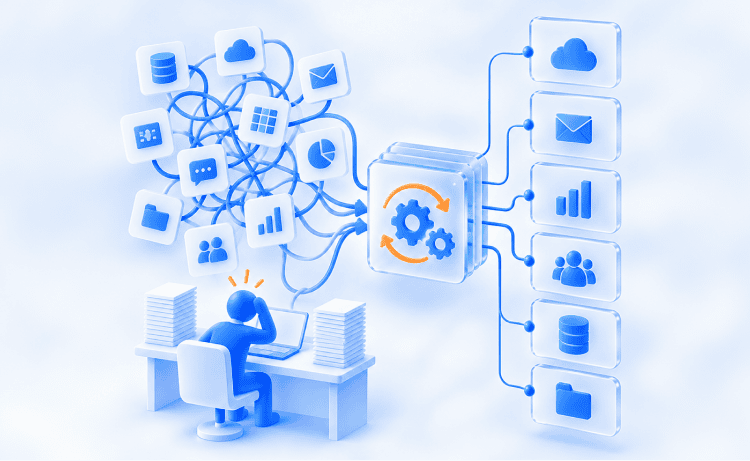
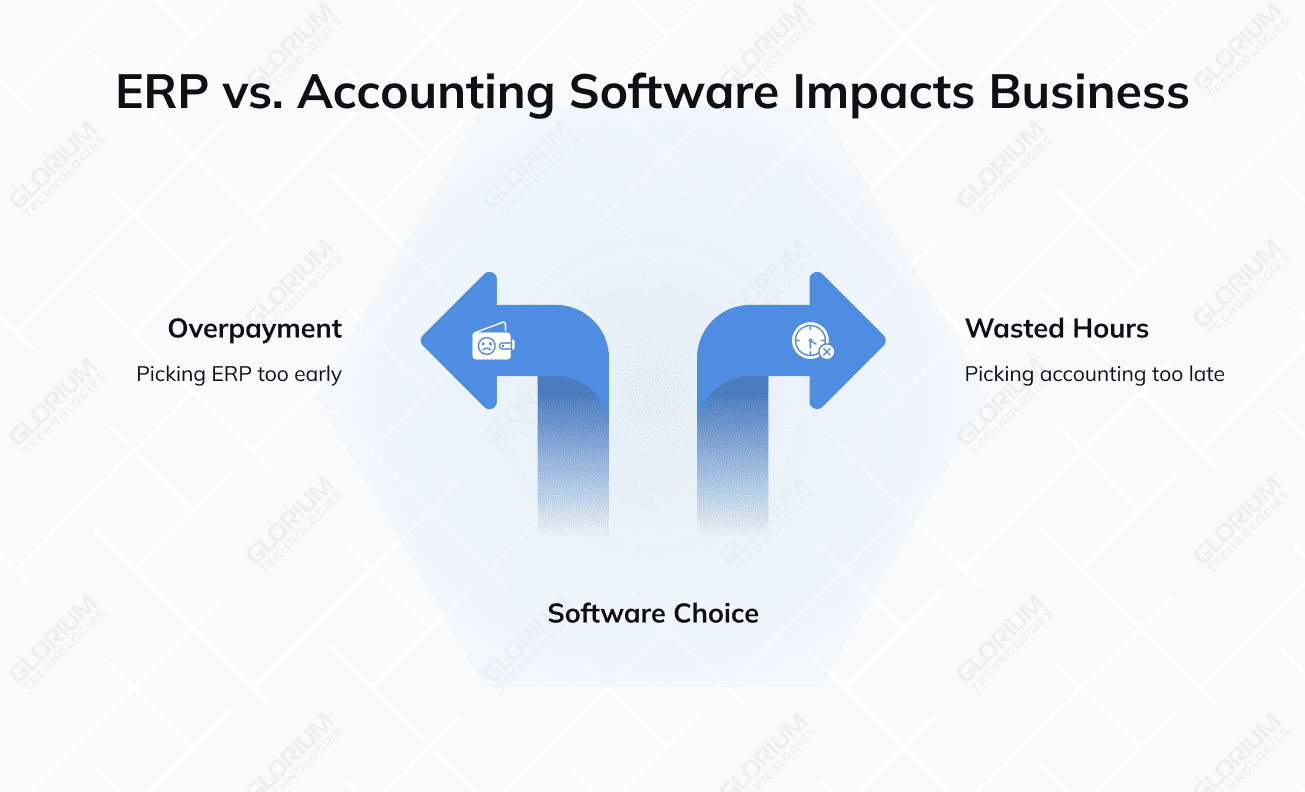
Two-thirds of finance leaders say their biggest pain point is the patchwork of tools sitting between them and a clean answer. That’s why the ERP vs. accounting software debate keeps arising. The right choice between the two is rarely about features on a comparison sheet. It is all about timing. Accounting software is designed for keeping books accurate and reports filed correctly. Enterprise resource planning is built for connecting every department under a single roof. Pick too early, and you overpay. Pick too late, and you waste hours every month, with your close cycle dragging into week three. Mordor Intelligence reports cloud accounting platforms captured 68.08% of new deployments in 2025. Yet, your workflows may call for an ERP at the current stage of your business development. Anyway, this guide breaks down both so you can decide what fits today and tomorrow.
Before you weigh the bigger picture, you should know exactly what accounting software brings to the table. It handles the numbers side of your company, keeps your books in order, and gives you a working view of where the money goes at any given moment. At its core, accounting software focuses on bookkeeping, tax preparation, and reporting. You can log financial transactions, generate invoices, and track accounts payable and accounts receivable. And, of course, you can produce standard financial reports such as balance sheets and income statements. Tools like QuickBooks, Xero, and Sage are big names in this category, and they have become household tools for small businesses across North America and Europe. People want low-friction tools that handle the basics without extensive training. A typical standalone accounting software package will give you:
If you operate mostly in finance, basic accounting software can run the whole show. You get accounting tools that automate financial tasks, like reconciliations, recurring invoices, and tax categorization. For a service firm, freelancer, or early-stage retailer, this software often provides everything you need to stay compliant and in the know about your business finances.
Where accounting platforms stop at the books, ERP systems keep going. They pull every major operational area into one connected platform, giving leadership a single source of truth across departments, locations, and product lines. Many experts picture an ERP accounting system as the central nervous system of a business. ERP solutions allow for the end-to-end orchestration of your business processes, centralizing:
ERP systems offer modules that talk to each other. Hence, a sale in your storefront updates inventory, triggers a replenishment order, posts a journal entry, and updates the customer record without manual data entry. A modern ERP software suite typically covers:
|
Module |
What It Handles |
|
Finance |
GL, AP, AR, fixed assets, multi-entity consolidation |
|
Supply chain |
Procurement, supply chain planning, logistics |
|
Inventory & warehouse |
Stock levels, lot tracking, fulfillment |
|
HR & payroll |
Employees, benefits, time tracking |
|
CRM |
Pipeline, customer data, service tickets |
|
Manufacturing |
BOMs, work orders, capacity planning |
ERP systems provide you with real-time data across departments, and that’s what makes a difference when you’re managing complex operations and need to make quick decisions. Odoo and Microsoft Dynamics 365 are ERP platforms built to help small-to-medium businesses scale and grow. They manage multiple users, millions of transactions, and multi-country compliance without data silos. The latter happens when teams use different software systems.
The clearest way to settle the ERP vs. accounting question is to put the two side by side. They overlap on finance, but their scope, scale, and business functionality look very different once you map them out. Both categories handle financial data and accounting processes. The split shows up in what else they touch. Accounting systems stay within the finance department. Enterprise resource planning systems reach across core business processes and connect other business functions to the same database. Here is a side-by-side view of the key differences:
|
Dimension |
Accounting Software |
ERP Software |
|
Primary scope |
Bookkeeping, tax, and reporting |
Finance plus operations, HR, supply chain, CRM |
|
User base |
Finance team, bookkeeper, CPA |
Multiple teams across the company |
|
Integration |
Limited; uses third-party connectors |
Native integration across modules |
|
Data flow |
Department-level |
Company-wide operational data |
|
Implementation |
Days to weeks |
Months to over a year |
|
Cost (yearly) |
$200 to $5,000 for SMBs |
$50,000 to several million for enterprises |
|
Customization |
Light |
Deep, with industry-specific solutions |
|
Best fit |
Small to mid-size firms |
Mid-market and large enterprises |
The distinction between an ERP accounting software suite and a standalone accounting software product also shows up in reporting depth. Accounting platforms help you complete the core financial tasks and standard financial reports out of the box. ERP gives you those plus operational dashboards, cross-functional KPIs, and predictive analytics. Accounting tools like QuickBooks, Xero, and Sage are typically cloud-based and ready to use within days. ERP platforms such as NetSuite, SAP, Odoo, and Microsoft Dynamics 365 give you more deployment flexibility: cloud, on-premises, or hybrid. Modern cloud ERP has brought the entry barrier down considerably compared to the older on-premises model, where long implementation timelines and heavy infrastructure costs were the norm. If you are running an SMB and are now evaluating options, pay heed to the Odoo and Microsoft Dynamics 365 ERP platforms. They combine deployment flexibility with the operational depth your business will eventually need. According to McKinsey's 2026 ERP modernization research, early adopters of AI-integrated ERP systems are reporting EBIT improvements of 5+%. Accounting tools alone struggle to match that level of impact. So, in other words, you pick accounting software when finance is the focus. You move to ERP and accounting software combined when your operations need shared visibility.
Not every company needs the weight of full enterprise resource planning. For many founders and finance leads, a focused accounting platform handles the workload cleanly. Here is how to tell when staying with accounting software is the smarter move. You probably do not need ERP if:
Market Research Future projects the small business accounting software market will climb from $8.22 billion in 2025 to $16.05 billion by 2035, a 6.92% CAGR driven by lighter, cloud-first platforms. Small operators are voting with their wallets for simpler tools that solve the books without dragging in operational weight they do not need yet. At this stage, a solid software solution gives you:
When your financial processes are still relatively contained, an accounting software subscription gives you 80% of the value at a fraction of the cost. You preserve cash, get your team productive in a week, and avoid locking yourself into a long contract before you know how the business will evolve.
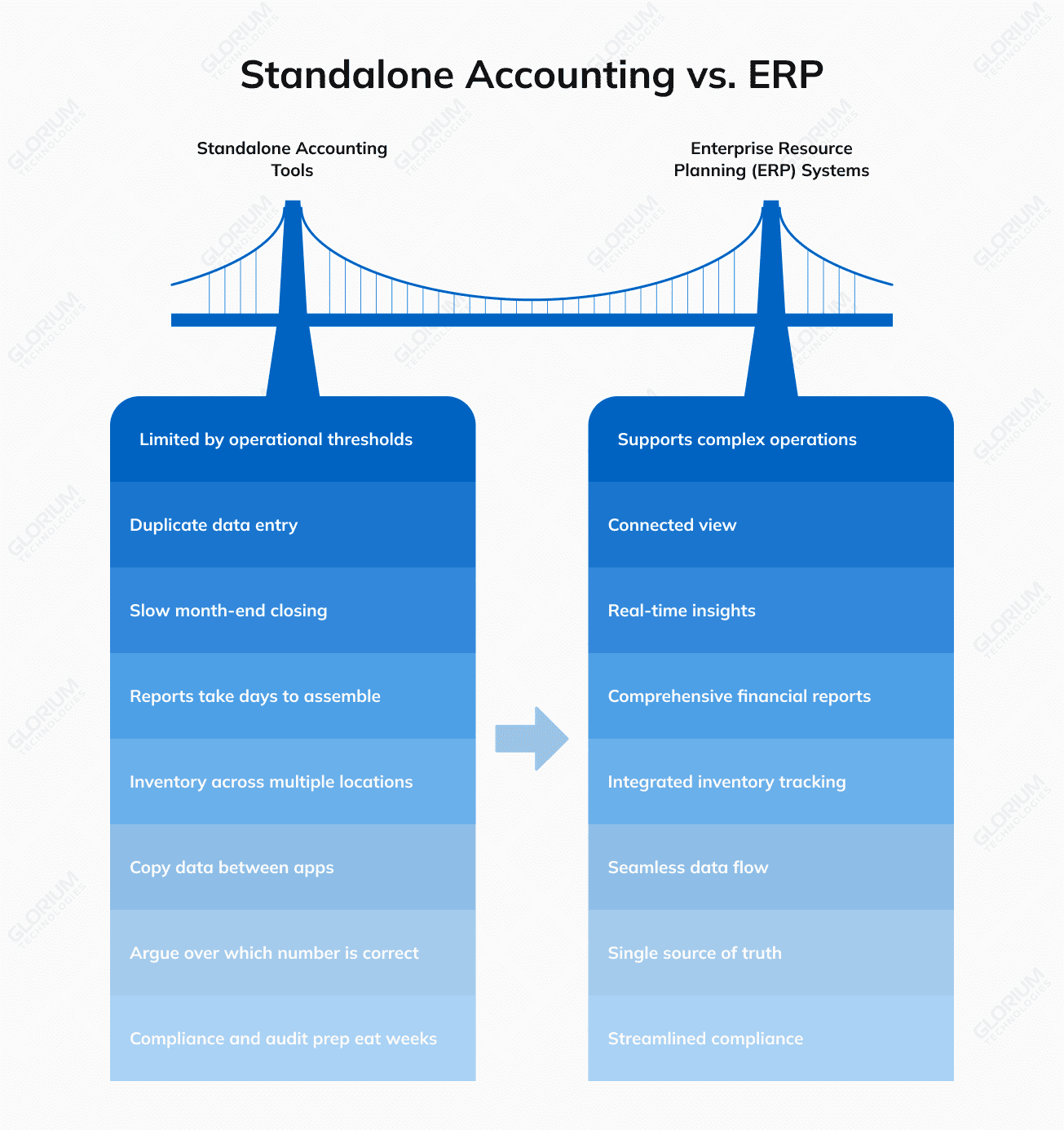
Once your company crosses certain operational thresholds, accounting tools alone start to crack under the load. You see duplicate data entry, slow month-end closing, and reports that take days to assemble. That moment is when ERP vs. standalone accounting tools becomes a serious conversation. Signs you have outgrown standalone accounting software:
ERP makes the most sense for mid-sized businesses and larger firms with complex operations. Fortune Business Insights reports that North America alone generated $31.72 billion in ERP revenue in 2025 and will reach $35.53 billion in 2026. As you can see, enterprises do see this category as core infrastructure rather than a discretionary line item. After all, companies are not buying ERP for the modules. They are buying it for the connected view that lets leadership move based on real numbers instead of guesses. Accounting software comes with a low-cost, per-user subscription with minimal implementation overhead. ERP has a higher upfront cost covering licensing, configuration, and onboarding. However, once you factor in what you currently spend running four or five disconnected tools, the math often flips. Cloud-based options like Odoo and Microsoft Dynamics 365 Business Central have made that entry point much more accessible for growing companies, with modular pricing that scales as your needs do. The question worth asking is not which option costs less today, but which one costs less to operate three years from now.
The choice between accounting and financial management tools and a full ERP suite comes down to scope, scale, and where you expect to be in 3 to 5 years. Use these questions to guide the call. Ask yourself:
If the answers point to only finance, a small team, and stable operations, accounting functionality on a focused platform will serve you well. If you see complexity rising on more than one front, ERP and accounting software built into one suite will save you years of patching tools together. A practical rule of thumb: if you are managing more than three disconnected financial tools and accounting functions today, you are likely to be closer to an ERP decision than you think.
The right answer here is not the same for every team. It depends on where your business operates today, what shape your financial operations take, and what kind of company you are building over the next three to five years. If you run a lean operation with a tidy set of accounting functions and few moving parts, accounting software keeps things simple and affordable. If you manage multiple departments, growing inventory, and a workforce that depends on connected data, enterprise resource planning earns its keep by giving you visibility you cannot get any other way. One thing worth saying out loud: ERP rollouts rarely succeed without the right implementation partner. Mapping business processes, cleaning your data, and guiding your team through the change is where most projects live or die. Choosing a partner with hands-on industry experience often matters the most. Are you caught between staying with accounting software and stepping up to ERP? Book a free consultation with our team. We’ll walk you through the trade-offs, map the fit to your business, and help you build a plan that holds up over time.
Most accounting software is cheaper to start up with, since most platforms charge per user/ per month and don’t have large setup costs. As we mentioned earlier, ERP involves a higher upfront investment as you have to pay for licensing, implementation, integrations, and training. But if you add up what you’re already spending on separate tools for inventory, payroll, reporting, and CRM, ERP often costs less in the long run. Mid-sized companies can more easily make the switch with cloud solutions such as Odoo and Microsoft Dynamics 365 Business Central that offer modular, subscription-based pricing.
A modern ERP suite like Odoo or Dynamics 365 Business Central has a CRM module connecting sales, service and finance data across your entire business. Standalone CRMs can have better marketing automation and pipeline tools than ERP-native CRMs can compete with. But the right choice depends on how heavy your sales motion is compared to your operations.
Plenty of mid-sized firms run a lightweight accounting tool alongside an ERP for specific functions, often during a transition period. The two typically connect through APIs or middleware, syncing invoices, payments, and ledger entries automatically. Treating them as integrated software rather than separate tools is what keeps your reporting clean and your teams aligned on the same numbers.
Yes, and the gap widens as your transaction volume grows. Modern platforms pull live bank feeds, categorize spending, and project cash positions weeks ahead with far fewer errors than manual models do. That kind of forward view is what protects your financial health during slow quarters and gives you room to plan investments instead of reacting to surprises.
You should pay attention to late month-end closes, duplicate data entry across tools, and reports that take days to assemble. If your team spends more time searching for the correct numbers than taking action on them, the platform is no longer meeting your needs. Outgrowing your stack is a healthy sign of business growth, but only if you respond to it early.