Odoo 19 vs. 20: Which Version Better Supports Your Daily Operations?
Market Insights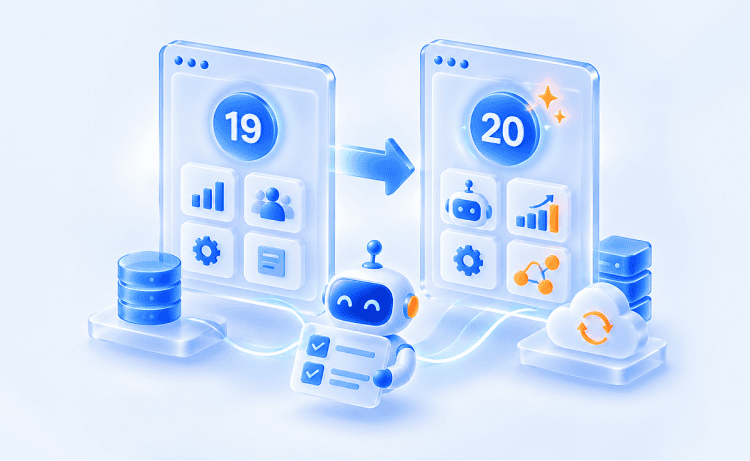
Every year, Odoo gives its users something new to look forward to. In 2025, Odoo 19 made AI a practical part of everyday ERP work. This year, Odoo Experience 2026 in Brussels introduced Odoo 20, a major version built around agentic AI and autonomous workflows that take over more of the repetitive tasks in your daily workflows.
For companies already on Odoo 19, this is a good problem to have. The current version is stable, capable, and still supported, and the new version promises faster work and smarter decisions across departments. So the choice is mostly about timing and fit: how much your business would gain from Odoo 20’s capabilities right now, and how ready your current setup is to make the move.
To make that decision easier, let’s look at Odoo 19 vs. 20 side by side. Some of the changes in Odoo 20 are easy to notice, like AI agents that can execute tasks instead of only suggesting them. Others are deeper in the system, affecting how users are licensed, how integrations connect, and how certain daily workflows are organized. Both kinds of change matter when you’re considering an upgrade, so we’ll look at each one in terms of what it means for the way your teams work today.
Content
Odoo 19 and Odoo 20: What Each Version Brings to the TableOdoo 19 vs. 20: A Comprehensive ComparisonWhen to Stay on Odoo 19 and When to Move to Odoo 20Get Your Odoo System Ready for Odoo 20 with Glorium TechnologiesFAQ
Before comparing features, it helps to see what each version was designed to do. Both share the same modular foundation, so companies can run sales, accounting, inventory, HR, and their website from a single Odoo instance, with data shared across multiple departments instead of split into data silos across separate ERP systems.
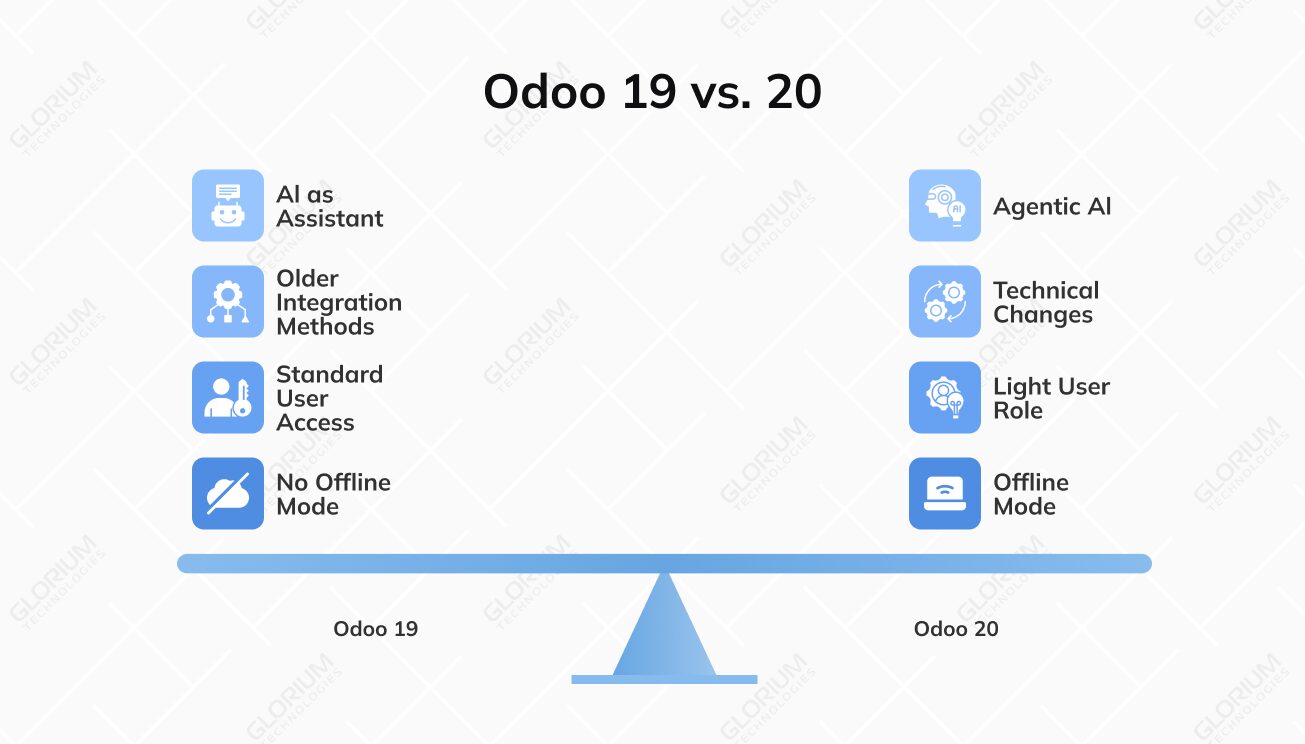
The key difference is the role AI plays. Odoo 19 introduced it as an assistant, and Odoo 20 lets it take action on its own. That change affects how teams automate their work and what an upgrade involves. Below, we’ll look at each version’s strengths, limits, and the businesses it fits best.
Odoo 19 was released in September 2025 and is available on Odoo Online, Odoo.sh, and on-premises, in both Odoo Community and Odoo Enterprise. It made AI capabilities part of everyday work, with AI that responds to manual prompts and helps users draft, summarize, and analyze information.
Its main strengths include:
The main limitation is that AI in Odoo 19 suggests rather than acts, so a person still has to review and complete each step. It also keeps the older integration methods that many third-party integrations rely on. Odoo 19 fits businesses that went live recently and want a stable, well-supported system.
Odoo 20 was released in September 2026 at Odoo Experience 2026, with the same hosting and edition options. Its biggest change is agentic AI. AI agents can create and update records and run multi-step workflows in the background, always within each user’s access rights and with approval steps where needed.
Other key changes include:
As a major version, Odoo 20 also includes technical changes. XML-RPC has been removed, and the frontend now uses OWL 3, so custom code and older integrations may need updates. Some workflows in Odoo Payroll and Odoo Planning also work differently. Odoo 20 fits businesses ready to automate complete processes, as well as companies starting a new implementation.
For a quick visual overview before the detailed comparison, here’s Odoo’s own Odoo 20 walkthrough from Odoo Experience 2026.
Odoo 20 updates almost every part of the platform, from how AI handles daily tasks to how users are licensed and how external systems connect. The sections below go through each major change area by area, showing how Odoo 20 compares with Odoo 19 and what it means for the teams that use it every day.
AI is where Odoo 19 and Odoo 20 differ the most, and for many businesses it will be the main factor in the decision. In both versions, AI works with the same data your teams already use. The difference is how much of the work it can finish without someone stepping in.
In Odoo 19, AI works alongside your team. It answers questions, drafts content, and makes suggestions, but a person still decides what happens next and starts each action. The main AI features are:
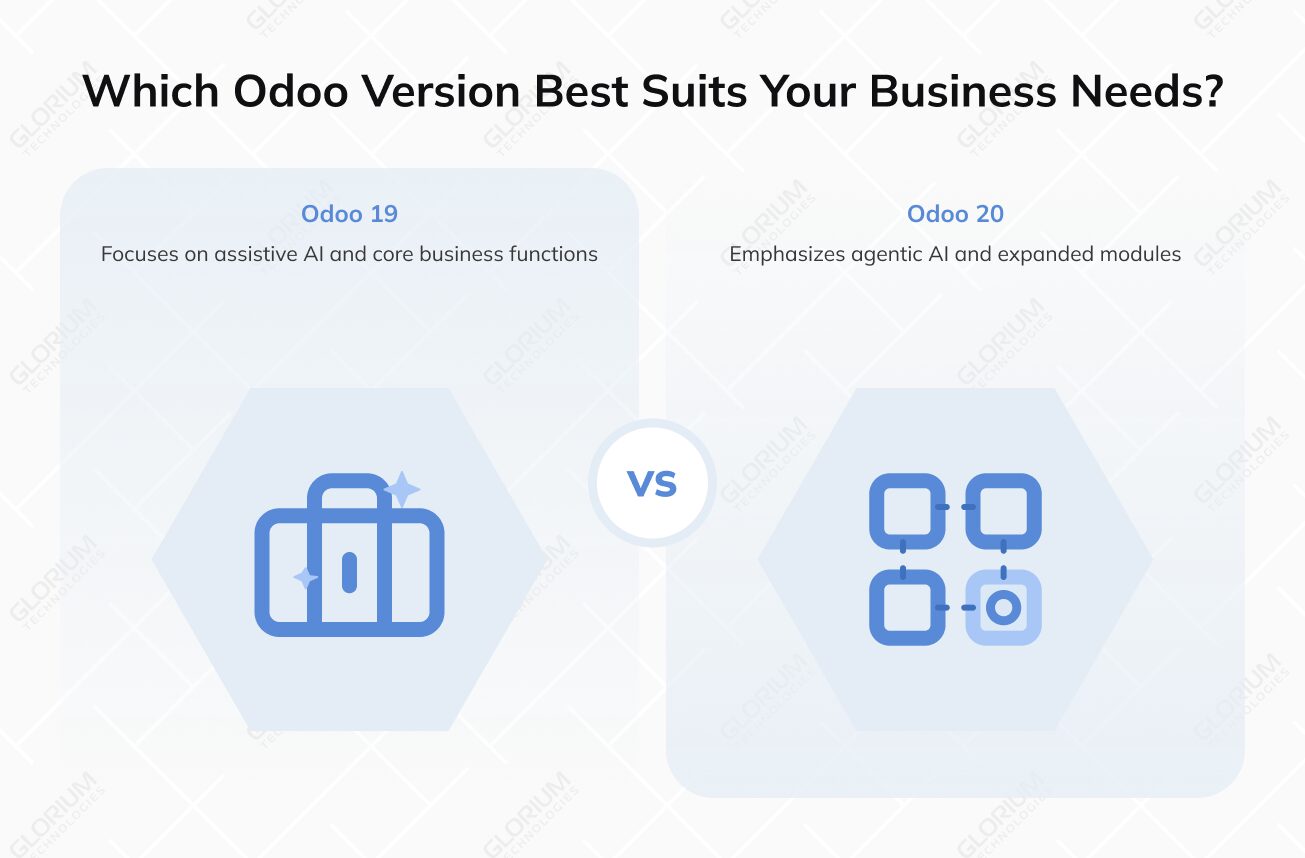
This setup removes a lot of manual work from writing and research. However, most automation still depends on manual triggers or rule-based automation. That works well for predictable steps, but it can’t handle tasks that require judgment partway through.
Odoo 20 lets AI carry a task through to completion. Instead of drafting something for a person to finish, AI agents can create and update records and run multi-step workflows in the background, based on instructions written in plain language. The key new features include:
Project creation is a good example of the difference. In Odoo 19, a project manager might use AI to draft a task list for a new client, then set up the project and assign the tasks manually. In Odoo 20, an AI agent can take the signed quote, create the project, add tasks from a template, and assign owners, so the manager only needs to review and approve.
Odoo’s own Odoo 20 walkthrough shows the same idea in sales. A user asks the AI agent to create a sales order whenever an order arrives by email, send the client a confirmation, and flag the order for review. The agent explains what it’s about to do before it runs, and from then on the process stays live without another prompt.
These capabilities also come with a new cost model. According to Odoo’s release notes, all AI features in Odoo 20 now need credits, which are bought through In-App Purchases (IAP). Before rolling agents out across the company, it’s worth estimating how much your teams will use them and budgeting for credits alongside user licenses.
|
Capability |
Odoo 19 |
Odoo 20 |
|
Role of AI |
Assistant that suggests and drafts |
Agent that executes tasks, with approvals |
|
How work starts |
Manual prompts and manual triggers |
Natural-language instructions and background workflows |
|
AI agents |
Odoo CRM, Odoo Accounting, Odoo Helpdesk |
Create and update records within user access rights |
|
Automation |
Prompt-based server actions and rules-based automation |
AI built into automated actions |
|
Accounting checks |
AI-assisted processing |
Autonomous accounting audit |
|
Search |
Ask AI database queries |
Natural-language search and voice interactions |
|
External AI tools |
Standard API integrations |
Native MCP server (Odoo Enterprise) |
|
AI usage cost |
Usage billed through AI credits |
All AI features require IAP credits |
Odoo 19 already gave finance teams a solid base, with AI-assisted bookkeeping and dependable bank reconciliation. Odoo 20 builds on that across payments, taxes, reporting, and asset management. Each change removes a step that previously required an export, a workaround, or a spreadsheet.
In Odoo 19, accounting teams can use OCR to read bank statements and reconcile them against open entries. ISO 20022 support means payment files follow the format most European banks accept. The usual process is to prepare payments in Odoo, export the file, and then upload it to the bank’s portal.
Odoo 20 removes the export and upload steps by adding direct payments:
Consider a company that pays around 200 supplier bills a month. With Odoo 19, someone exports a payment batch, logs into the bank, uploads the file, and waits for confirmation. With Odoo 20, the same bills are approved and paid from one system, and the payment status is updated in Odoo right away.
When the numbers don’t add up, AI can help investigate. In Odoo’s Odoo 20 walkthrough, a user tells the AI agent they suspect a bank reconciliation error, and the agent audits the books cycle by cycle, then returns a summary with recommendations for fixing the issues.
Odoo 20 also adds flexibility for businesses that sell in several local markets or work with mixed pricing models:
These changes cover functional gaps that previously required add-ons or custom fields. For example, a distributor selling to a customer registered for VAT in both Germany and France can now invoice each entity with the correct tax ID from the same contact record.
Odoo 20 also changes how the chart of accounts is structured. Parent/child accounts let finance teams group detailed accounts under summary lines, and optional account codes allow companies to use the naming conventions they prefer. Advanced multi-ledger consolidation lets groups combine results from several entities directly in Odoo. This is especially useful for groups with complex reporting requirements.
Two more changes affect how finance teams work day to day. Accounting’s main dashboard has a new design in which each KPI has its own card, and users can hide the cards they don’t need. On the asset side, asset models have been replaced by depreciation models, which set out how each type of asset loses value over time.
For example, a controller and an accounts payable specialist can each set up the dashboard to show only the KPIs they review every day, instead of scrolling past figures that belong to someone else’s role.
|
Area |
Odoo 19 |
Odoo 20 |
|
Bank statements |
OCR bank reconciliation |
Mass bank reconciliation and bank transaction rules |
|
Bill payments |
ISO 20022 payment file export |
Direct bill payment through PISP and SEPA direct credit |
|
Invoice-line taxes |
Tax set by product defaults |
Tax toggle on individual invoice lines |
|
Product pricing |
Company-wide tax-included or tax-excluded setting |
Tax-included or tax-excluded price per product |
|
Tax IDs |
One tax ID per contact |
Multiple tax IDs per contact |
|
Chart of accounts |
Flat structure with required account codes |
Parent/child accounts and optional account codes |
|
Consolidation |
Handled outside Odoo or with additional setup |
Multi-ledger consolidation built in |
|
Accounting dashboard |
Standard dashboard layout |
Redesigned dashboard with a separate card for each KPI, and cards users can hide |
|
Fixed assets |
Asset models |
Depreciation models |
See How Odoo 20 Would Work for Your Business
Get a free, personalized demo that gives you the chance to explore the new version.
For operations teams, Odoo 20 focuses less on new screens and more on the decisions behind them: how much to stock, what to reorder, which vendor to choose, and what to produce first. Many of these decisions used to rely on someone’s experience or a spreadsheet next to Odoo. In Odoo 20, more of them come from the data already in the system.
In Odoo 19, replenishment is based on reordering rules that someone sets up and maintains manually. That works when demand is steady, but the min/max values get outdated quickly when sales change with the season or a product suddenly sells faster.
Odoo 20 improves inventory tracking in several ways:
For example, a garden supply retailer typically raises its stock levels before spring and lowers them in autumn. With Odoo 19, someone has to update hundreds of reordering rules twice a year. With Odoo 20, the rules adjust based on previous seasons, which helps the business stay ahead of demand instead of reacting after shelves are empty.
Odoo 20 also makes the Inventory app optional in more situations. According to the release notes, Accounting now supports valuation without Inventory, Sales can ship orders without Inventory, and Point of Sale includes simplified inventory management that doesn’t require installing the Inventory app. For service businesses and smaller retailers that only need basic stock handling, that means one less app to set up and maintain.
Purchasing in Odoo 20 relies more on data. Instead of reordering from the usual supplier by default, buyers get support in choosing who to buy from and checking that bills are correct:
Consider a purchasing team working with 40 suppliers. Vendor ratings show which ones regularly deliver late or send partial shipments, so buyers can move volume to more reliable suppliers. Automated bill matching also means the accounts payable team only reviews bills that don’t match, instead of checking every bill line by line.
Odoo 20 also improves how production is planned and tracked on the shop floor:
BOM comparison is especially useful for manufacturers that update products often. For example, a furniture maker switching to a new hinge supplier can compare the current BOM with the revised one before the next production run. This shows which components, quantities, and costs have changed, so purchasing and production can confirm the update before it reaches the shop floor, avoiding operational disruption caused by a mismatched part.
|
Area |
Odoo 19 |
Odoo 20 |
|
Reordering rules |
Min/max values set and maintained manually |
Smart replenishment with min/max rules based on demand history |
|
Cost of goods sold |
Cost differences corrected manually |
Automated COGS updates |
|
Purchasing decisions |
Based on buyer judgment and manual reports |
Purchase recommendations, vendor analysis, and vendor ratings |
|
Vendor bills |
Matched to orders manually or with basic rules |
Automated bill matching |
|
Bill of materials |
Reviewed one version at a time |
Side-by-side BOM comparison |
|
Production planning |
Standard scheduling views |
Gantt scheduling and Kanban-based production priorities |
For businesses that sell online, in store, or both, Odoo 20 focuses on the work around each sale: creating pages, getting found in search, making checkout easier, and following up with customers afterward. Many of these tasks used to require a separate tool, an add-on, or a developer. In Odoo 20, more of them are part of the platform.
Odoo’s website builder has always been easy to use, but filling it with content took time. Odoo 20 adds AI-assisted page creation and content generation, so teams can create a full page layout from a short description and generate first drafts of landing pages, blog posts, and product descriptions.
AI support goes beyond page layouts, too. It can build custom interactive blocks, edit and translate copy in one click, and fill in SEO keywords, titles, and descriptions automatically.
Technical SEO is also more complete:
For example, a manufacturer launching 30 new products can use AI to draft product descriptions from item specifications, then have the marketing team edit them instead of writing each one from scratch. Structured data is added automatically, so the products are ready to appear in rich search results.
Odoo 20’s eCommerce updates focus on the steps between browsing a product and receiving it:
These changes are designed to improve conversion rates and repeat purchases. For instance, a furniture retailer can let customers pick a delivery date at checkout, which reduces failed deliveries and the follow-up calls they usually cause.
Odoo 20 makes Point of Sale setup quicker and easier to run day to day:
For example, a café opening a terrace for the summer can add the outdoor tables to its floor plan in a few minutes. Staff can start taking orders right away, and combo pricing is applied without anyone having to remember the discount.
Odoo 20 brings omnichannel automation together, so campaigns can run across email, SMS, and WhatsApp in a single flow, with AI helping draft messages and personalize content. This gives marketing teams a clear view of how each customer interacts across channels, rather than separate results in separate tools. Campaigns can be built from scratch, started from a template, or created entirely by AI from a short request.
For example, an online store can send an email reminder about an abandoned cart, follow up on WhatsApp if the email isn’t opened, and send a personalized offer by SMS. The whole sequence runs in Odoo, so the team can focus on high-value opportunities like loyal customers and larger accounts instead of setting up each message manually.
On the sales side, predictive lead scoring stays part of Odoo CRM in both versions. It estimates each lead’s probability of winning based on historical CRM data, so sales teams can keep prioritizing leads the same way after the upgrade.
Lead generation has also expanded. Sales teams can search Odoo’s directory of more than 580 million entities by segment and location, turn website visitors into leads through IP detection, import leads by connecting Outlook or Gmail, and create opportunities with contact details from scanned business cards.
|
Area |
Odoo 19 |
Odoo 20 |
|
Page creation |
Drag-and-drop website builder |
AI-assisted page creation and content generation |
|
Technical SEO |
Basic SEO settings, with some tasks set up manually |
Native JSON-LD, redirects, canonicals, and sitemap |
|
Product upselling |
Cross-sell products configured manually |
Automatic cross-sell |
|
Checkout and delivery |
Standard checkout flow |
Delivery-date selection and checkout improvements |
|
Returns |
Handled outside the online store |
Returns management in eCommerce |
|
POS hardware |
Connection requires certificates or an IoT setup |
Browser-based hardware connection |
|
POS promotions and layout |
Combos and floor plans configured manually |
Automatic combos and visual floor-plan editor |
|
Marketing channels |
Separate email, SMS, and WhatsApp campaigns |
Omnichannel automation across email, SMS, WhatsApp, and AI |
Most Odoo 20 updates add to existing features, but this area is different. Here, some workflows have been reorganized. For existing users, that means learning new screens and processes, but the result is fewer separate apps to manage and fewer steps between planning work and getting paid for it.
The Field Service app has been discontinued in Odoo 20. Its features are now part of Odoo Planning, so technician schedules and the rest of the team’s shifts are managed in the same place. Planning now includes:
For Odoo 19 Field Service users, the main adjustment is location. Dispatchers will assign jobs in Planning instead of a separate app, and technicians will open their tasks and worksheets from a new starting point. A short retraining session before go-live usually makes this a smooth transition.
Odoo 20 expands communication tools with improved calling and call transcription. Calls can be transcribed and saved to the related record, so a support agent or salesperson can review what was agreed without relying on handwritten notes.
Discuss also adds browser-based video calls that need no download or login, with automatic transcription and click-to-jump navigation to any moment in the call, all connected with Live Chat and WhatsApp. A new Phone module routes calls by business hours, location, or team, lets companies buy phone numbers directly through Odoo, and makes it possible to switch devices or transfer a call to a colleague mid-call.
Odoo Payroll changes the most. Work Entries, the layer that turned attendance and time off into payable hours, has been removed. In its place, Odoo 20 offers:
For example, a payroll team used to check work entries for conflicts before generating payslips. With Odoo 20, the team opens the Pay Runs view, fixes anything on the alerts dashboard, and confirms the batch. Before upgrading, it’s worth checking how historical data from previous pay periods carries over.
The Payroll dashboard has also been redesigned. Teams can test-run payroll and print payslips instantly before validating, calculate total cost backward from a target net salary, and bring expenses directly into payroll.
|
Area |
Odoo 19 |
Odoo 20 |
|
Field service |
Separate Field Service app |
Merged into Odoo Planning |
|
Technician tools |
Field Service worksheets and scheduling |
Live map, route planning, worksheets, travel fees, vehicle inventory |
|
Offline work |
Requires a connection |
Offline field service |
|
Calling |
Standard calling features |
Enhanced calling and call transcription |
|
Payroll inputs |
Work Entries |
Time off and scheduling inside payslips |
|
Payroll processing |
Payslip batches |
Pay Runs view and pre-payment alerts dashboard |
Odoo 20 changes more than features. It also changes how users are counted and billed, which can affect your total cost of ownership even if you never use a single new feature. That makes this section important in any ERP comparison between versions.
Odoo 20 introduces a lower-priced user type and updates its plans:
For example, a company with 50 office staff and 150 warehouse employees can move the warehouse team to Light Users and lower its licensing costs considerably.
Odoo 20 makes it easier to work away from a desk:
How you upgrade depends on your hosting and edition:
|
Area |
Odoo 19 |
Odoo 20 |
|
User types |
Full users only |
Full users and Light Users |
|
Standard plan |
€19.90 per user/month |
€19.90 per user/month (unchanged) |
|
Custom plan |
Required for Odoo Studio, custom code, multi-company, and API access |
About 20% higher, and also required for agentic AI |
|
Limited-access staff |
Billed as full users |
€7.90/month as Light Users |
|
Employees without a login |
Not billed |
Counted as Light Users |
Most Odoo 20 updates are visible to users, but this section is about the parts IT teams work with. These changes rarely show up in demos, yet they usually decide how long an upgrade takes.
Odoo 20 updates the technical foundation in three main ways:
For companies with large datasets, Odoo 20 also improves infrastructure:
Not every customization needs the same amount of work:
For example, a distributor connects its legacy warehouse management system to Odoo through an XML-RPC connector. The connector stops working in Odoo 20, so before the upgrade the team rewrites it to use the JSON-2 API with an API key and tests it in staging. Once that’s done, the rest of the upgrade can go ahead as planned.
|
Area |
Odoo 19 |
Odoo 20 |
|
Frontend framework |
OWL 2 |
OWL 3 |
|
External API |
JSON-2 introduced, XML-RPC still available |
JSON-2 is standard, XML-RPC removed |
|
Reporting load |
Runs on the main database |
Read replicas for heavy reporting |
|
Python |
3.10 or later |
3.12 or later |
|
PostgreSQL |
13 or later |
16 or later |
Both versions are strong options, so the right choice depends on your current situation more than on the feature list. Use the table below to find the scenario closest to yours.
|
Your situation |
Recommended path |
Why it makes sense |
|
You recently went live on Odoo 19 |
Stay on Odoo 19 for now |
Your teams are still settling in, and the version is supported until September 2028 |
|
Your integrations still use XML-RPC |
Stay on Odoo 19 and start planning |
Connectors need to be rebuilt on the JSON-2 API before an upgrade can happen |
|
You run extensive customizations |
Stay on Odoo 19 and start planning |
Custom modules and interface changes need time to adapt to OWL 3 and test |
|
Your teams rely on Field Service or Work Entries |
Upgrade once retraining is planned |
The Field Service app is discontinued, and its features move into Odoo Planning, and Work Entries are removed, so users need preparation before go-live |
|
You want AI to run complete processes |
Upgrade to Odoo 20 |
Agentic AI and the native MCP server are available only in Odoo 20, but all AI features now require IAP credits, so budget for usage |
|
Your finance team handles high payment volumes or multiple entities |
Upgrade to Odoo 20 |
Direct payments, mass reconciliation, and multi-ledger consolidation reduce manual work |
|
Many employees only use HR or operational tools |
Upgrade to Odoo 20 |
Light User pricing can lower licensing costs for those roles |
|
You run field teams |
Upgrade to Odoo 20 |
Offline mode and route planning are now combined in Odoo Planning |
|
You’re choosing a version for a new implementation |
Start on Odoo 20 |
You avoid a second upgrade within a year and get the full support window |
|
You’re on Odoo 16, 17, or 18 |
Go straight to Odoo 20 |
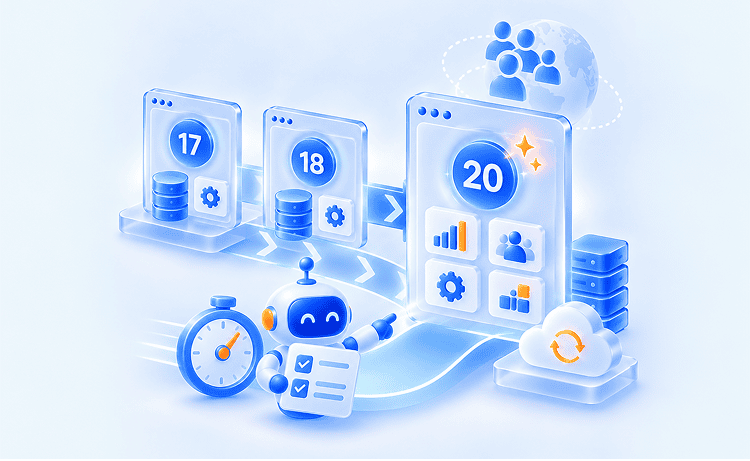
One upgrade project covers several versions, and custom code is reworked only once |
Most businesses will match more than one scenario. If some rows point to upgrading and others point to waiting, the scenarios about technical setup, like integrations and customizations, usually determine the timing. The scenarios about features show what you’ll gain once you’ve upgraded.
Start Your Odoo 20 Upgrade with a Conversation
We’ll help you decide whether to upgrade now, wait, or start preparing your system first.
Start the Upgrade with a Conversation
We’ll help you decide whether to upgrade now, wait, or start preparing your system first.
Odoo 20 adds a lot, but how much your business gets out of it depends on how well the move fits your current system. The right timing, a clear view of your customizations, and careful testing make the difference between an upgrade that pays off and one that disrupts daily work.
As an official Odoo partner, Glorium Technologies helps companies plan and deliver that move. Our technical discovery phase takes 2–4 weeks and gives you a review of your custom modules and integrations, a risk assessment, and a realistic estimate. From there, our Odoo developers handle upgrade compatibility planning, rework custom modules for Odoo 20, and rebuild integrations, for example by replacing XML-RPC connectors with the JSON-2 API. Every project includes documentation and knowledge transfer, so your team stays in control after go-live.
We’ve taken the same approach on recent projects. For a B2B eCommerce company, we connected Odoo with QuickBooks Online and Avalara AvaTax so sales tax across state, county, and city jurisdictions is calculated automatically. For a contract manufacturer moving off JobBOSS, we tested Odoo alongside the old system and switched over one module at a time, so production never stopped and job turnaround became 31% faster.
Ready to see what Odoo 20 would take for your business? Book a 15-minute intro call with our Odoo experts.
Odoo 20 can deliver faster performance for companies with heavy reporting, because read replicas let reports run on a separate copy of the database without slowing down daily work. It also requires a newer technical stack: Python 3.12 instead of 3.10, and PostgreSQL 16 instead of 13. For smaller databases, the difference in everyday speed is usually minor.
The cost depends on how many custom modules and integrations you have, your data volume, how much testing is needed, and how much retraining users need. A near-standard database may only need testing, while a heavily customized system used by multiple teams needs a full upgrade project. A technical discovery phase is the most reliable way to get an accurate estimate.
A database with few or no customizations can usually be upgraded and tested within a few weeks. Systems with several custom modules and integrations often take a few months, because each component has to be adapted and tested in staging before production is switched.
For a standard Odoo Online database, Odoo runs the upgrade and your team tests the workflows. If you have custom modules or integrations, a partner is usually worth it, because Odoo’s Upgrade service doesn’t cover them. Glorium Technologies, an official Odoo partner, starts with a 2–4 week technical discovery and then reworks custom modules and integrations for Odoo 20. For businesses where agentic AI could be a game changer, a well-planned upgrade is what turns new features into a competitive edge.