







Your Odoo Implementation Checklist: From Planning to Go-Live
Updated September 7, 2026

 Summarize in ChatGPT
 Summarize in ChatGPT
So you’ve decided to roll out Odoo. The plan looks straightforward: pick the apps you need, configure them, migrate your data, train the team, and you’re live. Odoo gives teams the room to do exactly that. The rollouts that land smoothly share a handful of well-managed habits, and that’s what this checklist puts on the table.
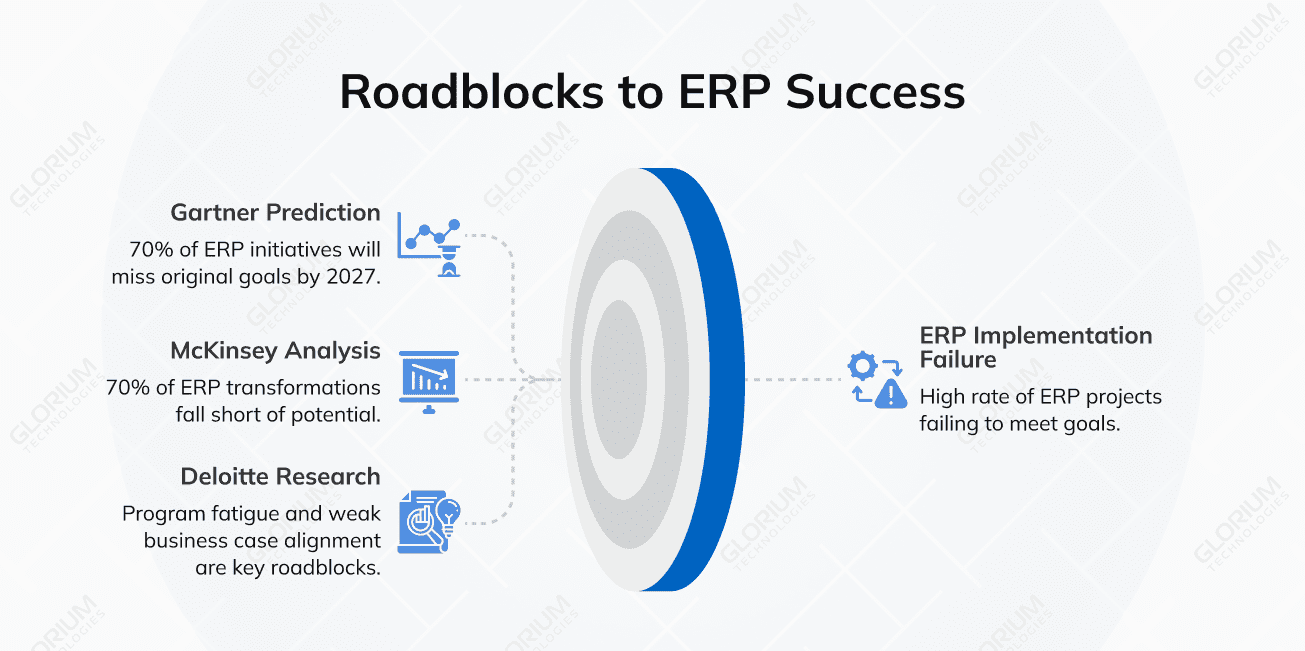
The data shows why those habits matter. Gartner predicts that by 2027, more than 70% of recently implemented ERP initiatives will fall short of their original business goals, with as many as 25% failing. McKinsey’s analysis finds a similar pattern: nearly 70% of ERP transformation programs miss their full potential, usually because of how organizations approach the work rather than the technology itself. And Deloitte’s research points to five common roadblocks to ERP value, including program fatigue from drawn-out timelines and weak alignment with the original business case.
Odoo is more flexible than most enterprise resource planning systems on the market, and that’s precisely why a structured approach pays off. The same modularity that lets you start with a few apps and grow into a full platform also rewards teams who define scope clearly, validate data before go-live, and finish what they configure.
This article covers every stage of an Odoo rollout and the specific work each stage requires, including what makes Odoo implementations different from other ERP implementations, the key phases of a full Odoo implementation, the most common mistakes teams make, and how to avoid them.
If you’re at an earlier stage and not yet sure your organization is ready to start an ERP project at all, take our ERP readiness checklist before diving into the steps below.
Content
Odoo is a platform that has to be shaped around how your business actually works: sales, accounting, inventory, manufacturing, HR, and everything in between. The pull toward Odoo usually comes down to four things:
These benefits hold across industries. Manufacturers use Odoo for production planning and quality control, retailers run inventory and POS through it, healthcare practices use it for billing and patient operations, and service businesses lean on its CRM and timesheet apps.
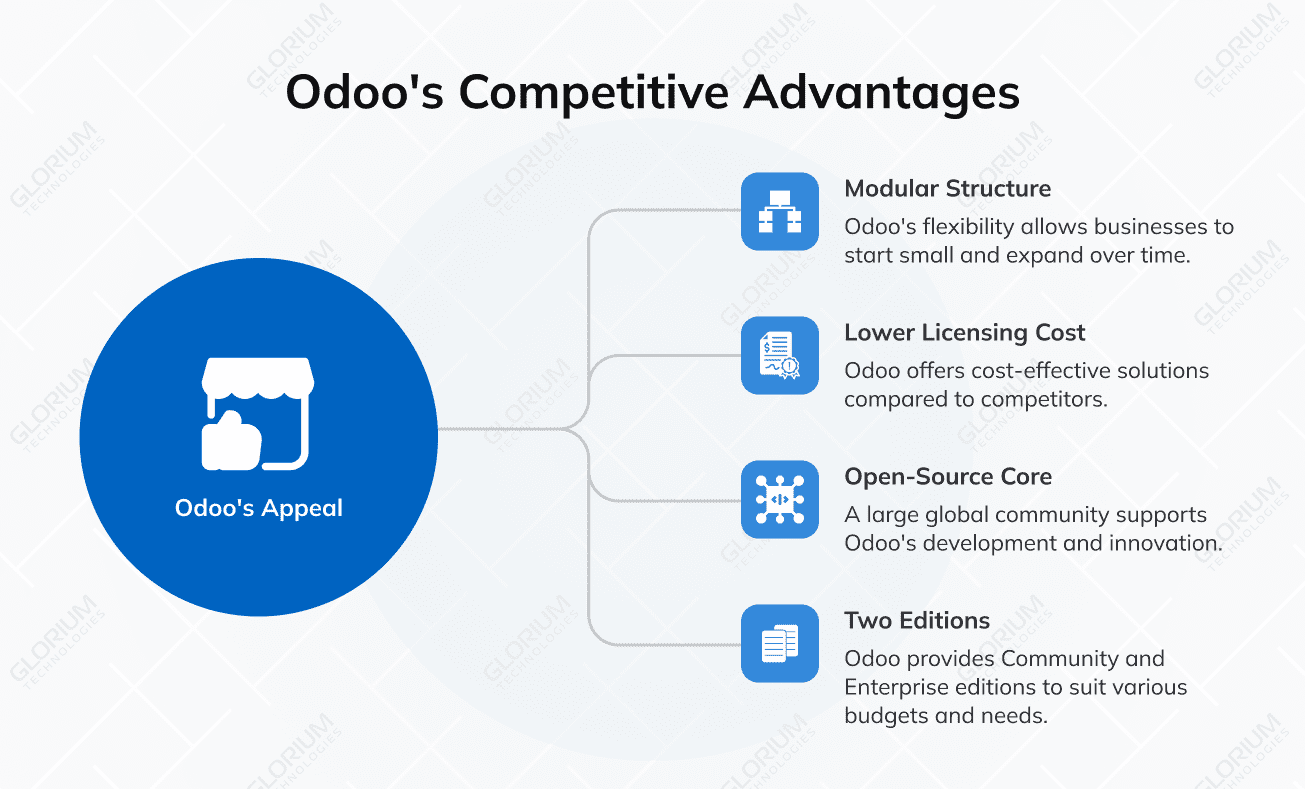
Two things set Odoo apart from older ERPs. First, you can roll out one app at a time. No rule says you have to launch Sales, Accounting, Inventory, Manufacturing, and HR all at once. Second, Odoo rewards configuration over heavy customization. Older ERPs typically forced expensive custom development; with Odoo, most business needs can be handled inside the standard tools (Studio, automation rules, server actions). Custom development still has its place, but it isn’t the default path.
That difference shapes the implementation methodology. Teams that succeed treat the project as an iterative build rather than a single monolithic launch.
The most common reason Odoo projects fail is the work around the software: data quality, training, change management, and the cost of fixing things after go-live. A checklist forces those topics into the conversation early. It assigns owners, sets deadlines, and creates checkpoints that catch problems while they’re still cheap to solve.
When teams follow a phased checklist, three things tend to happen:
Working with an experienced Odoo partner makes this faster. The checklist itself is open knowledge; the real value a partner brings is judgment about which steps need extra time for your specific business and which can be compressed.
The full implementation journey moves from discovery to ongoing optimization. The table below summarizes each phase, what happens during it, how long it typically takes, and who’s involved.
| Phase | Key activities | Typical duration | Main stakeholders |
| Discovery and audit | Process audit, gap analysis, business case | 2-4 weeks | Leadership, IT, business analyst |
| Planning and scoping | Goals, scope, partner selection, and budget | 2-3 weeks | Leadership, IT, finance |
| System design | Requirement analysis, blueprint, module mapping | 2-6 weeks | Business analyst, Odoo consultant |
| Configuration | Standard module setup, access rights, workflows | 3-6 weeks | Odoo consultant |
| Data migration | Audit, cleansing, mapping, validation | 3-8 weeks | Data team, integration specialist |
| Custom development | Custom modules, integrations | 4-16 weeks | Odoo developers |
| Testing and QA | Functional, UAT, performance, security | 3-6 weeks | QA team, end users |
| Training and change management | Role-based training, documentation | 2-4 weeks | HR, department leads |
| Go-live and deployment | Cutover, hypercare | 1-2 weeks | Full project team |
| Post-implementation support | Monitoring, optimization | Ongoing | Support partner |
Planning is where successful Odoo projects are won, and where failed ones are quietly lost months before anyone notices. Most of the work in this phase has nothing to do with code or configuration. It’s about getting people, processes, and priorities aligned before the team touches the software. Every hour invested in clear goals and a realistic scope saves several hours of rework later in the project.
Skip the generic “improve efficiency” language and get specific about what your business actually wants out of Odoo. A useful requirements document includes:
This document becomes the backbone of every later decision. When the implementation team has to choose between two paths during configuration, the requirements doc tells them which one matches your business. Vague goals tend to produce vague Odoo configurations, and vague configurations frustrate end users in week one.
Community is free and open source. Enterprise is paid, with the full app suite, official support, and access to Odoo Studio for quick customization.
| Aspect | Community | Enterprise |
| Cost | Free | Per-user subscription |
| Modules | Core apps only | Full app suite |
| Support | Community forums | Official Odoo support |
| Hosting | Self-hosted | Odoo Online, Odoo.sh, or self-hosted |
| Customization tools | Code only | Studio (low-code) plus code |
Community is a reasonable starting point for very small teams or proofs of concept. For most businesses planning a real rollout, Enterprise pays for itself in time saved during implementation and ongoing support.
Three paths can take you from a license to a live system:
After dozens of implementations, a good partner knows where your project is likely to stall before you do, and the conversation in week two anticipates the problem you’d otherwise hit in month four. Glorium Technologies has shipped Odoo projects across food and beverage, construction, healthcare, real estate, and other industries, and our team can scope your specific project through our custom ERP development offering.
Build a realistic budget across six categories: licenses, implementation labor, data migration, custom development, training, and post-launch support. The single most common budgeting mistake is treating the license cost as the full cost of Odoo. By the time you reach go-live, labor typically represents 60 to 80% of the total spend.
System design takes the goals from planning and turns them into a working Odoo blueprint. By the end of this phase, you should have a clear, documented picture of how every department will run inside Odoo, module by module and workflow by workflow.
Document how each department actually works today, not how the org chart says they should. There’s almost always a gap between the two, and that gap is usually where the project’s most valuable improvements live.
Pay particular attention to handoffs between departments: sales-to-accounting, inventory-to-manufacturing, service-to-billing. Handoffs are where data gets dropped, duplicate entries happen, and small bottlenecks compound into big delays.
For every gap between the current process and Odoo’s standard behavior, the team has three options: change the process to match Odoo (usually cheapest), configure Odoo to match the process (medium effort, no upgrade risk), or build a custom module (highest cost and ongoing maintenance). The instinct is to keep doing things the old way. It’s worth resisting where you reasonably can.
Most companies start with a familiar core set of apps and add others over time as the team builds confidence with the platform:
Industry-specific apps round out the picture: Field Service and Maintenance for service businesses, e-commerce and Subscriptions for online retailers, Quality and PLM for manufacturers, Project and Helpdesk for professional services firms.
Custom development is especially worth doing when configuration can’t deliver the result. Good reasons to build custom include:
Common third-party integrations include payment gateways, shipping providers, BI tools (Power BI, Tableau), e-signature platforms, and the systems that come along with mergers and acquisitions. Pick the simplest integration pattern that fits the actual business need (more on this in the customization section).
Data quality is the single most underestimated factor in Odoo implementation. Clean data on day one is what makes the system worth trusting. The teams that protect their migration window through to validation tend to come out of go-live with reports that their colleagues actually believe.
Start by inventorying every system that holds business-critical information: legacy ERP, accounting tools, spreadsheets, CRM exports, and custom databases built years ago that somehow still hold the master record for something important. Assign a business owner to each data domain: the finance lead owns customer accounts and the chart of accounts; the warehouse lead owns inventory, product masters, and BOMs.
Decide which historical data is actually worth migrating. Five years of inactive customer records and dead product SKUs add bloat without adding value, and they slow everything from search to reporting once Odoo is live.
Glorium Technologies helps companies plan and execute complex data migration projects, making sure the right data and integrations move across cleanly and completely. A good example is a Belgian chocolate manufacturer that replaced a tangle of spreadsheet-based processes with Odoo 18 Enterprise on Odoo.sh, bringing manufacturing, inventory, HR, and sales into one connected system. Reporting time dropped by 90% after the rollout, giving managers much faster visibility into both production and financial data.
Before any migration script runs against the new system:
This work tends to get squeezed first when the timeline tightens. The teams that protect it tend to have the calmest go-lives.
Run every import twice in a staging environment before the production migration. Reconcile record counts and financial totals against the source systems. When something doesn’t match, find the cause before signing off. “Close enough” data sinks user confidence faster than almost any other issue at launch.
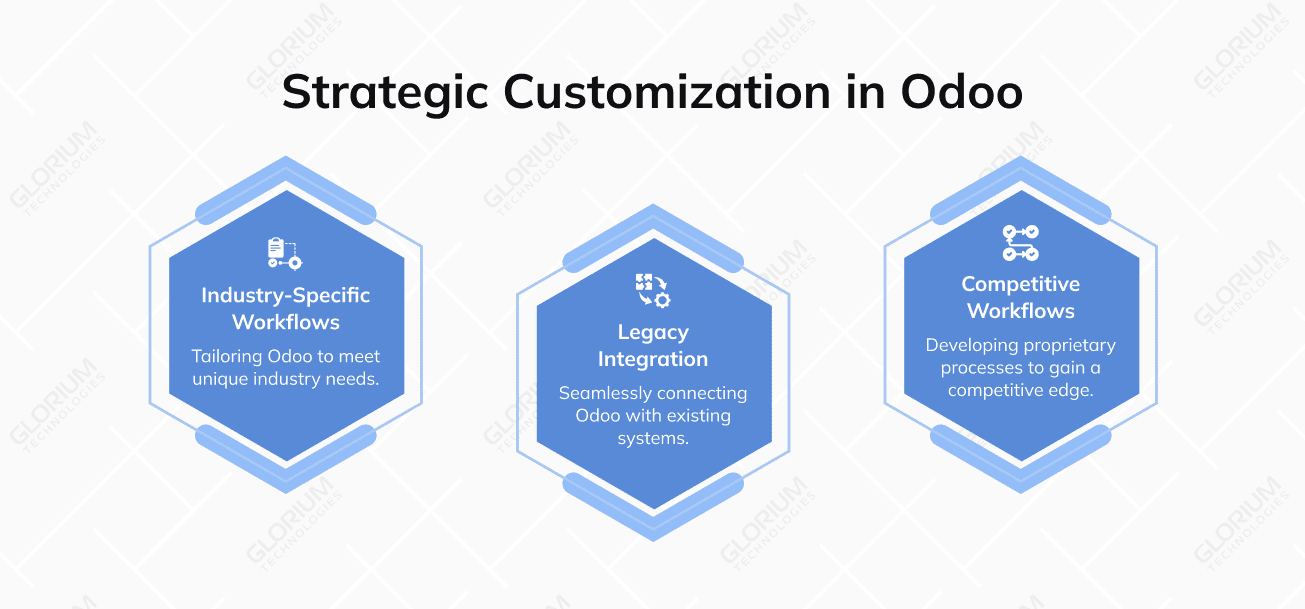
Most business needs can be handled inside Odoo’s standard tools. Custom development fills the gaps where configuration genuinely falls short. Knowing which category each requirement belongs to is where an experienced Odoo development partner saves you the most time and money.
Set up users, access rights, company structure, multi-company setup (if relevant), accounting charts, fiscal positions, product catalogs, pricelists, taxes, and warehouses. Document the decisions as you go: future-you will need to know why certain choices were made.
When you do build custom, keep upgrade compatibility in mind. Override standard models cleanly, follow Odoo development standards, and document the changes. A custom module that breaks every time Odoo releases a new version becomes a liability fast.
Integrations follow one of three patterns:
Pick the simplest pattern that meets the actual business requirement. Real-time everywhere sounds appealing on paper, but it adds cost, complexity, and failure points that most businesses don’t actually need.
Testing isn’t optional. Teams that try to skip it spend three times as long fixing problems after go-live. A few weeks of dedicated testing save months of frustration later.
Validate that each configured module behaves as the design specifies. Test every workflow end-to-end: sales quotation through invoice through payment, purchase order through receipt through bill, manufacturing order through completion through stock update.
Real users run their real workflows in a staging environment. UAT catches gaps that the project team missed because they were too close to the configuration. Document every issue, assign an owner, set a deadline, and don’t go live until they’re resolved.
Run load tests if you expect heavy concurrent usage. Audit access rights to make sure people only see what they should. Test backups and disaster recovery procedures.
A perfect Odoo configuration still fails if users don’t adopt it. Adoption is a leadership problem first and a training problem second.
One generic training session for the whole company is the wrong default. Sales reps need different content than warehouse staff, who need different content than accountants. Build training paths by role and mix formats: hands-on workshops for the new daily workflows, written documentation for reference, and short video walkthroughs for the workflows people use less often.
Identify two or three power users in each department and bring them into UAT. Give them deeper training and position them as the first line of internal support after go-live. Internal champions reduce ticket volume to the project team, surface real-world issues faster, and build adoption from within rather than from above.
Go-live is the most visible phase of an Odoo project, but if the earlier work was done well, it should also be the calmest. Most of the heavy lifting is already finished before the cutover weekend begins.
Run through a pre-launch checklist before the cutover starts:
For the cutover strategy, there are two main options:
For most midsize businesses, a phased cutover is the safer choice. The team builds confidence with each wave, and any issues that surface are contained to one module rather than the whole system.
The first month after go-live is hypercare time. Daily standups with the project team and key users, rapid issue resolution, and active feedback collection. Treat any issue raised in this window as a priority. The goal is to keep user confidence high while small bugs get ironed out.
Implementation doesn’t end at go-live. The system needs ongoing care to keep delivering value as the business changes.
Track key system performance indicators: page load times, report generation times, database growth, and integration error rates. Use Odoo’s built-in tools and external monitoring (Datadog, New Relic) for larger deployments.
Run a quarterly review with department leads to identify what’s working, what’s missing, and what should change. Roll out new modules or features in small, contained releases rather than big, disruptive updates.
Plan for upgrades. Odoo releases a new major version each year, and staying current matters for security, performance, and access to new features. Test custom modules against new versions in a staging environment before upgrading production.
After years of running Odoo projects, we’ve noticed the same patterns of failure showing up when clients reach out to us.
| Mistake | Why it happens | How to avoid it |
| Skipping discovery | Pressure to start fast | Run a 2–4 week pre-implementation phase |
| Underestimating data work | Treated as an IT-only task | Assign business owners per data domain |
| No change management | Focus only on the technical setup | Train and involve users from week 1 |
| Over-customization | Trying to replicate the old system | Configure first, customize only when justified |
| No partner support after go-live | Cost-cutting at the end | Plan an ongoing support contract upfront |
Glorium Technologies has been delivering ERP and custom software projects for over 15 years, with deep specialization in Odoo implementation and customization. Our team includes certified Odoo developers, business analysts, and project managers who have shipped full-lifecycle Odoo projects across food and beverage, construction, real estate, healthcare, and other industries.
If you’re starting an Odoo project and want to talk through scope, timeline, and budget, book a free intro call with our team. We’ll walk you through what your specific implementation might look like and where the real risks (and real savings) are.
Odoo.sh is the simplest option and works well for most midsize businesses. It handles infrastructure, backups, and upgrades automatically. Private cloud (AWS, Azure, GCP) makes sense if you need specific compliance certifications, low-latency integration with cloud-native systems, or full control over the infrastructure. On-premise hosting is increasingly rare and usually only chosen for strict data residency or regulatory reasons.
Yes, if the custom work was built with upgrade compatibility in mind. The biggest risk is custom code that overrides standard models in ways that break when Odoo changes its underlying structure. Following Odoo’s development standards, using inheritance correctly, and testing custom modules in staging before each production upgrade reduces this risk significantly. A good Odoo partner plans for upgrades from day one.
The most measurable wins in the first year are usually time savings (reduced manual data entry, faster reporting, faster month-end close), error reduction (fewer billing mistakes, fewer stockouts), and improved process speed (faster order-to-cash, faster procurement cycles). Quantify these against your pre-implementation baseline. Softer benefits like better decision-making and improved customer service show up over a longer horizon but matter just as much for the business case.
Both work, but a phased migration is safer for most midsize businesses. The most common pattern: start with Accounting and CRM, then add Inventory and Purchase, then Manufacturing or other operations-heavy modules. This gives your team time to learn each module before adding the next layer. Big-bang go-lives can work if you have strong project management and your business can absorb a few weeks of bumpy operations.
The timeline depends on the scope. A focused implementation with a few standard modules, minimal customization, and clean data can go live in 4 to 8 weeks. A mid-size, multi-module rollout with custom modules, integrations, and data migration usually runs 3 to 6 months. Enterprise programs take longer. The fastest route to a realistic timeline is to define scope and data readiness up front, since vague requirements and messy data stretch projects far more than the software.
Both are perfectly valid, and the right one depends on your internal capacity and complexity. In-house works if you have staff who know Odoo and your processes stay close to standard. Odoo Success Packs are perfect for smaller, standard setups where guided configuration is preferred over heavy customization. Custom modules, third-party integrations, data migration, tight timelines – when the cost of mistakes gets high, having a certified partner makes sense. Many businesses blend the two: a partner leads design and the build, while your team owns daily configuration and user adoption.
The mistakes that come up most often are scope creep, poor data quality, and skipped testing. Customizing everything before go-live drives up both cost and delays, so start with standard apps and add custom work only where it pays off. Migrating messy data carries old problems into the new system, which is why you should clean your records first. Rushing user acceptance testing lets bugs reach production when they should have surfaced in staging. Underinvesting in training is the fourth trap, because even the best configuration falls flat when the team never adopts it. A structured checklist helps keep all of these from slipping through.