We live on the go, run mobile searches before purchasing, and expect our phone to become a direct line to personalized service whenever necessary. Businesses that respond faster and provide customers with live updates stand a far better chance of closing deals and building loyalty. That’s where instant messaging becomes a game-changer. Open rates for WhatsApp messages hover around 98%, while response rates can exceed 40%, dwarfing traditional email engagement metrics.
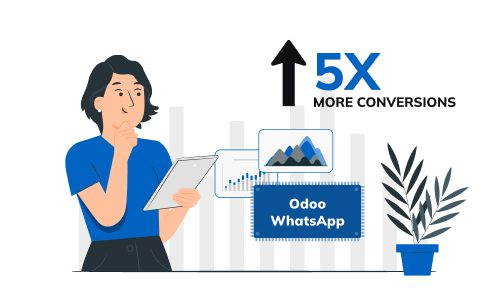
When integrated with a powerful business platform like Odoo, WhatsApp goes beyond chat, becoming a fully automated messaging tool, intelligent channel for sales, support, and operations. Businesses using Odoo WhatsApp integration expect up to 5x more opens on their marketing messages thanks to real-time alerts, automated follow-ups, and personalized engagement for every touchpoint.
Why WhatsApp Odoo Integration?
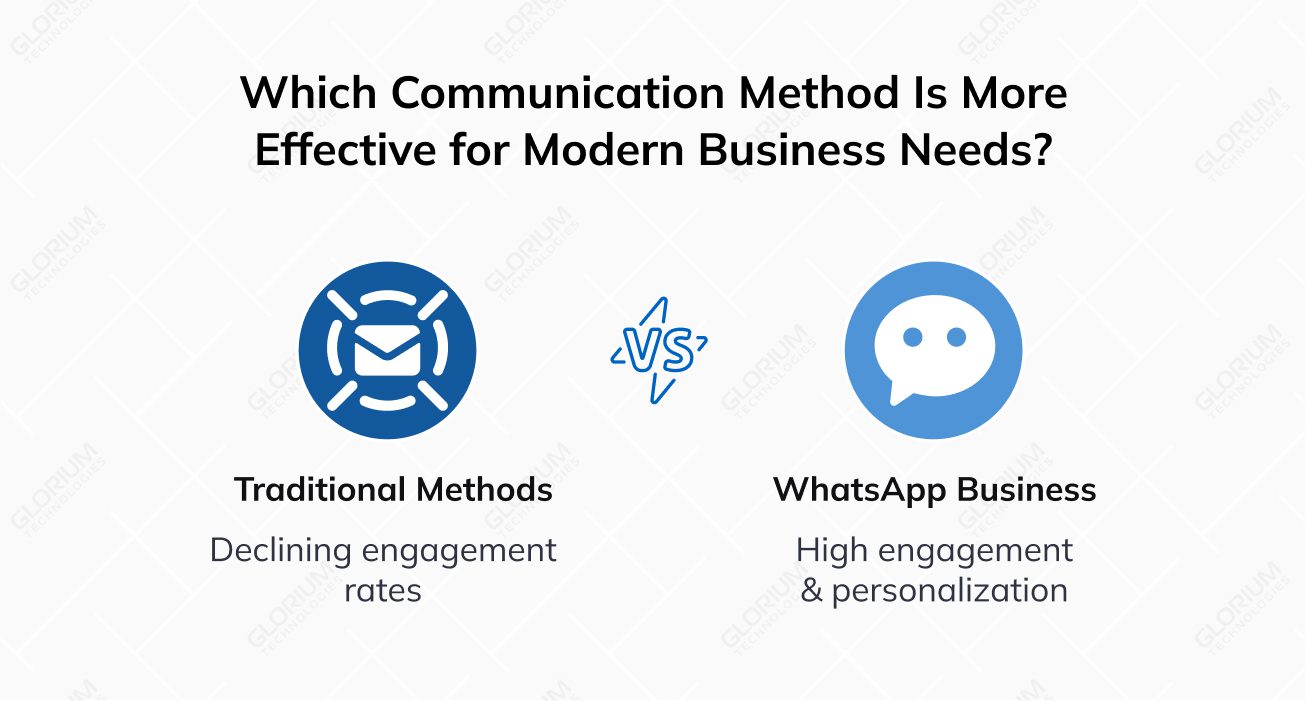
Modern buyers expect faster, more human communication, and businesses are following suit. As email open rates drop to 35% and call pick-up rates decline, especially among digital-first audiences, companies across industries are shifting toward instant messaging. WhatsApp leads this transformation with a 98% open rate, offering a faster, more personal, and more efficient way to reach and retain clients.
Now, it’s not just early adopters or tech startups that are noticing the operational value of messaging channels. Mid-sized and large companies in retail, healthcare, and logistics niches also see benefits. WhatsApp Business is redefining business-to-customer communication—from order confirmations and shipping updates to appointment reminders and support. Its personalized messaging format, paired with automation tools, makes it scalable for operations of any size. Whether you are managing a particular WhatsApp channel or coordinating responses across departments, the solution fits. And, the integration automatically syncs your WhatsApp contacts with Odoo's CRM, eliminating manual data entry.
Why Consider WhatsApp Integration with Odoo?
According to Meta, companies using the WhatsApp Business Platform report higher retention and faster sales cycles. Customers increasingly prefer real-time, personalized updates rather than impersonal calls and generic mass emails. By meeting people where they are—on WhatsApp—businesses can create trust, reduce delays, and convert faster.
Integrating WhatsApp API into Odoo brings this communication power directly into your existing workflows. It allows you to automate follow-ups and trigger app messages based on CRM actions or order status—no need to switch between tools. For companies already running on Odoo Enterprise Edition, adding WhatsApp means turning routine touchpoints into opportunities to engage, resolve, and convert at scale and in real time.
The Basics of Odoo WhatsApp-Notifications Integration
The integration process starts with connecting Odoo modules—CRM, Sales, Helpdesk, and Appointments—with your account through the WhatsApp Business API. Once it is done, your teams can manage WhatsApp messages directly from the Odoo database. You can send instant alerts like:
- Order confirmations
- Payment reminders
- Shipping updates
- Appointment confirmations
- Abandoned cart nudges
Pre-approved message templates that include a piece of dynamic content, such as customer names, order details, or appointment times, help automate all these communications.
Each message is automatically logged in the CRM chat history, giving your sales reps full context for every interaction. That means sales follow-ups can be smarter, more relevant, and timely, saving you the headache of switching between platforms or tools.
Your support teams benefit from Odoo WhatsApp integration, too. Chatbots, tags, and template-based responses can automatically handle routine customer interactions. This reduces manual work while maintaining consistent service quality and ensures proper management of the WhatsApp API.
Odoo WhatsApp integration: configuration with meta tools
You can configure the setup process via your Meta Developer account. To do this, create a new Meta application, select the Meta Business account option (not a personal account), and link it. After clicking create account, select the Meta Business account option (not a personal account), and link it. Once connected, your next task is to manage configurations from the Meta App Dashboard. To send your initial test message, configure your WhatsApp product using the WhatsApp QuickStart page, then proceed to manage message templates and generate tokens.
Please note that you can add and manage business phone numbers and preview message templates during creation, but you can’t manage phone number lists and group chat settings through this dashboard.
Be sure to complete business verification under your Facebook Developer Account and Facebook Business Account for full API access. You will need to add and verify your WhatsApp business phone number. During template creation, a pop-up window lets you preview each template's layout before sending. Free test messages are available during setup to ensure your workflow functions correctly.
Odoo Integration with WhatsApp in Numbers
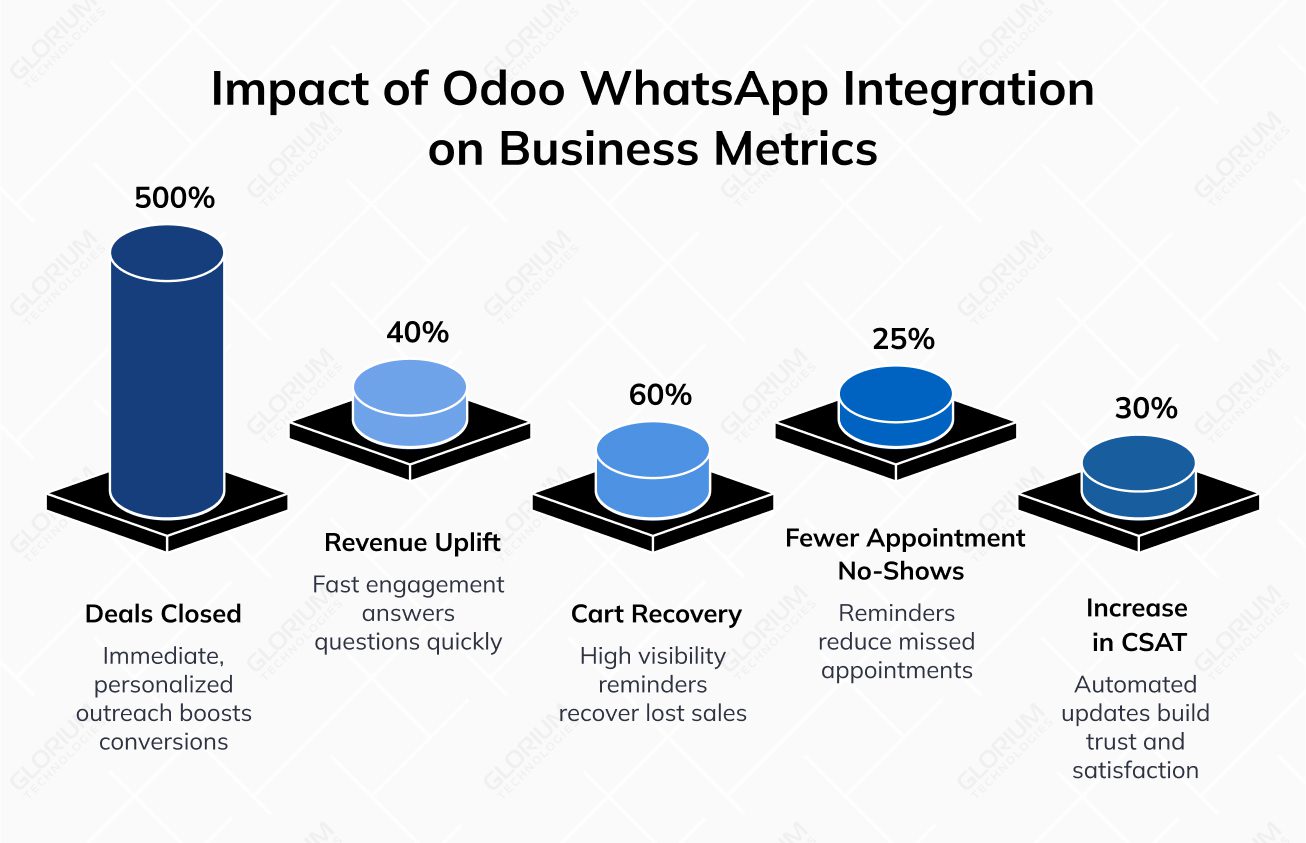
The numbers don’t lie. They provide you with a full overview of the main aspects, analyzing which you can understand whether you can cash in on the Odoo WhatsApp integration module. It goes far beyond convenience, as it can improve performance metrics across the board. Integration can help your business act faster, stay personal, and close gaps in communication that typically cost time and sales. Let’s explore the numbers and use cases showing how powerful this connection can be in practice.
Up to 5 times more deals closed
Businesses using WhatsApp in Odoo report up to 5x higher conversion rates, thanks to immediate, personalized outreach. Automated messages triggered by lead activity—like a form submission or quote request—build momentum before competitors even respond. The faster the reply, the more likely the lead stays engaged and moves toward a decision.
Up to 40% revenue uplift via fast and direct engagement
With chat app messages read within minutes, customer questions get answered before hesitation turns into abandonment. 25–40% increases in revenue have been reported by companies using WhatsApp (via Meta Developer Account) automation for pricing follow-ups, stock availability, or upselling after initial purchase interest.
Up to 60% recovery of abandoned carts
Unlike email recovery flows that often go unopened, WhatsApp cart reminders achieve far higher visibility and conversion. Personalized nudges with product details and delivery options help recover up to 60% of previously lost sales.
Up to 25% fewer appointment no-shows
If you run a service-based business, WhatsApp appointment reminders can drastically reduce no-shows. Combined with two-way confirmation flows and rescheduling options, companies have reported a 25% decrease in missed appointments and up to 40% improvement in scheduling coordination.
Up to 30% increase in CSAT
Automated updates like order confirmations, payment receipts, and delivery alerts build trust and reduce inbound support inquiries. Businesses leveraging the chat app see up to a 30% increase in customer satisfaction scores thanks to reduced uncertainty and faster resolution times.
WhatsApp Integration in Odoo: Industry Snapshots
Whether you’re running an e-commerce store, managing real estate leads, or coordinating appointments in a service-based business, delays and low engagement can directly impact revenue. Integrating WhatsApp with Odoo helps address these issues by enabling real-time communication, automating follow-ups, and keeping every interaction timely, relevant, and easier to act on. Here are a few examples of how businesses in different niches can benefit from such an upgrade:
- E-commerce: Businesses regain lost revenue through cart recovery, loyalty-building broadcasts, and automated feedback requests
- Healthcare: Clinics reduce missed visits and administrative workload with Odoo WhatsApp chat integration
- Real estate: Agents connect with leads instantly post-inquiry, accelerating the qualification process and reducing drop-off rates
Reduce Operational Costs with WhatsApp Integration Odoo
While conversion rate optimization is a major benefit of Odoo CRM WhatsApp integration, the operational advantages are just as effective. Automating communication not only reduces support workload but also improves the way resources are allocated across your business. Below are some ways you can save time and money through this integration.
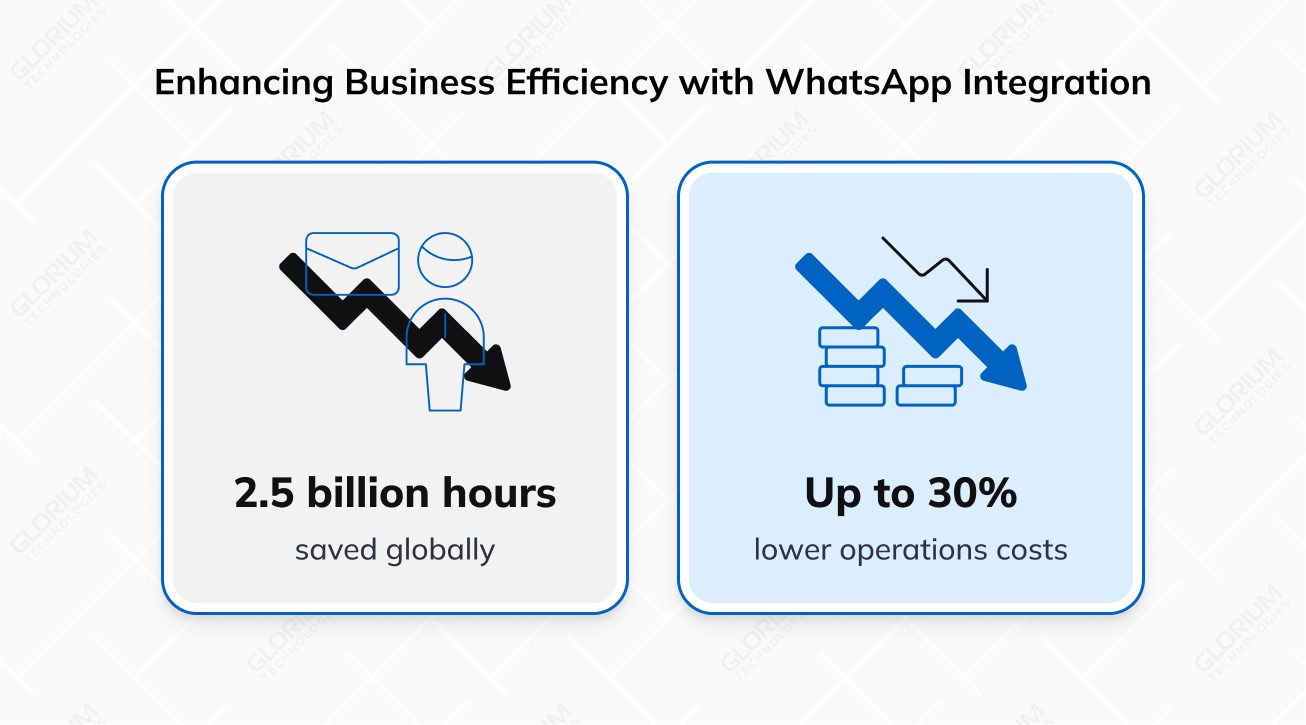
Up to 30% lower operations costs
As soon as you minimize manual touchpoints, like phone calls and repetitive emails, you can notice a 30% drop in support and operations expenses. Chat app messages triggered by CRM events eliminate the need for staff to send reminders, follow-ups, or status updates manually, saving hours per day per team.
2.5 billion hours saved globally
Automated chat app communication enables you to save time streamlining processes. As a result, you benefit from faster resolutions and fewer back-and-forth interactions, especially in high-volume support environments.
The WhatsApp Business Platform API, when combined with smart workflows inside Odoo, enables full automation of repetitive tasks. You can use message templates triggered by a CRM status change, purchase order update, or delivery notification. With the proper callback URL, each flow stays synced across your systems.
Best Practices for Using Odoo WhatsApp Business Integration
If you want to get the most out of your Odoo WhatsApp integration combo, you need a strategy that aligns with how your customers want to communicate. We’ve gathered some time-proven best practices following which you can ensure every interaction is timely, relevant, and impactful.
To optimize your approach, you need to:
Segment your audience for relevant messaging: A lead in the ‘New’ stage gets a different WhatsApp message than one nearing purchase
- Use message templates wisely: Each piece of content should match a business objective. Structure it using the header type, body tab, and proper call to action. Manage templates using the edit template page within your Meta Business Console
- Measure performance: Track open rates, link clicks, and response times from your WhatsApp app page
- Maintain compliance: Confirm consent before messaging and follow opt-out policies. Set notification settings appropriately for each chat app channel
- Blend automation and people: Use chatbots for FAQs, but allow human takeover for complex queries. The control section inside your Odoo CRM helps manage both
Integration & Setup: What to Expect
Setting up Odoo WhatsApp integration may sound complex, but with the right steps, it’s a smooth and straightforward process. We’ll guide you through it, from creating your Meta app to connecting your WhatsApp Business account and configuring message templates, so you can start seeing results fast.
Setting up the integration requires several steps, but can be completed in under a day with the right preparation:
- Log in to your personal Facebook account and access the Meta Developer Console
- Click Create App, select the business account option
- Configure your business name and app name label
- Move to the next screen – the WhatsApp QuickStart page
- Add your existing WhatsApp number or get a new one (verify and connect WhatsApp)
- Link it to your Meta Business Account Profile (by entering your developer email address)
- Complete the creation of the business account and submit your business website
- On the next page, generate a permanent token and enter your callback URL
- Use the WhatsApp Product Wizard to configure your first test message (wait for "successful message" notification that confirms the setup)
- In the Meta App Dashboard, go to the next section – message templates – and click the blue create template button
- Build templates using the body, buttons & variables tabs located at the bottom of an individual template
- Return to Odoo, perform the standard API connection with your configuration page
- Use the drop-down menu to configure notification settings for each module: CRM, Sales, Helpdesk
- Review your office business documents, test message templates, and set expiration dates to ensure your workflows run smoothly
From that point on, your messages will sync automatically with your Odoo workflows. Need to manage your phone number list or reassign a channel? Just go back to the Meta Business Console and make changes through the menu toggle.
Odoo WhatsApp Integration Cost: Pay Once, Profit Repeatedly
Are you ready to connect faster, serve better, and sell more? Integrate WhatsApp with Odoo ERP for free and pay minimal message fees via Meta afterward.
If you need support in setting up your Meta App, configuring your API connection, and managing your WhatsApp channel across your Odoo database, we are here for you. As an official Odoo partner, Glorium Technologies knows all the modules inside and out. Our team can guide you through the WhatsApp Business Platform setup process - just reach out!
FAQ
How do I set up the Odoo WhatsApp app?
To set up WhatsApp API, you'll need a Meta Business Account in the developer console (developers dashboard). From then, you can simply follow the app process: create the account, configure app details, and click test connection to verify the integration. We recommend working with professionals to set up everything correctly and use your WhatsApp business account successfully.
Can I use my existing WhatsApp number for Odoo integration?
Yes, you can use your existing number for Odoo integration. In your specific developer account, you can link an existing WhatApp number or get a new one. Don't forget to verify it.
How do I troubleshoot failed API connections?
If you're doing it DIY, here's what you need to do:
- Click test connection in your Meta App Dashboard to check errors
- Verify your callback URL in Odoo matches the WhatsApp API settings
- Contact support via the app contact email label if issue persists
Or, you can work with Odoo experts in Glorium Technologies to avoid doing DIY tech support and troubleshooting.
How do I manage multiple WhatsApp numbers in Odoo?
Navigate to all the apps in your Meta Developer Account. From there, add or remove numbers under Phone Number List and assign them to Odoo app modules (e.g., Sales, CRM).
Is WhatsApp integration compliant with data privacy laws?
Yes, but to achieve full compliance, you must obtain customer consent before sending a WhatsApp message, provide opt-our options for them, and store data securely in Odoo. We recommend working with a professional team to successfully configure these details from the initial setup.
Can I automate abandoned cart reminders via WhatsApp?
Yes! With the Odoo WhatsApp app, trigger automated cart recovery messages using pre-approved templates.
About Anna Voznaya