Everything You Need to Know About Odoo 19 New Features
Updated November 12, 2025

 Summarize in ChatGPT
 Summarize in ChatGPT
Running a business successfully these days is anything but straightforward. Markets shift quickly, customer expectations rise, and operations often span multiple locations and systems. You can easily lose track of production schedules or cash flow when using fragmented tools. That’s why the number of companies turning to Odoo is steadily growing at roughly 40 % year-on-year. The release of Odoo 19 makes this all-in-one management suite more appealing for growing businesses.
The renewed ERP system integrates AI into your workflow, simplifying everything from audit reports and purchase management to SEO and website design. You can also find smarter POS presets and an impressive range of new spreadsheet options—all built to save time and reduce manual work.
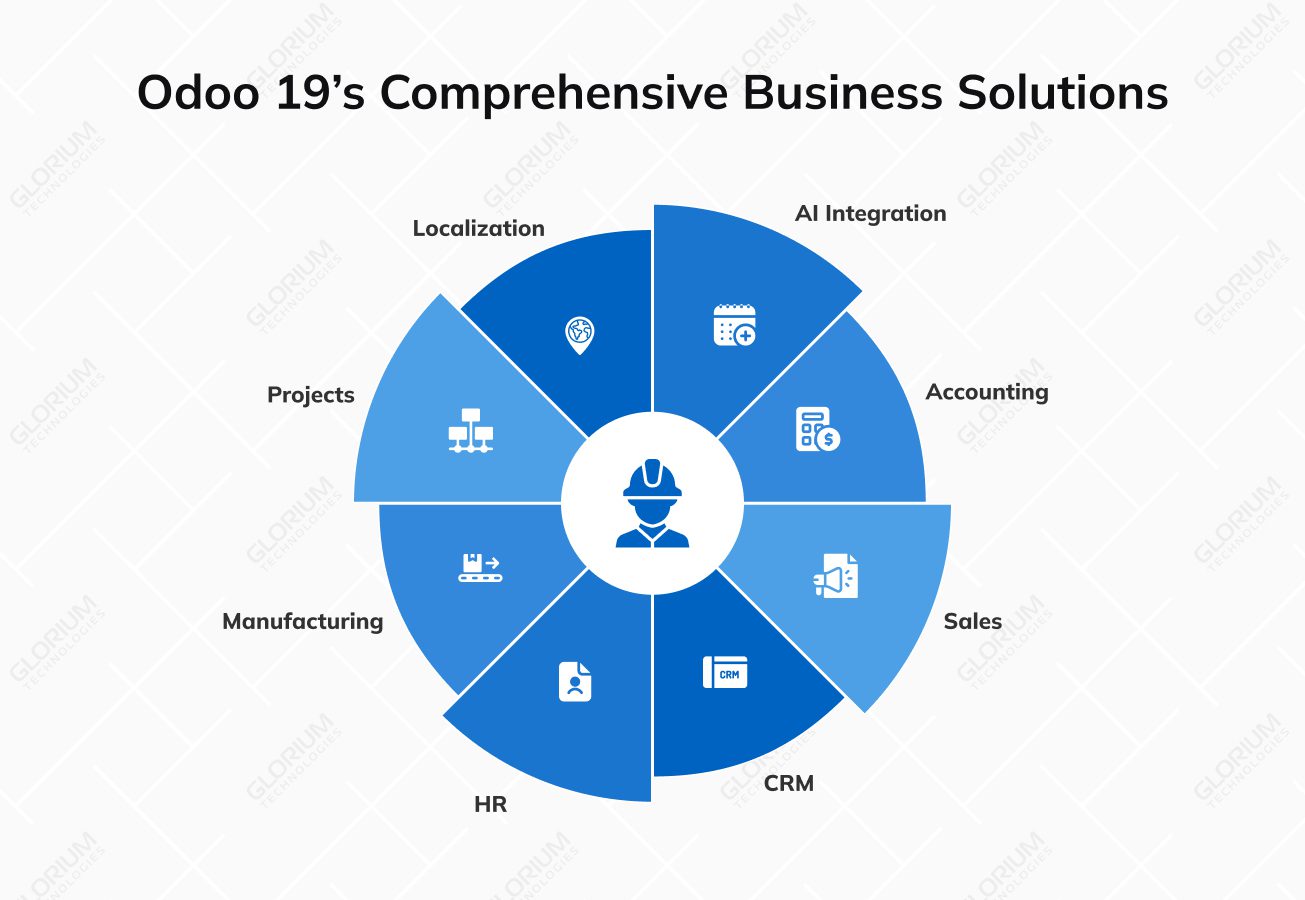
Odoo 19 covers multiple areas, such as Accounting, Sales, CRM, HR, Manufacturing, Projects, and Localization. So, new features can not only make it easier to act faster but also give you more control over your business.
Content
Better financial management is one of the main reasons companies choose to adopt an ERP system. In fact, finance modules made up over 26% of the ERP software market in 2024, highlighting how important unified tools are for success-centered businesses.
With this backdrop, Odoo 19 shifts its focus to smarter reconciliation, duplicate-bill detection, an improved history management system, and bank-account workflows. These updates are designed to cut errors and speed up closing cycles, giving stakeholders tighter financial control.
Odoo 19 takes one of the most time-consuming accounting tasks—bank reconciliation—and turns it into a smoother, more intuitive experience. The redesigned interface speeds up transaction matching and minimizes manual review of bank statements, helping your accountants close books faster and more accurately. New keyboard shortcuts make routine tasks quicker, while draft reconciliation lets users review and adjust entries before finalizing them. You can now even preview attached PDF documents directly from the transaction list, reducing the need to switch between tabs or apps.
Once Odoo 19 is adopted, you can free up valuable time for more strategic analysis.
The new duplicate bill detection system flags repeated bills with a warning banner remaining visible, preventing accidental reposting and ensuring clean records. Detected duplicates are automatically excluded from batch posting, reducing the risk of double payments. Meanwhile, the Default Recipient Bank
Account feature introduces intelligent selection logic that assigns payment accounts based on the partner’s payment method or the company’s currency. This automation minimizes manual setup, eliminates mismatched accounts, and helps your finance teams process payments faster.
The incorporated Annual Statements composite report in Odoo 19 brings together the balance sheet, P&L, and trial balances into one consolidated, printable view. You can perform financial reviews and year-end audits without switching between documents. It also supports faster closing and easier compliance by reducing manual compilation. The Down Payment Account field has been moved to Accounting Settings, simplifying configuration.
The new tax return feature introduces validation checks and localization-ready settings for regional compliance. Paired with the latest Open on Date feature, you can verify outstanding amounts after year-end to ensure everything adds up before submission. Together, these tools make your closing process clearer, quicker, and fully aligned with accounting standards.
Odoo 19 adds a range of smaller yet impactful updates that make everyday accounting tasks less time-consuming. Managing reports and tax mapping can be a cinch.
Odoo 19 introduces smarter tax handling to simplify invoice management. The new “Always (upon invoice)” option lets you apply tax reductions directly when issuing invoices, reducing manual adjustments later. You can also apply a payment withholding tax without switching to other tools.
At the same time, Fiscal Positions tax mappings have been improved with clearer tax mapping, ensuring the right taxes are applied automatically across regions and scenarios. The new structure allows Odoo to define which tax replaces national sales taxes depending on fiscal position, ensuring accurate reporting.
These updates bring more transparency to your financial statements, helping you stay audit-ready year-round.
New analytic features are available even in the One App Free plan, which can lessen your reporting and budgeting struggles. You can now organize budgets through clearer subplan hierarchies, track spending against goals, and manage allocations more effectively within a more intuitive and accessible budgeting interface.
If you want to manage customer relationships more easily and close deals faster, you need to explore upgrades to the Sales module. There are new layouts, widgets, and sections to help you take the hassle out of everyday sales work.
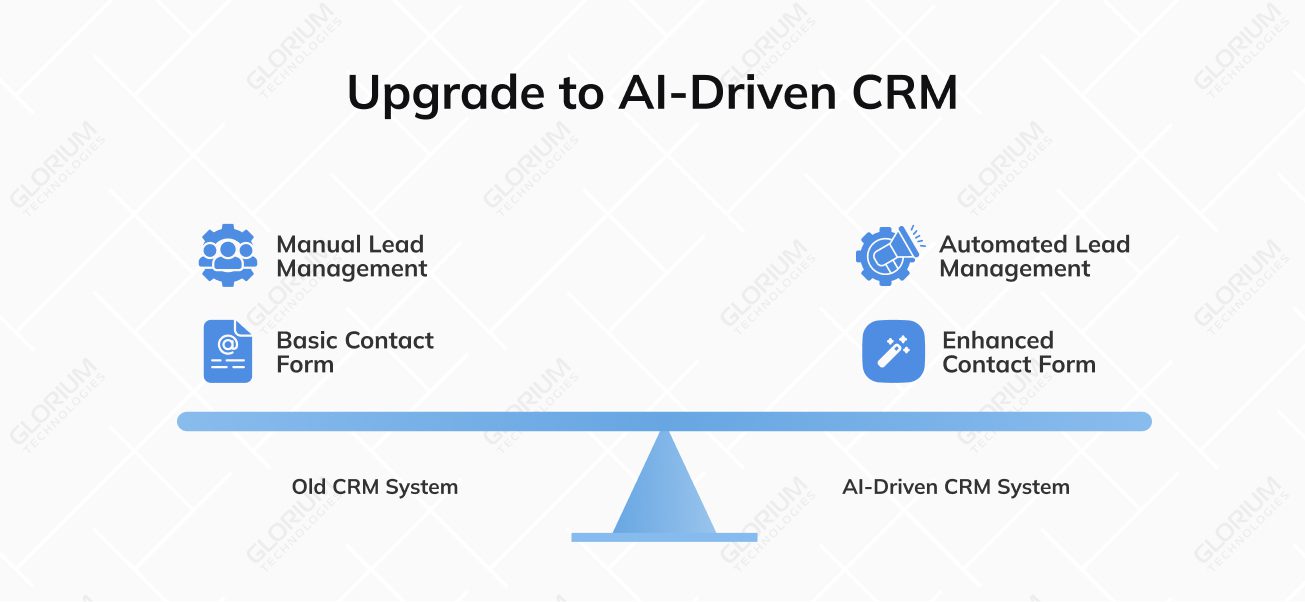
The ERP system now uses AI and automation to help sales teams focus on the right opportunities and never miss a follow-up. You can now get data-driven predictions on your chances of winning each lead. Plus, you can take advantage of:
These updates connect sales and marketing flows, helping teams move leads seamlessly through the pipeline. Managing prospective clients becomes smoother, from the first contact to the signed deal.
The redesigned contact form now includes Google Places address autocomplete, helping you add and update contact details quickly and accurately. With Contact Statistics, you can instantly view every record connected to a specific contact, from quotes to invoices. The new Properties fields add helpful context, illustrating each client’s history and activity.
With Odoo 19, sales management and document handling have become more flexible and professional. Your teams can leverage all those updates to create clear, customizable quotes and invoices that fit each client’s needs while reducing time spent on formatting or manual edits.
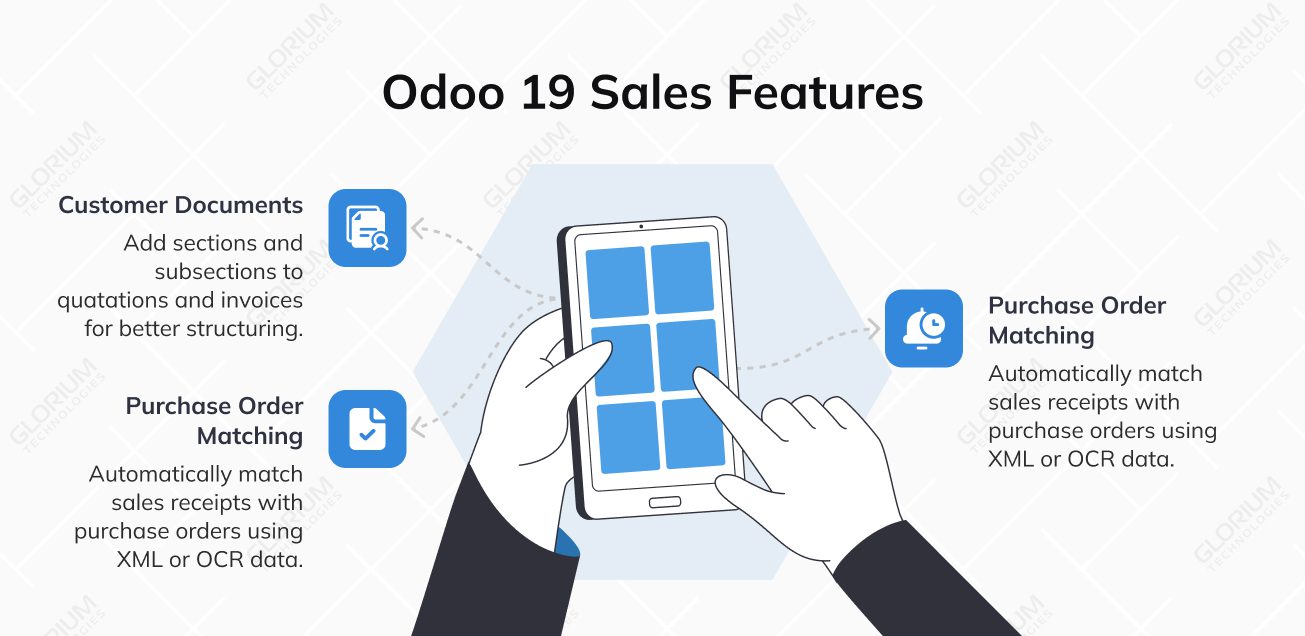
You can now add sections and subsections to quotations and invoices, making structuring proposals and highlighting key details easier. Each section can be reorganized, duplicated, or hidden with just a few clicks. You can also choose whether to show or hide prices for specific sections—perfect for tailoring quotes to clients or simplifying internal reports.
You can easily distinguish between overdue and due invoices, ensuring no payment gets lost. For faster communication, follow-up messages can be sent directly through WhatsApp, helping your finance teams engage with customers in real time and maintain positive relationships. These updates make payment tracking more proactive, giving you the tools to stay on top of receivables and improve cash flow management without switching between multiple systems.
Vendor bills are automatically matched with existing purchase orders using XML or OCR data. Each purchase order can include multiple routes or conditions, giving teams flexibility in fulfillment. This reduces manual checks, improves accuracy, and speeds up the entire purchase-to-pay process. Your records can now be reconciled with minimal effort.
With one-click payment validation, checkouts are faster and smoother than ever. The new minimal rights profile gives you better control by allowing limited access for employees who handle only simple sales. You can also settle due accounts directly from the PoS interface, keeping customer balances up to date.
Odoo 19 adds more flexibility with PoS presets for recurring order types like deliveries or pick-ups, plus four default ZPL print formats for seamless receipt management. You can configure pre-printed roll numbers for receipts, ensuring consistent tracking. Support for sales packaging helps retailers display and sell bundled or custom product sets.
For restaurants, it’s easier to track allergens, organize meal courses, and monitor efficiency through a preparation time report. Other mobile food businesses can benefit from faster checkouts.
Additional Highlights:
From better SEO and visual customization to deeper integrations with Google tools, the platform is a one-stop place to manage products, payments, and promotions. Through external website integration, you can even embed booking or product widgets on third-party sites. New display layouts and pagination make shop pages load faster and look cleaner across all devices.
Odoo 19 lets you sync products directly with Google Merchant Center, ensuring your listings stay accurate across Google Shopping. You can manage multiple feeds for different categories, currencies, and regions while benefiting from improved SEO for rich results and cleaner product URLs. For service-based companies, Google Reserve integration lets customers book directly from Google Maps.
Storefront improvements:
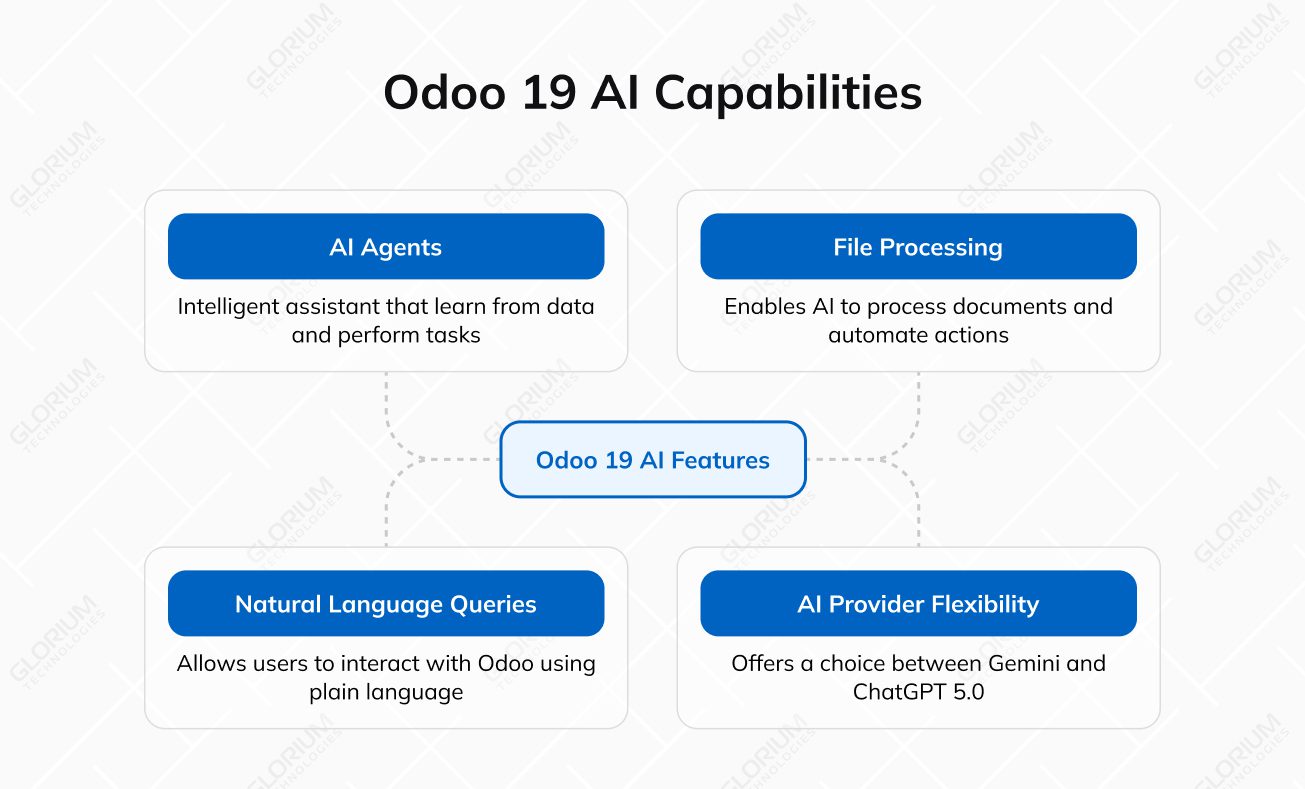
While Odoo 18 introduced basic AI tools for text generation and automation, Odoo 19 takes it much further. The new version makes AI an active assistant rather than a background feature.
The new AI agents can learn from your company’s data and perform actions on your behalf, whether drafting emails, updating records, or generating insights. You can also set default prompts for each workflow, ensuring consistent and efficient automation across departments.
The list of AI-driven possibilities includes:
The new “Ask AI” feature lets you interact with Odoo using plain language instead of complex filters or commands. You can type something like “show unpaid invoices from last quarter” or “list customers with pending orders,” and Odoo will automatically convert your requests into precise database queries, reducing manual setup. Internal users can now query their own database records through the AI chat interface. AI can also perform web searches to enrich missing data or validate entries.
Odoo 19 enables AI to process uploaded documents and take real actions. The system can read invoices, purchase orders, or contracts, then automatically fill in related fields or trigger predefined workflows. This makes document management faster, minimizes errors, and eliminates repetitive data entry.
You can now choose between Gemini or ChatGPT 5.0 as your AI provider for even more flexibility. Both integrate seamlessly with Odoo, giving businesses the freedom to align AI performance with their data policies and operational needs.
For manufacturers, visibility and scheduling precision are everything—and that’s exactly what Odoo 19 delivers. The latest version helps simplify shop floor operations and enhances production planning, resource allocation, and order tracking, giving teams the tools to adapt quickly and minimize downtime.
You can define a default batch size to automatically suggest production quantities for new orders, while redundant manual consumption fields have been removed to keep setups cleaner. The BoM overview has also been redesigned for faster navigation, and work center capacity planning is now more straightforward. You can access the detailed serial number properties view directly within production records. Tool rental businesses and various manufacturers can benefit from better batch management.
A new Gantt view gives you a clear visual of ongoing and upcoming manufacturing orders, making it simple to adjust timelines with drag-and-drop scheduling. MOs now feature an editable deadline field and a quick “Pick” link to manage stock movements without extra clicks. You can also assign multiple serial or lot numbers from a single order, improving traceability.
Operations can now be valued based on actual resource use or fixed rates, while split orders and subcontracting receptions are easier to handle. With the work order view, you can filter by attributes, adjust start dates, and edit statuses directly.
Better forecasts, clearer reports, and a simpler setup mean you can respond quickly when demand changes. Enhanced customer stock management gives visibility into consigned or partner-held inventory.
Odoo 19 now supports multiple purchase units, allowing buyers to set different quantities or packaging standards per supplier. Forecasting has become more data-driven, with a new horizon setting—by default, set to 365 days—to predict future demand accurately.
Tracking products from supplier to customer is now easier, as vendor and customer names appear directly in reports. Odoo 19 also adds backdating support for inventory valuation and physical counts, giving your teams more flexibility when adjusting records after audits or stock movements.
Configuration has been simplified by merging packaging and units of measure into a single model. Plus, each sales order line can now include multiple routes—like MTO and Buy—giving planners more control over fulfillment methods.
Smoother coordination and smarter scheduling are what project-driven teams always aim for. Now it’s getting easier to achieve objectives, as new updates make planning more visual and collaborative—so you can focus on progress instead of spreadsheets.
You can drag and drop tasks right in the calendar, view Gantt schedules through the portal, and edit start or end dates with built-in buffer management. You can also schedule existing tasks directly in the calendar view for easier rescheduling. These improvements help everyone—from construction teams to wedding planners managing projects—stay organized and on track.
Workflow features you can capitalize on:
Managing tasks and records in Odoo 19 feels faster and more natural now. You can multi-select cards using ALT-click on desktop or a long press on mobile to perform bulk actions instantly. In the List View, grouped records can be edited directly, and columns automatically adjust for a more readable layout.
The latest updates to Odoo 19 simplify salary processing, attendance tracking, and compliance—helping your HR team stay organized and employees get paid accurately. Payroll now features redesigned Pay Runs with guided steps, multi-account salary splits, and built-in correction workflows for faulty pay slips.
HR tools to use:
Compared to Odoo 18, the new Odoo 19 release expands localization coverage and strengthens regional compliance. Now, US companies can handle payroll reporting more efficiently with built-in support for Forms 940 and 941, enabling digital submissions for both FUTA and quarterly federal taxes.
Businesses in regulated markets like the Middle East now benefit from smoother integrations, better tax handling, and faster reporting—all aligned with government requirements. Localizations are unified under a single domestic fiscal position, simplifying configuration.
Glorium Technologies is an official Odoo Partner in the USA, the UK, the United Arab Emirates, and Saudi Arabia. We provide localized implementation, customization, migration, training, and support services in both markets. Get the most out of Odoo 19 with services designed to meet regional regulations and business practices.
Odoo 19 refines ZATCA integration with improved API performance, clearer rejection handling (400, 409, 208), and support for PDF/A-3 and synchronous invoice chains. You can now override default taxes depending on local rules or fiscal categories.
Regional features:
Odoo 19 strengthens financial compliance for UAE-based companies with an updated VAT201 form and a redesigned corporate tax report aligned with local regulations. Import tax calculations now consider customs VAT only, ensuring accurate filings. Payroll has also been enhanced to support attendance-based contracts and advanced salary management for greater flexibility and control.
Odoo 19 reinforces its position as a truly global ERP by improving how businesses manage international payments and tax obligations. The updates simplify cross-border transactions and reduce compliance risks, no matter where your company operates. Updated spreadsheet filters and pivots allow for more detailed data analysis across departments.
Batch payments now include charge bearer and priority control, giving finance teams more flexibility in managing payment instructions. Each transaction also features an end-to-end identifier, making reconciliation more accurate.
The new tax return engine performs automated validation checks before fiscal submission and supports localization-ready configurations to meet regional compliance needs worldwide.
Whether you’re new to Odoo or considering an upgrade, our experienced consultants can guide you through every new feature. We’ll help you assess your current setup, highlight what’s worth migrating, and help you build a transition plan that minimizes disruption and maximizes value.
Glorium Technologies partners with multiple companies worldwide, helping them optimize operations. Whatever niche or business size, our team can support your goals with the right strategy and solutions.
Book a free Odoo 19 consultation today.
Yes, you can manage your Odoo 19 workspace smoothly from mobile devices, whether you’re reviewing invoices, checking sales, or updating records on the go. The interface adapts perfectly to smaller screens, letting review invoices accounting users, adjust invoice line display settings, or even schedule multiple bookings. You’ll also get real-time push notifications to stay updated on tasks, messages, and approvals, no matter where you’re working from.
Odoo 19 supports this kind of synchronization, allowing bookings to appear automatically in your Odoo schedule. Whether you manage massage and treatment appointments, salon services, or client meetings, this integration inserts appointment calendars seamlessly. Businesses that rely on real-time scheduling can benefit most from it, as it helps teams stay coordinated and avoid overlapping bookings across platforms.
Odoo 19 introduces practical improvements that make daily work smoother across finance, sales, and operations. You can now automatically create multiple lines in invoices or orders, saving time on repetitive data entry. Updated fiscal positions and tax mappings ensure regional compliance without extra effort, while a new journal creation wizard simplifies accounting setup for growing teams. Managing incoming and outgoing invoices is more transparent, and with Outlook account connection, you can notify multiple people instantly—keeping communication flowing and decisions faster.
The Annual Statement Composite Report combines your balance sheet, profit and loss, and trial balance into one easy-to-read view. It helps finance teams get detailed insights without switching between reports. You can review performance, check compliance, and simplify audits, while highlighting overdue invoices separately makes tracking financial health faster and more transparent for managers and accounting users alike.
Odoo 19 helps optical retailers manage sales, inventory, and customer data. It allows multiple purchase units for lenses and frames, simplifies sales receipts purchases, and automates restocking based on demand. Stores can also enable automated product suggestions to recommend accessories, while built-in analytics provide a clear view of performance across branches or connected third-party logistics companies.
The first one focuses on appointment scheduling, stylist management, and client billing—perfect for handling multiple employees assign goals, and tracking service history. In contrast, the latter prioritizes case tracking, time-based billing, and document organization. It also includes better control over vendor bill forms and only invoicing access rights, ensuring sensitive financial data remains secure and well-managed.