If all your numbers fit into a single spreadsheet, you are likely to be happy with your accounting system. The situation changes once your business starts growing, and the month-end close begins to drag out unmercifully, all because of the disconnected tools you are using.
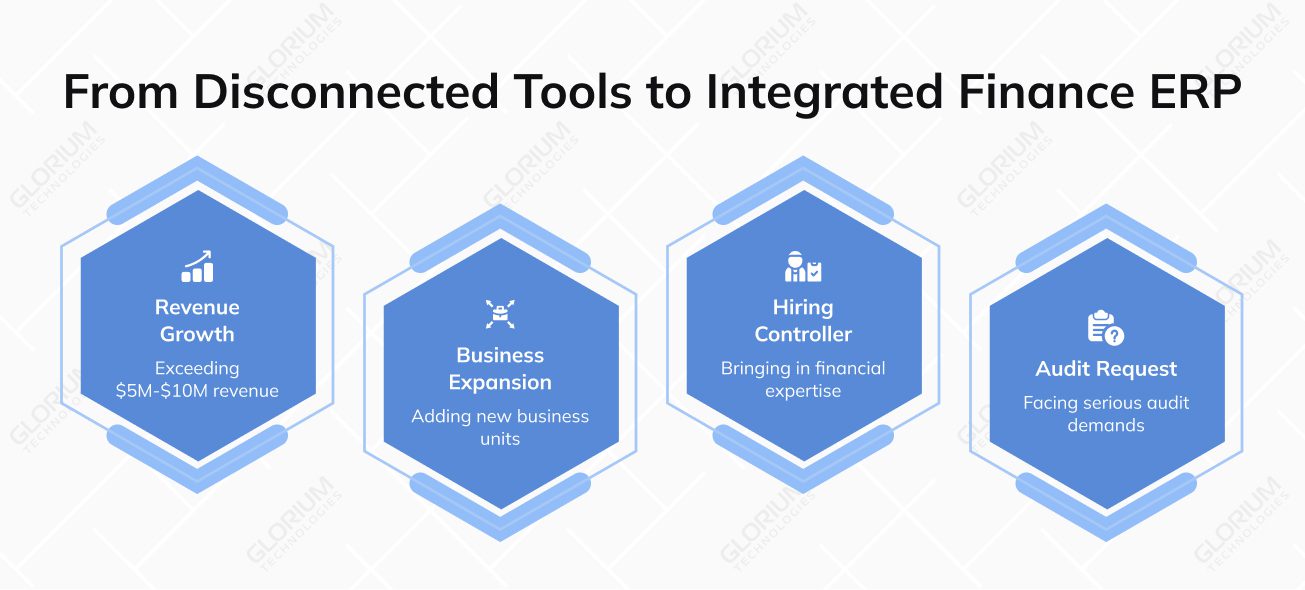
QuickBooks and Xero are great options, per se, especially when you just hit the ground running. But when your revenue crosses $5M–$10M, when you add a second business unit, hire a controller, or get your first serious audit request, standalone accounting software starts showing its limits fast.
Around 58% of finance leaders are stuck wasting five-plus hours every week on routine financial tasks and manually moving data from one system to another. And 49% admit that poor data quality is exactly what's messing up their planning and forecasts. That’s where a finance ERP can make a difference, as it makes for a structural shift in how your business manages money, tracks performance, and handles the financial complexity that comes with growth.
Signs Your Accounting and Finance Teams Have Outgrown Their Tech
Before we move on to the platforms, it’s worth pausing to ask a question that many SME finance leaders have ignored for too long. How do you know when it's time for ERP adoption? You can take as much time as you need to respond. However, if you wait for too long, it may set you back more. Because process debt, data quality, and integration complexity can all get worse in the meantime. Plus, your finance and accounting teams are already managing a patchwork of exports, workarounds, and manual fixes that cost real money and real hours every month.
Here are the signals worth paying attention to:
- Your close cycle runs longer than seven days: If the month-end close consistently takes ten to fifteen days, the system is an issue. Disconnected multiple systems and the absence of automated workflows are the usual culprits
- Data collection is eating up time that should go to analysis: When finance managers are buried in manual processes and spreadsheet consolidation, they're not doing the work that justifies their role
- You can't answer basic performance questions right away: If you have to go through many steps to export a current P&L or balance sheet, you have little idea about your company's financial health
- You've added a second entity or currency: Most accounting software doesn't support intercompany financial transactions. Entry-level tools don't have the infrastructure needed for intercompany eliminations, consolidated reporting, or multi-currency revaluation
- Audit preparation is still manual: It shouldn’t take your team days to get financial records together for an audit or an investor request
- Your approval workflows live in email: If you manage purchase orders, payment approvals, and expense sign-offs through email threads and verbal confirmations, you have both a control gap and an efficiency problem
If three or more of these apply to your business right now, keep reading the article.
What Accounting and Financial Management Looks Like Inside a Finance-Strong ERP
If you've been using accounting software to run your business, you already know the basics: bills come in, invoices go out, accounts get reconciled, and someone produces a report at month-end. A finance-strong ERP system doesn't just do those same tasks faster. It changes the basic way that financial data moves around your business.
Instead of sending CSV files between systems and manually consolidating numbers, every transaction, approval, and journal entry goes through a single connected platform. Your accounting and financial management system stops being a tool for reporting and starts being a tool for making decisions. Switching to an ERP can cut your closing cycles by 30–40% and make data reconciliation more than 25% more accurate.
Here's what separates a genuinely finance-capable ERP from a fancy accounting tool:
- General ledger depth: A proper general ledger inside an ERP can handle a complex chart of accounts, dimensional reporting, and multi-period analysis without breaking
- Accounts payable and receivable automation: Automated tasks like invoice matching, payment runs, aging reports, and approval workflows should be built into both accounts payable and accounts receivable. You're wasting hours every week if your team is still typing in invoices by hand or sending emails to get approvals
- Banking management: Direct bank feeds, automatic reconciliation, and integrated payment processing make for standard features
- Financial reporting beyond templates: You should be able to make your own financial statements, look at transaction-level details, and generate board-ready output without an IT ticket
- Cash flow management: You should be aware of your current cash balances, period. A finance ERP helps you understand your rolling 13-week cash position, predict how much money will come in compared to how much you have to spend, and manage cash flow over time
- Asset management and fixed asset tracking: You need to keep track of, depreciate, and report on both physical and intangible assets in the right way. Most standalone accounting tools handle this poorly
- Tax management: The platform needs to have built-in support for multi-jurisdiction tax calculation, VAT handling, and compliance reporting, so you don’t have to look for a separate tool
- Audit trails and internal controls: Every accounting transaction should generate an immutable record. Role-based access, period locks, and approval hierarchies protect your financial records and make getting ready for an audit a process
Let’s evaluate five ERP platforms through a finance-first lens, specifically for SMEs in the $5M–$50M revenue range.
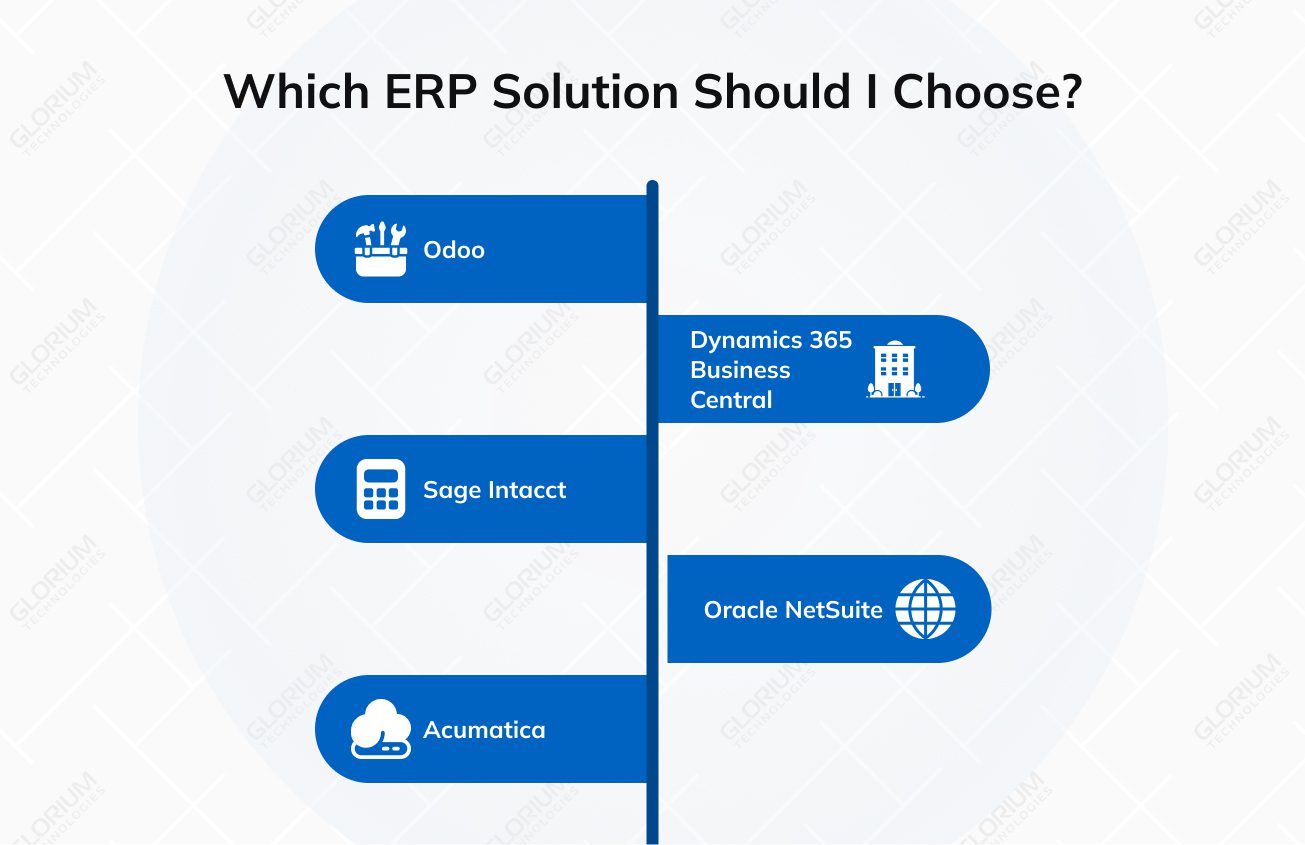
Top 5 ERPs with Finance Modules to Meet Your Business Needs
Every ERP solution on this list was selected based on how well it handles the financial processes and demands that growing companies face. This includes close cycles, reporting capabilities, automation, and the ability to scale without forcing a re-platform two years down the road. After all, you don't need SOX compliance or Fortune 500 consolidation tools at the SME level. You need depth, ease of use, and room to grow, to name a few. Use this as your starting framework before you sit down with a vendor.
The table below will give you a quick comparison of all five platforms before we go deeper on each one.
|
ERP |
Best-Fit Company Size |
Standout Finance Strength |
Starting Price |
Deployment |
|
Odoo |
SMEs, from startups up to $30M+ companies |
Modular full accounting stack (GL, AP/AR, bank reconciliation, multi-currency, tax); start with finance and expand |
$300-$1,500/mo (Community plus implementation); Enterprise $1,500-$5,000/mo |
Cloud or on-premise |
|
Microsoft Dynamics 365 Business Central |
SMEs, already using the Microsoft ecosystem (Excel, Outlook, Teams) |
Deep finance (GL, AP/AR, fixed assets, budgeting, cost accounting) integrated with Power BI dashboards |
$1,500-$5,000/mo |
Cloud |
|
Sage Intacct |
SaaS and nonprofits with complex accounting; teams outgrowing QuickBooks |
Dimensional accounting, multi-entity consolidation, strong close management, and audit trail |
$5,000-$15,000/mo |
Cloud |
|
Oracle NetSuite |
Growth mid-market, $20M to $100M+, multi-entity |
Multi-entity consolidation, automated intercompany eliminations, GAAP-aligned revenue recognition, SuiteAnalytics |
$5,000-$15,000/mo |
Cloud-native |
|
Acumatica |
SMBs in distribution, construction, and field services; variable or seasonal volume |
Connected finance and operations, project accounting, multi-currency, open API |
Consumption-based (transaction volume plus compute) |
Cloud-native |
Odoo
Odoo is a genuinely modular enterprise resource planning ERP that lets you start with accounting and expand into operations, sales, inventory, or project management as your business grows. It's one of the few platforms where the entry point is accessible, and the ceiling is high enough to serve businesses well past the $30M mark.
Finance core
Odoo's ERP finance module covers the full accounting stack: GL, AP/AR, bank reconciliation, expense management, multi-currency, tax management, and financial reporting—all within a single platform. The accounting interface is clean and genuinely usable by finance professionals who don't have a technical background.
Strengths
Odoo's biggest advantage is flexibility without complexity. The platform is highly configurable, and a qualified implementation partner can map it precisely to your chart of accounts, approval workflows, and reporting structure. Invoice automation, payment matching, and bank feed integration are all built in.
Standout differentiator
Your team can start with the finance module and accounting, then activate supply chain management, customer relationship management, or human resources modules as your needs expand. That's a meaningful cost and continuity advantage for SMEs that don't know exactly where growth will take them.
Implementation note: Odoo rewards structured implementation. Bring a clear chart of accounts, documented workflows, and defined reporting requirements to your implementation kickoff.
Microsoft Dynamics 365 Business Central
Business Central is Microsoft's SME-focused ERP software, and it earns its position on this list through genuine finance depth combined with an ecosystem advantage. If your team already uses Excel, Outlook, and Teams, the learning curve here is shorter than almost any alternative.
Finance core
Business Central covers GL, AP/AR, fixed assets, cash management, budgeting, risk management, cost accounting, and multi-currency. The ERP finance system is tightly integrated with Power BI for financial dashboards and Microsoft 365 for document management and workflow.
Strengths
You can benefit from real-time data flows between Business Central, Excel, Power BI, and Teams without middleware or manual exports. Finance teams can use tools they already know to make and share their dashboards and achieve accurate financial reporting. Audit trails, approval hierarchies, and period-end controls are robust and configurable without developer support.
Standout differentiator
Copilot integration brings AI-assisted financial insights directly into the workflow. The platform offers automated bank reconciliation suggestions, journal entry anomaly flags, and narrative financial summaries. These features can reduce the manual tasks that take up finance team hours without adding value.
Implementation note: Business Central requires a certified Microsoft partner for proper configuration. The platform is deep enough that poor initial setup creates reporting gaps and workflow problems that are expensive to fix post-go-live.
Sage Intacct
Sage Intacct is where finance managers in industries like SaaS and nonprofits often land once they’ve pushed QuickBooks to its limit. The system is built specifically for complex accounting workflows.
Finance core
The system supports dimensional accounting, profit tracking, multi-entity consolidation, AP/AR automation, close management, revenue recognition, and real-time financial statements. The platform is built around finance, which shows in the reporting architecture and the quality of the audit trail.
Strengths
Instead of encoding all reporting logic into a long account string, you apply dimensions—department, project, location, and customer—across every accounting transaction. The result is financial reporting that's more flexible and more granular. Close management tools are among the best in the SME segment, with task automation, period controls, and interperiod management built in.
Standout differentiator
For companies where accurate financial statements and audit readiness are top priorities (particularly those with investor reporting obligations), Sage Intacct's ERP accounting system architecture is purpose-built for exactly that kind of scrutiny. It can do for SMEs in professional services, nonprofits, and healthcare that prioritize financial management depth. If you are interested in inventory, manufacturing, and operational modules to the same extent, go for a different ERP.
Oracle NetSuite
NetSuite is the platform that growth-oriented small and medium-sized businesses use. These ERP finance capabilities can handle a lot of complicated things in the middle market. If your business makes between $20 million and $100 million a year or has more than one entity, you might want to check it out.
Finance core
Multi-entity consolidation, cost management, automated intercompany eliminations, revenue recognition aligned with generally accepted accounting principles, real-time dashboards, and Suite Analytics for custom financial reporting. The platform covers the full spectrum of ERP financial modules, including GL, AP/AR, asset management, tax management, cash management, and financial planning.
Strengths
NetSuite is cloud-native from inception. That matters for performance, reliability, and the pace of product updates. Financial close automation is strong, and the reporting framework is flexible enough to satisfy board-level reporting requirements without custom development.
Standout differentiator
NetSuite handles the jump from $30M to $100M without requiring a system change, which means the implementation investment you make today continues to deliver value as your business grows. It’s more suitable for upper-end SMEs with multi-entity structures, international operations, or complex revenue recognition and data security requirements. Implementation cost and licensing fees make NetSuite inaccessible for early-stage SMEs, particularly those with limited budgets and simpler operational needs.
Acumatica
Acumatica is a cloud ERP system for SMBs in distribution, construction, and field services that need to connect their finances and operations closely. Its pricing model is based on usage (transaction volume and compute), which makes it an advantage for certain businesses, particularly those with fluctuating transaction volumes or seasonal demands.
Finance core
GL, AP/AR, cash management, tax management, project accounting, and multi-currency — all on a cloud-native platform with an open API architecture. It covers business and financial management across finance, distribution, manufacturing, and field operations in a single connected system.
Strengths
As Acumatica charges based on resource consumption, adding a finance module user, an external accountant, or a part-time controller doesn't trigger a licensing increase. For SMEs with growing or variable teams, that's a real cost advantage over time. The integration of business operations across finance and operations is seamless.
Standout differentiator
Acumatica's open API architecture makes integration friendly. Connecting to banking feeds, payment processing tools, payroll platforms, or industry-specific software is well-documented and widely supported by the partner ecosystem.
What Can Go Wrong with Finance ERP Implementation
According to Gartner research, more than 70% of ERP implementations fail to reach their original business case goals. You may believe it’s all because of the software itself, but the recurring culprits are poor data preparation, resistance to change, and reporting requirements that were never properly scoped. Here are the pitfalls that catch companies off guard most often:
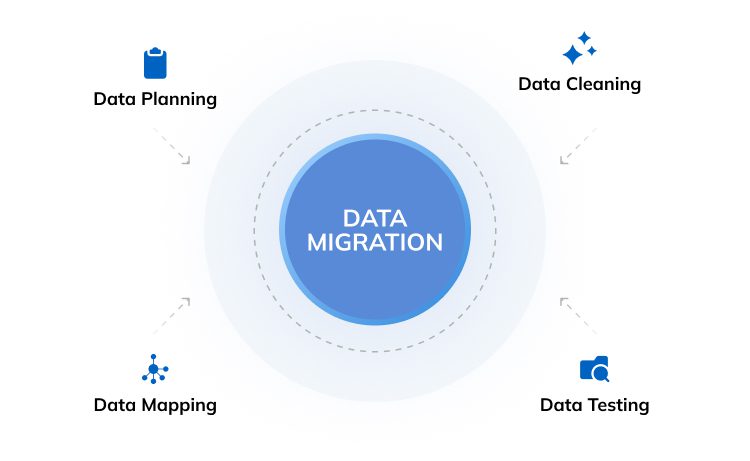
- Dirty data goes in, dirty data comes out: If you migrate without auditing your existing records first, every report your new system generates will be built on a flawed foundation
- Your team isn't brought along for the ride: Technology adoption without proper change management leads to workarounds, low usage, and frustrated staff who revert to spreadsheets
- Reporting gets scoped too narrowly, too early: Teams often configure only what they need today, then hit a wall when business requirements grow six months in
- No one owns the implementation: Without a dedicated internal lead, timelines slip, and vendor communication breaks down fast
What Accounting and Finance Teams Should Budget for ERP
Pricing conversations around ERP tend to go sideways fast, usually because buyers focus on the license cost and underestimate everything else. The license is often the smallest line item in the total cost of ownership equation.
When your finance teams are evaluating the budget, here's the framework that reflects what you'll spend:
License costs by tier:
- Entry-level (Odoo Community + implementation): $300–$1,500/month
- Mid-range (Odoo Enterprise, Business Central): $1,500–$5,000/month
- Upper SME (Sage Intacct, NetSuite): $5,000–$15,000/month
- Acumatica: consumption-based, varies by transaction volume
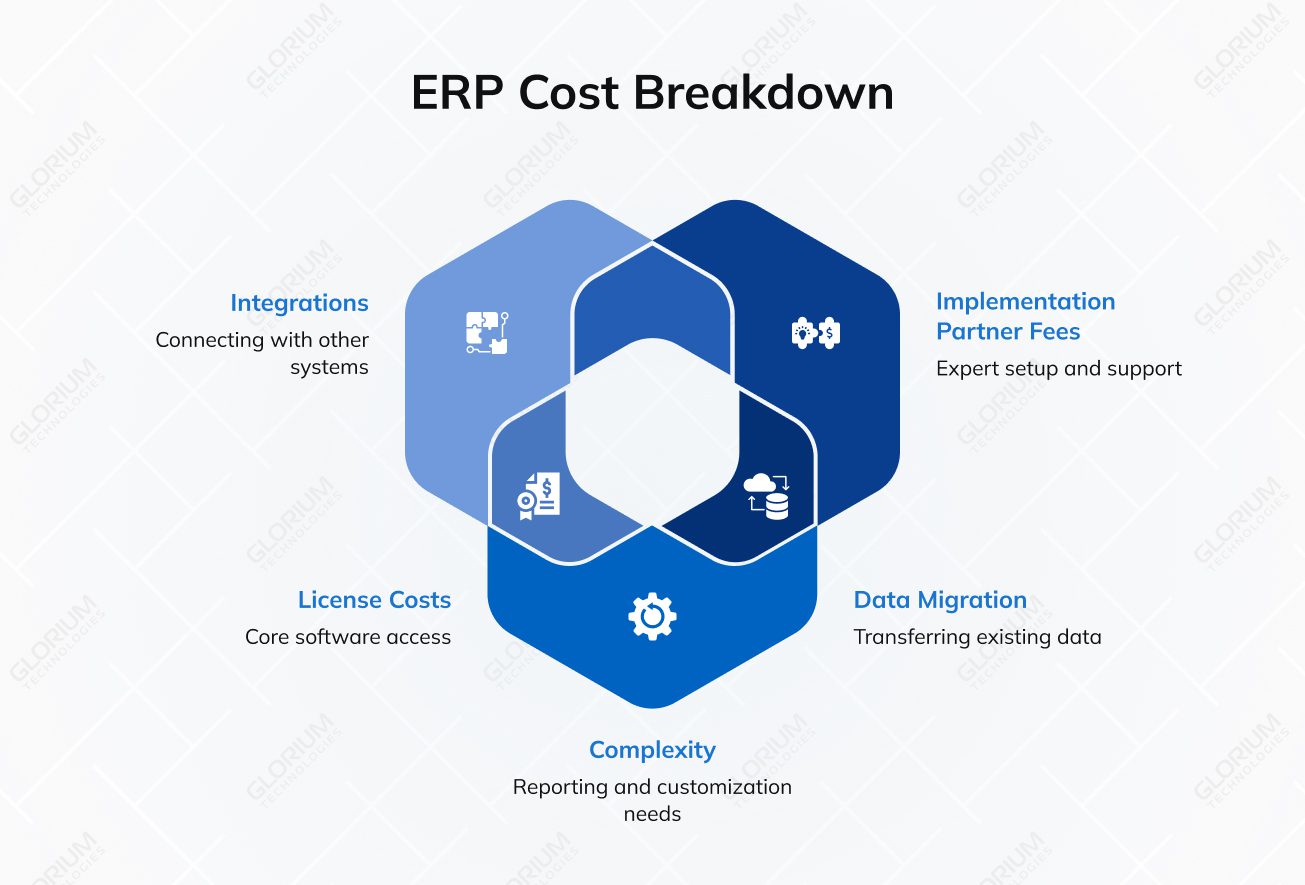
What drives cost beyond the license:
- Number of legal entities and currencies
- Complexity of financial reporting requirements and custom report development
- Volume of integrations, for example, banking, payroll, tax, and BI
- Data migration scope and historical data cleanup
- Implementation partner fees
64% of ERP projects go over budget because of scope increases and technical difficulties that occur, for the most part. It lowers both the risk of implementation and the cost of long-term support to work with a partner who knows your platform well.
Finance ERP Is Getting Smarter with Each Year
Gartner forecasts that AI-enabled solutions will account for 62% of cloud ERP spending by 2027, up from just 14% in 2024. If you're evaluating platforms now, that gap matters because the systems you're comparing today will look very different in 18 months.
Here is where modern finance ERP is heading:
- AI-assisted close and forecasting: Instead of your team manually pulling numbers at month-end, AI can flag anomalies, reconcile accounts, and generate variance explanations automatically. Gartner predicts embedded AI in cloud ERP will drive a 30% faster financial close by 2028
- Continuous accounting: The traditional month-end sprint is giving way to rolling reconciliation. Transactions get reviewed and posted in near real time, so your books reflect what's happening now rather than three weeks ago
- Real-time dashboards: Leadership stops asking, "what do the numbers look like?" and starts making calls based on data that's current to the hour — across revenue, costs, cash flow, and supply chain in a single view
- AI-assisted reporting: Rather than waiting on a finance analyst to build a report, your team gets auto-generated narratives and board-ready summaries drawn directly from live ERP data
Three-quarters of CFOs have already increased their tech budgets for 2026, with nearly half committing to a 10% rise or more. The companies making those calls now are the ones that will close faster, forecast with more precision, and have cleaner numbers when it counts.
The Right ERP Finance Module Makes the Next Stage of Growth Manageable
Most SMEs don't need a system built for a $90M+ enterprise. They need something that handles their accounting processes, connects their financial operations across the entire business, and replaces the patchwork of disconnected tools.
If it sounds like you, home in on Odoo and Microsoft Business Central, as that’s where both systems shine. They can ensure accurate financial records, automated financial transactions, clean income statements, and visibility into overall financial health without the implementation complexity and overhead that enterprise-grade systems bring to the table.
Glorium Technologies is an official implementation partner for both Odoo and Microsoft Business Central. Whether you're mapping out a full migration or figuring out which ERP modules best fit your current business processes, our team has done this before across industries, company sizes, and varying levels of financial system complexity.
Not quite ready to give up on QuickBooks? We can help you integrate Odoo with QuickBooks so that you can keep what works and fix the holes in your financial performance.
Set up a call with our ERP experts to go over your growth plans and regulatory needs.
FAQ
Which ERP platforms work best for SMEs that don't have a dedicated IT department?
Odoo and Microsoft Business Central are your strongest options here. Both are designed with non-technical users in mind; they offer intuitive interfaces that your finance team can navigate without developer support. You get the ERP finance module features you need without calling for an IT department to keep things running.
What does financial reporting look like inside a modern ERP compared to what most SMEs are used to?
If you’re tired of manual data entry, pulling numbers from multiple places, the difference is significant. A modern ERP gives you real-time dashboards, automated report generation, and drill-down capability into individual transactions, all from one system. Your P&Ls, balance sheets, and cash flow reports update as transactions happen, so you're always working with current figures rather than last week's exports.
How long does a typical finance ERP implementation take for a company with 20 to 50 employees?
You should expect from three to six months from kickoff to go-live. The timeline depends on how clean your key data is, how many integrations you need, and how clearly your team has documented current workflows. Odoo and Business Central implementations tend to land at the shorter end of that range when you work with an experienced partner like Glorium Technologies.
How does banking management work inside an ERP?
Live bank feeds connect your bank accounts directly to the ERP, so you don't have to import your company's financial transactions manually. From there, the system compares transactions to your records and marks anything that needs to be looked at. Your team does all of their work on the same platform, which saves time when it comes to payment runs, reconciliation, and tracking cash positions.
About Anna Voznaya