Odoo Pros and Cons Every Business Leader Should Consider
Updated November 26, 2025

 Summarize in ChatGPT
 Summarize in ChatGPT
Ever feel like your business software speaks ten different dialects? That’s the daily reality for many companies using disconnected tools for accounting, CRM, sales, and inventory management, you name it. The Odoo ERP system was designed to solve that very problem. Trusted by over 15 million users worldwide, it unites teams and tools under one digital roof, so data finally moves, syncs, makes sense, and works for you.
We’ve worked with a lighting manufacturer who used spreadsheets for production tracking and overlooked QuickBooks integration with other tools. As a result, its team was busy with double data entry and dealing with the aftermath of delays on the shop floor.
Once we implemented Odoo 18 Enterprise, the company saved 15%+ a year in accounting overhead. But does this case study make Odoo a one-size-fits-all solution? It doesn’t because, like any other ERP system, it has its peculiarities that someone may find unacceptable. Let’s explore the pros and cons of Odoo software, so you can decide if it fits your growth ambitions.
 What Makes Odoo a Popular Choice?
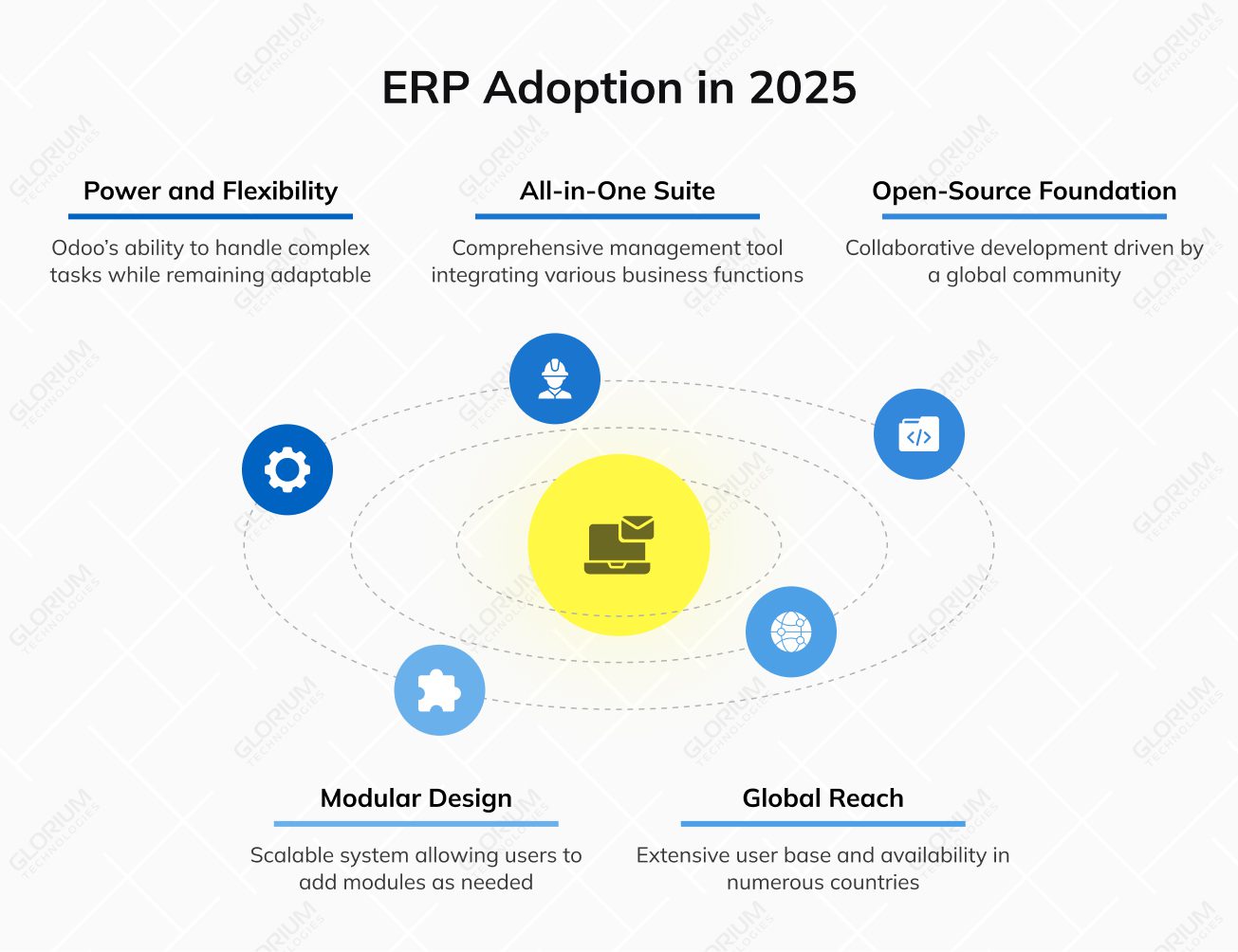
What fuels Odoo’s growing popularity is its balance between power and flexibility. This ERP system is none other than an all-in-one business management suite, replacing multiple fragmented tools. It combines sales management, supply chain, HR, and warehouse operations for complete visibility and control.
Its open-source foundation has sparked a global community of developers, constantly refining and expanding what the system can do. Unlike other ERP systems locked behind costly licenses and rigid frameworks, Odoo’s modular design lets you start small. You can go for the Odoo apps you need today and add new ones as you grow.
Odoo in numbers:
Odoo’s influence keeps expanding, shaping how modern businesses run. As of Q3 2025, over 115,000 live stores operate on its platform, marking a 37% year-over-year surge and steady 1.6% quarterly growth. Each new store reflects a company choosing transparency over complexity and scalability over rigid systems.
One of the biggest Odoo ERP advantages is the freedom to choose how you run it. Some companies prefer the cloud infrastructure for its quick setup and hands-off maintenance, while others opt for on-premises deployment. Odoo can easily adapt to a family business or a global enterprise. Thousands of developers and partners continually enhance ERP features and expand modules, adapting the system to emerging business needs.
You can stop spending a fortune on all those scattered applications necessary to handle sales management, human resources, eCommerce, and warehouse management. And replace them with Odoo ERP instead. Its advanced features support everything from automated order handling to performance tracking. For growing enterprises, multi-company management ensures smooth coordination across branches and subsidiaries. The result is a platform that makes complex operations feel effortless, helping your teams respond faster and focus on business growth rather than administration.
As a business owner, you know that growth isn’t predictable, and that’s exactly why Odoo works. Its scalable architecture makes it a no-brainer to add new modules or features as operations expand or priorities change. You can fine-tune workflows to match your business processes with thousands of modules, created by 30,000+ developers and partners worldwide. Odoo’s active community fuels continuous product improvements, from feature updates to industry-specific apps that respond to real business challenges.
Odoo ERP turns what used to be disconnected processes into a single, intelligent workflow. It integrates with eCommerce platforms like Shopify, payment systems, including PayPal and Stripe, and marketing tools like Mailchimp, ensuring data moves smoothly across every channel. Case studies have shown that companies can achieve around a 50% reduction in manual planning time through automation. You can sync sales orders and generate invoices automatically, shortening response times and minimizing errors.
Odoo is known as one of the best value-for-money ERP systems available today, offering transparent pricing and an open-source framework. Businesses seeking flexibility can start with the free version and scale to paid plans like Odoo Enterprise, which adds premium modules, hosting, and support. Compared to proprietary platforms with high licensing fees, Odoo’s lower total cost of ownership delivers measurable cost savings without limiting innovation.
| Edition | Pricing Model | Best For | Key Advantage |
| Community (Free) | Open-source, self-hosted | SMEs with tech expertise | No license fees |
| Enterprise (Paid) | Subscription-based | Growing companies | Cloud infrastructure, continuous innovation |
By empowering businesses to pay only for what they use, Odoo turns ERP adoption into a scalable, sustainable investment.
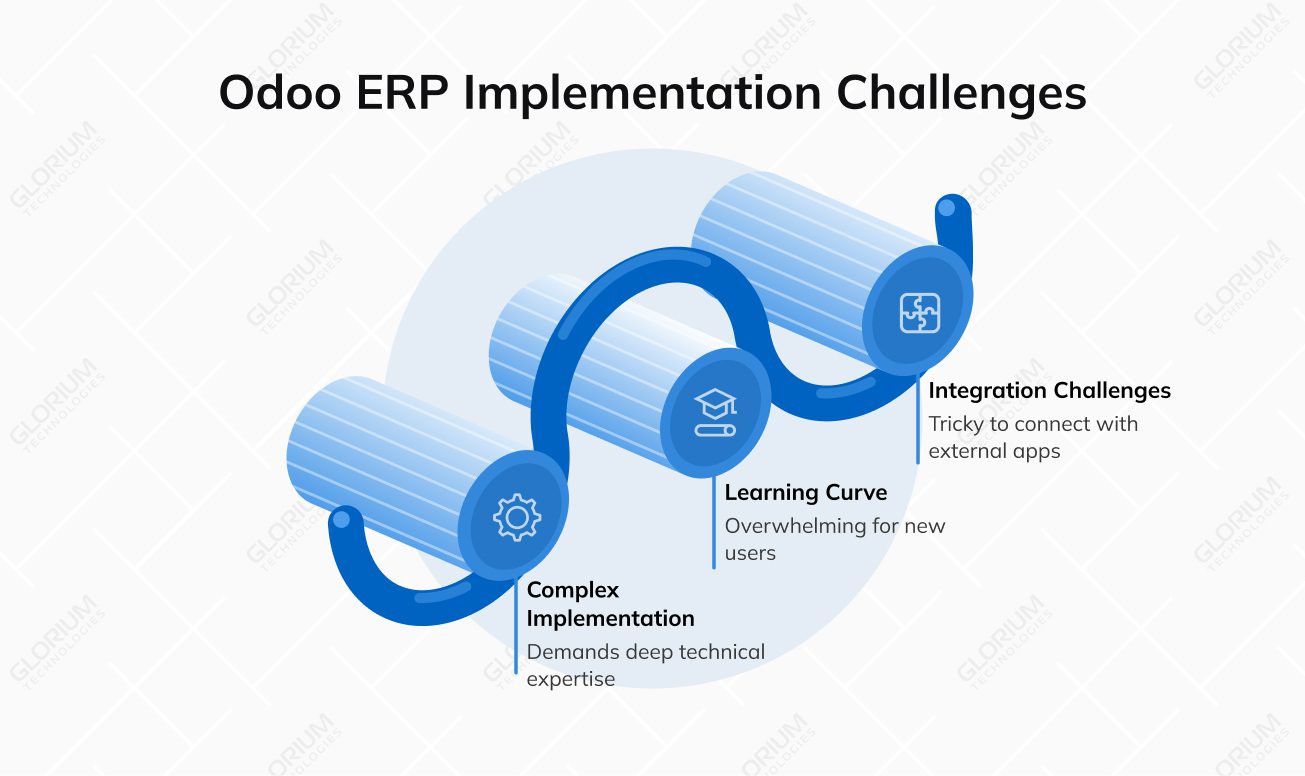
Like any powerful tool, Odoo doesn’t offer a plug-and-play experience. While its flexibility and openness attract many businesses, they can also make setup and customization trickier than expected. Some companies underestimate the time and technical expertise needed to fine-tune the system. Understanding these limits upfront can help you plan realistically and get the most out of Odoo software.
Deploying an enterprise resource planning system like Odoo calls for more than just basic technical know-how. Its high customization potential is a major asset for businesses seeking flexibility, but it can also extend project timelines without the right guidance. The initial setup often demands deep technical expertise and careful configuration. That’s why partnering with certified professionals like Glorium Technologies can define your project success. Our implementation services and hands-on approach turn a complex rollout into a smooth transition. You can avoid months of costly delays and rework.
The Odoo ERP system has a user-friendly interface, yet new users often need time to get comfortable with many Odoo apps. If your team has little to no ERP experience, the platform’s depth can feel overwhelming. Structured Odoo training and guided onboarding are key to full adoption. Once teams understand how the system connects various business functions, productivity rises, and the platform’s real value becomes clear.
Everyone talks about Odoo’s modular approach, but only a few highlight that you may find it tricky to connect with external partners or third-party business applications. The latter may require manual setup or custom APIs. In a few cases, older Odoo modules may not sync perfectly with newer versions. In other words, even such a well-integrated solution needs careful configuration to keep everything running smoothly.
 Community vs. Enterprise trade-off
Choosing between two Odoo editions comes down to balancing cost with capability. If you have a tech-savvy team, the free Community version may be the right thing to consider. Otherwise, you’d better home in on the Enterprise one. It provides access to advanced tools, hosting, and official support. The trade-off is clear—what you save in licensing may cost in time and maintenance, making this choice a strategic decision, not just a financial one.
The Community Edition is Odoo’s app-free, open-source ERP version designed for small businesses or teams with in-house developers. If you select this cost-effective solution, you gain access to essential Odoo apps with complete control over customization. Many Odoo users choose this edition for cost savings without licensing fees. However, it lacks certain advanced features—like Odoo Studio, IoT, or Helpdesk—that are available in Enterprise. For technically skilled teams, though, the Community Edition remains a powerful starting point for building budget-friendly business systems.
Here, Odoo offers official support, cloud hosting, and access to high-performance apps that make even the most complex tasks a no-brainer. You can capitalize on this powerful tool, even if your business falls more into the SME category rather than the large enterprise category. This edition can provide you with strong data security, integrations with third-party apps, and help from trusted local partners. The platform stays user-friendly and supports unlimited users, though it does come with an ongoing subscription cost—a trade for peace of mind and professional support.
When Enterprise Edition is worth it:
Once you explore and evaluate Odoo’s pros and cons, you should take your time to analyze your goals and limitations. Look at how complex your operations are, how much customization you’ll need, and whether your team has the technical capacity to manage it. You’ll also want to consider Odoo pricing, data ownership, integration needs, and scalability as your company grows.
Decision criteria to guide your choice:
Odoo’s intuitive interface and continuous innovation enable businesses like yours to build systems that grow and adapt—without overcomplicating what works.
If Odoo’s advantages outweigh its drawbacks and you’re ready to bring it into your business, it’s worth doing so with a licensed Odoo partner like Glorium Technologies. Our team helps companies move from exploration to execution, guiding setup, configuration, and training to ensure every part of Odoo runs smoothly.
With the release of Odoo 19, the platform bridges the gap between open-source adaptability and enterprise-grade reliability, giving businesses access to advanced tools without excessive costs. We can help you evaluate your technical readiness and business goals to ensure a smooth rollout and long-term value.
Talk to us today to plan, implement, and customize Odoo the right way. See how it works for your business with a free demo.
The two ERP solutions differ in overall approach and accessibility. You can use Odoo online and offline, if necessary. Its modular system allows businesses—especially mid-sized companies and online retailers—to streamline operations and manage everything from eCommerce to the sales process through multiple modules and a custom plan. Microsoft Dynamics, meanwhile, delivers a more traditional enterprise resource planning (ERP) experience built for large corporations with complex business operations and higher budgets.
If you’re running a small or mid-sized online retail business, for example, and looking to modernize your systems, you should consider switching to Odoo 19. The latest version brings faster performance, smarter automation, and a cleaner interface that makes everyday tasks easier. You’ll spend less time on manual work and more on growth—without taking on the heavy costs of enterprise software.
Yes, absolutely. You can request an Odoo demo designed around your company’s structure, workflows, and goals. Thus, you can check out how the system aligns with your specific needs—whether it’s managing inventory, sales, or finance—before implementing.