Microsoft Dynamics 365 Business Central vs. SAP: What to Choose in 2026?
Updated March 24, 2026

 Summarize in ChatGPT
 Summarize in ChatGPT
The global ERP market is expected to reach $40.6 billion by 2033, indicating a growing trend among medium-sized businesses to adopt single-platform solutions for HR, finance, customer relationships, and other business processes. That’s why businesses seeking to implement a good ERP software usually choose between two top systems, helping small businesses and mid-sized enterprises manage their business processes in one place. And these two systems are Microsoft Dynamics 365 Business Central and SAP Business One. Let’s compare Business Central vs. SAP, so you can select the ERP system that will help your business expand instead of causing it to slow down.
Content
Microsoft Dynamics 365 Business Central is an all-in-one ERP solution that often targets small and medium-sized companies, but is also comfortable for large enterprises. The system integrates essential business functions like project and financial management, sales operations, supply chain, and manufacturing capabilities. Business Central enables organizations to enhance their operational efficiency through centralized data management and immediate access to real-time information for improved decision-making.
Business Central functions as both a cloud-based SaaS solution and an on-premises software option that seamlessly integrates with Microsoft 365 and Power BI to deliver reporting, collaboration, and analytics capabilities within a unified ecosystem.
An ERP system’s true value lies in how well it brings together your finances, operations, sales, and data into a single, smart environment. Microsoft Business Central is designed to get rid of fragmentation, cut down on manual work, and give growing businesses the technology they need to grow with confidence.
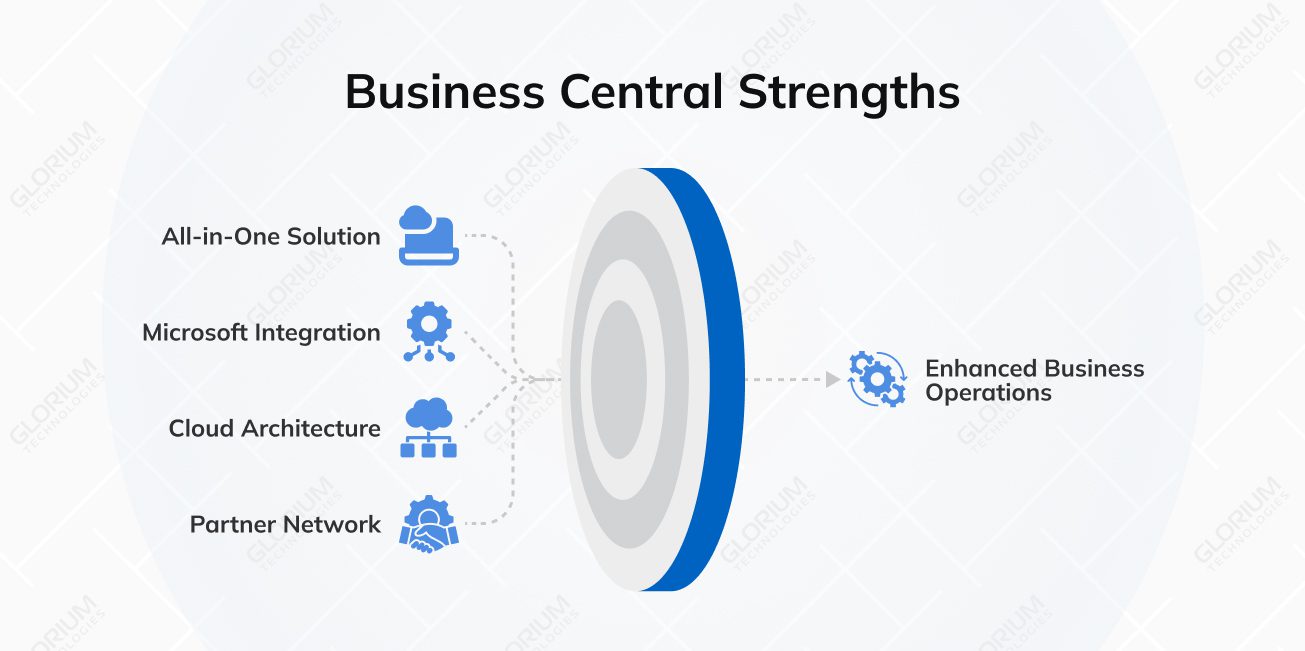
The platform allows you to manage financial operations, inventory management, sales activities, project tracking, and operational functions through its centralized system, which decreases the need for separate tools while establishing consistent data access across all business departments.
The connection with Microsoft 365, Power BI, and Azure helps you automate processes and collaborate efficiently while you gain access to simplified reporting functions.
Business Central’s cloud infrastructure enables you to expand your user base and system capabilities whenever necessary while delivering ongoing system updates that enhance security and decrease the need for IT resources.
The Business Central platform provides over 3,700 third-party integrations. You can extend its functionality through these applications and industry-specific extensions, which can be accessed through Microsoft AppSource.
Microsoft Dynamics 365 Business Central is a mature and scalable ERP platform, but there are a few practical limitations that you should consider before you use it.
Don’t let the limitations of Microsoft Dynamics 365 Business Central hold you back from implementation. In most cases, these challenges become problematic only when companies attempt to configure and deploy the system themselves.
With a professional partner, Glorium Technologies, even functional gaps can turn into opportunities to refine processes and support long-term growth. With our help, you can ensure full integration, customize Business Central to match specific operational requirements, or simply get expert consultation to ensure the system is set up correctly from day one.
Theoretical knowledge isn’t enough to understand what Business Central can do for your business. Let’s take a look at some of our recent success stories from a Belgian metal structure manufacturer and a food manufacturer who adopted BC and saw the valuable improvements.
Industrial manufacturing: 10× less production downtime
A Belgian metal structures manufacturer with 100+ employees encountered operational difficulties because its accounting, warehouse, and planning systems operated in isolation. Glorium Technologies assisted the client in establishing Microsoft Dynamics 365 Business Central as its single ERP system.
The system upgrade enabled real-time stock tracking, automated purchase recommendations, and unified production planning, which improved departmental cooperation. The manufacturer achieved a 10× reduction in production downtime while improving material stock value by 15%, and achieved a complete understanding of project expenses and order progress.
Food manufacturing: 25% less ingredient waste
A mid-sized U.S. food producer operating multiple production lines relied on spreadsheets, QuickBooks, and standalone inventory systems, which limited batch visibility and increased compliance risks, causing ingredient shortages. Glorium Technologies helped implement Microsoft Dynamics 365 Business Central and customize it for the food and beverage industry, including adding batch and recipe management, FEFO warehouse automation, expiration tracking, and digital quality logs.
Such an integrated system connected all of the client’s production inventory, compliance, and financial operations to provide real-time data. After the implementation, the manufacturer achieved a 25% reduction in ingredient waste, 40% faster production scheduling, and 98% traceability accuracy. All aspects of the business’s operations improved from their delivery performance to their readiness for audits.
SAP Business One is an ERP system that is designed for small and mid-sized businesses. The system integrates essential business operations, including finance, sales, purchasing, inventory, and production functions, into a single platform to create automated workflows. The ERP consolidates all business information in one location, providing users with the ability to monitor their operational activities.
The system also supports both on-premise and cloud deployments and is widely used across industries like manufacturing, retail, and services to manage accounting, supply chain, customer relationships, and reporting in one environment.
SAP Business One is a suitable choice for businesses that want to grow in a structured way. It provides a combination of operational control, financial transparency, and scalability. Here are its core advantages.
The key question when choosing an ERP is not which system has more features, but rather which one best supports manufacturing operations, project and customer management, and the expansion of your teams. Here is how Microsoft Dynamics 365 Business Central vs SAP Business One differ in key features that are most important in day-to-day operations.
When it comes to choosing between MS 365 Business Central and SAP Business One for financial management, everything comes down to one important question: Do you need modern automation and global scalability, or deep-core accounting controls?
Let’s take a look at a quick comparison of the finance features for both platforms:
| Feature | Microsoft Business Central | SAP Business One |
| Consolidation | Superior. Best-in-class for multi-company and international scaling. | Solid. Good for basic consolidation; complex global setups often need add-ons. |
| Reporting | Dynamic. Uses Power BI for real-time visual dashboards and deep AI insights. | Structured. Relies on Crystal Reports; very accurate but can feel “rigid” and less visual. |
| Automation | High. Copilot (AI) automates bank recs, cash flow forecasting, and document entry. | Standard. Strong automated alerts and workflow approvals, but less “predictive” AI. |
| Global Ready | 50+ localizations; very easy to manage different tax/VAT laws in one environment. | Robust global support, but managing multiple countries often requires separate databases. |
Companies that want to grow their operations need to be able to manage their inventory and supply chains well. Here’s how the two ERPs work differently:
| Feature | Microsoft Business Central | SAP Business One |
| Real-time inventory tracking | Strong. Real-time, end-to-end inventory tracking across multiple locations, bins, and warehouses. | Strong. Automatically updates stock levels across multiple locations and warehouses instantly upon every transaction (sales, purchases, or transfers). |
| Integration with finance | Seamless. Inventory and purchasing data automatically connect to financials for accurate cost accounting. | Partial. Centralized supply-chain–to-finance integration, but limits in advanced inventory planning, complex intercompany processes, and specialized financial workflows often require add-ons. |
| Analytics | Strong. Cloud-based dashboards and analytics show performance trends and stock efficiency in real time. | Standard. Uses SQL-based reporting; advanced analytics are possible but less integrated with cloud BI. |
| Automation | High. Supports automated reordering, transfers, and notifications using built-in logic. | Standard. Strong supply chain functionality for SMBs, but advanced automation, AI-driven forecasting, and highly complex multi-site logistics often require additional tools. |
| Multi-warehouse support | Native, easy to manage multiple warehouses, with lot/serial tracking and routing. | Strong warehouse capabilities, but scaling multi-location setups can be more complex. |
Customer relationships raise revenue, but how well you manage them depends on how well the ERP’s CRM works with it. Here’s a short comparison of how Business Central and SAP Business One differ in this scope.
| Feature | Microsoft Business Central | SAP Business One |
| Contact & lead management | Built-in. Tracks leads, opportunities, quotes, orders, and customer history. | Built-in. Tracks leads, pipeline, and service activities. |
| Integration with the ecosystem | Excellent. Directly connects to Outlook, Teams, and Dynamics 365 CRM modules. | Limited. Works within SAP; integration with external tools requires additional setup. |
| Automation | High. Sales and service workflows can be automated using Power Automate. | Standard. Some workflow automation is available, but less flexible. |
| Customer insights | Advanced analytics and dashboards provide a unified, AI-driven view of customers by integrating transactional, behavioral, and demographic data. | Functional, but deeper customer insights, predictive analytics, and AI-driven sales intelligence typically require advanced analytics tools |
A recent white paper for CFOs states that over 50% of the trends that will impact their departments and companies in the coming years deal with analytics and reporting. So, see the comparison of how Business Central vs SAP Business One support data-driven decision-making and integrate AI in their functionality.
| Feature | Microsoft Business Central | SAP Business One |
| Reporting & dashboards | Strong. Power BI integration allows interactive, real-time dashboards. | Solid. SQL and SAP HANA dashboards available; less interactive. |
| AI & automation | Strong. Microsoft Copilot automates bank reconciliations, cash flow forecasts, and common tasks. | Limited. Some predictive analytics, but fewer built-in AI tools. |
| Insights | High. Provides KPI tracking, scenario planning, and actionable recommendations in real time. | Standard. Focused on operational insights; advanced predictive insights often require add-ons. |
| Scalability | High. Cloud-native analytics scale easily across multiple companies and regions. | Standard. Scaling analytics across multiple entities can be complex and require additional configuration. |
The most crucial part of ERP adoption is how easily and flexibly you can customize it. See in the table below which ERP, Business Central, or SAP Business One, is customized better.
| Feature | Microsoft Business Central | SAP Business One |
| Customization approach | Modular. Low-code/no-code via Power Platform, AppSource extensions, and Per Tenant Extensions (PTE). | SDK-based. Add-ons and partner solutions are common. |
| Industry-specific solutions | Wide variety of extensions for manufacturing, retail, professional services, and more. | Available, but often relies heavily on partner-developed solutions. |
| Ease of upgrades | Cloud updates streamline maintenance even with customizations. | On-prem or hybrid setups may require careful planning to avoid upgrade conflicts. |
Now, let’s see which ERP is easier to set up, quicker to use, and uses fewer resources so you can pick the one that works best for your business.
Microsoft Dynamics 365 Business Central is primarily a cloud-first ERP that runs on Microsoft Azure. The system provides automatic updates, built-in security, and global scalability without the need for on-site hardware. Companies that use cloud deployment get predictable subscription prices, the ability to access their data from any device with an internet connection, and less work managing their infrastructure. This model also makes it easy for people to quickly start using new features and AI-powered improvements as Microsoft makes them available around the world.
Business Central also supports on-premises and hybrid deployment options for businesses that need more control over their data, need to follow local laws, or want to connect to their own infrastructure. In on-premises setups, the company is responsible for the server infrastructure, backups, and upgrades. Hybrid models mix cloud-hosted services with systems that are hosted on-site.
Originally, SAP Business One was an on-premises ERP that companies hosted on their own servers or private data centers. You have complete control over your infrastructure, data storage, and upgrade schedule, but this can mean higher initial costs for hardware, installation, and ongoing maintenance.
SAP added cloud-hosted versions of Business One over time. However, the system’s architecture is based on a traditional ERP design instead of a native multi-tenant SaaS model.
SAP Business One, like Business Central, lets businesses choose between cloud and on-premises deployment options. However, the implementation path may differ depending on the organization’s infrastructure planning and its readiness to move to the cloud.
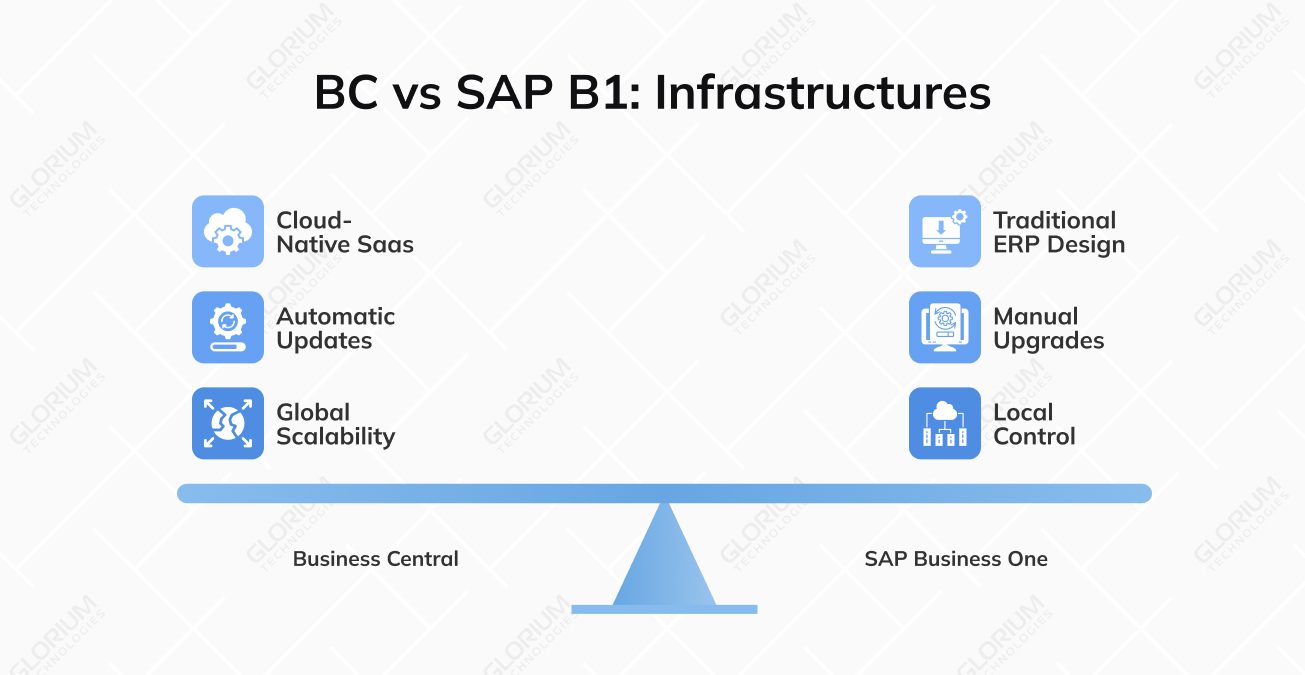
Business Central’s cloud-native design makes it easier to use SaaS and gives you the flexibility to change your IT strategies. While SAP Business One supports both cloud and on-premises setups, Business Central is the clear choice for companies requiring a modern, scalable, and hassle-free cloud ERP.
Licensing fees are only one part of the story when you compare ERP systems. You should also consider implementation, customization, integrations, and ongoing support when estimating the total cost of ownership (TCO).
Microsoft’s pricing plans are based on a subscription model that charges per user/per month. Business Central licenses offer such options:
Cloud subscription prices cover software, hosting, and updates. The cost of implementing Business Central also depends on the size of the project, the customizations needed, and the integrations required.
SAP Business One also uses named user pricing, and the cloud subscription rates are usually higher than those of Business Central:
Over time, the total cost of ownership can increase if you need to pay separately for SAP Business One support, maintenance, and updates, especially for on-premises deployments. But for smaller teams or simpler setups, the initial costs can be lower than those of broad cloud licensing models.
The type of ERP you need depends a lot on your industry and your business operations. Some industries need flexibility and easy integration with new tools in the cloud, while others work better with structured, established workflows. Let’s look at how Microsoft Dynamics 365 Business Central and SAP Business One work in different fields and which one is better for your business.
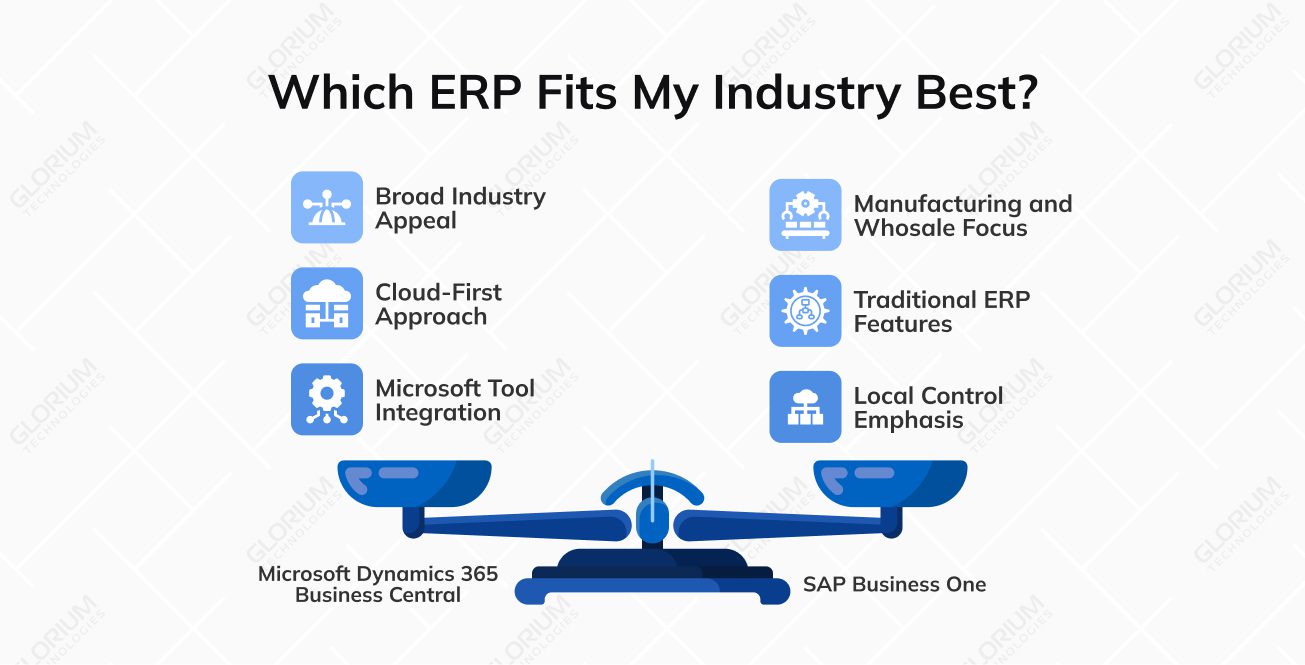
The flexible modular architecture, cloud-first approach, and built-in compatibility with Microsoft tools make Microsoft Dynamics 365 Business Central popular in many industries. It appeals to companies that need both operational ERP features and modern analytics, automation, and collaboration tools.
SAP Business One is popular in the following sectors:
The last and most crucial aspect of evaluating ERP is the resources and time required for integration and customization to your business needs.
The cloud-first architecture and standardized modules of Dynamics 365 Business Central make it easier for SMBs to access core ERP features without extensive customization. When the functional scope is clear and the data is ready, it can take anywhere from 2 to 16 months to set up a typical small- to medium-sized deployment. The built-in connections to Microsoft 365, Azure, and Power Platform also make it easier to connect email, analytics, and collaboration tools.
Business Central is a cloud-based SaaS service, so updates happen automatically, and infrastructure provisioning is included with the service.
Not sure which ERP fits your business? Glorium Technologies can help you select, customize, and integrate the right solution to streamline your operations and scale efficiently.
Compare Microsoft Dynamics 365 Business Central and SAP Business One side by side. This table shows important features, capabilities, and industry fit to help you choose the right ERP for your business.
| Criteria | Microsoft Dynamics 365 Business Central | SAP Business One |
| Target Market | SMBs | SMBs |
| Deployment Model | Cloud-first SaaS and on-premises | On-premises originally, now cloud-hosted and on-premises |
| Core Modules | Finance, sales, purchasing, inventory, project management, manufacturing | Finance, sales, purchasing, inventory, CRM, manufacturing |
| Financial Management | Automated GL integration, multi-currency, strong Excel & Power BI integration | Strong, structured accounting controls, multi-currency, and localized compliance |
| Supply Chain & Inventory | Real-time tracking, automatic cost posting, warehouse management, analytics | Mature inventory controls, batch/serial tracking, procurement automation |
| CRM Capabilities | Built-in CRM + integration with the Dynamics 365 ecosystem | Built-in CRM within the ERP interface |
| Analytics & AI | Power BI integration, Microsoft Copilot AI, ecosystem-level analytics | SAP HANA real-time dashboards, predictive analytics, and limited AI |
| Customization | AppSource extensions (3,700+), Power Platform, low-code tools | SDK customization, add-ons, partner-driven extensions |
| Microsoft Ecosystem Integration | Native integration with Microsoft 365, Azure, Teams, and Power Platform | Requires additional integration effort outside the SAP ecosystem |
| Typical Implementation Timeline | ~2-16 months, depends on business needs | ~3-6 months+, depends on business needs |
| Infrastructure Complexity | SaaS updates, minimal IT difficulties | Higher variability (on-prem/server management possible) |
| Pricing Model | Subscription-based: ~$80–$110 per user/month | Cloud: ~$95–$250 per user/month; On-prem: $3,500–$5,500 per user + high maintenance, limited licensing |
| Industries | Retail, distribution, professional services, manufacturing, nonprofit, healthcare, construction | Manufacturing, wholesale, retail, industrial, food distribution |
| Best For | Companies seeking cloud-based ERP with analytics & AI capabilities | Companies preferring a traditional ERP structure with strong inventory & financial control |
| Key Limitation | Deep customization requires partner support | Add-ons and customization increase complexity and cost |
This comparison is meant to help you figure out which system is best for you. If you want to go with Microsoft Dynamics 365 Business Central, it’s time to prepare for a smooth, successful installation. Business Central is a perfect ERP for growing companies that need flexibility and scalability, as it is cloud-ready, offers AI-powered insights with Copilot, and integrates well with Microsoft tools.
At Glorium Technologies, we help you with every step of introducing ERP to your workflows, from implementation, customization, to integration. We ensure that your team uses the system effectively and that your business operations align with your real goals. Get in touch with us to learn more about professional help and consultation about Business Central.
For many growing companies, yes. Microsoft Dynamics 365 Business Central offers a more modern, cloud-based enterprise resource planning platform with strong scalability, built-in AI, and deep integration within the Microsoft ecosystem. Its native connection to Microsoft products like Excel, Teams, and Power BI gives it stronger integration capabilities compared to more traditional ERP systems.
In most cases, Business Central is more cost-effective for small businesses and mid-sized companies. Its subscription model has predictable pricing, while SAP Business One often requires higher upfront licensing, infrastructure costs, and additional third-party solutions. Total cost depends on customization, deployment model, and long-term support.
Most small to medium-sized businesses can set up Microsoft Business Central in 2 to 16 months, depending on how much work and customization it needs. Compared to ERP systems that need a lot of infrastructure, cloud deployment, and prebuilt integrations in the Microsoft ecosystem often speed up timelines.
Yes. Business Central includes standard manufacturing capabilities such as BOM management, production orders, supply chain management, and scheduling capabilities. It works well for light to mid-sized manufacturing companies, especially those that need a comprehensive ERP solution with scalability, cloud solutions, and strong integration with Microsoft products and tools like Power Automate.