








Business Central vs Dynamics 365: A Practical Decision Guide for Your Needs
Updated February 20, 2026

 Summarize in ChatGPT
 Summarize in ChatGPT
When organizations ask, ‘Should we choose Dynamics 365 or Business Central?’ they are often asking the wrong question. The problem is that this is not a true one-to-one comparison. Dynamics 365 is a family of applications, and Business Central is one ERP app within it. When such details are not clear, projects can be scoped around the wrong product, the wrong assumptions, or the wrong timeline.
The decision between BC and Dynamics 365 is also more strategic than it looks. It affects how you manage financials, run supply chain and inventory management, support sales, and connect your data across systems. It also determines how much process change your organization can realistically handle, how you will govern integrations, and how upgrade-friendly your setup will stay as the business grows.
This guide keeps the comparison transparent, explains what people usually mean by it, and helps you choose a setup that fits your complexity today and your growth plan for the next few years.
Content
Microsoft uses Dynamics 365 as the name of a family of business applications, and it also appears in the names of individual products, including Business Central. That overlap is the main reason the wording causes confusion, even for experienced teams.
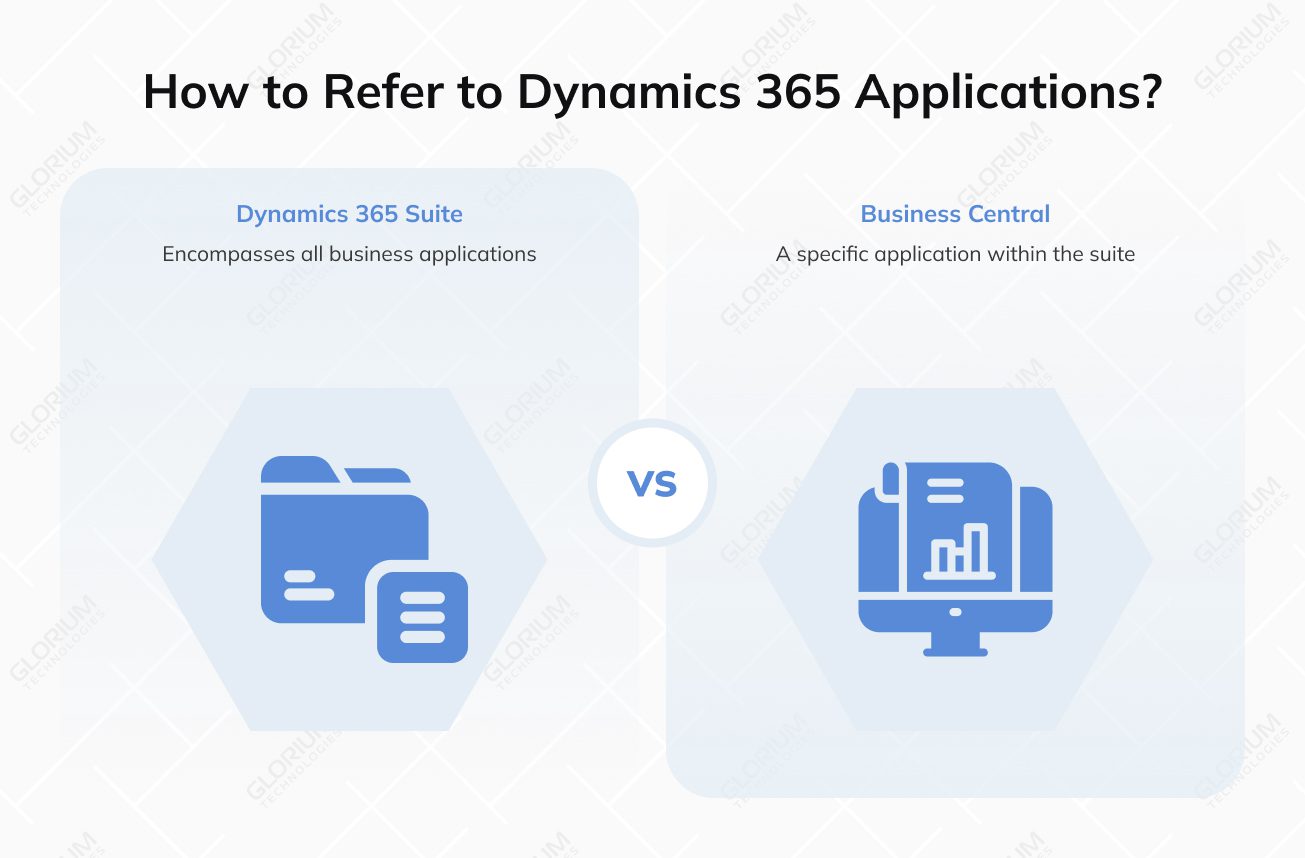
Here’s the key point: Business Central is one application within the Dynamics 365 portfolio. Other applications in the same portfolio cover customer relationship management scenarios, most commonly Dynamics 365 Sales and Dynamics 365 Customer Service. So when someone says “Dynamics 365,” they might be talking about either the entire suite or a specific app.
In simple terms, Dynamics 365 includes cloud-first business applications that support areas like sales, customer service, finance, and operations. For example, Business Central is an ERP app, Sales is built for CRM and sales processes, and Finance and Supply Chain Management target enterprise-scale ERP needs. Deployment and update models can also differ by product, and in Business Central’s case, you can choose online (SaaS) or on-premises. That’s why the first step in any comparison is to name the exact app you mean.
In practice, most “Business Central vs Dynamics 365” conversations fall into one of these scenarios, depending on whether finance, supply chain, or CRM is the main driver.
This scenario is common when finance requirements become more complex due to multi-entity operations, advanced governance, or enterprise reporting expectations. The question is whether Business Central is the right long-term enterprise resource planning foundation, or whether Finance is a better match for the target operating model.
This comparison usually happens when operations are the main driver. It is a fit check between standard supply chain processes and more advanced requirements around planning, warehousing, or high-volume logistics. The goal is to choose a platform that supports growth without forcing heavy workarounds.
This is not always a replacement decision. Many organizations run Business Central for ERP and use Dynamics 365 Sales for CRM. In that case, the focus shifts to integration readiness: defining the source of truth, agreeing on data ownership, and setting clear synchronization rules between CRM and ERP.
Microsoft Dynamics 365 is a set of cloud business applications that supports both customer-facing work and back-office operations. For many mid-sized companies, it helps teams work faster, keep data consistent, and reduce manual handoffs between departments.
In practice, Dynamics 365 includes apps for sales, customer service, finance, and operations. It also connects to reporting and advanced analytics tools, so leaders can track performance and spot opportunities using shared, up-to-date data.
Dynamics 365 Business Central is Microsoft’s cloud-first ERP application that brings finance and operations into one system, and it’s available online (SaaS) and on-premises. It is often the next step for organizations moving from basic accounting software or older ERP platforms, including Dynamics NAV, but the upgrade and migration path depends on your NAV version and whether customizations are handled through extensions.
Business Central is built for companies that want an all-in-one system for running day-to-day work across finance, operations, and related workflows without introducing unnecessary complexity. It supports a structured rollout, so teams can start with core processes and expand over time as requirements change.
Business Central also fits well when you want to reduce silos and keep work connected across familiar Microsoft tools. It integrates with Microsoft 365 applications like Outlook and Excel through specific capabilities such as the Business Central add-in for Outlook and Edit in Excel, depending on setup and governance.
| Criteria | Dynamics 365 Business Central | “Dynamics 365” (the suite) |
| What it is | A single ERP application | A family of business applications (ERP + CRM + more) |
| Common misunderstanding | Compared to “Dynamics 365” as if it’s one product | Used as a shorthand for one app (often Sales or Finance) |
| What it covers (high level) | ERP scenarios for finance + operations needs | Different apps for finance, supply chain, sales, service, and more |
| Best fit | Many small and mid-sized organizations, or simpler operating models | Organizations that need multiple apps, or a deeper enterprise scope in specific areas |
| ERP alternatives inside the suite | Not applicable | Dynamics 365 Finance and Dynamics 365 Supply Chain Management (remember: separate apps) |
| CRM apps inside the suite | Works alongside CRM via integration | Dynamics 365 Sales, Dynamics 365 Customer Service, and related apps |
The right choice comes from the delivery reality. When teams compare Business Central with other Dynamics 365 options, the outcome depends on fit, scope, and how the setup will operate over time. The biggest differences usually show up in how much structure the business needs, how many systems must stay connected, and how much change users can absorb during rollout.
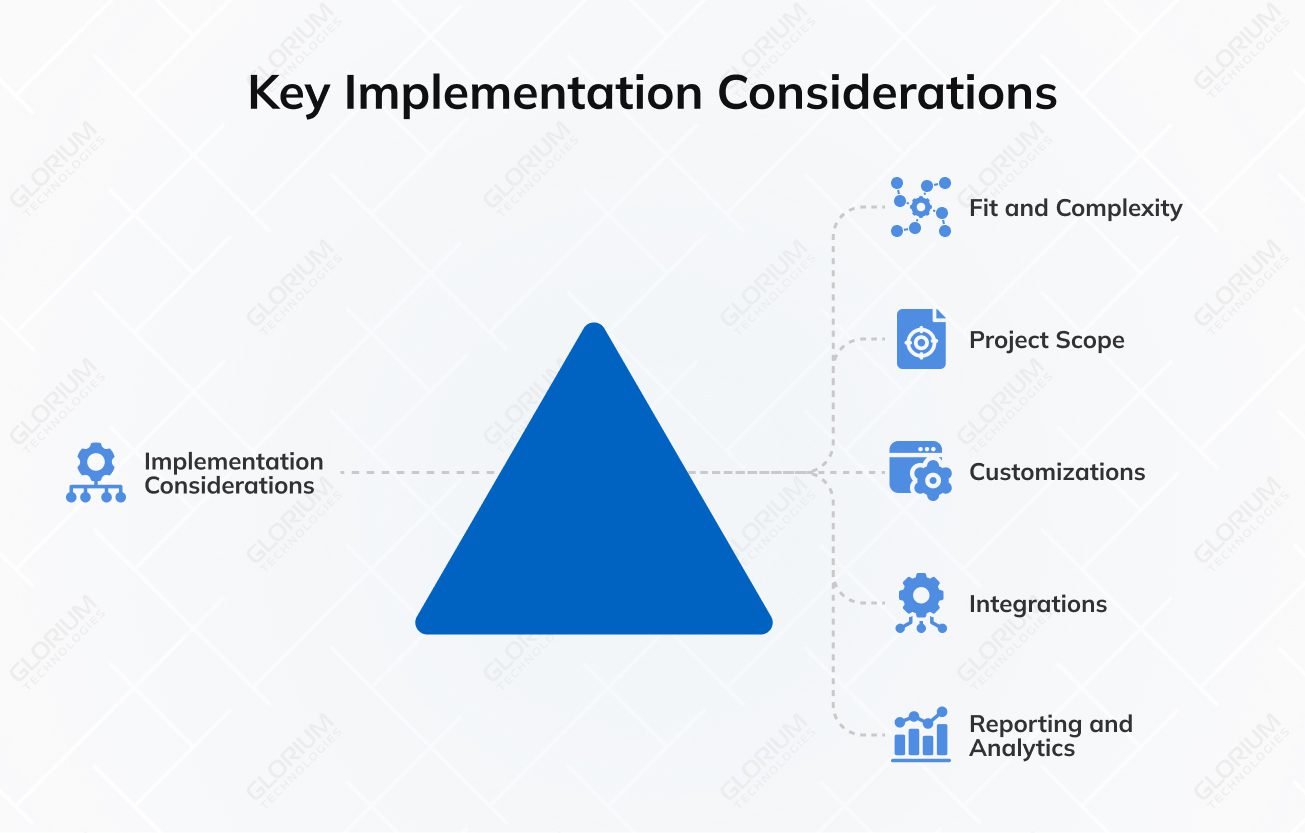
Start with the operating model and the level of complexity you need to support. Business Central is often a strong ERP solution for mid-sized businesses that want to standardize core processes without introducing heavy overhead. It can cover day-to-day work like financial management, inventory management, and supply chain operations when processes are stable, and the organization can align around consistent rules.
As the business grows, complexity often rises in predictable ways. More entities, stricter governance, higher transaction volume, and deeper supply chain management requirements can push teams toward broader Dynamics 365 apps. The best fit is the one that supports your current requirements without blocking what you expect to add next.
Scope is not just configuration. It includes data migration, role design, security, testing, training, and change management. It also affects how teams collaborate across departments, especially between finance, operations, and sales. Even a well-scoped ERP implementation will change daily routines, approvals, and reporting ownership.
If CRM is in scope, sales teams often adopt new habits around lead capture, opportunity tracking, and account management. Those changes also affect the handoff into ERP, such as quote readiness, pricing, customer data quality, and how sales orders are created and managed. These “handoff” points are often where scope grows, so it helps to define them early.
Customization is sometimes necessary, but it should be controlled. The safest approach is to use configuration first, then add extensions only where they support a clearly defined business need. Keep custom work documented and testable, and align it with a release process that includes regression testing and ownership.
This matters because Business Central online follows a set update schedule with two major update cycles each year (April and October) and minor updates in other months, so testing and release management should be planned from the start.
Integrations are often the most sensitive part of the implementation. “Seamless integration” depends on design decisions: which system owns customer records, which system owns items and pricing, and how inventory availability is exposed to sales and fulfillment teams. Without clear ownership, data becomes inconsistent, and users lose trust quickly.
After ownership, define mappings and synchronization rules, including how conflicts are handled, how often data syncs, and how errors are monitored. If you rely on Power Platform, treat it as part of the architecture, with clear governance and lifecycle management, not as ad-hoc automation.
Reporting success depends on clarity. Define what decisions the business needs to make and what data is required to support them. Some teams need operational dashboards for daily execution across the supply chain and inventory. Others need executive views for planning, risk control, and performance management.
Agree early on KPI definitions, who owns them, how frequently data should be refreshed, and what “single source of truth” means in your setup. Power BI can work well, but only if the data model and definitions are consistent across departments.
Before you compare modules or licenses, run a simple fit check. These questions help you validate scope, integration needs, and how much complexity the business can support. If your answers are clear, the right Dynamics 365 setup usually becomes obvious.

Glorium Technologies is often chosen when a Business Central implementation needs more than basic configuration. As a Microsoft Certified partner, we provide end-to-end support across solution design, extensions, integrations, data migration, and long-term support. This helps companies replace disconnected tools with a setup that stays consistent as the business grows.
Interested in how this looks in practice? Explore our case study with a mid-sized U.S. food manufacturer that replaced QuickBooks, spreadsheets, and a standalone WMS with Dynamics 365 Business Central. Glorium Technologies unified production, inventory, quality, and financial management in one system, with real-time batch visibility and FEFO automation. The project reduced ingredient waste by 25%, cut production scheduling time by 40%, and improved traceability and compliance reporting.
If you’re planning a Business Central rollout or thinking about integrations with other Microsoft apps, let’s talk. Schedule an introductory call with our experts to review your scope and define a practical implementation plan.
Cost typically comes from two areas: business central licensing (user types and the Dynamics 365 apps you choose) and implementation scope. Scope grows with complex business processes, the number of integrations, and the extent of standardization needed across finance, supply chain, and customer-facing teams. For example, integrating ERP with CRM for sales processes and service workflows often adds mapping, testing, and monitoring work. If you need multi-company setups, approvals, or multiple currencies, that can also increase the project effort.
Start with your business processes and data in parallel. Start by mapping flows such as order-to-cash, procure-to-pay, and inventory-to-fulfillment to see how you want to streamline business processes. After that, check data readiness for an ERP solution: customers, vendors, items, pricing, tax setup, and inventory structure. Then review integrations across your Microsoft ecosystem and third-party systems, because “seamless integration” depends on clear source-of-truth rules, stable interfaces, and agreed ownership between systems.
Yes. Glorium Technologies has 15+ years of experience helping mid-sized businesses and larger organizations implement and scale Microsoft-based ERP and CRM solutions. We help compare options and select the right solution based on business needs and growth plans. The outcome is a rollout plan that covers scope, timeline, risks, and integration boundaries, plus a clear view of the key differences that matter for your operating model and industry.
Yes. We support migrations to Microsoft’s ERP solution, including Dynamics 365 Business Central, and we design integrations that connect finance, operations, and CRM workflows. That can include integrating Business Central with CRM apps for crm capabilities such as contact management, account management, and opportunity management, so sales teams and sales representatives can track sales opportunities, quotes, and downstream sales orders with consistent data. Post-go-live, we help stabilize the system, monitor integrations, and improve adoption, so teams can use reporting tools like Power BI for actionable insights.
Dynamics 365 Business Central is available online (SaaS) and on-premises. Microsoft also discusses “hybrid approaches” in some transition contexts, so it helps to define what that means for you, for example, a phased migration or mixed environments by entity. It supports financial management, inventory management, and supply chain workflows, including Business Central’s inventory availability.
If you plan to use other Microsoft tools, confirm what is supported for your deployment, since some experiences (for example, the Business Central app for Microsoft Teams) are documented specifically for Business Central online. For Outlook, Business Central supports integration via the Outlook add-in. It lets users view customer or vendor insights and create/send certain business documents from Outlook, but the exact experience depends on setup and governance.