What Is a Cloud ERP System: Components, Types, Benefits, and More
Updated April 10, 2026

 Summarize in ChatGPT
 Summarize in ChatGPT
In a company where sales teams are working off last week’s inventory numbers and financial management means manually reconciling spreadsheets, systems are disconnected, and efficiency is lagging behind. This is not a niche challenge—a lot of SMBs report scaling problems and manual chaos due to a lack of a unified system. The way businesses manage their operations is changing fast, and the companies keeping up all seem to have one thing in common: a unified, cloud-based ERP system.
Look at the global cloud ERP market value: $65.89 billion in 2025 and a projection of growth to over $207 billion by 2034. Recent reports are highlighting that 70.4% of ERP deployments are now cloud-based—a significant jump from 2023 69.8%—expected to reach 75.9% by 2032. These numbers show that cloud-based enterprise resource planning software is not a trend, but a shift to transformation.
Of course, choosing and implementing the right system to smooth out your business processes isn’t without its challenges. Whether it’s ERP or a standalone supply chain management system, or a customer relationship management software, the difference between success and failure almost always comes down to one thing: choosing the right solution with the right implementation partner.
If you’re exploring cloud ERP for the first time or evaluating a switch from on-premise legacy systems to a more flexible software, this guide is for you. We’ll walk you through everything you need to know about a cloud-based ERP software—from what it actually is, to the available types, the real benefits, honest limitations, and how to make the right choice.
Content
Cloud ERP (Enterprise Resource Planning) is a suite of integrated business management applications hosted on remote servers and accessed via the internet connection, rather than installed on your company’s local hardware. The system shifts how you manage your core business processes, bringing all departments together. So, instead of having separate systems for accounting, inventory, sales, HR, and operations, you can have all the functions in a single connected platform that updates in real time and can be accessed from anywhere or any device.
Here’s what it looks like in practice: A recent client—a popular Portland bakery—was running on a standalone cash register, managing staff manually, keeping track of inventory and custom orders on a clipboard, resulting in stockouts, frequent payroll errors, and mounting inefficiencies. After Odoo 18 Enterprise implementation with Glorium Technologies, the business unified its POS, inventory, and production. As a result, their transaction times dropped by 30%, ingredient waste fell by 20%, and accounting errors were reduced by 90%. Now, the staff manages everything in a private cloud environment, easily accessing core business operations, ditching clipboards and disconnected spreadsheets that caused inefficiencies.
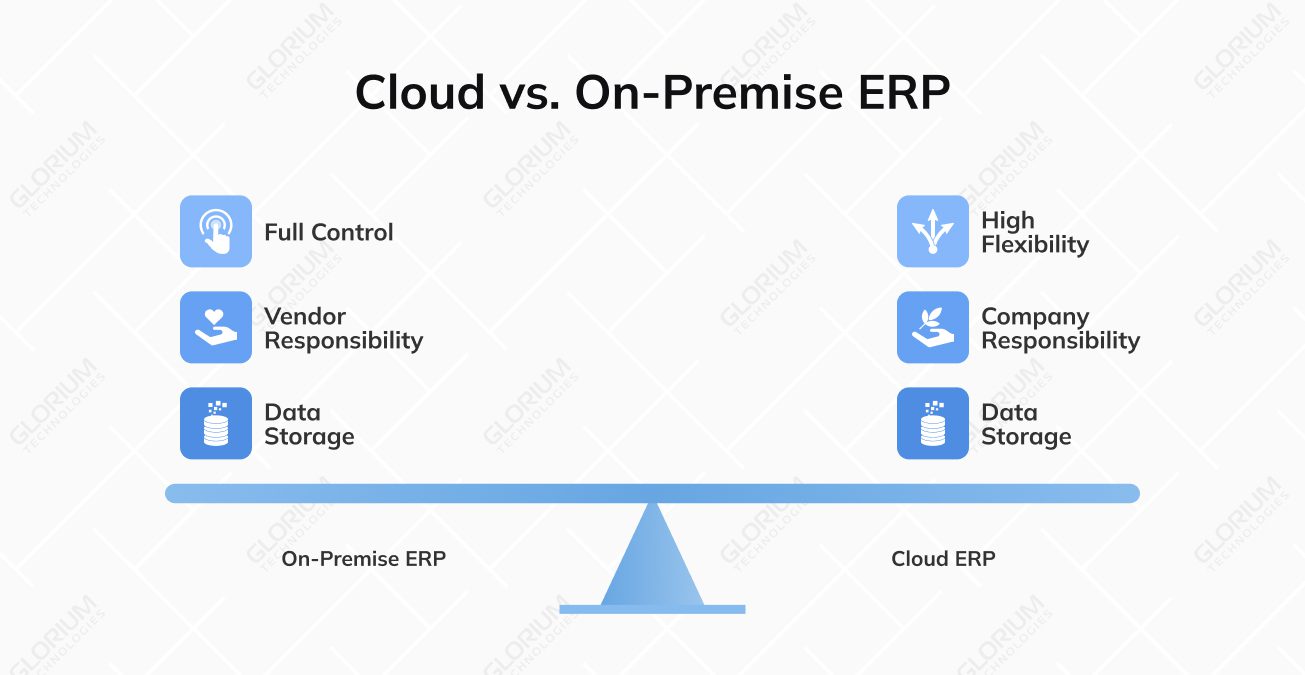
This is only one of the examples of what an ERP system can do, but let’s dive deeper into the cloud aspect of it, and explore the types, benefits, and the difference between on-premise and cloud erp system.
Although the benefits of cloud ERP systems are significant, not all cloud ERPs are built the same. Each type has its own trade-offs around cost, control, flexibility, and security. And understanding these differences can help you choose the most suitable one for your business:
There’s a debate about which is better: a cloud ERP system or an on-premises ERP. However, the question should be rephrased, and companies should be asking: “Which type of ERP is best for my business processes?” On-premise ERP can be installed and run on your own servers, while the cloud ERP shifts the responsibility to the vendor, trading some control for significant flexibility. The decision often comes down to how well the ERP meets your business needs, how flexible the cloud ERP provider can be, key features, data storage, and whether you prefer a hybrid ERP or not.
| Factor | Cloud ERP | On-Premise ERP | Best For |
| Upfront Cost | Low — subscription-based, minimal setup fees | High — licensing, hardware, and implementation costs | Cloud: SMBs and budget-conscious businesses. On-premise: Companies with large capital budgets |
| Deployment Time | Weeks to a few months | Several months to over a year | Cloud: Businesses that need to move fast |
| Maintenance & Updates | Handled automatically by the vendor | Managed by your internal IT team | Cloud: Teams without dedicated IT resources |
| Customization | Moderate — within vendor-defined limits | High — full control over the system | On-premise: Businesses with highly specific or complex requirements |
| Accessibility | Anywhere, any device, any time | Typically limited to on-site or VPN access | Cloud: Remote or distributed teams |
| Data Control | Vendor-managed with security protocols | Full in-house control | On-premise: Highly regulated industries (healthcare, finance, government) |
| Scalability | Easily scalable as your business grows | Scaling requires additional hardware investment | Cloud: Fast-growing businesses |
| Security | Enterprise-grade, vendor-managed | Full control, but your team’s responsibility | On-premise: Organizations with strict data sovereignty requirements |
If this is still confusing, the good news is that you don’t have to choose one or the other from the start. Many cloud enterprise resource planning systems offer both options. For example, Odoo and Microsoft Dynamics 365 Business Central can be installed on-premise and are available as fully cloud-hosted SaaS solutions. This is especially handy for businesses that are only now shifting their core business functions to boost productivity, project management, sales management, data security, accounting processes, and more.
Before the term cloud ERP system turns into the buzzword, we should look at the real-life benefits of it. Switching to a cloud ERP is a significant decision that needs to be backed by proof. These are the benefits you’ll experience if you adopt a cloud-based ERP:
While the cloud ERP is a powerful solution, it doesn’t come without its trade-offs. It’s important to go in with a clear understanding of the real challenges businesses face:
Cloud ERP software supports businesses in many ways, but these are the considerations you need to go over before you make the final decision. To mitigate cloud ERP challenges and risks, we recommend working with a trusted partner like Glorium Technologies.
With hundreds of ERPs on the market, finding the one that suits your business needs can feel overwhelming. Sometimes, even impossible. You receive sales pitches, feature presentations, and dozens of vendor emails—making the task even more challenging. The good news is that for small and mid-sized businesses, a handful of platforms consistently rise to the top. Let’s explore the top three solutions worth serious consideration if you’re looking for a large suite of features, flexibility, and scalability.
Odoo is one of the most versatile and accessible cloud ERP platforms available today, and for good reason. It’s a fully modular system — meaning you can start with just the modules you need (accounting, inventory, sales, HR) and expand as your business grows, without paying for functionality you don’t use yet. Its open-source foundation also makes it one of the most customizable options on the market, capable of adapting to everything from retail and food & beverage to manufacturing and professional services.
Cloud capabilities:
Curious about what Odoo looks like in practice? Let’s explore one of our recent client success stories: A Dubai-based restaurant chain managing three locations and 60+ employees, was running on paper-based POS, manual spreadsheets, and a disconnected QuickBooks setup. After implementing Odoo 18 Enterprise on Odoo.sh, they saw 25% faster order processing, an 80% banquet inquiry conversion rate, 90% fewer financial errors, and a 15% reduction in operational costs — all within four months. The system unified their kitchen operations, online ordering, inventory, staff scheduling, and financials into a single platform that their entire team adopted in under a month.
As an official Odoo partner, Glorium Technologies handles the full implementation lifecycle — from discovery and configuration to training, customization, and ongoing support.
Microsoft Dynamics 365 Business Central is an ERP built for growing businesses that need serious financial management, supply chain control, and deep integration with the broader Microsoft ecosystem — think Teams, Excel, Outlook, Power BI, and SharePoint, all working natively with your ERP data. It’s particularly strong for product-based businesses, manufacturers, and distributors that need tight control over costs, inventory, and production planning.
Cloud capabilities:
Business Central delivers significant results when applied by a professional team. For example, a Belgian metal structures manufacturer with over 100 employees was running on disconnected accounting, warehouse, and order management tools — with most planning still living in Excel. Production lines were stopping due to material shortages, and no one had a clear view of project profitability. After implementing Microsoft Dynamics 365 Business Central with Glorium Technologies, production downtime dropped by 10x, material inventory was reduced by 15%, and general overhead was brought below 10% of total production costs. Decisions that previously took days of manual data gathering now happen in minutes from a single dashboard.
As an official Microsoft partner, Glorium Technologies brings deep expertise in Business Central implementation, customization, and integration — ensuring the system fits your business from day one, not the other way around.
SAP Business One is a well-established ERP designed specifically for small and mid-sized businesses that need robust financial controls, solid reporting, and the reliability of a platform backed by one of the world’s largest enterprise software companies.
Cloud capabilities:
SAP Business One is a solid choice for businesses that anticipate significant growth and want the peace of mind that comes with the SAP name — though it’s worth noting that implementation complexity and licensing costs tend to run higher than Odoo or Business Central at the SMB level.
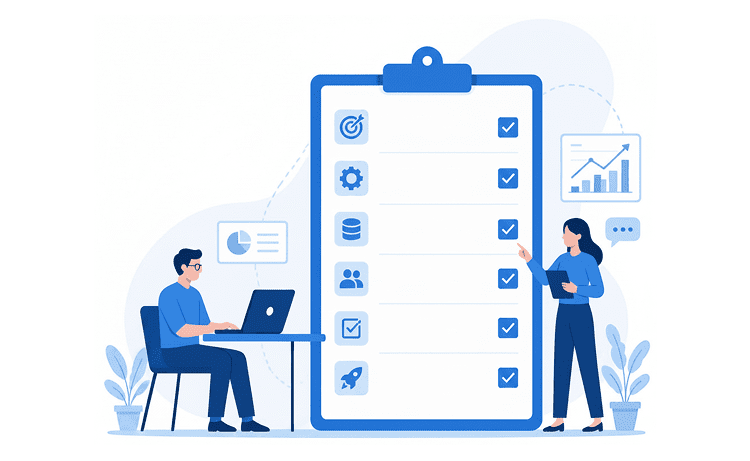
Choosing the right ERP system is one of the most important decisions you’ll make on the journey toward digital transformation and business automation. To cut through the noise and evaluate what actually matters for your specific business, we prepared this checklist as a starting point:
| Category | Questions to Ask | What to Look For |
| Business Needs | What core problems are you solving? | Direct fit with your biggest pain points |
| Company Size & Growth | How many users? Plans to scale? | Fits now, grows with you |
| Budget | What’s your total budget, including implementation? | Full cost of ownership, not just licensing |
| Deployment Preference | Cloud, on-premise, or hybrid? | Matches your IT setup and compliance needs |
| Must-Have Modules | Which functions need to be covered? | Strong native coverage in your core areas |
| Integration Requirements | What tools need to connect with your ERP? | Confirmed compatibility with your existing stack |
| Industry Fit | Does it have experience in your sector? | Industry-specific templates or proven track record |
| Customization Needs | How unique are your workflows? | Clear customization limits and associated costs |
| Ease of Use | How technical is your team? | Intuitive enough that your team will actually use it |
| Vendor & Support | How established is the vendor? | Verifiable track record and reliable post-go-live support |
| Implementation Partner | Do they have certified, experienced partners? | Proven expertise in your industry and region |
| Long-Term Roadmap | Is the platform actively evolving? | Regular updates, AI investment, and a clear product vision |
While the ERP features may sound enticing, not every business needs the same thing from the software. A manufacturing company has fundamentally different priorities than a retail shop would have. You need to evaluate your business needs and write out the features and modules you need from an ERP. This will affect the success of your implementation, ERP software cost, etc.
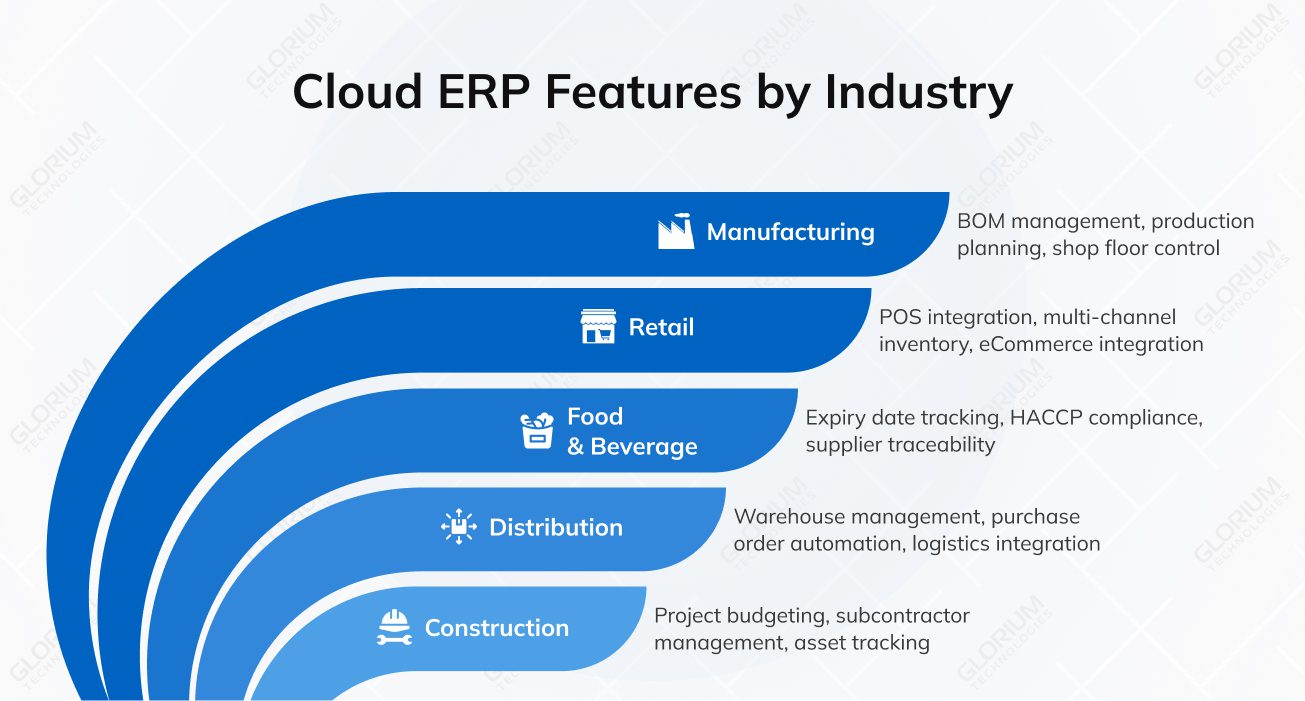
Before we dive into the details of industry-specific software features, let’s explore what all midsize businesses would benefit from. You can choose cloud ERP software that has core accounting and financial management features, real-time reporting and customizable dashboards, multi-user access with role-based permissions, and document management and audit trails. Go for ERPs that offer advanced tax compliance, multi-currency support, and support mobile devices for flexibility and remote access.
Here’s a breakdown of the features that matter most, by business type:
Manufacturing
Retail and e-commerce
Food and beverage
Distribution and wholesale
Construction and real estate
Making the move to a cloud-based ERP is a significant step toward automation and digital transformation. But here’s what some companies miss: the software is only half the step. The partner you choose to implement it is just as important as the platform itself.
We’ve seen countless implementation projects fail or stall due to improper or DIY roll-outs. A poorly executed implementation—regardless of how powerful the software is—can lead to cost overruns, operational disruption, and manual workarounds.
The right partner makes all the difference in the world. At Glorium Technologies, we help businesses across industries transform their workflows. As an official Odoo partner and official Microsoft Dynamics 365 Business Central partner, we help companies deploy the software, build customizations, integrate the system with third-party tools, train the users, and support post-go-live.
Your next step could be a 15-minute conversation with our experts about your business needs and ERP expectations. Or, you can book a free, customized Odoo demo to see how the software fits your workflows.
For some small businesses, Odoo’s out-of-the-box functionality is enough. It covers essentials, like accounting and inventory, CRM, and HR, and there’s no need to worry about the underlying operating system or software upgrades, since Odoo runs on cloud-based services. That said, an out-of-the-box solution may become obsolete once you start noticing you’re outgrowing it. And, for the businesses that have specific requirements and a need for high customization, the off-the-shelf version won’t be enough.
Absolutely. This is one of the reasons businesses decide on cloud ERP systems. Both Odoo and Microsoft Dynamics 365 Business Central can support multi-company structures and multi-currency transactions. Our business data stays centralized and consistent across all entities, giving key stakeholders a unified view of operations regardless of location or language.
Yes. If you need easy, drag-and-drop customizations, Odoo has Odoo Studio and quick customization tips. For deeper customizations, you can always collaborate with a professional team like Glorium Technologies. We can help you build tailored features for both Odoo and Business Central.
Yes, and we consider training and change management a critical part of how cloud ERP work actually delivering value. The success of your implementation heavily relies on how well your team has adapted to this new tech.
Yes. Post-implementation training is a standard part of every Business Central project we deliver. We help companies with change management, user training, and ongoing maintenance.