Why Teams Switch to Dynamics 365 Business Central Project Management
Updated April 1, 2026

 Summarize in ChatGPT
 Summarize in ChatGPT
No team wakes up wanting to overhaul their project management process. Change comes only after an umpteenth incident you can overlook. The so-called final version of the budget turns out to be not the final one. A client invoice gets disputed because no one can trace the numbers back to the actual work. Or a project manager spends yet another Friday afternoon rebuilding a status report from four different spreadsheets.
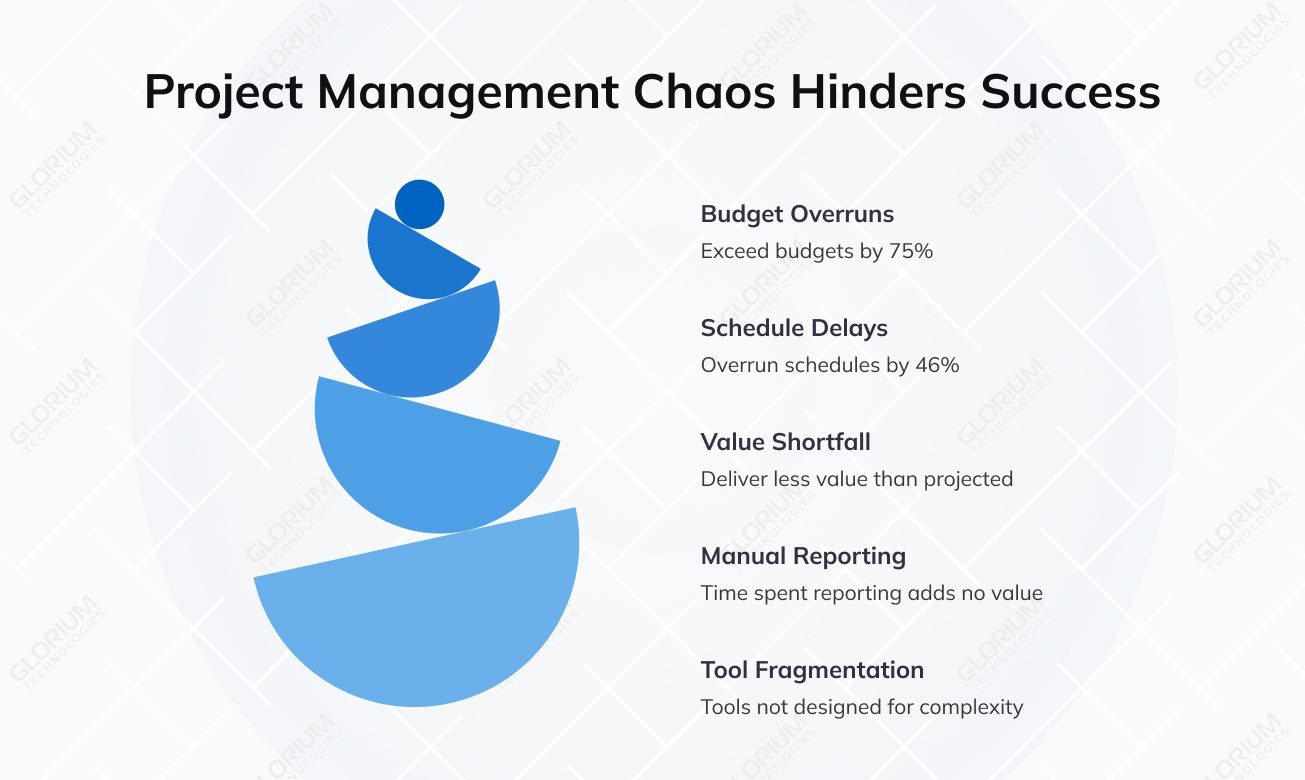
The numbers back this up. Only 35% of projects worldwide finish on time, within budget, and meet all original goals. IT projects overall exceed their budgets by an average of 75%, and overrun their schedules by 46%, and deliver 39% less value than initially projected. Meanwhile, 50% of project managers report spending more than one full day per week just manually reporting on project status — time that adds no direct value to any project.
These things happen when your business is actively growing, and so does the project complexity, but you keep using tools that were never designed to handle the full picture. A task list in one system, budgets in a spreadsheet, invoicing in the accounting platform, and project updates in email. Together, they create gaps that cost you real money.
Content
A pre-switch setup at an SMB looks quite similar for most businesses. Your team uses Asana, Monday, or Trello for project planning, tracks budgets in good-old, color-coded Excel, submits time sheets via email or a separate HR system, and handles invoicing in QuickBooks.
None of these tools is bad at what they do, but they make you waste a lot of time and effort. Look, project management involves coordination with finance, sales, inventory, purchasing, and operations. When each of those functions runs on a separate platform, you need to move data manually between them. That means duplicate entries, version-control headaches, delayed reporting, and a finance team that’s always a few steps behind the actual project status.
At some point (usually when the business grows and takes on more projects, bigger clients, or tighter margins), the cost of coordination starts to exceed the cost of consolidation. That’s when teams start looking at integrated project management tools built into an ERP system.
A cloud-based ERP system like Dynamics 365 BC is ideal for small and mid-sized organizations. There are many scenarios that drive teams towards the Business Central project management module, and nope, it has nothing to do with the promise of a better dashboard.
Formerly called the Jobs module, Business Central’s project management functionality was rebranded in 2024, and the rename reflects a broader shift in what the module does. You get a system that brings finance, operations, sales, supply chain, and service management under one roof.
Using Business Central project management means that every project connects directly to finance, sales, purchasing, and inventory. When a team member logs hours against a project task, that data flows automatically into the general ledger. When a purchase order is raised for a project, it hits the project budget in real time. This integration ensures that all stakeholders, from project managers to finance teams to sales leads, are always working from the same data. You can reduce manual reconciliation and the risk of errors that come with it.
Your project managers can manage projects from scratch using a project card that captures every detail: scope, timelines, task hierarchies, milestones, assigned resources, and contract type. Each new project task can carry its own budget information, cost structure, and deadline — accommodating unique project requirements, whether you are working on fixed prices or time-and-materials contracts.
Your team members can reuse templates from previous work, copy planned costs from completed projects, and set up project-specific price lists for items, resources, and ledger expenses. Tracking project progress happens in real time, with managers able to see task completion, resource consumption, and financial performance from a single view.
Job management and project accounting are where Business Central separates itself from task-management tools. The module provides comprehensive financial oversight by handling budgeting, cost tracking, and financial reporting — all tied directly to project data.
Managers can compare actual usage against planned costs at any point in the project lifecycle. And the Work in Progress (WIP) feature allows the system to calculate financial value as work completed, supporting accurate financial statements at every stage. You can manage budgets at the task level or the overall project level, and set up flexible cost models (fixed rates, variable percentages, or additional charges), depending on the project type. Keeping a close eye on job costs throughout delivery means fewer surprises when it’s time to close the books.
Business Central gives your project managers a detailed view of how employees, equipment, and other resources are distributed across ongoing projects. Managers can allocate resources to specific jobs based on availability, skills, and role requirements and see capacity gaps before they become scheduling problems. Time sheets feed directly into project records, eliminating the reconciliation step that usually happens at month-end in disconnected systems.
Team members log employee hours and expenses directly in the system against the relevant project tasks. This cuts paperwork, reduces data entry errors, and creates an auditable record that ties directly to billing. Time entries feed into invoicing automatically, so nothing goes missing between completed work and what gets charged to the client, helping teams save time and improve accuracy across the billing cycle.
Well, the dashboards here are really better. They are built in just like the reports, and your project managers get valuable insight into project performance across every dimension — budget consumption, resource utilization, task completion, and profit margins. The Power BI projects app extends this further, providing visual analytics and custom reporting on top of live project data. Power Automate integrates directly with Business Central, allowing notifications, approvals, and data updates to run without manual intervention.
Mobile apps give your project managers access to project data and the ability to complete related tasks from any device, which matters for teams managing work across multiple sites or working with remote staff. On the security side, Microsoft invests heavily in compliance infrastructure, so project data meets industry standards without requiring additional configuration from new users.
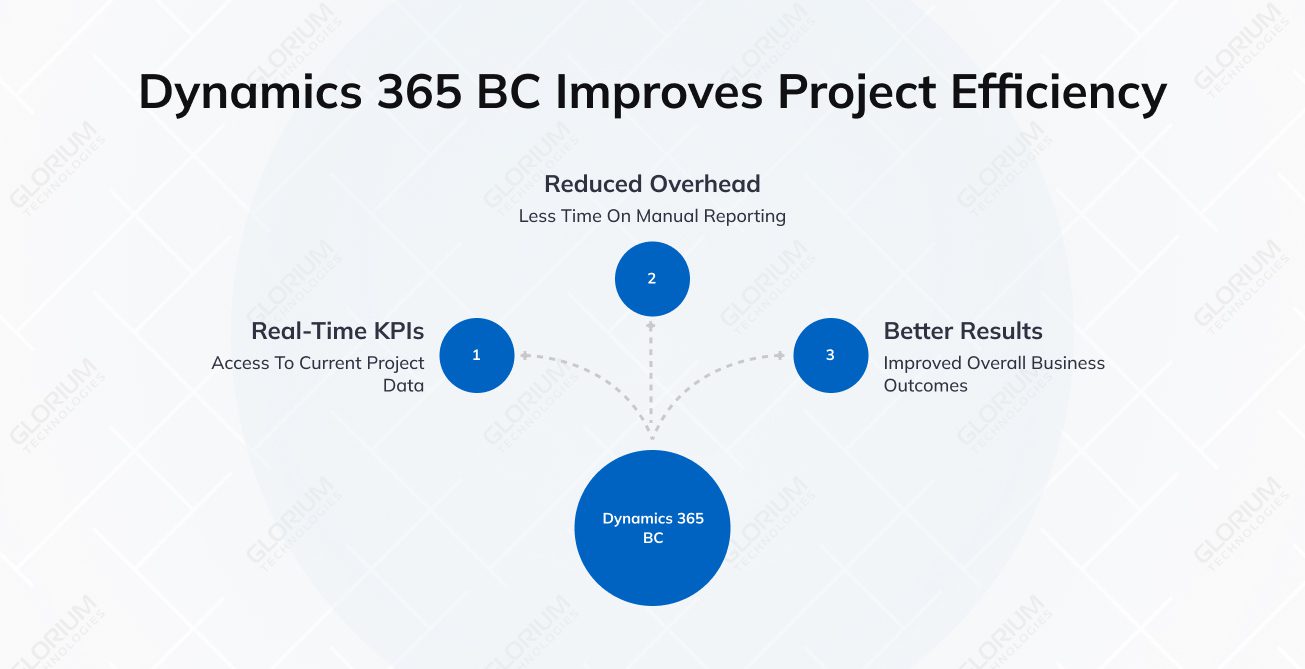
The gap between the tools you are using daily might be the culprit for your poor project efficiency. 47% of project managers say they have no access to real-time project KPIs, and 50% spend at least one day per month manually pulling together project status information. That’s time going into coordination overhead rather than actual delivery. The switch to MD 365 Business Central means replacing a patchwork of tools with a single system that supports better business results from the ground up.
In a disconnected setup, the finance team and the project team are always working from different versions of reality. The PM knows what’s been spent, and the accountant knows what’s been posted. Reconciling the two may feel more like a monthly exercise in frustration.
In Business Central, every purchase order, time entry, and project-related expense ties directly to the relevant project and flows into the general ledger automatically. Finance teams and project managers look at the same numbers, in real time, with no export-and-import cycle in between. This alone eliminates one of the most common sources of project cost surprises.
Budget overruns are cited by more than half of project managers as the leading cause of project failure. In most cases, the problem is the lack of data visibility.
Business Central’s WIP calculations and planned-vs-actual cost comparisons run continuously throughout the project execution cycle. Managers can spot margin erosion early (not in a post-project debrief). Organizations that use a defined project management methodology are less likely to face budget overruns.
Great talent is often wasted when teams fly blind. Despite the shift toward digital workflows, around 42% of companies still don’t track employee skills, and 53% rely on outdated spreadsheets to manage them. This lack of insight prevents leaders from reaping the full rewards of their project management capabilities. Instead of matching the best person to the task, they end up assigning work based on old habits.
Business Central’s resource usage capabilities cover the full consumption cycle, from assignment through to billing. When a project starts, managers assign the right personnel, equipment, and materials to each task based on availability and required skills. As work progresses, the job journal records actual usage continuously: hours logged, equipment deployed, materials used.
This makes for a system-driven record that runs alongside the project in real time, supporting:
For teams managing multiple projects with overlapping resources, this removes the guesswork from allocation decisions and makes project profitability visible at any point.
Billing disputes often trace back to one root cause: the invoice doesn’t match what the client experienced. For example, hours are missing, or the invoice schedule doesn’t reflect the agreed milestones.
Business Central generates sales invoices directly from live project data, like logged hours, materials used, and milestones completed. Multiple projects can feed into a single client invoice, and every line item has a traceable source. The result is faster billing cycles, fewer client questions, and an auditable record that holds up when a dispute does arise. If you are running a service business where billing speed directly affects cash flow, this is one of the most tangible benefits of the switch you can capitalize on.
Most SMBs use at least one Microsoft tool. Teams, Outlook, Excel, SharePoint, and Power Automate are standard operating environments for a large percentage of small and mid-sized businesses. Business Central integrates natively with all of them, without third-party tools, middleware, or custom connectors.
That matters for adoption, as new users deal with a familiar interface. If your teams have already been using Dynamics 365 in other areas, the project management module can fit directly into the same platform. If you are running more complex projects that require advanced delivery planning on top of financial management, you can pair Business Central with Dynamics 365 Project Operations.
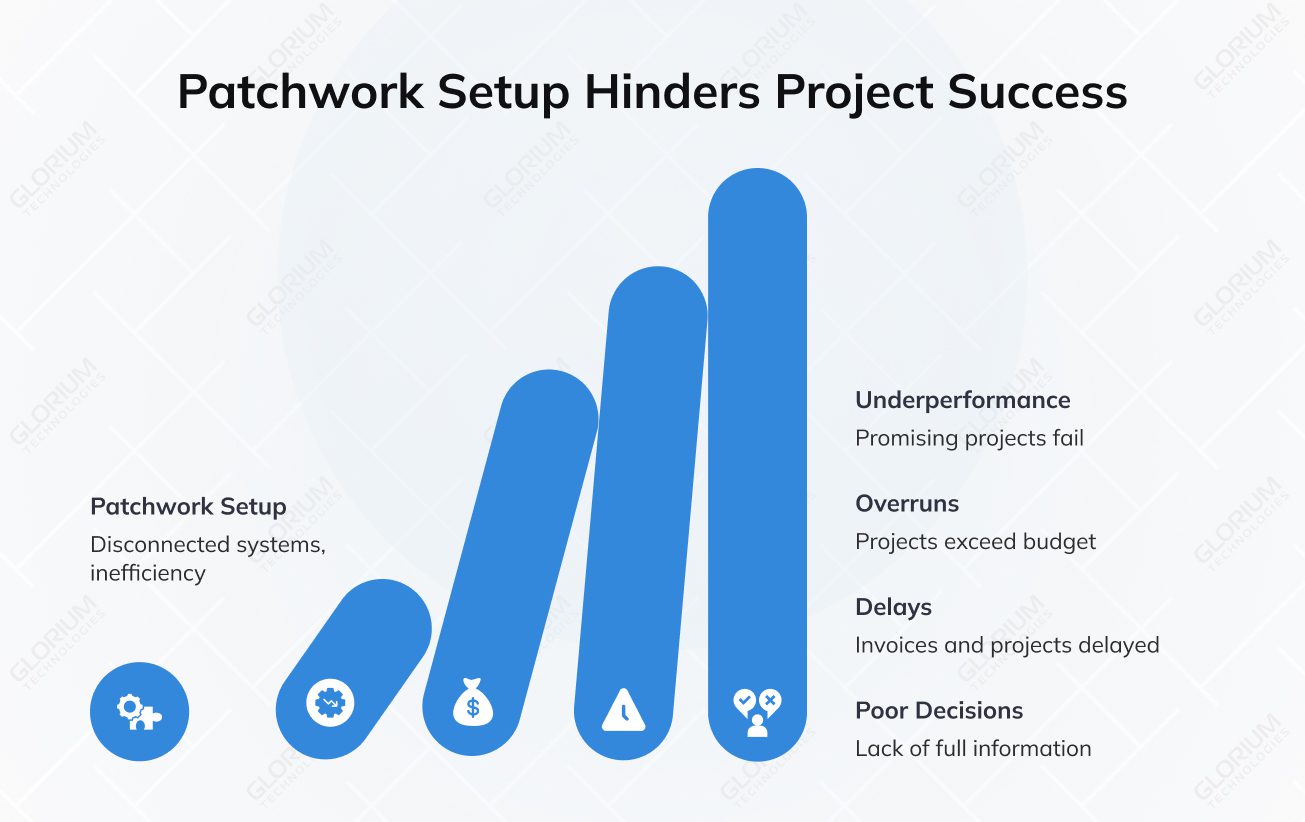
At some point, the patched-together setup starts being the reason the most promising projects underperform. The actual price you pay will hardly be highlighted in bold type in your monthly report unless you add to it all the overruns, delayed invoices, and decisions made without the full picture.
Business Central project management gives project-based businesses the operational foundation to take on more, saving you the trouble of increasing the administrative overhead that comes with it.
Glorium Technologies is an official Microsoft partner specializing in Business Central implementations for growing businesses. Our team handles the complexity of the transition so yours doesn’t have to. Once you feel ready for the switch or decide to learn more, schedule a call with our BC-certified experts.
Business Central lets you build an invoice schedule tied to project phases, contractual milestones, or time-and-materials consumption. You can consolidate multiple projects into a single client invoice. For straightforward billing structures, the setup is manageable out of the box. If you handle mixed contract types, multi-currency billing, or multi-entity operations, expert guidance from a certified Microsoft partner can prevent configuration mistakes that are harder to fix after go-live.
Most project-based SMBs can create projects, assign resources, and start tracking costs within days of implementation, particularly when working with a certified Microsoft partner. The more complex the workflow and data migration requirements, the longer the ramp-up — typically six to twelve weeks end-to-end.
The PM module is built for financial control, so it covers budgeting, job costs, resource tracking, and invoicing. Dynamics 365 PO handles the delivery side: scheduling, capacity planning, and team collaboration at scale. You can start with Business Central and add Project Operations as your project complexity increases.