Odoo QuickBooks Integration: A Complete Blueprint for B2B E-Commerce
Updated April 26, 2026

 Summarize in ChatGPT
 Summarize in ChatGPT
Your e-commerce business is growing. Orders are coming in, your B2B customer base is expanding, and your product catalog is diversifying. On paper, this may all seem like success, but behind the scenes, your team may be drowning in manual tasks—validating taxes across multiple states, updating QuickBooks, reconciling payments against customer invoices. The case described here is not a worst-case scenario; it’s something we’ve dealt with when working with a recent client—a high-volume B2B e-commerce company with a steady customer base and a system that couldn’t support the growth.
Their business processes were fragmented. Sales orders, invoices, and delivery slips required manual handling at every step. Tax calculations required manual validation across state, county, city, and special district jurisdictions. Their financial data and accounting data weren’t syncing with QuickBooks Online in real time. The result was a business that was growing despite its operations, not because of them.
When the client noticed the challenges they were facing daily, they realized the fix wouldn’t be to simply add a new application. No, it would instead increase the work for the team. The solution was the right integration of Odoo and QuickBooks Online, layered with Avalara AvaTax and Stripe to build a complete, automated order-to-cash ecosystem.
This is common among many e-commerce companies, prompting them to seek professional help. Think of this article as a necessary blueprint, a guide, and a framework for connecting Odoo with QuickBooks and solving the friction issue.
Content
Every business owner knows that at some point, the tools that got you where you are now will hold you back from further growth. There’s a certain stage of growth that companies reach that requires better, more efficient systems.
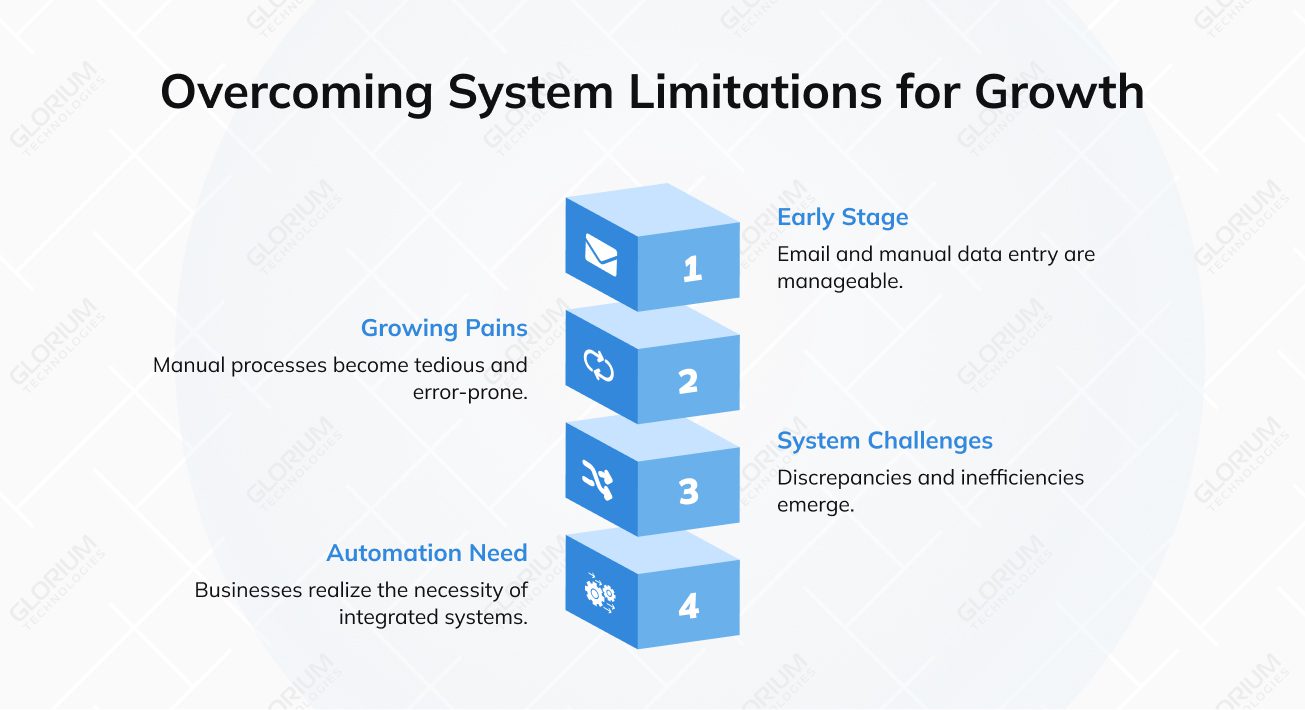
For an early-stage B2B company, communications over email feel manageable. The same goes for manual data entry in QuickBooks—tedious, but doable. But as the volumes increase and you start noticing how daunting it is to calculate taxes by hand for a handful of states, you realize that you’re risking compliance with manual errors and distorted financial data.
You’ll notice challenges like:
For our client, this fragmentation showed up in three very specific places:
The interesting thing about these issues is that they’re not niche challenges. These pitfalls surface naturally once the B2B e-commerce business scales up.
Before getting into the how, it’s worth being precise about the why, because Odoo and QuickBooks are both strong software platforms, and understanding what each one does best is the foundation of a smart integration.
Odoo is a modular, all-in-one ERP software that can handle CRM, inventory management, order management, customer portals, invoicing, and more. Small- and mid-sized businesses have been reported to implement Odoo actively in recent years, due to its capability to unite the operational side of the business and manage everything in one single app.
QuickBooks Online is an accounting system that helps businesses keep a chart of accounts and conduct GL postings. It also supports bank reconciliation, multi-currency transactions, with built-in financial reporting (P&L, Balance Sheet, and Cash Flow statements). And for many businesses, particularly small businesses that have grown into mid-market operations, it’s deeply embedded in how the company manages its finances.
Even though Odoo has a fully capable accounting module, many finance firms prefer to keep QuickBooks as their primary system of record because of its extensive ecosystem of ready-made integrations with tax authorities, regulators, and reporting platforms. And QuickBooks, for all its accounting strength, isn’t built to manage complex B2B sales workflows, customer portals, or multi-system integration at scale. Hence, the integration is considered a smart solution, not a compromise. Odoo handles the operational side, while QuickBooks remains where the numbers are finalized and reported.
Thanks to this integration, your operational and financial layers can stop being separate concerns. Data flows in both directions, and both Odoo and QuickBooks have accurate and current information.
Sales orders, customer invoices, credit notes, expense records, and payments created in Odoo are automatically pushed to QuickBooks. Customer records, products, and classes are kept in sync between both systems in real time. The integration eliminates manual data entry and ensures full consistency between operational and financial records.
That’s what our client needed. And that’s what the right integration delivered.
For this part of the article, let’s go over the specific case of our client, who isn’t a startup figuring things out, but a long-standing organization with a proven business model. This specific longevity is part of what made their situation so instructive. When they approached Glorium Technologies, they had a very specific problem: they couldn’t scale without breaking something. Every new customer, every new state they sold into, every increase in order volume added more manual work to a team that was already stretched.
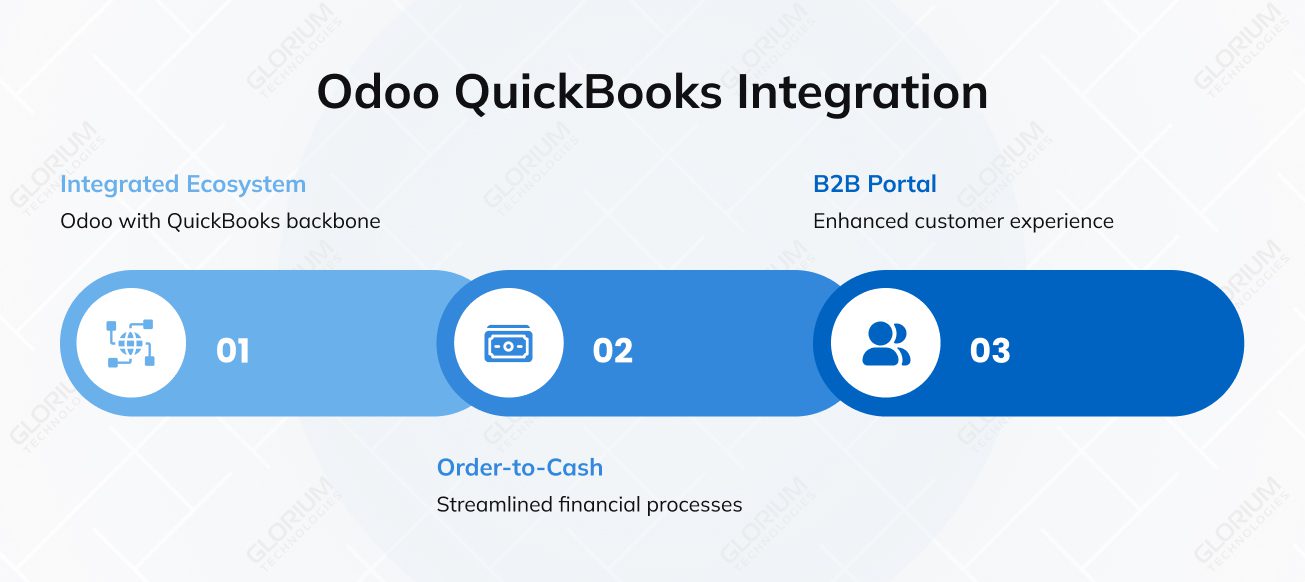
The decision was made:
Let’s explore the four essential layers that went into this project and delivered successful results.
Built on Odoo’s out-of-the-box portal functionality, the portal gives B2B customers a self-service environment where they can browse digital and physical product catalogs, place and manage sales orders, communicate with the team, and track their order history and status — all without requiring manual involvement from the team.
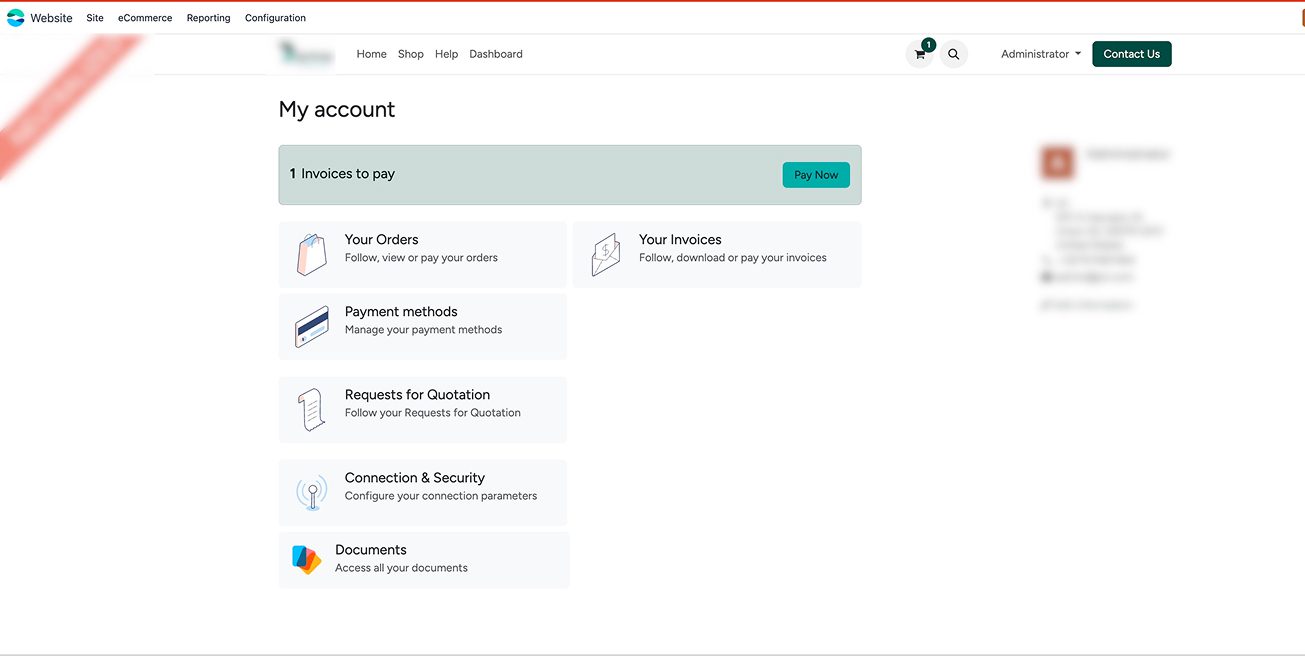
Why Odoo was the best choice for this portal? Odoo gives the client inventory management features and real-time inventory level visibility. So the customers may browse and place orders, but they will never place orders against stock that isn’t available. This kind of operational accuracy is one of the core functionality advantages that Odoo brings to the integration.
For our client, this was transformational. The constant back-and-forth of email-based order management was replaced by a structured, automated workflow. Customers gained independence and visibility, while the internal team regained its focus.
With Stripe’s payment processing embedded directly within the portal, customers can now enjoy a smooth, safe checkout process that accepts a variety of payment options. And look at the company’s side—the automation allows the company to process payments in real time, confirm the transactions, and register them directly in Odoo. If before, the team struggled with manual payment entry and significant time between when the payment was made and when it appeared in the system, now they have real-time visibility.

This is where the issue of compliance is resolved. Using the verified delivery address, Avalara AvaTax calculates the proper tax in real time at the point of checkout through an API integration with Odoo. Without requiring human input, it automatically applies the appropriate rates across state, county, municipal, and special district jurisdictions.
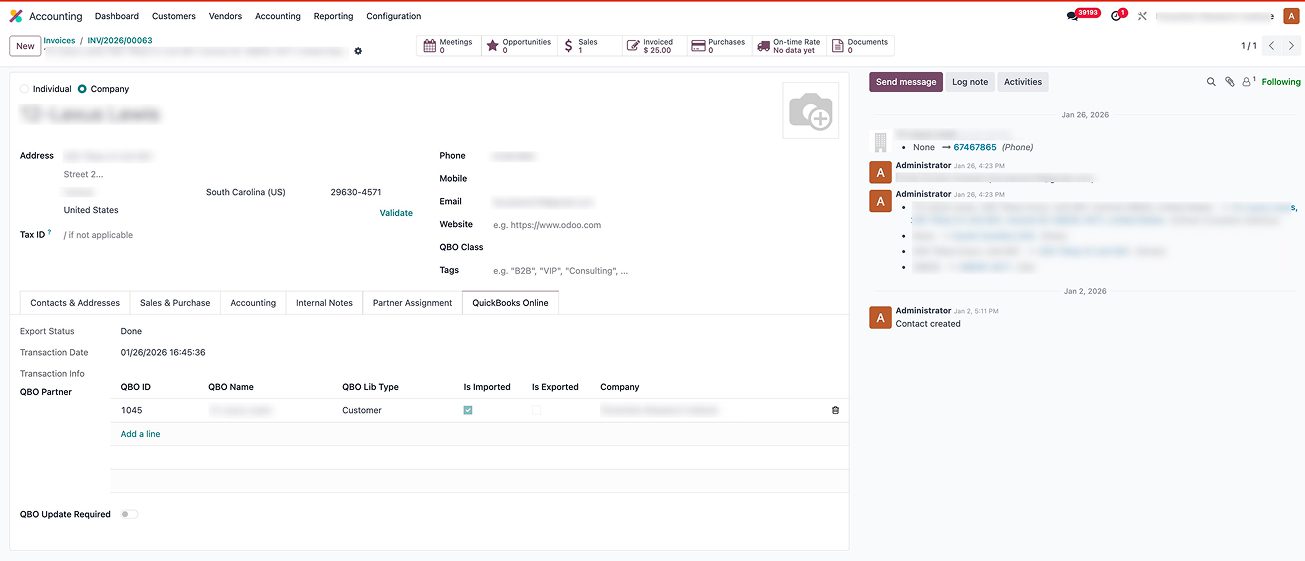
The confirmed delivery jurisdiction is the basis for the tax calculation, and billing and shipping addresses are handled independently. This is important because taxes are due where the items are delivered, not where the client is charged. Getting this right is essential to maintaining accurate, audit-ready tax records for a business.
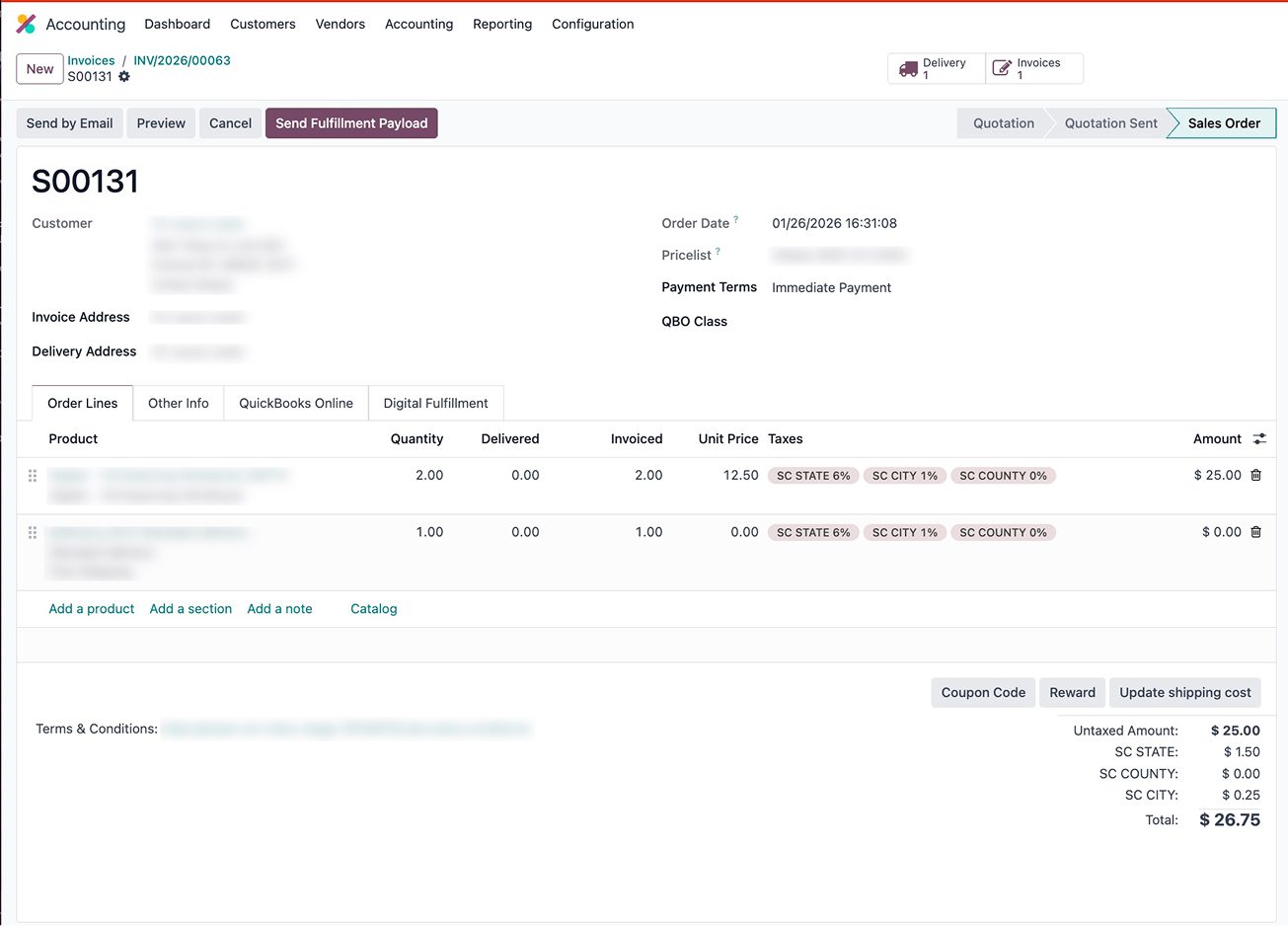
The final layer closes the loop. We synced Odoo with QuickBooks Online to round everything up. This is what it looks like in practice:
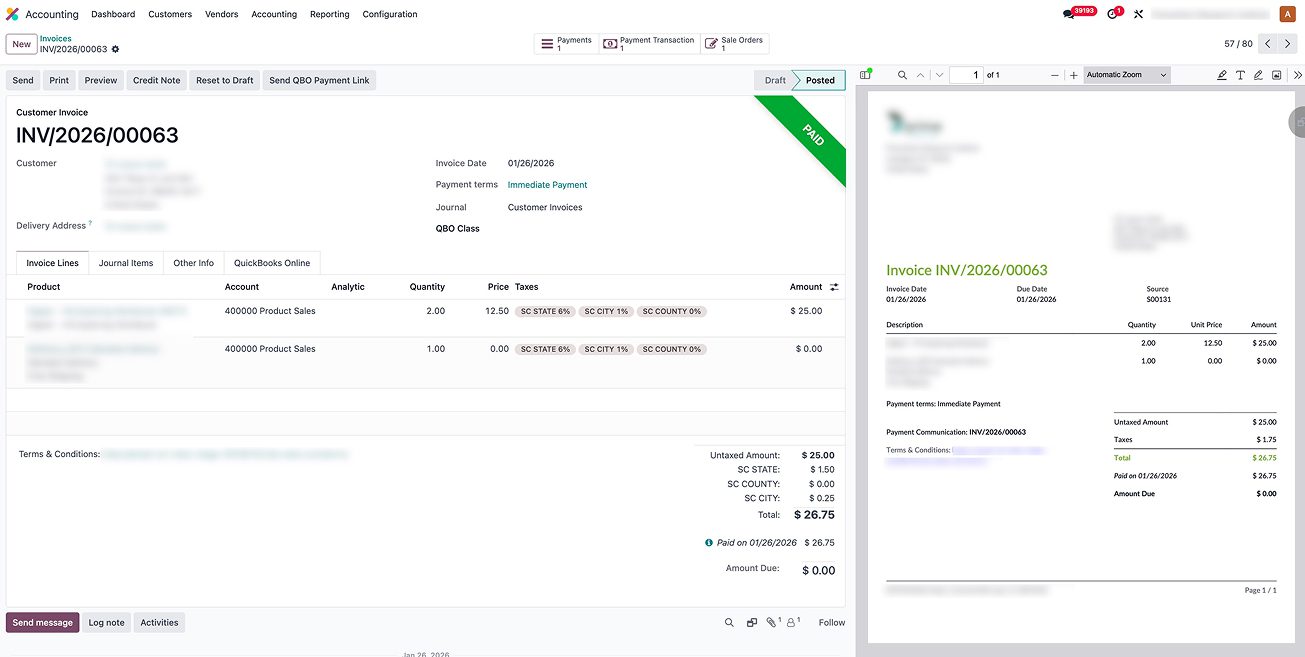
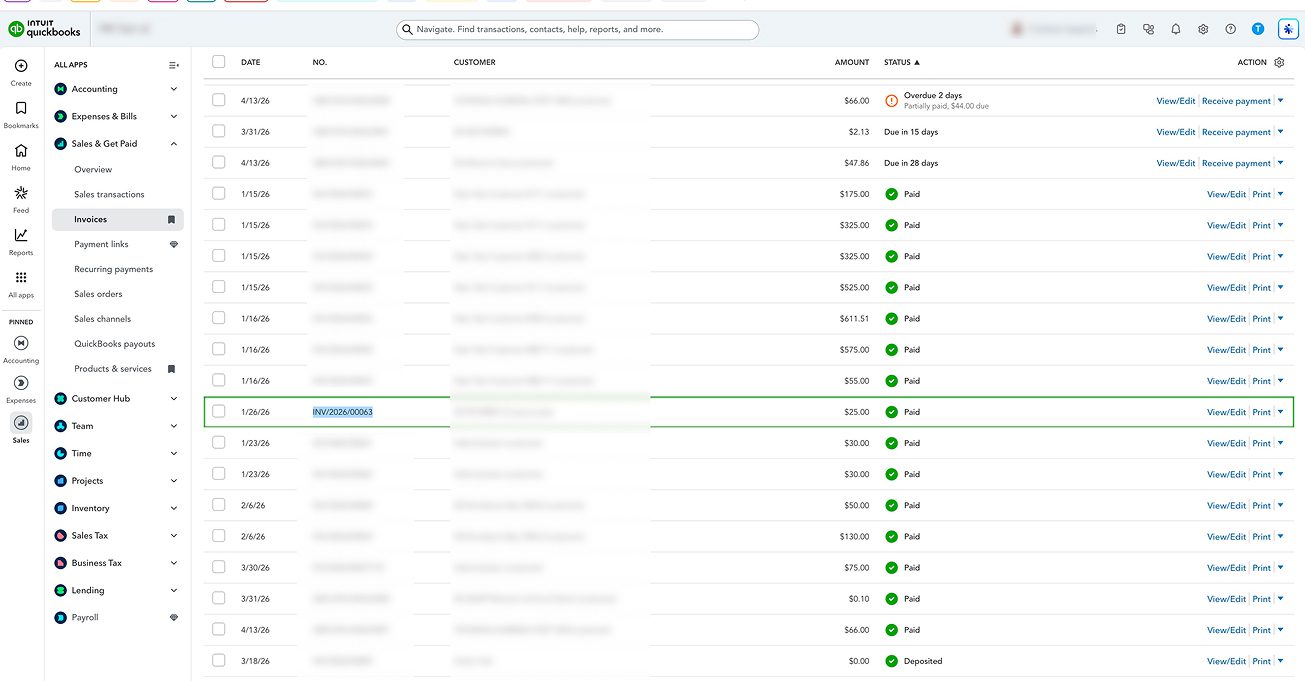
This was the difference between working with real-time financial data and working with a delayed, partial image for the accounting team of our client. Reconciliation accelerated. Reports became trustworthy. The company was able to trust the entire process, from the sales order to the GL entry.
In this part of the article, we’ll walk you through each step of the QuickBooks integration project, including system review, system configuration, multi-system integration, and validation. This guide will help you understand how you can repeat the same results our client received after Glorium Technologies completed the integration project.
Before you start working on customization or even write a single line of code, you must analyze your existing business processes and system fragmentation. For our client, this included evaluating QuickBooks Online configuration and reviewing tax setup. The analysis phase will help you evaluate the right connector approach—a dedicated QuickBooks Online connector module, a third-party QuickBooks Odoo connector app, or a custom-built solution.
No professional would recommend you skip this stage, because it reveals a clear integration blueprint, telling you what gets connected, how the data flows between systems, what gets imported or exported, and where the two-way synchronization is required.
Once you have the blueprint ready, it’s time to configure Odoo to match your operational workflows. You do this by setting up your product catalog with specific pricing options for customer-facing access, configuring inventory management settings, and tailoring the portal or interface to your company’s specific customization requirements.
At this stage, the most important decision is how much to build versus how much to configure. Odoo’s out-of-the-box capabilities already cover a wide range of functionality, and for most businesses, that can be enough. But in some specific cases, when the requirements genuinely can’t be met any other way, you will need to add custom builds or Odoo extensions.
This is the technical core of the project, and the stage where expert help is most required. At this phase, you will be connecting your payment gateway, tax engine, and QuickBooks Online with the Odoo ecosystem.
Before go-live, one of the most critical questions is: what exactly needs to sync between systems and through what?
This isn’t just about connecting your payment gateway, tax engine, or QuickBooks Online. It starts with understanding which objects have to move across your ecosystem: customers, vendors, products, invoices, payments, journal entries, tax codes, and more. The answer depends on your specific setup — which native Odoo modules are active, which marketplace apps or OCA extensions are installed, and how your third-party connectors are configured. There is no one-size-fits-all list.
This stage covers three parallel tracks: configuration, mapping, and rollout of extensions and custom adjustments. Configuration means setting up and validating how each integration behaves — connector settings, sync rules, triggers, and exception handling. Mapping means making sure every field that moves between systems is aligned correctly and consistently — if Odoo and QuickBooks categorize the same record differently, you’ll face reconciliation issues after go-live that are far harder to fix than catching them now. And rollout means deploying any OCA modules, marketplace extensions, or custom developments that are part of your integration layer — tested, sequenced, and confirmed working in your environment before users go live.
Before going live, run end-to-end testing across all transaction types your business handles — sales orders, purchase orders, customer invoices, credit notes, payments, and expense records. For multi-state operations, this includes validating complex tax scenarios across state, county, and city levels, and confirming that what Odoo sends is exactly what QuickBooks receives.
This phase has four things to verify:
That last point is easy to overlook when each integration appears to work fine in isolation. Testing them together—as they will run in production—is what surfaces the real issues.
Don’t go live until all four are confirmed. A sync error caught in testing costs a fraction of what it costs to untangle in production.
If you’re planning a similar Odoo QuickBooks integration, these are the capabilities that should be on your requirements list:
The outcomes you’ll see for our client are something that every B2B e-commerce company should expect when they integrate QuickBooks Online with Odoo with a well-running configuration and expert support.
The amount of manual work decreased significantly. There was less administrative involvement in communicating with customers, entering orders, and exchanging data between systems. Teams that had been handling B2B communications over email and manually reconciling financial data were able to focus on more important tasks than running after repetitive questions and routine tasks.
Tax errors have been reduced and eliminated. AvaTax takes care of multi-state calculations automatically and sends the results to QuickBooks, completely removing the risk of making manual errors. Compliance was no longer the responsibility of people, but of the system.
Cash flow improved. Direct portal payments through Stripe made it possible to settle faster and keep a better track of things. The time between the sale and the cash receipt got shorter. The gap in visibility between what was sold and what was recorded in the company’s financial records widened.
Accounting became real-time. The most significant transformation for the finance team was immediacy. QuickBooks made it possible to see reconciled sales, invoices, and tax data as soon as transactions were finished. The reporting lag went away. Making financial decisions is now based on up-to-date, correct information.
The business became more scalable. The company was able to grow without having to spend more on administrative processes. With more customers, more sales orders, and more jurisdictions, the system can handle the extra work without needing additional people.
The results sound compelling, but is this integration right for you? A consultation with a professional team and your system assessment can help you identify gaps and draw a custom blueprint for your actions, but there are still clear signals that suggest the investment will pay off. Here are some of the signals that may dictate the need for integration:
These signs should be enough for you to understand whether you need integration or not, but a conversation with experts helps a lot more. Unsure if your organization is ready for an ERP or not? No worries. We have an easy-to-follow, free checklist on ERP readiness you can use.
A well-executed integration transforms more than your workflows. It changes the reliability you have with the systems that run your business. And the integration is best done with expert support. Glorium Technologies is a certified Odoo partner that can help you implement Odoo, integrate it with third-party apps, customize it to match your unique workflows, and support your staff in adopting the new software.
Successful integration relies on the data mapping, connector selection, the sync logic, and the testing. And this can all be done with the help of a professional team. If you’re wondering how we can make the same results a reality for you, book a free intro call with our experts or request a free customized Odoo demo to see if the ERP works for you.
Not necessarily. However, for Odoo.sh in particular, developer involvement is strongly recommended, as Git-based deployments, module versioning, and environment management typically go beyond the scope of functional administration in cases where adjustments or extensions are required.
If you have a standard configuration, a technically capable Odoo user will be able to connect the two software with a pre-built QuickBooks connector and documentation support. However, we recommend working with a professional team, especially when you have non-standard configurations. One small mistake can cause challenges in the future.
When connecting Odoo to QuickBooks Online, you’re required to authenticate through Intuit’s OAuth 2.0 protocol. The protocol requires you to sign up for the Inuit Developer portal, which gives you a client ID and a client secret. Client secret is a private key that verifies your app’s identity to servers. Keep the client secret private and set up both credentials correctly. Otherwise, the integration will fail at the authentication layer.
Yes. If you’re already an Odoo user and you need to add QuickBooks, you must look at your customizations. Most standard Odoo QuickBooks Online connector solutions can work around Odoo’s default data structure. But in case you have heavy customization, it’s better to address a professional team and create a tailored connector.
The usual timelines depend on how clean your QuickBooks setup is. If it’s clean and standard, the integration can take a few weeks. Complex projects with large volumes of historical data and custom workflows require more attention, so they typically take longer. For a seamless integration and properly-planned timelines, talk to our experts and analyze your particular case.