Dynamics 365 Business Central Features Explained for Mid-Market Teams
Updated June 19, 2026

 Summarize in ChatGPT
 Summarize in ChatGPT
Picking the wrong ERP now costs more than it used to. Implementation cycles are longer, AI is rewriting which features matter, and big names like Microsoft and SAP are all chasing the same mid-market buyer. If you’ve outgrown QuickBooks, but a tier-1 ERP feels oversized, Dynamics 365 Business Central features deserve a closer look than the brochure version.
Business Central has shifted from a “good enough platform” to a solid choice for medium-sized businesses, mostly because of what Microsoft built into it. It handles finance, sales, supply chain, operations, and manufacturing without enterprise-scale weight.
Gartner projects a 4.4x increase in AI-powered ERP spending over the next three years, hitting 62% of the market by 2027. And that curve runs straight through the Dynamics 365 Business Central platform. Let’s break down each major capability area, what you get out of the box vs what requires an extension, and where mid-market teams often realize the fastest ROI in year one.
Content
Before you move to the feature breakdown, you need to know what the platform is and where it fits inside Microsoft’s broader Dynamics family. So, Dynamics 365 Business Central is a cloud-first ERP designed for companies that need finance, supply chain, sales, project, and operations functionality in one system. The platform fills the space between SMB accounting tools and tier-1 enterprise ERP. That means you get the functional depth of a full ERP system, minus the cost and complexity of a big-ticket ERP deployment.
The platform lives inside the Microsoft Dynamics family, alongside Dynamics 365 Sales, Customer Service, and Finance & Operations. Business Central is not a CRM, and it’s not an enterprise ERP. It’s the mid-market workhorse for companies running 50 to 500 employees.
You have two deployment paths on paper, but only one in practice. Cloud is the working default, delivered as SaaS with a monthly per-user subscription and hosted on Azure. On-premises is still available, though most teams now treat it as a legacy choice, reserved for specific data residency needs.
Licensing comes in two tiers: Essentials covers most BC capabilities, for example, finance, sales, purchasing, inventory, and projects. Premium adds manufacturing and service management. We’ll come back to that distinction throughout the article.
Microsoft was named a leader in three 2025 Gartner Magic Quadrant reports for cloud ERP, covering service-centric, product-centric, and finance categories. That’s external validation worth weighing when you’re scoping a multi-year commitment.
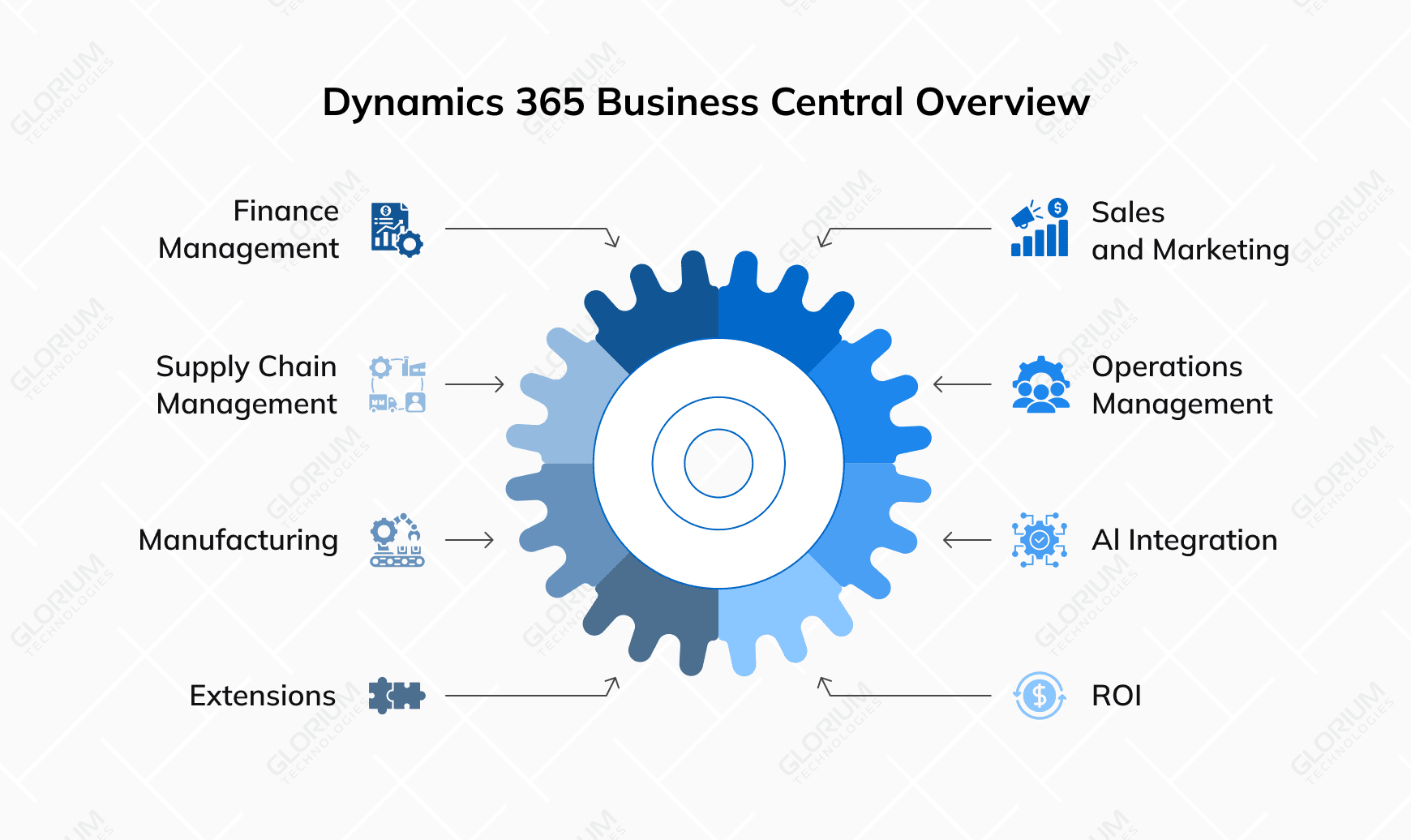
Business Central organizes its capabilities into seven functional pages. Knowing this layout helps you decide where to focus your first deployment phase. The platform covers these core areas:
Some things sit outside Business Central by design. Let’s say you need a deep pipeline CRM. In this case, you can pair it with Dynamics 365 Sales. For HR, you add Dynamics 365 Human Resources. If you need advanced analytics, you can connect to Power BI.
Please note that this is deliberate architecture, not a gap. The Microsoft model lets you start with the ERP core and extend laterally as your needs grow. AI features via Microsoft Copilot are now embedded across all modules listed above.
Most Business Central deployments focus on finance, and this is for good reason. This is where the ERP delivers its earliest measurable ROI for mid-market CFOs, and it’s where AI-driven automation is moving fastest right now.
The financial management capabilities included out-of-the-box:
McKinsey’s 2025 research on AI in finance found that finance professionals spend 20 to 30 percent less time crunching data in functions that have adopted AI tooling robustly. That translates directly to Business Central’s Copilot-driven journal suggestions, AP invoice capture, and natural-language variance explanations.
A CPG company we’ve worked with at Glorium Technologies cut its month-end close cycle by 67% after implementing Business Central. The gain came from automated financial aggregation.
Native Excel integration matters more than buyers expect. Finance teams can post journals, edit budgets, and build reports directly from Excel against live Business Central data. For many CFOs, that one feature decides the platform shortlist.
For mid-market distributors and product-led companies, supply chain features are the second pillar of Dynamics 365 Business Central. According to the 2025 MHI Annual Industry Report from MHI and Deloitte, more than half of supply chain leaders are doubling down on innovation, with 60% ready to commit over $1 million to new technology.
What you get inside Business Central:
The 2025–2026 Copilot release added AI-suggested replenishment that weighs sales velocity, seasonality, and supplier lead time. For distributors managing tariff-driven sourcing shifts or near-shoring decisions, that’s a great-to-have working tool.
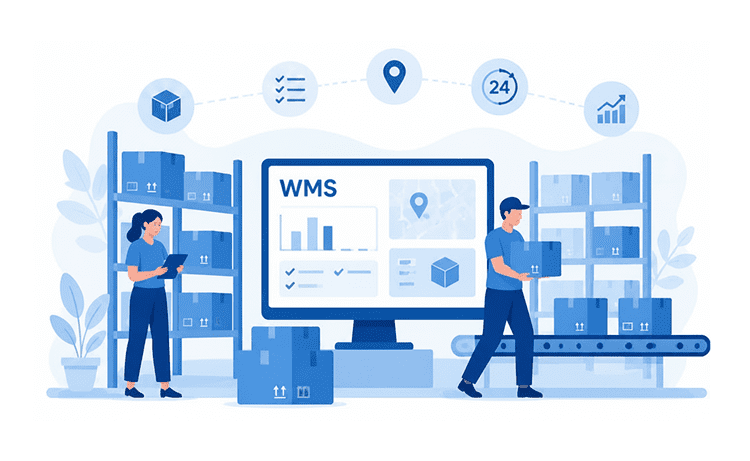
For distributors, light manufacturers, and any company moving physical goods through more than one location, warehouse management is where Business Central earns its keep. The module operates on its own logic. It’s where pick accuracy, bin-level visibility, and labor efficiency get decided.
What you get inside Business Central:
The 2025–2026 platform updates added tighter Power BI dashboards for warehouse KPIs and Copilot prompts for receiving and picking exceptions. For operations managers running 24/7 shifts, that’s the difference between catching a put-away error in real time and finding it during the monthly count.
Business Central includes sales functionality, covering the full order-to-cash cycle, plus light CRM. The line where Business Central ends and Dynamics 365 Business Sales begins is worth knowing before you scope.
What you get inside Business Central:
You should know that Business Central’s CRM layer is transactional. For pipeline management, multi-stage sales workflows, or marketing automation, you typically need to pair it with Dynamics 365 Sales. The latter calls for a separate license, but there is clean integration through Microsoft Dataverse, with no middleware required.
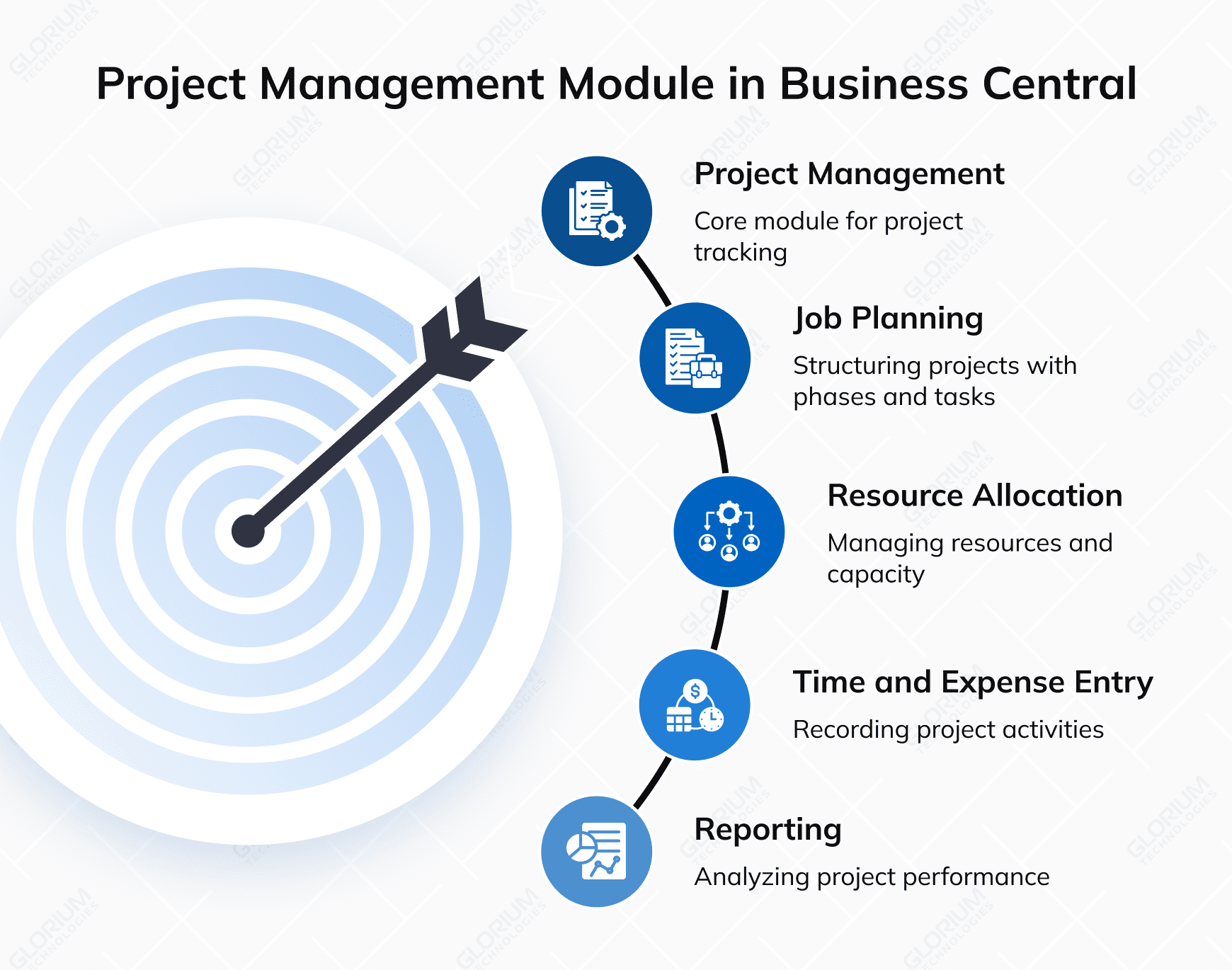
If you are running a services firm, agency, or project-based company, this module alone may tip the platform decision. It connects time, expenses, resources, and billing into one job-level view.
What you get inside Business Central:
For Gantt-style scheduling, dependency management, or resource leveling across hundreds of concurrent projects, you may need to pair it with Microsoft Project or Project Operations through Dataverse.
The decision rule we give clients: if your projects are mostly about tracking margin, time, and billing, the native module covers it. If you need portfolio-level scheduling or PMO-grade resource planning, plan for Project Operations from the start.
This module is Premium-tier only and is one of the two features that justify the licensing step-up for many companies. It is built for equipment maintenance organizations, field service teams, and any business running on service contracts and SLAs. It ties customer assets, technicians, and parts into a single workflow.
What you get inside Business Central:
Business Central’s service module handles classic break-fix and contract-based service well, but it isn’t a full field service platform. For mobile technician apps, route optimization, IoT-driven preventive maintenance, or mixed reality work guidance, you may need to connect BC to Dynamics 365 Field Service.
It makes for the dividing line between Essentials and Premium licensing in Dynamics 365 Business Central. For mid-market manufacturers, the Premium tier adds production planning, BOM management, and MRP capabilities required to run a plant rather than just account for one.
Premium manufacturing features include the following:
According to Deloitte, process automation is a top-two priority for 46% of manufacturers over the next two years. And Business Central can become a foundational system for mid-market manufacturers.
Most comparison tables hand you fifteen rows of checkmarks and call it a day. The actual difference between Essentials and Premium comes down to two things: Service Order Management and Manufacturing. That’s it. Everything you’d expect from a serious ERP — finance, sales, purchasing, inventory, supply chain planning, project management, warehouse management, unlimited users, and customization — is identical across both. So, the decision really comes down to one thing: is your operation built around services, or do you run a production floor?
| Capability | Essentials – $80/user/mo | Premium – $110/user/mo | What It Adds & Who Needs It |
| Core ERP — finance, sales, purchasing, inventory, supply chain, project, and warehouse management, unlimited users, customization | Included | Included | Identical on both tiers |
| Service Order Management | No | Included | Field service, service contracts, dispatch, and repairs. You need this if your business runs on service calls (HVAC, equipment maintenance, field techs) |
| Manufacturing | No | Included | Bills of materials, production orders, and capacity planning. You need this if you make or assemble products |
| Sales Order Agent / Payables Agent (AI) | Copilot Credits, sold separately | Copilot Credits, sold separately | The AI agents cost extra on both tiers, so budget for them separately; they aren’t part of the tier upgrade |
If service orders and manufacturing aren’t part of how you operate, Essentials gives you the same system at $30 less per user each month. Suppose you have a 20-person team. In this case, you can save $7,200 a year by sticking to Essentials instead of Premium.
If you do run service or production workflows, Premium justifies the cost quickly. The moment it replaces even one recurring spreadsheet process, it’s already pulling its weight.
Not sure where your operation lands? Glorium Technologies can walk through your workflows with you and match them to the right tier before you commit to a license.
Pricing shown is the current US list as of June 2026; Microsoft adjusts it periodically.
McKinsey’s 2025 CFO survey found that 44% of finance leaders now use generative AI for more than five use cases, a significant jump from just 7% the previous year. Furthermore, 65% of respondents indicated that their organizations plan to increase their generative AI investments. That might be one of the reasons why the Copilot and Power Automate layers have changed most dramatically between 2024 and 2026.
AI features now embedded in Business Central include:
Power Automate sits alongside Copilot and handles cross-system workflows that are triggered by Business Central events. A new sales order can notify the warehouse. An AP invoice approval can post to the GL automatically. Low inventory can trigger a purchase requisition. The patterns are well-documented, the errors are easier to debug than in legacy ERP, and the performance is solid at mid-market transaction volumes.
The analytics stack runs natively. Power BI connects directly to Business Central with pre-built dashboards for finance, sales, and inventory. You can publish reports to Microsoft Teams, so they show up where your team already works.
A practical recommendation if you’re new to the platform: automate three workflows in the first 90 days. AP invoice intake, sales order confirmation, and inventory reorder triggers. Those three deliver the bulk of measurable ROI before you tackle more advanced topics.
Two things decide how well your deployment ages: Business Central’s integration model and its development environment. Together, they shape how cleanly the app connects to the Microsoft stack, your third-party add-ons, and any custom workflows. They also shape how much technical debt you’ll carry three years from now.
Native integrations cover the obvious ground:
For custom work, Microsoft moved Business Central onto a modern stack years ago. The AL language extension is Microsoft’s current application language for Business Central development, and the development process runs inside Visual Studio Code. Extensions are containerized, which means they don’t modify the base code, so your platform upgrades stay clean. AppSource hosts more than 2,000 pre-built ISV extensions if you need industry-specific functionality without writing custom code.
Here’s how to decide which approach fits which need:
| Need | Right Approach |
| Cross-system workflow | Power Automate |
| Custom screen or report | Business Central extension in AL |
| Mobile app for field users | Power Apps |
| Industry-specific feature | AppSource ISV |
| Complex business logic | Custom AL extension built by a developer |
If you have a developer in-house with Microsoft skills, you can run smaller customizations internally. Larger development initiatives typically run faster through a Microsoft partner like Glorium Technologies, where the team has shipped extensions across multiple verticals and can pull from a deeper bench than most in-house IT groups carry.
Most mid-market teams scope a Business Central project the wrong way around. They build a wish list, hand it to a partner, and watch a 6-month timeline stretch into 14. But the platform isn’t variable; the sequence is. Start with the module where your current pain is most measurable, for instance, the month-end close or AP turnaround, and phase the rest behind it.
Buyers who treat Copilot and Power Automate as a phase-one priority instead of a phase-three nice-to-have recover their implementation cost faster. The data on AI-driven finance productivity is already showing up in the numbers your peers are reporting to their boards.
If you are interested in a second opinion on where to start, Glorium Technologies is here for you. We work with mid-market clients across distribution, manufacturing, and professional services to implement and extend the platform.
Schedule a call to walk us through your current systems, identify the highest-ROI module to deploy first, and get a realistic timeline and budget.
Microsoft prices Essentials at around $80 per full user per month and Premium at around $110 per full user per month. Most mid-market deployments are sized between 25 and 150 full licenses, depending on headcount. The license is a fraction of the total cost and, so to speak, the basics. Implementation, custom extensions, and ongoing support may run two to four times the annual subscription in year one.
Business Central targets mid-market companies with 10 to 500 employees with annual revenue typically under $500 million. Finance & Operations is built for large and enterprise organizations with specific needs, multi-country operations, complex compliance requirements, and 1,000+ users. Implementation costs and timelines differ. If you want an ERP that your team can explore, learn, and understand on the go, Business Central is almost certainly the right choice.
For a clean greenfield deployment with standard modules and minimal customization, three to six months is realistic. Migrations from legacy ERP with custom business logic, complex data structures, or significant integration work usually run six to twelve months. The variable that moves timelines the most is data quality in the source system.
Yes. Both Essentials and Premium include native intercompany functionality for multi-company posting, eliminations, and currency translation. You can run a holding company with multiple subsidiaries on one Business Central tenant. For more than roughly 10 entities or complex partial ownership structures, you may want to evaluate Finance & Operations instead.
Yes. Microsoft sells Business Central exclusively through its partner community, and you’ll need a partner to create your tenant, configure modules, and handle any custom development projects. Your partner’s experience determines whether your deployment scales easily or needs rework within 18 months. Look for a partner with verified mid-market references in your industry, in-house AL development capability, and a structured development process for testing and data-driven release management.