Dynamics NAV vs Dynamics 365 Business Central: Why Should You Upgrade
Updated September 7, 2026

 Summarize in ChatGPT
 Summarize in ChatGPT
Microsoft offers a powerful suite of solutions designed to help companies of all sizes thrive. However, navigating this expansive portfolio can sometimes feel overwhelming. For years, many growing businesses found their perfect operational backbone in Microsoft Dynamics NAV, a robust and flexible ERP solution that streamlined everything from finance to supply chain.
Today, you’re likely hearing more about Microsoft Dynamics 365 Business Central. The chatter around BC had led to natural and crucial questions: Is this just a new name for NAV? How do you know if your business should stick with Dynamics NAV or switch to the modern Dynamics 365?
Well, that’s precisely what we’re here to clarify.
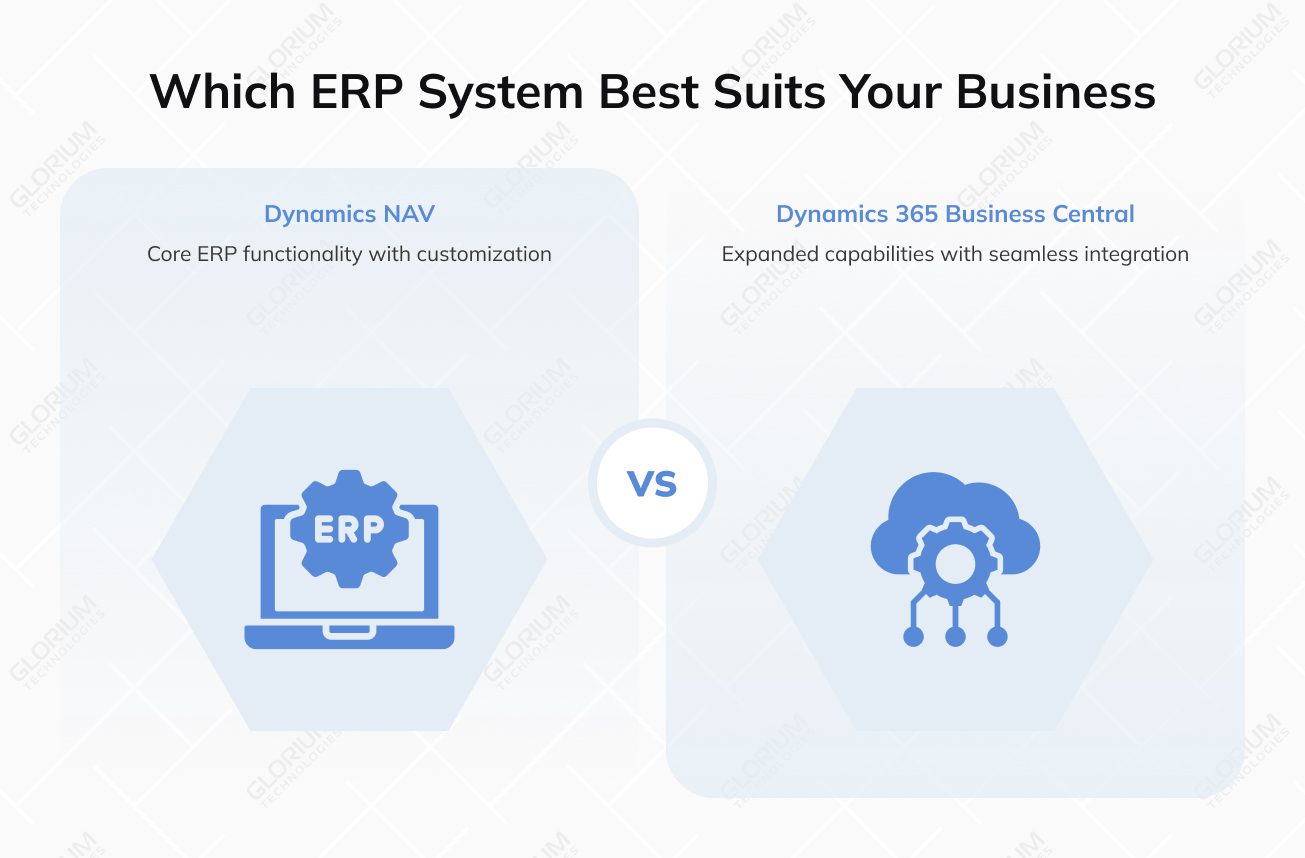
Think of it not as a simple choice between two separate products, but as an evolution. Dynamics 365 Business Central is the strategic, cloud-first successor built from the legacy of Dynamics NAV, and it has already surpassed (3.13%) the market share of Dynamics NAV at 2.33%. 365 BC carries forward the deep functionality trusted by Business Central users, while fundamentally changing how that power is delivered and experienced.
The key differences revolve around deployment, innovation, and connectivity. While NAV often resides on-premises, Business Central is primarily a cloud-based solution. In this article, we’ll guide you through both ERP systems and break down critical comparisons. Our goal is to help you understand which solution is the best match for your business and how to get professional help from official partners like Glorium Technologies when needed.
Content
Dynamics NAV and Dynamics 365 share a common DNA and core functionality for medium-sized businesses; however, the fundamental approach to how they deliver that functionality has transformed. Dynamics NAV is the proven, traditional ERP often deployed on local servers, while Dynamics 365 Business Central is its modern successor, built as a unified cloud-based ERP solution. Think of the upgrade as the shift from a product you own and maintain to a service you subscribe to and use—it allows a new world of agility, insight, and connectivity.
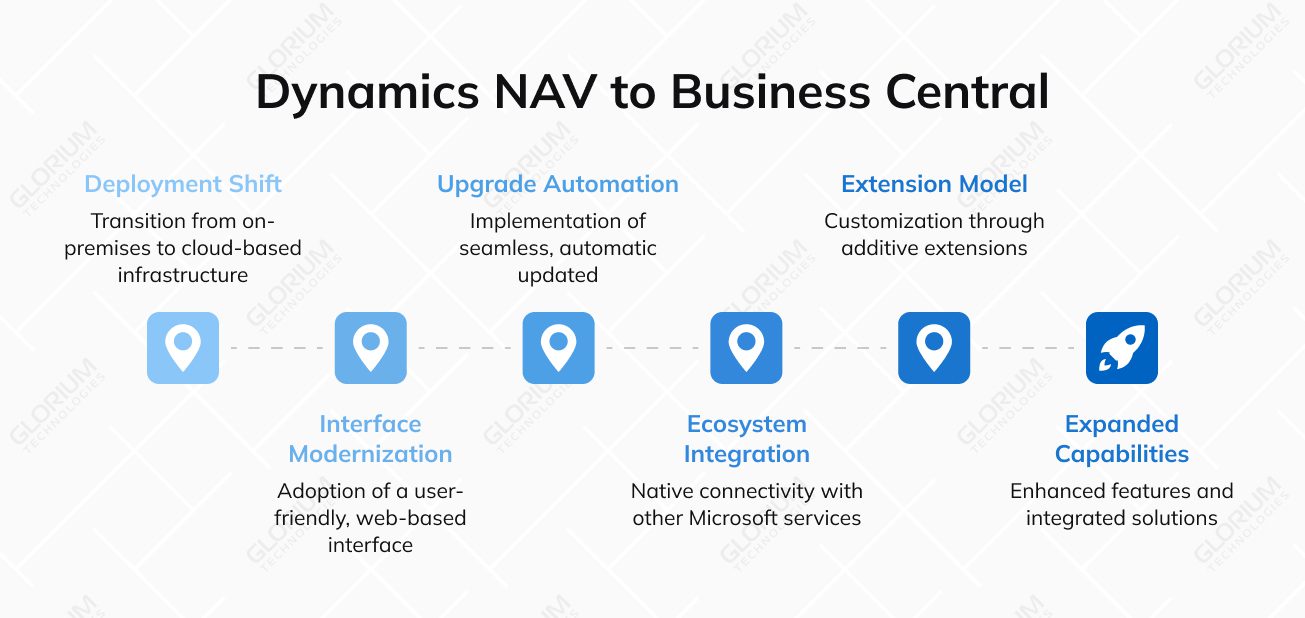
Let’s break down the key differences that define this evolution.
The most fundamental difference between Dynamics NAV and Dynamics 365 lies in how the software is hosted and managed.
How users interact with the system has undergone a dramatic, user-friendly transformation.
How your system evolves and stays current is a critical operational difference.
The ability to connect data and insights across the business landscape is a game-changer.
How you tailor the system to meet unique business needs has evolved for better sustainability.
While both are comprehensive ERPs, Business Central expands on the foundation.
| Feature | Microsoft Dynamics NAV (Legacy) | Dynamics 365 Business Central (Modern) |
| Upgrades | Required code merging and developer effort for every upgrade. | Updates delivered continuously twice a year; low-to-no upgrade cost. |
| Interface | Desktop-based, often requiring local installation; less modern look. | Fully browser-based, accessible on any device; intuitive Microsoft 365 look and feel. |
| Customization | Customizations modified core code, complicating future upgrades. | Customizations are separate, guaranteeing seamless upgrades. |
| Search | Basic search functionality. | Powerful, quick search for pages, data, and actions across the system. |
| Pricing | High upfront capital cost plus annual maintenance and hardware fees. | Predictable monthly fee per user; all-inclusive with no server or SQL cost. |
| Reporting | Relied on internal tools (SSRS) or third-party solutions. | Native, real-time integration with Power BI for advanced analytics and dashboards. |
| Deployment | Required local servers, SQL licensing, and internal IT management. | Flexible deployment (Cloud, Hybrid, On-Premise) with immediate scalability. |
| Support | Extended support for the last version (NAV 2018) ends January 2028. | Continuous support, security, and innovation as part of the subscription. |
For NAV users who have built their processes on a stable, on-premises foundation, the decision to switch platforms is never taken lightly. The move to Dynamics 365 Business Central, however, is driven by its strategic leap into a new way of operating. The compelling business central benefits that motivate this shift go beyond mere feature parity; they unlock new levels of agility, intelligence, and connectivity that are difficult or impossible to achieve with a legacy system.
Here are the key features of Business Central that are most influential in driving companies to make the switch:
Companies that make the switch aren’t doing it for new features; they’re switching to a new model. They gain a cloud-based, always-modern platform that connects their people, data, and processes.
Deciding to move from your trusted Dynamics NAV system is a significant choice. If you’re wondering whether it’s time, here are the key signs that indicate a switch to its modern cloud-based successor, Dynamics 365 Business Central, is not just beneficial, but necessary.
You likely need to make the move if you recognize several of these points:
Move to Microsoft Dynamics 365 Business Central with Glorium Technologies
If you’ve already made the decision to switch from Dynamics NAV to Dynamics 365, you’ve already taken the first strategic step forward. The second and equally vital step is choosing the right partner to guide your journey. A smooth, successful migration process requires more than just technical skill—it demands deep experience, proven methodology, and a partner invested in your long-term success.
This is where Glorium Technologies makes a significant difference.
As an official Microsoft Dynamics 365 Partner with over 14 years of experience, we understand that moving from an on-premise system to a cloud-based platform involves more than just data transfer. This upgrade is an opportunity to rethink and streamline operations, empower your end users, and build a scalable foundation for the future.
Ready to make the switch? Let’s connect. You can always reach out to us or request an intro call with our team of experts.
No, it is the optimized version and strategic successor. The two systems share functionalities, but Business Central is fundamentally rebuilt as a true cloud-native SaaS solution.
Not necessarily, but they will need to be reviewed and modernized. Much of the custom development done in NAV via C/AL code modifications must be recreated in Business Central using the modern AL extension model.
Business Central shifts the cost model from a large upfront investment (license + servers) plus annual maintenance fees to a predictable monthly subscription per user. For many mid-sized businesses, this is more cost-effective as it eliminates hidden costs.
In most cases, it is significantly more secure. Business Central on Microsoft Azure benefits from enterprise-grade data encryption (at rest and in transit), threat detection, and a global team of security experts that few businesses can afford on-premises.
Yes. Business Central contains all the advanced functionality of NAV and has continued to expand it, including enhanced warehouse management modules. For businesses with highly complex needs, it also integrates natively with Dynamics AX’s enterprise-scale successor, Dynamics 365 Supply Chain Management, providing a clear growth path without losing your investment.