QuickBooks to Business Central Migration: What Changes and What You Gain
Updated March 27, 2026

 Summarize in ChatGPT
 Summarize in ChatGPT
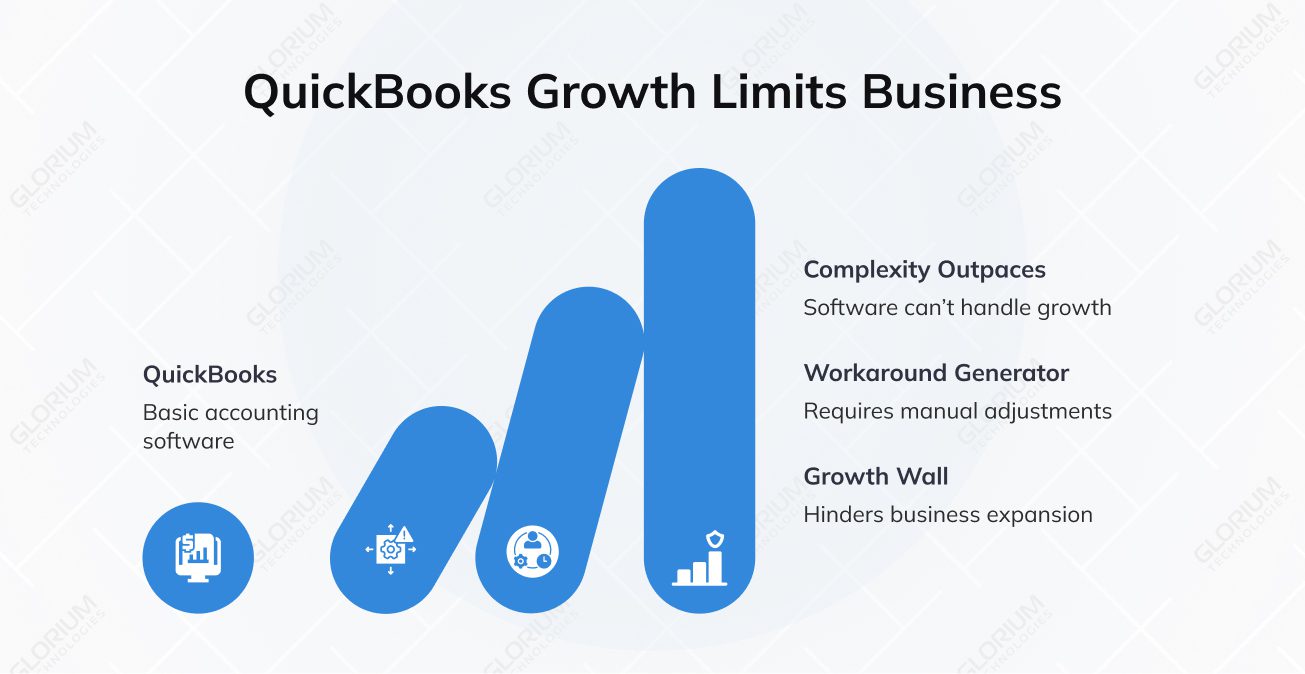
QuickBooks makes for the obvious starting point for most small businesses. It’s affordable, familiar, and handles the basics (invoicing, expense tracking, payroll, basic reporting) well enough. That’s why it holds a dominant 62.23% market share in the accounting software niche. But the moment your transaction volume spikes and your team expands, your business complexity outpaces your accounting software. As a result, every month-end becomes a fire drill.
Once your business grows in terms of the number of entities you manage and the currencies you deal with, QuickBooks may turn into a workaround generator. You hit the growth wall, breaking through which requires an ERP like Dynamics 365 Business Central. Built for small to medium-sized businesses, it offers advanced features to manage complex operations, for example, inventory management, finance and sales, supply chain management, and project management, to name a few.
So, what actually changes when you migrate from QuickBooks to Business Central at the desk level, and what tangible ROI do you gain?
Content
QuickBooks is like the compact first car you bought in college. It got you where you needed to go for years, but now you’re trying to fit a family of six inside. You can keep using it in theory, but it’s no longer the right tool for the job.
Does it mean that every company needs to migrate? Not at all. If you’re running a 10-person service business with straightforward financials, QuickBooks may be exactly right for years to come. A company that typically reaches this decision point looks more like this:
Switching to Microsoft Dynamics 365 BC is rarely a one-day decision. First, your team wastes 3 days manually preparing reports; then a Salesforce integration breaks; and, on top of that, auditors are requesting documentation stored across various locations. QuickBooks was designed for small business accounting.
Your company needs a platform that is appropriate for its current scale once it has successfully outgrown its “starter” phase.
One can compare data migration to Business Central to replacing a good-old, reliable calculator with a top-notch PC. You can not only see what has already happened, but also forecast what will happen next. The main change is from reactive bookkeeping to proactive management. You don’t need to use manual exports or third-party tools for inventory or payroll, as BC centralizes everything in a single, audit-proof system.
You can break down financial data by department or project without making your Chart of Accounts too big. This gives you a level of detail that QuickBooks simply can’t provide. And a 265% ROI that this cloud-based solution can deliver over three years can be just the icing on your migration cake.
The chart of accounts structure is one of the first things that looks different. Business Central takes a more detailed, dimension-based approach. You don’t have to multiply accounts to keep track of projects or departments. Instead, you assign dimensions to transactions. But it calls for assisted setup during migration to ensure accounts reconcile correctly after the cutover.
Multi-entity and intercompany transactions, which QuickBooks handles awkwardly at best, become a built-in feature. You can run intercompany postings and manage multiple companies within one platform and consolidate financials without exporting them to Excel.
QuickBooks offers basic reporting, letting you pull a report, export it, and clean it up by hand. Business Central is in a whole other league thanks to its native Power BI integration. Your finance team can stop using spreadsheets. Instead, they get live dashboards that automatically break down data by entity or dimension. This gives you real-time information without the extra work.
With role-based reporting, the CFO, warehouse manager, and sales director can all see the data relevant to their roles. And nobody has to filter out what doesn’t apply to them.
This is one of the biggest differences between the two platforms. Business Central’s supply chain management works on a whole different level:
If you run a product-based business, this difference alone can justify migration.
Business Central offers a named-user licensing model with defined permission sets. You can allow access by module, by company, and by function. An accounts payable clerk may have no visibility into payroll processing but complete access to vendor invoices.
The ability to access business data by role also means fewer situations where sensitive financial information is visible to people who don’t need it. Both security and compliance can benefit from it.
The integration story is different by default since Business Central is part of the larger Microsoft ecosystem. Excel, Teams, and other Microsoft tools all have direct connections. As a result, you can create invoices from an email or pull live Business Central data into Excel without an export.
Dynamics 365 Sales allows customer relationship management to share the same data layer, preventing duplication of customer information across systems. The AppSource marketplace gives you access to additional business apps. This translates to hundreds of approved solutions for industry-specific needs, ranging from manufacturing to professional services to construction.
As a growing business, you can’t afford to select software you’ll outgrow in 24 months and have to migrate off again. As a cloud-based solution, Business Central’s architecture is designed to scale. You can add additional users, entities, locations, and modules without rebuilding the foundation.
If you have an acquisition strategy or international expansion plans, the flexible pricing structure makes capacity planning more predictable than on-premises ERP licensing.
The manual workload reduction is unmistakable. Automated data integration across finance, operations, and sales removes the need for duplicating data entry across systems. Beyond that, Business Central handles:
You can automate intercompany postings, saving yourself the hassle of tedious manual entries across various systems. Such an automated workflow can deliver significant efficiency gains. Productivity can surge up to 15.6% for finance teams and at least 12.5% for operations and sales staff.
Real-time data access across sales, purchasing, inventory, and finance removes the reconciliation delays that plague businesses running disconnected tools. Your sales team can see live inventory levels, and the finance team can see the pipeline’s impact on cash flow. Operations can track purchase orders against the budget without a weekly custom report request. Real-time data at the department level makes a difference between a business that reacts and one that acts on current information.
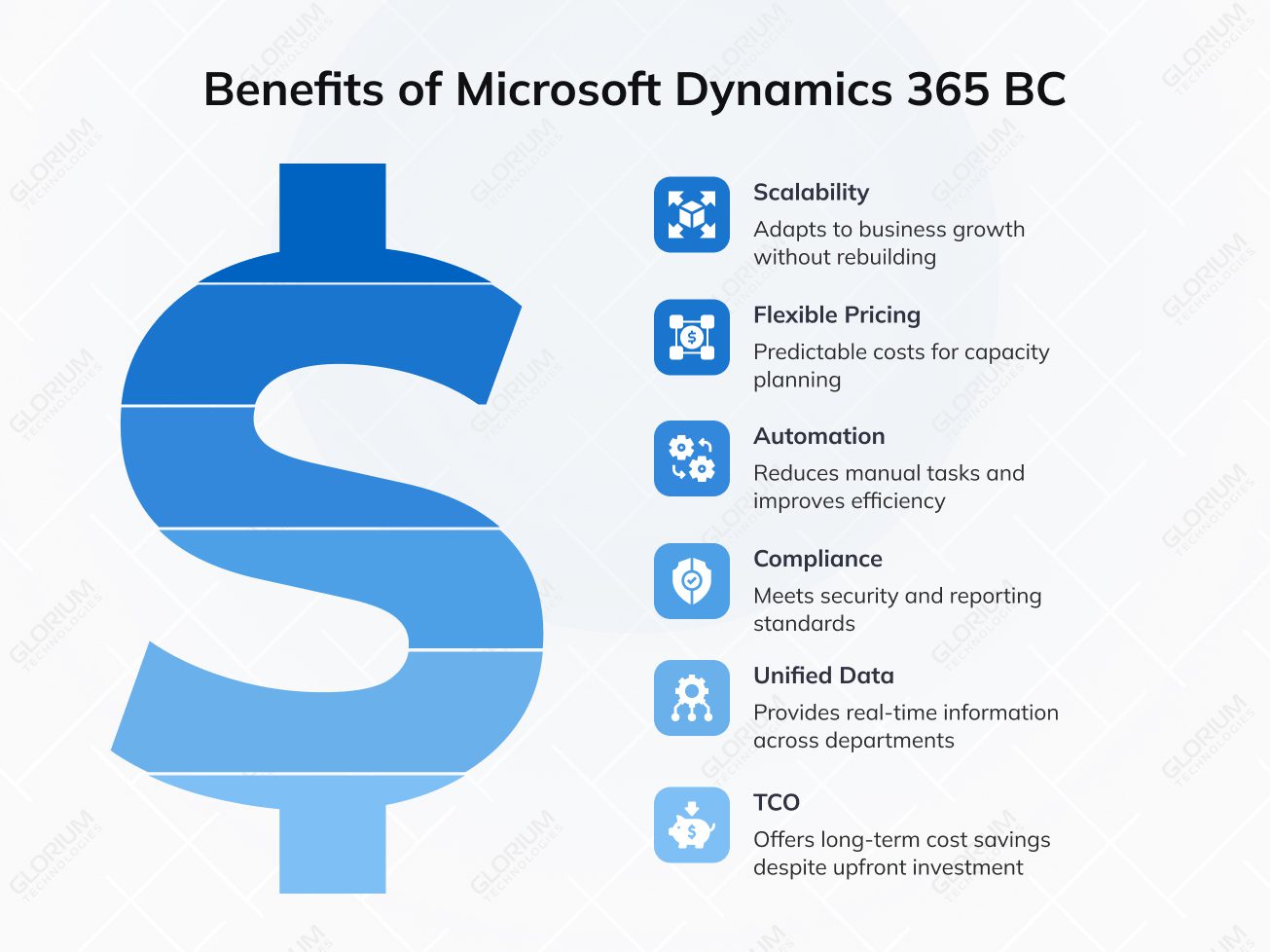
Every posting, edit, and approval is logged with a timestamp and user ID in BC. Microsoft’s security infrastructure backs the platform, with security features that meet financial reporting standards for companies in regulated industries or approaching audit-intensive growth stages.
Built-in controls support:
It’s worth mentioning that Business Central carries a higher upfront investment than QuickBooks. Implementation, licensing, and training costs are real. But the long-term TCO calculation shifts once you factor in reduced maintenance costs and expenses on external consultant services because of workarounds and integrations. When you choose Business Central at the right growth stage, you can avoid the cost of a second migration when QuickBooks hits its ceiling again.
The answer to “Do I need to start QuickBooks to Dynamics 365 migration?” hinges on where your business is going. If enhanced reporting requires manual exports every time, or if your team has built a parallel spreadsheet infrastructure just to get through month-end, those are telltale signs that the time has come.
Business Central won’t solve operational problems that exist outside the software. But for companies at the right growth stage, it replaces a patchwork of tools with a single, scalable system capable of managing operations. For example, it can handle service management and business operations that go well beyond what entry-level accounting software was designed to support. The ability to export data into advanced reporting tools, expand capabilities through AppSource, and connect with the Microsoft tools already in use makes the platform your proactive go-to.
The next step is an honest assessment: map your current QuickBooks pain points against what Business Central directly addresses. If the overlap is overwhelming, a migration scoping conversation with a certified Microsoft partner like Glorium Technologies can be a logical place to start. Schedule a call to see how our structured process turns a complex migration into a smooth transition.
It is a built-in Business Central migration tool that handles the transfer of core financial records, for example, customers, vendors, items, and general ledger accounts, directly from QuickBooks into Business Central. It supports both QuickBooks Online and QuickBooks Desktop, so the starting point doesn’t determine whether a direct migration path is available to you. If you have multiple entities, heavily customized charts of accounts, or large transaction histories, an indirect migration approach may be more appropriate. This typically involves exporting data into an intermediary format before importing it into Business Central, giving your team more control over data mapping and validation before anything goes live.
The wizard itself can migrate data from QuickBooks relatively quickly, but the full business central migrating process, from initial scoping to go-live, may take a few weeks to several months, depending on data volume and complexity. If you have straightforward financial and clean QuickBooks records, you can move faster. However, if there are multiple locations, customized business processes, or impressive transaction history, you need more time for data mapping, testing, and user acceptance validation.
Post-migration support covers the first 30 to 60 days after go-live. This is the period when questions are most frequent and issues most likely to surface. Glorium Technologies, as a certified Microsoft partner, provides ongoing support during this phase to help your team resolve configuration gaps, address user questions, and validate that financial outputs are accurate. Business continuity is the priority during this window.