






Legacy Application Migration: A Practical Guide to the 6 Rs and Cloud Migration in 2026
Updated October 16, 2026

 Summarize in ChatGPT
 Summarize in ChatGPT




Few companies migrate a legacy application just because the technology is old. They do it because the system has started costing more than it returns. Security patches stop coming, the few engineers who understand the code are hard to replace, and every new integration takes months instead of weeks.
The numbers show how much money stays locked in old systems. According to a 2025 report by the U.S. Government Accountability Office, federal agencies spend more than $100 billion on IT each year and typically put about 80% of that into operating and maintaining existing systems, including decades-old legacy ones. At the same time, Gartner forecast worldwide public cloud spending at $723.4 billion for 2025, a 21.5% jump over 2024, and expects growth of 21.3% in 2026 as migration and modernization efforts continue. For many companies, the high maintenance costs of outdated legacy systems now compete directly with budgets for digital transformation and business growth.
This guide explains how to tell when an application is due for modernization, how to plan the project, how to choose the right approach for each system using the 6 Rs framework, and how to move applications to the cloud in six stages without disrupting the business.
Content
A legacy application is an existing application that supports critical business operations but runs on an older stack. It may rely on outdated software, outdated technology, or a current legacy system that is hard to change safely. Many businesses keep legacy applications because they power essential business processes and store valuable data.
Typical examples include COBOL or RPG programs on mainframes and IBM i (AS/400), on-premises ERP and CRM systems, desktop client-server apps built with Visual Basic or Delphi, and monolithic web apps running on unsupported frameworks such as AngularJS. Many of these mission-critical systems are written in outdated programming languages, and legacy systems running billing, claims, or inventory rarely can pause for long, so every change must ensure business continuity.
Over time, legacy systems struggle with poor performance, limited scalability, and rising maintenance costs. Vendor support can fade, security patches may arrive late, and security risks increase. Legacy apps also tend to depend on tight coupling, custom integrations, and older data formats, which makes system migration and cloud migration harder.

Legacy application migration typically involves both code migration and data migration processes. You’re not only moving apps to the cloud. You also need to migrate legacy data, validate existing data, and confirm that all the data still adheres to business rules in the new environment.
The two parts are measured differently. Legacy data migration moves records between data stores, and its success is judged by completeness and accuracy. Application migration moves running business logic, so success means the same inputs still produce the same outputs under real production load.
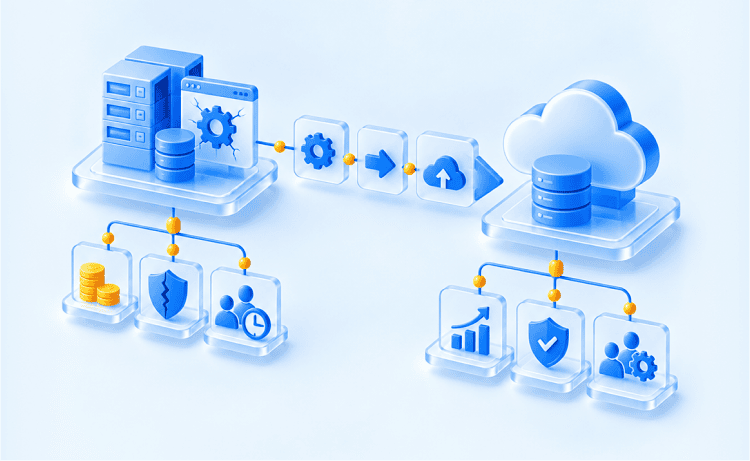
Modernization focuses on enhancing an existing legacy system. Migration involves relocating workloads and data to a new platform and cloud environment. Many migration projects combine both approaches to protect business continuity and reduce operational costs.
| Decision factor | Modernization | Migration |
| Primary goal | Improve the current system step by step | Move apps to the cloud and adopt a new operating model |
| Typical scope | Targeted upgrades across code, data, and interfaces | System migration across runtime, data, integrations, and operations |
| Data work | Data audit, cleanup, governance for existing data | Full data migration process for legacy data and data sources |
| Risk profile | Lower change surface per release | Higher coordination needs across old and new systems |
| Timeline | Shorter increments | Longer program with staged cutovers |
| Cost pattern | Lower upfront spend, and ongoing maintenance costs continue | Higher upfront spend, cost savings depend on optimization |
| Cloud impact | Often hybrid; uses cloud services selectively | Cloud migration is central and deeper |
A full move is not always the goal. Gartner predicts that 90% of organizations will adopt a hybrid cloud approach through 2027, and Flexera’s 2026 State of the Cloud Report shows 73% of organizations already running hybrid estates. Keeping some workloads on premises while you modernize legacy applications in stages is a valid outcome. In the 6 Rs framework described below, this decision is called Retain, and a staged approach also suits teams that are new to the cloud. Migrating legacy systems in stages also spreads the cost across several budget cycles. In practice, legacy application modernization and migration often run as one program: a modernization strategy decides what to improve, and a cloud migration strategy decides where and how each workload moves.
A well-planned migration or legacy application modernization pays off in several areas at once. Teams that modernize legacy systems most often report these gains:
Security alone can justify the budget. IBM’s Cost of a Data Breach Report 2025 puts the global average cost of a breach at $4.44 million, and unpatched legacy platforms remain an easy entry point for security threats and compliance risks. Each of these gains translates into business value you can measure after cutover.
Old software applications, known as legacy applications, sometimes reach a point where they’re no longer up to the task. In this part of our guide on legacy application migration, we’re going to explore the signs that tell you it’s time for an upgrade. These signs are like warning lights, indicating that your old software needs a refresh.
From the software company no longer providing support to your application crashing too often, these signals are like clues that it’s time to migrate legacy applications:
One of the earliest signs that may trigger the need for migration is dwindling vendor support or outdated software systems. When the software or platform your application relies on is no longer receiving updates, patches, or security fixes, it becomes increasingly vulnerable.
Performance degradation is like the warning lights on your dashboard flickering. Sluggish response times, longer loading periods, or increased resource utilization are indicators that your legacy application may be struggling to keep up with modern demands.
Just as a car breaking down frequently signals mechanical issues, frequent application crashes are a glaring sign of underlying problems. These crashes disrupt productivity, frustrate users, and can even result in data loss or corruption.
Users are often the first to experience issues, and their feedback can be invaluable in identifying pain points within the application.
A shrinking talent pool is a quieter warning. When only one or two engineers still understand the COBOL, Delphi, or old framework code, every fix slows down and key-person risk grows with each resignation.
Integration roadblocks show up when the business wants to add a new payment provider, analytics platform, or AI feature and the answer is always a custom workaround. At that point, the architecture itself limits growth.
In summary, recognizing the signs that herald the need for migration, conducting evaluation of the existing system, and assessing the potential business impact are foundational steps in the decision-making process. Organizations must proactively address the health and well-being of their IT systems to ensure resilience, security, and continued competitiveness in the digital landscape.
Planning a legacy application migration involves defining goals, assessing scope, and creating a detailed plan with a well-defined timeline.

Objective clarity: When initiating a migration, it’s paramount to define your business application goals with absolute clarity. Ask yourself, “What are we trying to achieve with this migration?” Is it enhanced system performance, increased scalability, cost reduction, continuous integration, or perhaps modernization to meet evolving business needs? By articulating these objectives precisely, you establish a clear direction for the system migration project.
The road ahead: Similar to planning a road trip, understanding the scope of your system migration efforts is crucial. It involves comprehending the full landscape of the migration effort. Scope assessment includes:
Precise navigation: A migration plan is your roadmap for the journey. It’s more than just a list of tasks; it’s a strategic document that guides every phase of migration. Elements of a well-structured and complete migration plan include:
Cost planning deserves its own line in the migration plan, because cloud bills behave differently from on-premises IT infrastructure budgets. Flexera’s 2026 State of the Cloud Report found that 17% of organizations exceeded their public cloud budgets over the past year, and respondents estimate that 29% of their cloud spend is wasted. A realistic legacy migration budget usually covers these categories:
In conclusion, the planning phase of migration is the foundational pillar upon which the entire project stands. Preparation minimizes uncertainties, reduces risks, and sets the stage for a successful migration journey in the dynamic landscape of IT.
Migration strategies are like different routes on a map. The industry uses a shared vocabulary to describe them: the 6 Rs framework, popularized by AWS and based on Gartner’s earlier 5 Rs model. The six options are Rehost, Replatform, Repurchase, Refactor, Retire, and Retain. Some newer versions add a seventh R, Relocate, for moving virtualized workloads (for example, VMware clusters) to the cloud without changes. Each has its pros and cons, and the choice depends on your business requirements.

Most portfolios use several Rs at once. A stable internal tool might be rehosted for speed, while a revenue-critical customer portal gets refactored. The table below compares the six strategies at a glance.
| Strategy | Also called | What changes | Best fit | Effort and risk |
| Rehost | Lift and shift | Infrastructure only | Fast data center exits, stable apps with healthy code | Low |
| Replatform | Lift, tinker, and shift | Runtime, database, or middleware | Quick wins from managed cloud services | Low to medium |
| Repurchase | Drop and shop | The app is replaced by a SaaS product | Commodity functions such as CRM, HR, or email | Medium (data migration, retraining) |
| Refactor (incl. rearchitect) | Rewrite, redesign | Code and architecture | Revenue-critical apps that need scale and new features | High |
| Retire | Decommission | The app is switched off | Low-value, duplicate, or unused apps | Low |
| Retain | Revisit | Nothing for now | Apps that must stay put for compliance, latency, or contract reasons | Minimal |
Description: Rehosting entails relocating the existing application to a new environment with minimal alterations. This process typically involves transferring the application and its data to a different hosting infrastructure, often within a cloud computing environment. The primary objective is to reduce costs while maintaining the core functionality.
Pros: Rehosting is an economically efficient and relatively swift option that minimizes disruption to ongoing operations.
Cons: While cost-effective, this strategy may not bring significant improvements in terms of functionality, scalability, or performance. It might not address the underlying issues present in the legacy code.
Description: Replatforming represents a step beyond rehosting by making selective adjustments to the application to ensure compatibility with the new environment. These adjustments could involve updating elements like the operating system, middleware, or database while preserving the core code.
Pros: Replatforming enhances compatibility and offers the potential for improved performance and scalability. It typically carries a reduced risk compared to a full-scale rewrite.
Cons: This strategy may not fully capitalize on modern technologies, and certain legacy issues may persist.
Description: Repurchasing means replacing the legacy application with a commercial SaaS product that covers the same business functions. A company might move from a custom-built, on-premises CRM to Salesforce or HubSpot, or from an in-house HR system to Workday. The main technical work shifts to data migration, integrations, and configuration. Repurchasing works well when existing software no longer matches business needs and a mature product already does.
Pros: Repurchasing removes the burden of maintaining custom code and infrastructure. Updates, security patches, and scaling become the vendor’s responsibility.
Cons: Subscription costs recur every year, and unique workflows may not fit the product. Teams need retraining, and vendor lock-in becomes a new risk to manage.
Description: Refactoring is a more comprehensive approach involving the rewriting or rebuilding of specific sections of the legacy application’s code using contemporary development practices and technologies. This strategy seeks to enhance code quality, maintainability, and scalability while preserving the application’s core functionality.
Pros: Refactoring yields improved performance, scalability, and maintainability. It also presents an opportunity to introduce new features and align the application with current business needs.
Cons: While offering substantial benefits, refactoring tends to be more resource-intensive and time-consuming compared to rehosting or replatforming. The increased complexity may lead to longer project timelines.
In the 6 Rs framework, rearchitecting sits under Refactor. The difference is scale: refactoring improves parts of the code, while rearchitecting changes how the whole application is built.
Description: Rearchitecting involves a fundamental redesign of the application’s architecture to bring it in line with modern standards. This often necessitates the transformation of a monolithic application into microservices or adopting a new architectural pattern.
Many teams run this transformation gradually with the strangler fig pattern. New services take over one function of the monolith at a time behind a routing layer, until the old system has nothing left to do and can be switched off. This is one of the safest ways to run legacy system modernization without a risky big-bang release.
Pros: Rearchitecting offers advantages such as greater scalability, agility, and flexibility. It empowers organizations to leverage cloud-native technologies and embrace microservices architecture.
Cons: This strategy can be complex and resource-intensive, demanding a deep understanding and seamless integration of both legacy and modern technologies.
Description: In certain scenarios, it may prove more cost-effective to retire or sunset a legacy application, particularly if it no longer serves a purpose or if its functionality can be adequately replaced by off-the-shelf solutions or newer systems.
Pros: Retirement simplifies the IT landscape, reducing ongoing maintenance costs, and eliminating security risks associated with the legacy application.
Cons: Successful retirement may require meticulous data migration and careful planning to ensure a smooth transition for users.
Description: Retaining means deliberately keeping an application where it is for now. Common reasons include regulatory or data residency rules, low-latency links to on-site equipment, a recent hardware investment, or a contract that runs for several more years. Retained apps often connect to cloud services through APIs as part of a hybrid setup.
Pros: Retaining avoids spending on migrations that bring little value today and lets the team focus on higher-priority applications.
Cons: Technical debt keeps growing, and the application still needs security monitoring. Set a review date so a temporary Retain decision does not quietly become permanent.
A few direct questions narrow the choice for each application in your portfolio and shape your overall modernization strategy:
Choose the strategy that aligns with your goals and resources.
Legacy application migration is a complex process, especially when teams migrate legacy systems that have grown over the years. The main challenges usually look like this:

When undertaking the complex task of migrating a legacy application a cloud platform, meticulous risk management is imperative to ensure a smooth transition. Here, we delve into the critical aspects of risk identification, mitigation strategies, and the paramount importance of data security.
The first step in effective risk management is the identification of potential roadblocks and pitfalls that may disrupt the legacy system migration process.
Risks in the context of legacy application system migration can manifest in various forms, including:
Data loss: During the migration process between legacy systems, there is a risk of data loss or corruption. This can occur due to data transfer errors, incompatibility issues, or mishandling of data.
Integration challenges: Legacy applications often have intricate dependencies and integrations with other systems. These integrations can pose challenges during migration to a cloud environment, leading to compatibility issues or data synchronization problems.
Technical hurdles: The migration process may encounter unforeseen technical challenges, such as software conflicts, hardware limitations, cloud service misconfigurations, or performance bottlenecks.
Resource constraints: Budgetary constraints, lack of skilled personnel, or inadequate existing infrastructure can hinder the legacy migration.
Once risks are identified, the next critical phase is to develop comprehensive strategies to mitigate these risks effectively. Here are key strategies:
Data backup: Rigorous data backup procedures should be in place before legacy migration commences. This ensures that a pristine copy of the data is readily available in case of data loss or corruption during the legacy applications migration process.
Thorough testing: Testing is the linchpin of risk mitigation. Rigorously test every aspect of the legacy migration process in a controlled environment before implementing it in the production environment. This includes both functional and non-functional testing to identify and rectify issues.
Contingency planning: Develop well-structured contingency plans that outline actions to be taken in the event of unexpected issues or failures. Contingency plans act as a roadmap for responding swiftly to challenges, minimizing downtime, and preventing data loss.
Data security during legacy applications cloud migration is akin to transporting valuables in a secure armored convoy. The integrity and confidentiality of data must be upheld at all costs. Here’s how:
Encryption: Implement robust encryption mechanisms to protect data during the migration of legacy applications. This ensures that even if intercepted, the data from migrated legacy applications and systems remains unreadable to unauthorized parties.
Access controls: Enforce strict access controls to limit access to data during data migration to authorized personnel only. This prevents unauthorized alterations or breaches while you migrate legacy applications.
Monitoring: Continuous monitoring of data flows and security protocols is essential. Real-time monitoring systems can detect anomalies and suspicious activities, triggering immediate responses.
In conclusion, managing risks and challenges in legacy application migration is a multifaceted endeavor. It begins with the identification of potential pitfalls, followed by the development of comprehensive risk mitigation strategies.
The migration phase is a pivotal juncture in the legacy application migration process to cloud environment, demanding meticulous planning and execution.
These four principles apply to every one of the 6 Rs, though their weight shifts with the strategy. A rehost puts most of the effort into compatibility checks when moving legacy systems to the target infrastructure. A replatform or repurchase depends heavily on data cleanup and mapping to a new database or SaaS schema. A refactor needs the strictest progress monitoring, because code, data, and integrations change at the same time. Together, these principles keep the modernization process predictable and help ensure business continuity from the first wave to the last.
Here’s a closer look at this critical stage:
Data, often the lifeblood of an application, must be treated with precision and care. Data cleanup involves identifying and rectifying inconsistencies, redundancies, and inaccuracies within the already existing systems and data repositories. This cleansing process ensures that only relevant and accurate data is migrated, minimizing disruptions in the new, cloud infrastructure environment.
Compatibility is paramount when migrating legacy applications to the cloud. It entails assessing whether the existing and migrating legacy apps and software components, including software libraries, databases, and integrations, are compatible with the cloud migration target environment. Compatibility checks help identify potential roadblocks and the need for adjustments or upgrades to address during migrating legacy applications.
The migration plan, meticulously crafted during the planning phase, serves as the blueprint for the actual migration process. Following the cloud migration plan diligently is of paramount importance. It delineates the sequence of actions, timelines, and milestones. Deviations from the system migration plan should be well-documented and justified.
Constant vigilance is essential during legacy systems migration. Regularly monitor the progress of each migration task, cross-referencing it with the predefined timeline. Monitoring provides early detection of any deviations or complications, enabling timely intervention and corrective actions.
The six stages below take a legacy application from portfolio assessment to post-migration optimization and work for a single app as well as a full legacy software modernization program. Step 2 is where the 6 Rs framework turns into concrete decisions.
Security and compliance should guide the migration process from day one, especially when sensitive data is involved. A practical approach usually includes a small set of controls that teams apply consistently across old and new systems
As a seasoned Project Manager with extensive experience in IT infrastructure and application migrations, I have overseen numerous legacy application transitions to cloud environments. Based on my experience, here are some key insights and recommendations for successfully managing such a migration:
Stakeholder engagement: Ensure that all relevant stakeholders, including IT staff, business unit leaders, and end-users, are engaged from the outset. Their input is invaluable in understanding the application’s intricacies and managing expectations.
Risk management: Legacy application migration comes with risks, including data loss, security vulnerabilities, and potential downtime. Identifying these risks early and planning mitigation strategies is vital for a smooth transition.
Training and knowledge transfer: One area that is often overlooked is the training and upskilling of your team. The cloud environment may introduce new tools and processes. Ensuring your team is prepared to manage and operate in the new environment is critical for long-term success.
In essence, migrating a legacy application is a highly structured and technically intricate undertaking that demands meticulous attention to detail. By embracing data cleanup, compatibility checks, and dependency management, organizations can ensure a seamless transition of legacy apps to a modernized environment.
Start with an honest portfolio assessment, map every application to one of the 6 Rs, and migrate in small, testable waves. That sequence keeps the modernization process transparent and gives the business early results to build on.
Legacy application migration is not just about modernizing your IT systems; it’s about future-proofing your whole business operations. Embrace the change, choose the right legacy applications migration options and path, and navigate the IT highway toward a brighter, more agile, and secure digital future.
Doing all of this in-house is possible, yet few teams run migrations often enough to know where hidden dependencies, data mismatches, and cost overruns tend to appear. An experienced migration partner shortens the discovery phase, brings tested cutover and rollback playbooks, and lets your engineers keep the business running while applications move to modern platforms. Here is how that looks in practice.
Glorium Technologies runs legacy system migration as a structured delivery program, supported by proven quality and security practices, as certified by ISO 9001 and ISO 27001. We plan and execute cloud migration on primary cloud services, backed by AWS Select Tier Partner and Microsoft Solutions Partner status.
We begin with discovery: inventory, dependency mapping, and a clear migration strategy for every application based on the 6 Rs. Then we create a detailed migration plan with staged cutovers, testing gates, and rollback steps. For data migration, we define the data migration process, validate data formats, reconcile legacy data, and track exceptions to protect data integrity. We test migration waves and monitor the system’s performance through the cutover window.
Glorium Technologies also brings delivery maturity and external credibility, including 150+ products delivered, multi-year recognition on Inc. 5000, IAOP Global Outsourcing 100, and Clutch Top 1000.
Reach out to us to book an intro call with Glorium Technologies to review your legacy system migration scope, risks, and next steps.
The industry groups legacy migration and legacy application modernization options into the 6 Rs. Rehost (lift and shift) moves the application to new infrastructure without meaningful code changes, while Replatform makes minor changes so it runs on a new platform or managed services. Repurchase replaces the application with a SaaS product that covers the same functions. Refactor restructures the codebase to modernize it while preserving functionality, and its deepest form, Rearchitect, redesigns the application for a new platform with an improved architecture. Retire decommissions an application once its data is archived or moved, and Retain keeps it in place for now with a planned review. Glorium Technologies assigns one of the 6 Rs to every application during discovery, so each system gets the approach that fits its value and risk.
Timelines depend on the application’s complexity, the chosen migration strategy, the number of integrations, and the data migration process. Smaller legacy apps can move in a few weeks, while large legacy systems with many dependencies and sensitive data often need several months or longer, especially when parallel runs are required for business continuity. Glorium Technologies starts with a discovery phase that maps dependencies and produces a realistic timeline, then splits the work into migration waves so the first applications go live early.
Begin by assessing the current legacy system, its dependencies, and data sources. Select a migration strategy, develop a migration plan with milestones and rollback steps, conduct a test migration, verify data integrity and performance, complete user acceptance testing, and execute the cutover in controlled waves. Glorium Technologies can run this entire process for you or support your in-house team at specific stages, such as assessment, data migration, or testing.
Replatforming updates parts of the runtime or services while keeping most code unchanged. Refactoring changes the codebase to improve maintainability and support modern technologies, often with a bigger impact on long-term flexibility. Glorium Technologies engineers usually recommend replatforming for quick cost wins and refactoring for applications that need new features or much larger scale.
Near-zero downtime is achievable when moving most applications to the cloud. Teams replicate data continuously with change data capture, run the old and new systems in parallel, and switch traffic gradually with blue-green or canary releases. A short read-only window during the final cutover is still common for systems with heavy write traffic. Glorium Technologies plans these cutover windows around your business hours and defines rollback steps for every wave.
The cost of moving applications to the cloud depends on the number of applications, the chosen R for each, data volume, integration count, and compliance scope. A rehost of a single app is a small project, while refactoring a core system with dozens of integrations is a multi-quarter program. A discovery phase with dependency mapping gives you a reliable estimate before you commit a full budget, and Glorium Technologies can prepare that estimate after a short intro call.
If the COBOL code is stable and correct but hard to change, an API layer can expose its functions to modern web and mobile apps while you plan a phased migration. If the mainframe’s licensing and support costs keep rising, or the business logic needs frequent changes, a gradual refactor with the strangler fig pattern usually pays off over time. Glorium Technologies can assess your mainframe workloads as part of a broader legacy modernization roadmap and recommend the option with the better long-term cost.