
With the beginning of the Covid-19 pandemic, a massive, rapid transformation of familiar processes has launched. More and more companies are deploying their business tools in the cloud, offices are moving to remote working, and educational institutions are streaming classes online. The training industry has been particularly affected by the changes. While all sorts of digital courses weren't widespread until 2019, demand for virtual classes has increased as early as 2026. Not only students are taking advantage of LMS, but also companies that want to increase the expertise of their employees.
According to GMInsights, LMS market development will hold at a CAGR of 20% between 2022 and 2028 and reach a peak value of $1 trillion by the end of 2028, up $685 billion from 2021
In 2026, interest in virtual learning continues to grow. And now is probably the best time to create your own LMS platform. In this process, desire alone is not enough. Glorium Tech experts have prepared a brief tour inside the technical component of LMS, where they will tell you how to create and deploy it correctly.
What is an LMS?
LMS, or Learning Management System, is a digital, cloud-based platform that gives users access to all kinds of courses, lessons, and tutorials. It also allows you to monitor the progress of your studies and evaluate the quality of your learning. Some of the existing systems can even issue digital diplomas or certificates of successful course completion. A prime example of this is Google Digital Garage, where you can get a certificate for free after completing one of the available training programs.
What types of LMS are there?
There are several classifications of Learning Management System development, which differ in scope, functionality, and licensing models.
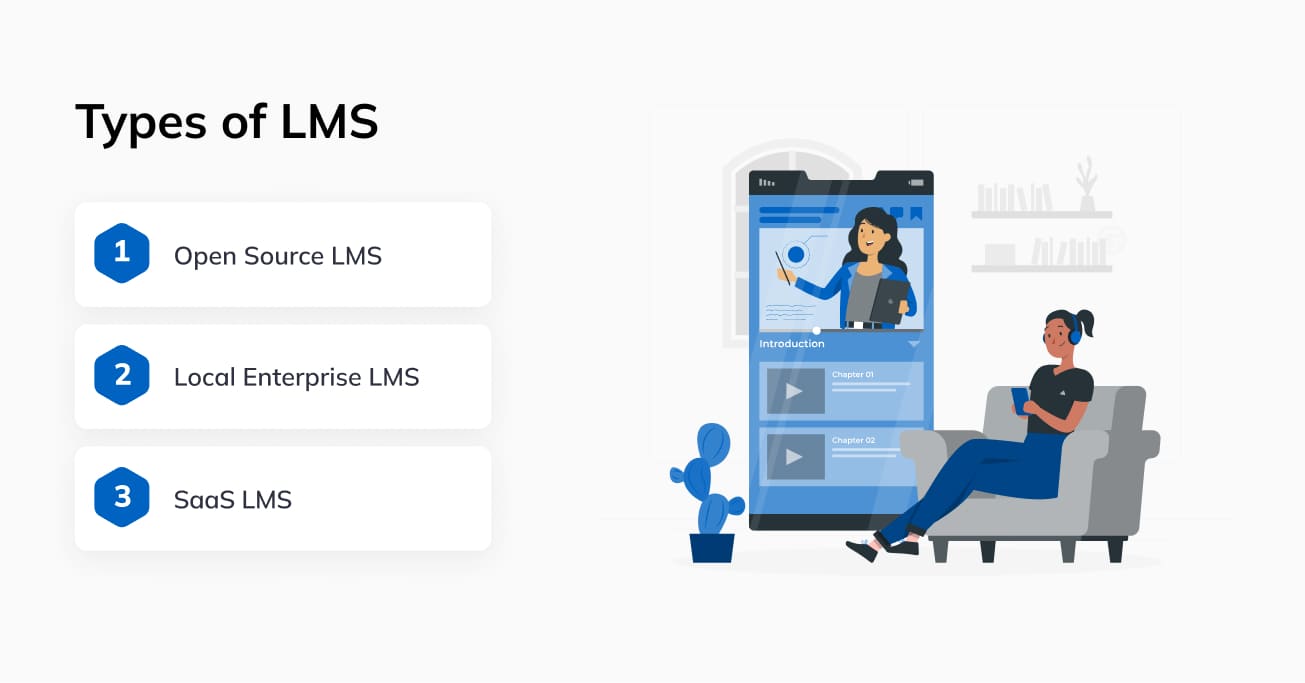
There are three types:
- Open Source LMS. Conditionally free type of system, which is developed based on a ready-made platform or template. As a rule, requires large resources for deployment, content, and support.
- Local Enterprise LMS. Stationary systems used in educational institutions or organizations. Typically deployed on local hardware and provide access to courses or tests to a limited number of individuals within a company.
- SaaS LMS. Cloud multifunctional systems. Most often, provide access to learning content on a paid basis on a subscription model. Anyone can use the platforms through the Internet.
Additionally, we divide the types of LMS into integrated and stand-alone, which may or may not be synchronized with other resources or platforms.
How can you use an LMS?
As for the areas of application of platforms after LMS development, there are a lot of options. The only problem is that it is difficult to create a multifunctional resource that suits all types of audiences. That is why there is a limited gradation in the areas and directions of Learning Management System development. Types of LMS by purpose:
- For learning for all comers. Classic systems, such as MOODLE or Coursera, where you can take courses, lessons, and consolidate your knowledge with a test. Access to resources is either unlimited or available on request.
- For students. Usually, these are internal university programs with remote access to course materials, plans, and assignments. Access is granted only to faculty and students through a strictly regulated system of internal accounts.
- For employees. Often companies offer their employees training systems for new methods and techniques. Used in different industries, but mostly found in marketing, design, development, and QA.
- Corporate complexes. Internal LMS of companies, where training materials for personnel are placed, as well as knowledge checks and data collection on the skills and progress of each employee.
- Accreditation systems. Rarely standalone, more often integrated into other LMSs. They are needed to determine a person's skill level and are used by HR and department heads to test subordinates and candidates.
- Distance learning for schoolchildren. It is often a classical video conference with a teacher, where the learning process is going online. Text versions of lessons or access to additional materials and test systems can be placed separately.
- Professional development courses. These can be separate LMS or dedicated access to a range of materials for employees of the organization on a particular platform, such as Coursera. Access to them is most often paid but open to all comers.
- Systems for checking knowledge. Most often used by companies to monitor employee knowledge. Typically, this applies to health and safety, occupational health and safety, specialized exams, or tests to upgrade their qualifications.
That is, Learning Management System development allows you to implement a personalized or hybrid platform for all audiences and tasks. Is it reasonable if there are already hundreds of similar resources? Yes, because your system must cover the tasks that the company or target audience needs. So, how to develop a Learning Management System?
Creating an LMS for Consumers and Companies
The process of creating your own LMS is similar to the classic development of an IT solution, with a few differences:
- You have to decide on the audience in advance.
- You can't deploy a full-fledged system right away.
- The complex must be fully tested.
- A system of accounts with differentiated access levels is required.
- It is desirable to have a ready base of materials before development.
This will all help your LMS to survive in a highly competitive industry. The development process itself is divided into 10 stages, although their number may vary depending on the scale or customer requirements. Here is a step-by-step guide to the fascinating world of Learning Management System development, using Glorium Tech as an example.
1. Market research
The success of any IT project depends on its demand in the market. That is why the first thing to do is to fully analyze the state of the industry, its brightest representatives, and its digital products. This is where it's important to highlight:
- Who is the business aimed at?
- What unique features are offered to the client?
- How is the management structure organized?
- What content is published?
- What is the billing model for accessing content?
- Product reviews and their content.
- How has the project evolved?
- How does the LMS scale?
All of these factors will help you build a complete picture of the field, identify the best players, and learn from their experience. Accordingly, you'll be able to immediately draw up a plan for developing and scaling your IT product.
2. Identify the target audience
Trying to cover all categories of users in one LMS can become a complete fiasco. That's because you won't be able to meet all of your customers' needs early on. It's better to put it off until release and add a specific point to your scaling strategy.
expert advice: All you need to do during the development of the second stage is to determine the initial TA. Yes, this is problematic, but quite realistic if the first point of development is completed correctly.
If you have collected industry data: supply and demand metrics, types of popular content, and market needs, then you will know exactly which area your LMS will be needed by users.
3. Planning and design
When you have an idea, a research background, and an understanding of the target audience's needs, you can begin the first stages of Learning Management System development, namely planning and design.
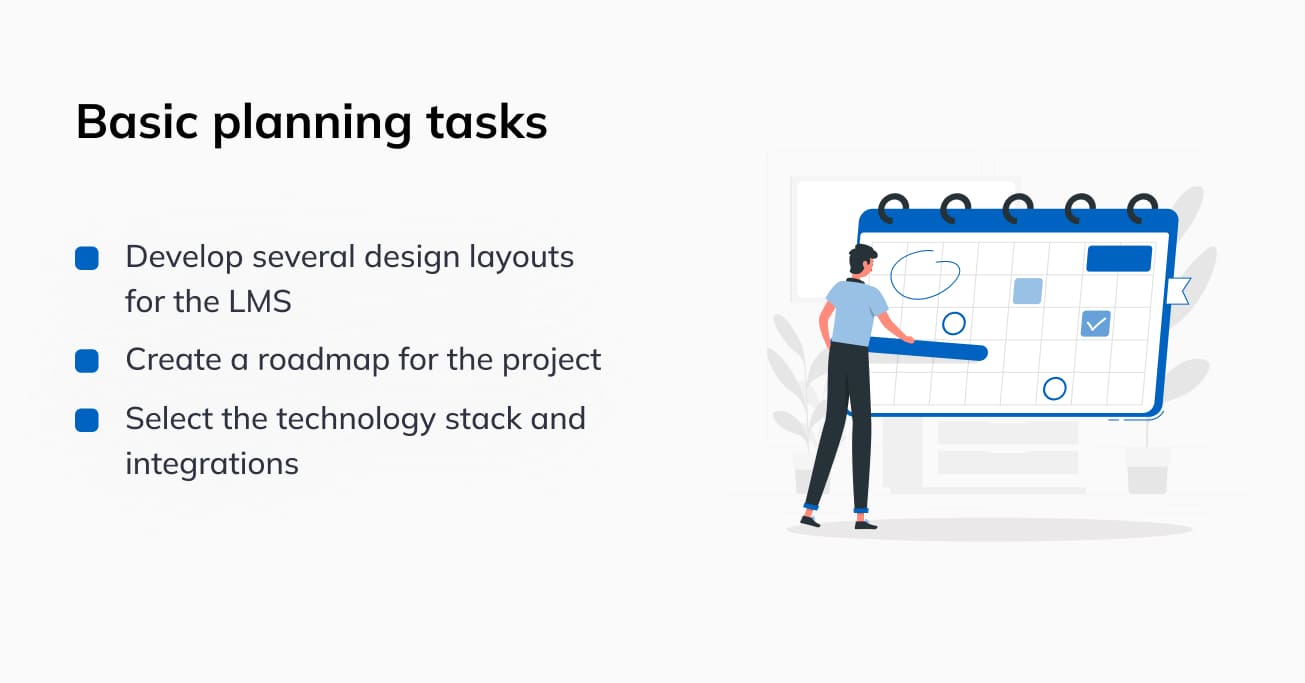
At this stage, it is important to do three things:
- Develop several design layouts for the LMS. One of them will "go to print" and become the business card of the platform. You need to think about the interface in several variations: for a browser, for a smartphone screen, and a tablet.
- Create a roadmap for the project. It should fully cover all possible issues: development, testing, hosting, deployment, data types, sources and types of content, distribution model, and scaling objectives.
- Select the technology stack and integrations. The right development languages, frameworks, and other components of an IT solution accelerate its performance, improving productivity and UX. This is critical for an LMS platform.
An objectively and thoroughly developed plan speeds up the development, and a modern and user-friendly UI improves the quality of the UX. The cost of creating them at the beginning of the project saves resources after the MVP is released (we'll talk about the final version later).
4. Create an architecture
Architecture in an LMS is not just a matter of selecting functions and placing them in the body of the program. It is comprehensive work on creating efficient and productive logic without unnecessary request redirects, incorrect APIs, or external modules. The right LMS architecture must quickly process requests and produce relevant information, regardless of where the source is located. If necessary, a gamification element is introduced with a grading system, a competitive element.
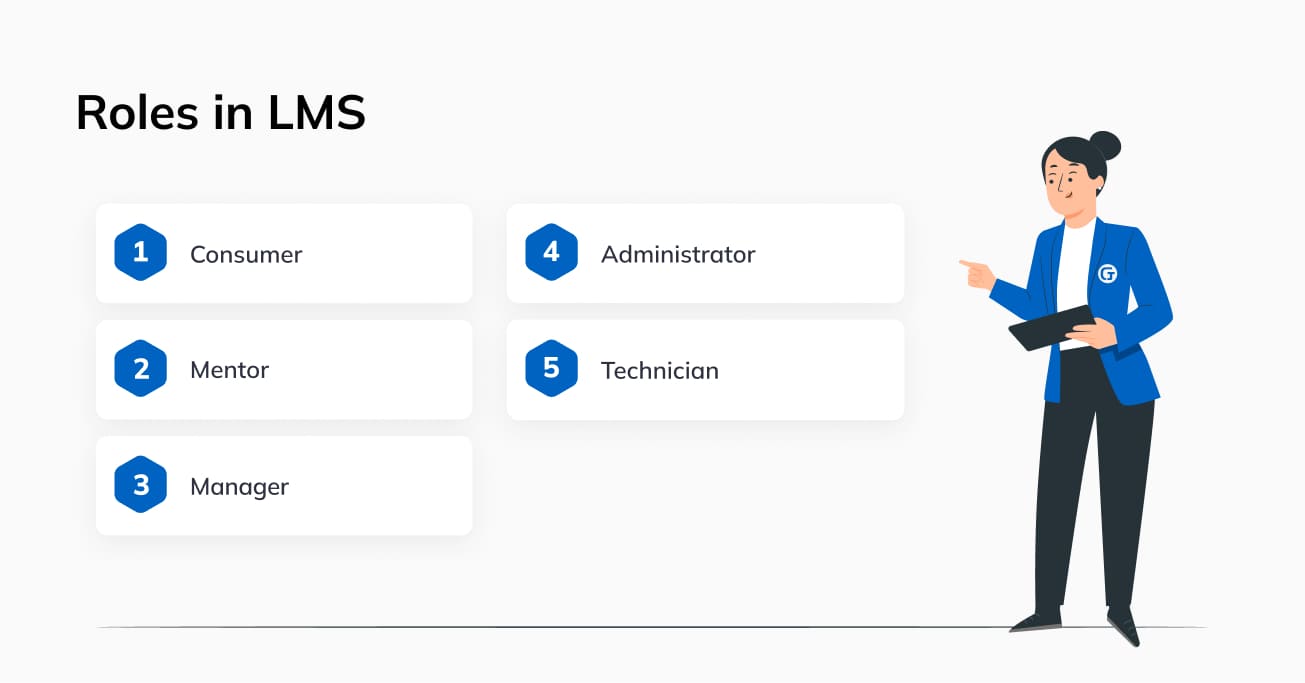
It is also used to implement an access control system. In LMS, this is a very important function. There are 5 main categories of system users:
- Consumer. A customer who needs access to certain content (can be paid, free, corporate, sponsored, etc.), as well as testing, exams, or analysis of learning outcomes.
- Mentor. A mentor for a student or an entire group. Usually in charge of a particular course or subject (considering a school curriculum). A department head or other person concerned who needs access to the progress and results of the mentees.
- Manager. The person responsible for a certain segment of training materials. Their sphere of access includes CMS, local or cloud content storage, and management of materials.
- Administrator. As a rule, this role implies full access to all functions managing user rights, content, or even entire resource sections. Accounts are issued in a limited number for the administration of the LMS.
- Technician. A technical employee, usually from the LMS development team, who is responsible for the app's operation, security, and productivity. May have full access to all functions and accounts in the system for troubleshooting.
All these roles must be clearly defined in the system and securely protected from unauthorized access from the outside. As a rule, electronic keys and end-to-end connection encryption are used for this purpose. When creating your own LMS, the architecture should be properly designed to allow further scaling. That is, even changes in a particular function should not lead to the collapse of the code, failure of some functionality, loss of access, etc.
5. Develop the platform
How to develop a Learning Management System without wasting your budget? Entrust this task to Glorium Tech professionals. The company's specialists have vast experience working with all popular frameworks and development languages. The Learning Management System development stage consists of creating the program's back-end and front-end components and a database (usually used for managing access or storing client information, links to content, etc.). Also, at this stage, we create functions and elements of the system, for example:
- video and audio content player;
- gamification elements (rating, progress, awards);
- API integration of external modules;
- virtual audiences;
- chat and communities.
If necessary, we also develop mobile clients for popular operating systems: iOS and Android, as well as their forks: OneUI, MIUI, HarmonyOS, OxygenOS, and ColorOS.
6. Testing of algorithms
Generally, the testing process in Agile, DevOps, and TestDevOps methodologies begins with the first stages of development. LMS development is no exception. Since modern QA assumes almost 100% automation, it is sufficient to create scenarios and periodically automate them. It is important in the LMS to check all key software operations for bugs:
- Processing of queries and results.
- Output of relevant material.
- Internal redirection of the user.
- Access to features and content within the selected role.
- Functioning of the progress tracking system.
- Operation of the stages of the training system.
All components of the software must work smoothly and without interruption. This is especially important at the MVP release stage when it is the first users of the LMS who determine the success of the project.
7. Data connection and hosting
If you already have a content database, it's very good because all the materials can be immediately filled in the cloud and set up a connection to them by standard LMS means. At this stage, there are all sorts of integrations and synchronizations, both data and some modules. Also, the software base is placed in the cloud storage.
expert advice: For hosting, it is better to use proven and reliable solutions, such as Google Cloud, Azure, or AWS. They almost always work without failures, which is qualitatively reflected in the experience of using your IT solution by your customers.
8. Comprehensive testing
When the Learning Management System development is complete, the platform is deployed and synchronized with the data, the penultimate stage comes - comprehensive testing. Its peculiarity lies in the huge amount of work. In order to increase the effectiveness of testing, you can involve ordinary users who will use the resource without understanding how exactly it works. It is important to prevent critical bugs from leaking into the first release of MVP because it will play a key role in the further existence of the product. As practice shows, the first impressions of consumers form the opinion about the project, and the word-of-mouth effect will finish the job, promoting or destroying the IT solution and sometimes the brand.
9. Release MVP and collect metrics
Pompous advertising and reviews by "independent" experts will help your LMS win the love and commitment of the public. This is especially important at the MVP stage, so make sure to focus on marketing and QA. The first release is a kind of practical testing of the idea and collecting statistics, feedback, and all sorts of metrics related to the LMS. At this stage, you need to focus as much as possible on analyzing all incoming information: performance logs, connection statistics, server stability, and user feedback. Only a high-quality collection of information and using it to improve the digital solution will help you properly scale the LMS and make the final release.
10. Support and scaling
Be prepared that not everyone will like your LMS. In addition to positive feedback, you will receive criticism and negativity about the company and the software. And the critical factor here is how you use this information. Communication with the consumer is one of the most important points of the marketing and technical roadmap of the project. Only real feedback, comments, and suggestions will help you realize a fully successful and popular digital product. And this rule works for all business segments. When you have gathered enough information about the effectiveness and relevance of your LMS, the modernization phase begins. It is important to incorporate feasible suggestions and wishes into the software optimization cycle while maintaining the idea of the project. Proper scaling is not always about the technical stack; rather, it is about working on the mistakes made during the creation of the MVP. The same goes for support. The user is the best QA expert in the world. They can find bugs where professionals or automated algorithms failed. So do not ignore bug reports from users. Technical support is simple – delegate this task to the project managers. For example, if you ordered Learning Management System development from Glorium Tech, we will assign you a team for timely troubleshooting.
Essential LMS Features: What to Build First and What Can Wait
Knowing the development stages is one thing. Knowing exactly what to build at each stage is another. One of the most common mistakes in custom learning management system development is overloading the MVP with features that look impressive but drain your budget before launch. A smarter approach is splitting your feature set into two categories: must-have functionality for your first release and advanced features you add during scaling.
Must-have features for MVP
These are the features without which your LMS simply will not function as a learning platform. Skip any of them, and users will abandon the system before completing their first lesson.
- User registration and profile management: Learners, instructors, and administrators all need to create accounts, manage personal information, and recover credentials. Include role-based registration flows so each user type sees only what is relevant to them from the first login
- Course creation and management tools: Instructors and content managers need a straightforward interface to upload materials, organize them into modules or chapters, set prerequisites, and define completion criteria. Support multiple content formats from the start: video, PDF, slides, and text. Limiting your CMS to a single format narrows your audience significantly
- Content delivery and media player: A built-in player that handles video, audio, and interactive presentations without forcing users to download files. Streaming should be adaptive, adjusting quality based on connection speed. Buffer issues during a lesson are one of the fastest ways to lose engagement
- Assessment engine: Quizzes, assignments, and exams with configurable question types: multiple choice, true/false, short answer, and file upload. Include automatic grading for objective questions and manual grading workflows for subjective ones. Without assessments, there is no measurable learning
- Progress tracking and reporting dashboards: Learners need to see where they stand in a course. Instructors and managers need aggregated data on completion rates, average scores, and time spent per module. Even a basic dashboard with these metrics gives your LMS a significant edge over a static content library
- Notification system: Email and in-app notifications for enrollment confirmations, assignment deadlines, grade postings, and certificate availability. Automated reminders reduce dropout rates by keeping learners engaged between sessions
- Basic search and navigation: A course catalog with filtering by category, difficulty level, duration, and rating. If users cannot find what they need within 30 seconds, they will look elsewhere
Advanced features for post-MVP scaling
Once your platform is live and generating real user data, these features become your competitive differentiators. Experienced LMS developers can help you prioritize which additions will deliver the most value for your specific audience.
- Gamification: Badges, leaderboards, streak counters, and point systems. These elements increase engagement measurably, but they require tuning based on actual user behavior, which is why they work better as a second-phase addition
- Social learning tools: Discussion forums, peer review systems, study groups, and live chat. Community features are powerful retention drivers, but they also demand active moderation infrastructure
- AI-powered recommendations: Suggest courses based on a learner's history, role, or skill gaps. This feature relies on accumulated usage data, making it impractical at launch but highly valuable once your user base grows
- White-labeling and multi-tenancy: If your business model includes licensing the LMS to other organizations, build the ability to customize branding, domains, and content libraries per tenant. This is a complex architectural addition that should be planned early, but implemented after core stability is confirmed
- Offline access and mobile sync: Allow learners to download materials for use without an internet connection, then sync progress when connectivity resumes. Particularly important if your target audience includes users in regions with unreliable internet or field workers accessing training on job sites
- Advanced analytics and custom reports: Exportable reports, learning path analysis, predictive dropout scoring, and integration with business intelligence tools. These become essential when corporate clients start requesting ROI data on their training investments
Prioritizing your feature set this way protects your budget during the most vulnerable phase of LMS software development and ensures that every dollar spent on the MVP contributes directly to a functional, testable product. The advanced features then arrive when you have real usage patterns to guide their implementation
Investing in an LMS: Development Costs and Payback
The age-old question "Will the development pay off?" remains open. The answer depends on some factors:
- The demand for digital product on the market.
- The target audience of the project.
- LMS monetization policy.
- Quality of the IT product.
- Real benefits for customers.
Especially interesting is the third point: monetization. There are five main ways to generate income in the LMS:
- Paid content. Everything is very simple: you want to learn something, pay for the course.
- Subscription. A practical way of monetization. Paid, for example, a month of access to all the content on the resource.
- Free access with advertising. You have to view a sponsored video, banner, or other types of advertising to access the material.
- Corporate courses. Publication of complex profile materials with contract access for companies.
- Sponsored classes. A company pays the LMS owner to publish its materials with free access for advertising.
As a rule, all of the above methods are effective except "Free." It's not even that users don't like ads. It's just that you need to spam marketing content literally everywhere: in commercials, on pages, and in notifications. Not only does this annoy consumers, but it also reduces the performance of the LMS. As for the cost of development, it is an individual figure for each project. It depends on the number of features, the technical stack, the team, and the timeline. The median cost ranges from $70,000 to $150,000 per MVP.
Conclusion
Now you know how to develop a Learning Management System for your company. It is quite a complicated but interesting and fascinating process. The LMS platform itself is relevant and will gain popularity in the coming years. This is indicated by the research of analytical companies and statistics of profile resources. That is why now is the best time to create your own LMS. At Glorium Tech, we understand the importance of a timely release of a quality IT solution. The LMS market is no exception. That's why we offer you all our experience and expertise to implement your Learning Management System development project. In 12 years, we have released more than 100 projects with a 99% success rate of IT solutions on the market. We offer you a full range of services, from consulting and market research to post-release support. Want to break into the LMS niche in time with a unique digital solution? Describe your idea to us and get qualified assistance in its realization.
FAQ
How long does it take to build an LMS?
Depending on the project's complexity, it takes 3 to 12 months for the MVP release. The final term is influenced by: the number of features, the size of the team, the technical stack, and the selected set of services.
Why is LMS important?
As the demand for remote learning has grown, so has the need for specialized platforms. An LMS is precisely the key resource for homeschooling, professional development, or even corporate skill improvement. In the coming years, the trend for LMSs will increase, and new, more advanced systems will appear on the market. That is why this niche is up-and-coming both for business and for the end consumer of content and services.
How to develop a Learning Management System?
To begin with, you need to assess the market situation and determine the type of LMS and the target audience of the IT product. This is really important because LMS is a very specific niche where the success of the project depends on the ability to analyze and plan than on the "coolness" of the system. Next, you need to entrust the software development to an expert team. Glorium Tech has just completed several such projects and is ready to start working on your order.
What is the Learning Management System?
This is a system for remote learning. It allows you to take courses, lessons, or entire sets of classes, improving skills, grades, achievements, and even certificates or diplomas. Depending on the type of system and its purpose, it can be used by private clients, companies, and educational institutions.
What are the features of LMS?
Content broadcasting, learning progress control, gamification elements, and results evaluation system. The list of features can be expanded upon customer request, but the main thing is to provide them with a user-friendly UI with fast navigation, high system performance, and an extensive catalog of thematic materials.
What are the benefits of an LMS?
An LMS allows you to get a quality education or improve your skills remotely. You don't need to go to classrooms, attend lectures or exams to study. It is enough to study freely and get useful and interesting information. The advantage of LMS is the extensive catalog of structured training materials. The correct organization and transcription of terms, clips, and text content allow you to learn new information and learn skills quickly.
What is the purpose of LMS in education?
The LMS opens up remote access to training materials for everyone. The system's goal is to structure and properly present courses to the audience without having to draw information from other sources.
What are the different types of LMS?
By type of technical execution:
- Open Source LMS.
- Local Enterprise LMS.
- SaaS LMS.
By purpose:
- For training of all comers.
- For students.
- For employees.
- Corporate complexes.
- Accreditation systems.
- Distance learning for schoolchildren.
- Professional development courses.
- Systems for checking knowledge.
What are the aspects to develop a learning system?
You need to know exactly the state of the LMS market, the needs of users, and the specifics of the target audience. Only comprehensive consumer information will allow you to create a truly effective and popular digital product and then scale and monetize it.
What is an example of a Learning Management System?
MOODLE, Coursera, Google Digital Garage, Adobe Captivate Prime, Docebo LMS, TalentLMS, iSpring Learn, eFront.
How much does it cost to develop an LMS?
Individual for each project. If you need an LMS add-on for a SaaS platform, its creation will cost starting at $5,000. For an average project with basic functionality, the median cost is $25,000-$70,000. An advanced platform with additional features will cost $90,000-$200,000. A long-term project with many features and constant updates is estimated at $100,000+.
How many hours does it take to make an LMS?
This is calculated individually for each project. It is generally accepted that 1,000-1,500 hours of development is enough for MVP release if you consider only basic functionality and not a complex technical stack.
About Hanna Reshetniak